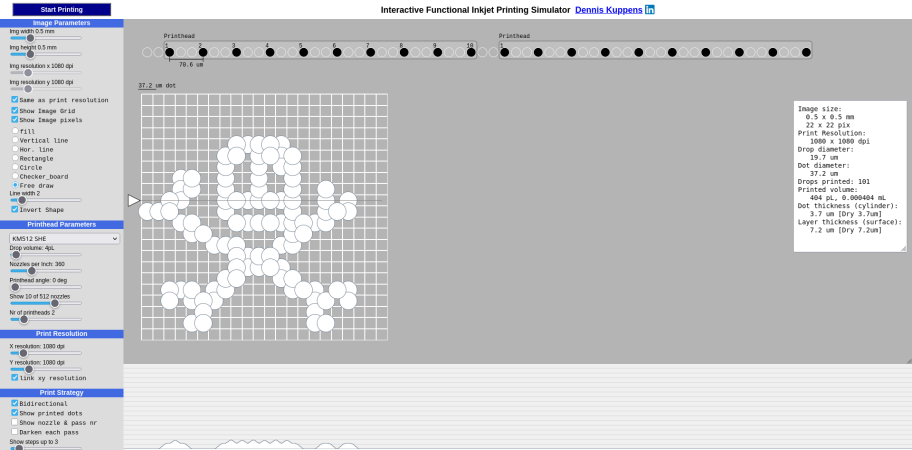
A screenshot of the inkjet simulator project

Understand Your Printer Better With The Interactive Inkjet Simulator

Love them or hate them, inkjets are still a very popular technology for putting text and images on paper, and with good reason. They work and are inexpensive, or would be, if not for the cartridge racket. There’s a bit of mystery about exactly what’s going on inside the humble inkjet that can be difficult to describe in words, though, which is why [Dennis Kuppens] recently released his Interactive Printing Simulator.

[Dennis] would likely object to that introduction, however, as the simulator targets functional inkjet printing, not graphical. Think traces of conductive ink, or light masks where even a single droplet out-of-place can lead to a non-functional result. If you’re just playing with this simulator to get an idea of what the different parameters are, and the effects of changing them, you might not care. There are some things you can get away with in graphics printing you really cannot with functional printing, however, so this simulator may seem a bit limited in its options to those coming from the artistic side of things.

You can edit parameters of the nozzle head manually, or select a number of industrial printers that come pre-configured. Likewise there are pre-prepared patterns, or you can try and draw the Jolly Wrencher as the author clearly failed to do. Then hit ‘start printing’ and watch the dots get laid down.

[Dennis] has released it under an AGPL-3.0 license, but notes that he doesn’t plan on developing the project further. If anyone else wants to run with this, they are apparently more than welcome to, and the license enables that.

Did you know that there’s an inkjet in space? Hopefully NASA got a deal on cartridges. If not, maybe they could try hacking the printer for continuous ink flow. Of course that’s all graphics stuff; functional printing is more like this inkjet 3D printer.

Fluid Simulations In The Kitchen Sink

In an age of ultra-powerful GPUs and cheap processors, computational techniques which were once only available to those with a government-sized R&D budgets are now available to the everyday hacker. An example of industry buzzword turned desktop software is the field of “computational fluid dynamics”, which put simply allow modeling how gasses or liquids will behave when moving through a cavity under specific conditions. Extensive utilization of these fluid simulations are often cited as one of breakthrough techniques which allowed SpaceX to develop their engine technology so rapidly when compared to Apollo and Shuttle era methods.

But just because anyone with a decent computer has access to the technology used for developing rocket engines doesn’t mean they have to use it. What if you prefer to do things the old-fashioned way? Or what if, let’s me honest, you just can’t figure out how to use software like Autodesk CFD and OpenFOAM? That’s exactly where [Desi Quintans] found himself when developing GUST, his cooling duct for i3-type 3D printers.

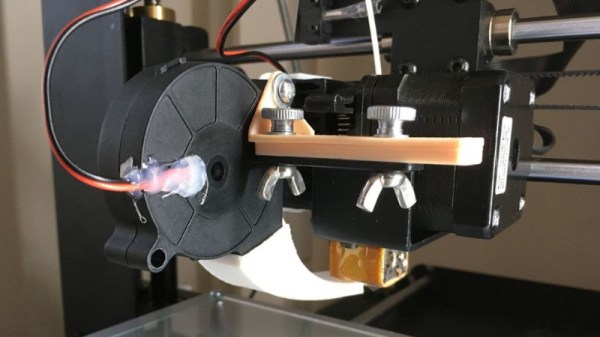
[Desi] tried to get the big name fluid simulation projects working with his prototype designs for an improved cooling duct, but had no end of trouble. Either the learning curve was too steep, or the simulation wasn’t accurate enough to give him any useful data. But remembering that air is itself a fluid, [Desi] took his simulation from the computer to the sink in order to better visualize what his cooling duct was doing to the airflow.

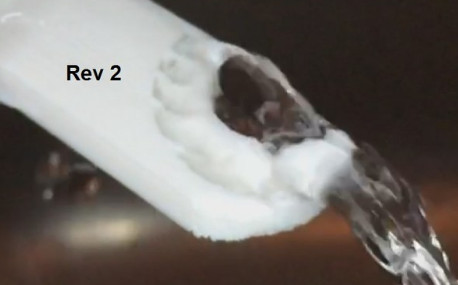
[Desi] printed up a box with a hole in the bottom that would connect up to his nozzles under test. As the volume of water in the box would be a constant between tests, he reasoned that this would allow him to evaluate the different nozzles at the same pressure. Sure enough, he found that the original nozzle design he was using caused chaotic water flow, which backed up what he was seeing in his experiments when mounted onto the printer.

After several iterations he was able to tame the flow of water by using internal baffles and fins, which when tested in water created something of a laminar flow effect. When he tried this version on the printer, he saw a clear improvement in part cooling, verifying that the behavior of the air and water was close enough for his purposes.

We’ve seen other projects that successfully used fluid simulations in their design before, but the quick and dirty test procedure [Desi] came up with certainly has its charms.

Brain Controlled Fluid Simulation

[vimeo 3157584]

Here’s another video demo of [Eric]’s Besmoke interactive fluid simulation that we covered earlier. It was put together for the BIL Conference last weekend. This time around he’s strapped the iPhone to his head (complying with California’s handsfree laws). To make things interesting, he’s also added OCZ’s Neural Impulse Actuator to provide brainwave input.