The Noctua Fan Files And The Limits Of 3D Printing PC Fans

After Noctua recently released CAD files for a range of their computer fans, one of the first thoughts that popped up for most people was: Can you just to 3D print their fans? Even though Noctua begs you not to 3D print the files and even says they changed the design slightly so it wouldn’t be the same anyway, the question persists. Fortunately, [Steve] of Gamers Nexus is here to help us answer the question of whether it makes sense to 3D print a computer fan.

Unsurprisingly, the answer is mostly a resounding ‘no’. After reworking the original CAD models to be both printable on a Bambu Lab FDM printer and printing the parts in PLA, the arguably most important part, the motor, still had to be sourced from an original Noctua fan. Although you could source a cheaper motor, that could change the fan’s characteristics.

The other issue is materials. The special polymer that Noctua uses for its fans is designed not to change shape significantly when the fan blades are spinning, whereas PLA and basically every other thermoplastic will likely deform enough to hit the inside of the fan with the blades. For this reason, a 3 mm gap was used in the PLA print compared with the approximately 0.5 mm gap of the original Noctua fan.

Using the professional fan tester and semi-anechoic chamber over at Gamers Nexus, the original and replica fans were compared, showing that the 3D-printed fan had a similar noise profile but produced only about half the airflow. This is likely due to the blade shape and angle, the increased gap, and probably a dozen other details that presumably justify putting a cool $40 down for the original fan.

In short, you’re probably best off using these Noctua fan CAD models for fit testing in a larger CAD model, or 3D printing it for a similar purpose, rather than for a functional fan design. At least now we know. Thanks, [Steve].

Continue reading “The Noctua Fan Files And The Limits Of 3D Printing PC Fans”
Noctua Releases 3D Models, But Please Don’t Try To Dupe The Products

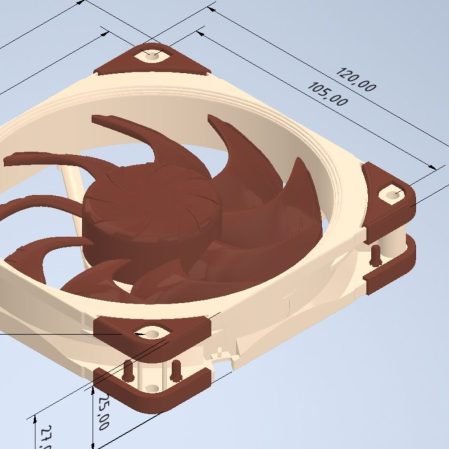
Noctua wants to make life easier for fans of its…fans. To that end, the company has released a bevy of 3D models across its various product lines, all available to download for free.

If you’re not familiar with the company, Noctua specializes in high-quality cooling systems for the PC market. Its hope is that by freely providing 3D models of its components, it will aid aftermarket companies and DIYers that wish to integrate Noctua fans into their gear. In the company’s own words, these files are made available for “mechanical design, rendering, or animations.” They will let people check things like mountings and fitment without having to have the parts on hand, or to create demo visuals featuring the company’s products.

Don’t get too excited, though, because Noctua has already thought ahead. The company has specifically noted these parts aren’t intended for 3D printing, and critical components like fan blades have modified geometry so as to not compromise the companies IP. You could try and print these models, but they won’t perform like the real thing, and Noctua notes they shouldn’t be used for simulation purposes either. They’re intentionally not accurate to what the company actually sells in that regard.

That isn’t to say Noctua is totally against 3D printing. They have lots of parts available on Printables that they’d love you to try—everything from fan grilles to ducts to anti-vibration pads. Most are useful accessories—the kind of little bits of plastic that make using the products easier—that don’t threaten Noctua’s core product line in the marketplace.

If you’re whipping up a custom PC case and you want to kit it out with Noctua goodies, these models might help you refine your design. It’s funny how it’s such an opposite tactic to that taken by Honda, in terms of embracing the free exchange of 3D models on the open Internet. It’s a move that will surely be appreciated as a great convenience, and we’d love to see more companies follow this fine example.

Thanks to [irox] for the tip!

PlayStation Case Mod Hides Gamer Shame

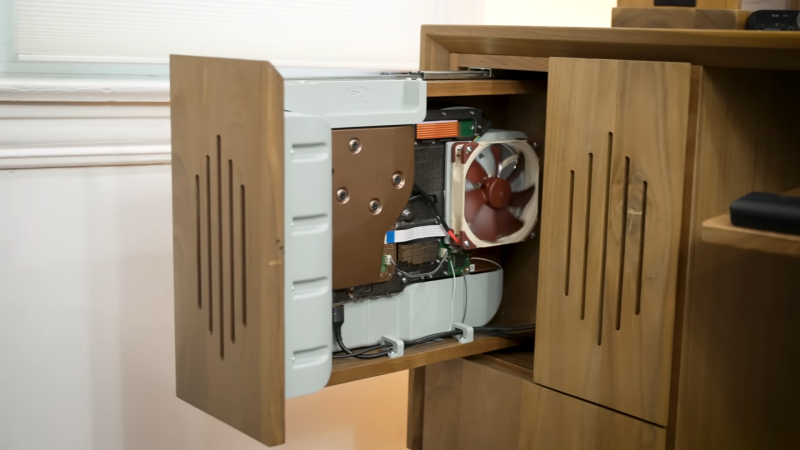
[Zac] of Zac Builds has a shameful secret: he, a fully grown man, plays video games. Shocking, we know, but such people do exist in our society. After being rightfully laughed out of the family living room, [Zac] relocated his indecent activities to his office, but he knew that was not enough. Someone might enter, might see his secret shame: his PlayStation 5. He decided the only solution was to tear the game console apart, and rebuild it inside of his desk.

All sarcasm aside, it’s hard to argue that [Zac]’s handmade wooden desk doesn’t look better than the stock PS5, even if you’re not one of the people who disliked Sony’s styling this generation. The desk also contains his PC, a project we seem to have somehow missed; the two machines live in adjacent drawers.

While aesthetics are a big motivator behind this case mod, [Zac] also takes the time to improve on Sony’s work: the noisy stock fan is replaced by three silent-running Noctua case fans; the easy-to-confuse power and eject buttons are relocated and differentiated; and the Blu-ray drive gets a proper affordance so he’ll never miss the slot again. An NVMe SSD finishes off the upgrades.

Aside from the woodworking to create the drawer, this project relies mostly on 3D printing for custom mounts and baffles to hold the PS5’s parts and direct airflow where it needs to go. This was made much, much easier for [Zac] via the use of a 3D scanner. If you haven’t used one, this project demonstrates how handy they can be — and also some of the limitations, as the structured-light device (a Creality Raptor) had trouble with the shinier parts of the build. Dealing with that trouble still saved [Zac] a lot of time and effort compared to measuring everything.

While we missed [Zac]’s desk build, we’ve seen his work before: everything from a modernized iPod to wooden sound diffusion panels.

Continue reading “PlayStation Case Mod Hides Gamer Shame”

PC In An SNES Case Is A Weirdly Perfect Fit

For better or for worse, a considerable number of the projects we’ve seen here at Hackaday can be accurately summarized as: “Raspberry Pi put into something.” Which is hardly a surprise, the Pi is so tiny that it perfectly lends itself to getting grafted into unsuspecting pieces of consumer tech. But we see far fewer projects that manage to do the same trick with proper x86 PC hardware, but that’s not much of a surprise either given how much larger a motherboard and its components are.

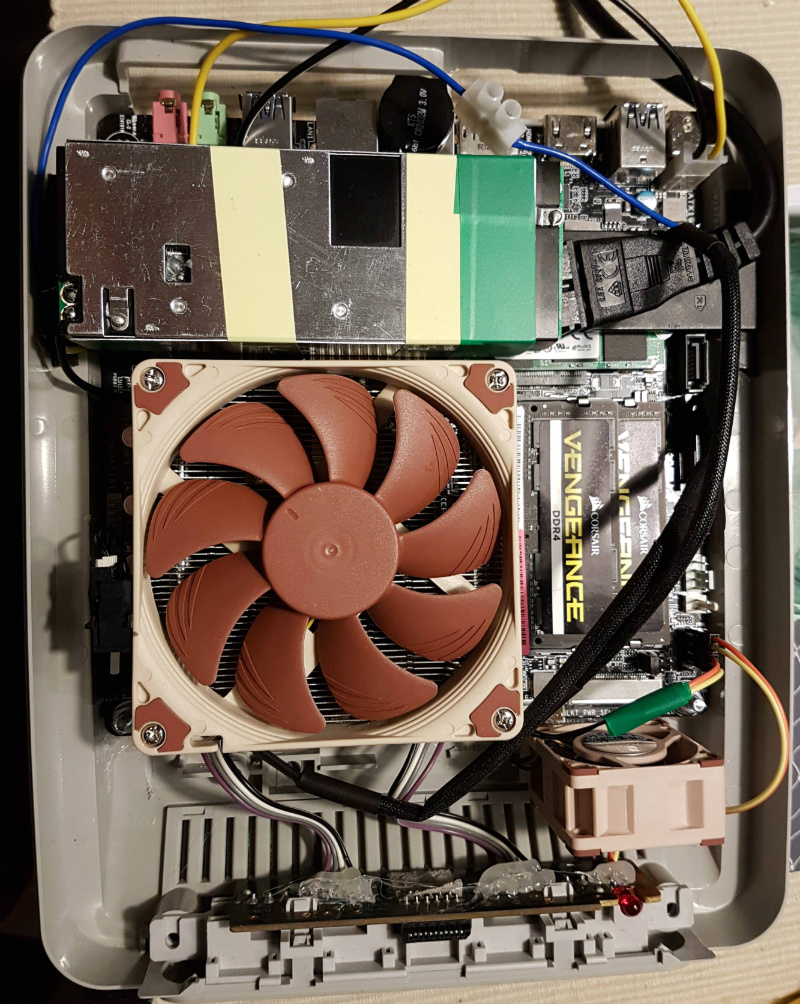
So this PC built into a Super Nintendo case by [NoshBar] is something of a double rarity. Not only does it ditch the plodding Raspberry Pi for a Mini-ITX Intel i5 computer, but it manages to fit it all in so effortlessly that you might think the PAL SNES case was designed by a time traveler for this express purpose. The original power switch and status LED are functional, and you can even pop open the cart slot for some additional airflow.

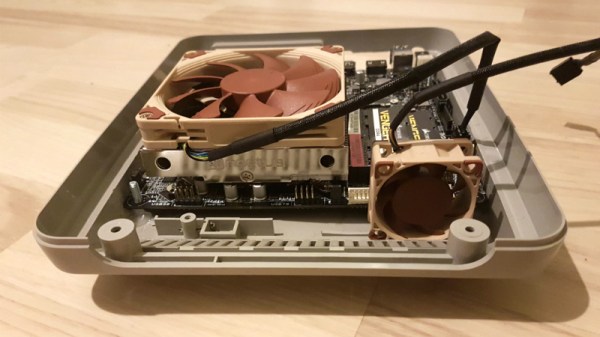
[NoshBar] started by grinding off all the protruding bits on the inside of the SNES case with a Dremel, and then pushed some bolts through the bottom to serve as mounting posts for the ASUS H110T motherboard. With a low profile Noctua CPU cooler mounted on top, it fits perfectly within the console’s case. There was even enough room inside to add in a modified laptop charger to serve as the power supply.

To round out the build, [NoshBar] managed to get the original power slider on the top of the console to turn the PC on and off by gluing a spring-loaded button onto the side of the CPU cooler. In another fantastic stroke of luck, it lined up almost perfectly with where the power switch was on the original SNES board. Finally, the controller ports have been wired up as USB, complete with an adapter dongle.

[NoshBar] tells us the inspiration for sending this one in was the Xbox-turned-PC we recently covered, which readers might recall fought back quite a bit harder during its conversion.

Finally, A Quiet Xbox 360

coolers

Frustrated by the constant din of his Xbox 360, [Janne Ström] took action. The original case wouldn’t have near enough room for the additional cooling that needed to be installed, so he picked up Lian Li’s XB01 case replacement. He followed the illustrated disassembly guide to get the Xbox stripped down to just its motherboard. He then began fitting his coolers of choice: two massive Noctua NH-U9D0 units originally intended for AMD Opterons. The asymmetric heat sinks are intended for applications like this where dual sockets could make other devices difficult to place. Clearly the hardest part of the installation was applying an appropriate amount of thermal compound and then slowly tightening the hold down screws to guarantee even pressure. The resultant system ended up being quieter than the first camera he attempted to record it with and the attached power supply. You can see a video of it below.

Continue reading “Finally, A Quiet Xbox 360”