The availability of cheap addressable RGB LED strips has been a huge boon for hardware hackers, as it makes many projects far more accessible. This usually requires a lot of snipping, followed by the monotony of connecting up a bunch of fiddly jumper wires, but that’s still generally preferable to having to solder all of the LEDs individually.
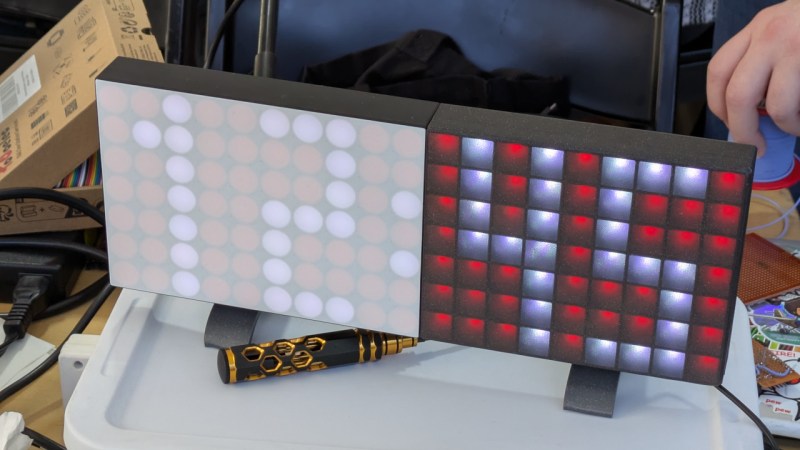
But what if you didn’t even have to do that? That was the goal of the brilliantly designed PixelClock by [Dom Dominici] — by carefully weaving a continuous 2.5 meter strip of WS2812B LEDs through its 3D printed structure, you can create a 7×19 display without any tedious manual work. Technically you do “waste” a few LEDs in the process since they’ll be on the inside of the folded strip, but that’s literally and figuratively a small price to pay for the added convenience offered by this approach.
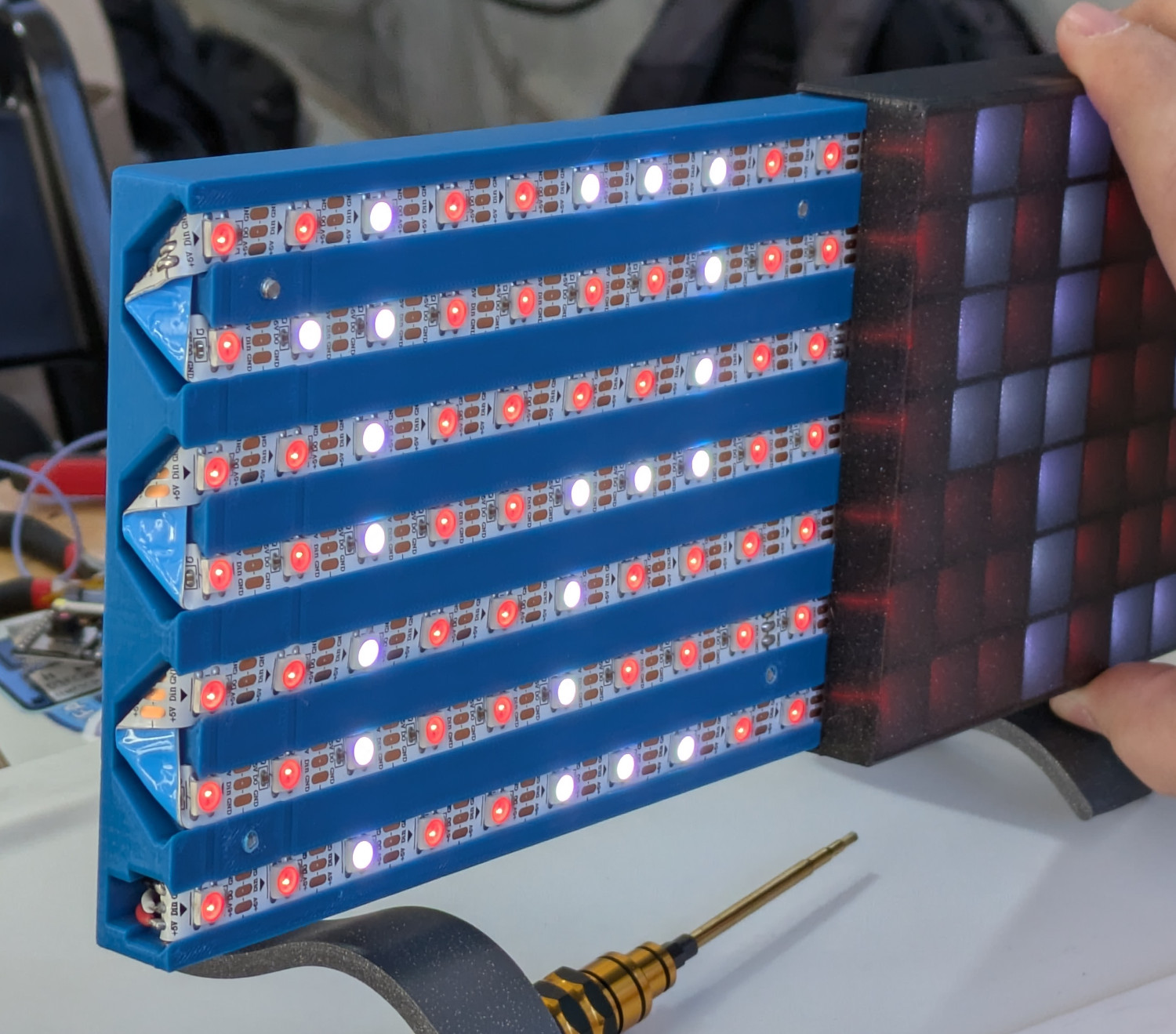 We saw this one in person during Hackaday Supercon, and [Dom] tells us the whole idea was to make it as accessible as possible for new players. While we know there’s plenty of readers who actually enjoy the process of stripping and soldering wires, that’s not necessarily true for the average person. Of course the builder still needs to connect the end of the LED strip to the ESP32 WROOM development board that controls it, but that’s still a lot less intimating of a prospect for somebody that doesn’t breathe solder smoke on the regular.
The PixelClock is configured via a web interface running on the ESP32, so there’s nothing you need to install on your phone or computer to get it working. You can even install the firmware via WebSerial, making the build process that much friendlier.
One of the things we liked the most about the design is the printed diffuser — it might look like paper or some kind of opaque acrylic, but in actuality it’s just a couple layers of plastic. You can easily swap filament during the print to come up with different color variations, and for those that are comfortable in CAD, creating custom “pixels” is as easy as changing the shape of the individual LED compartments. Even in the bright Pasadena sunlight, the effect was impressive.
If you don’t mind cobbling together LED strips, this concept can be applied at a much larger scale.