Running Windows NT On The Nintendo Gamecube

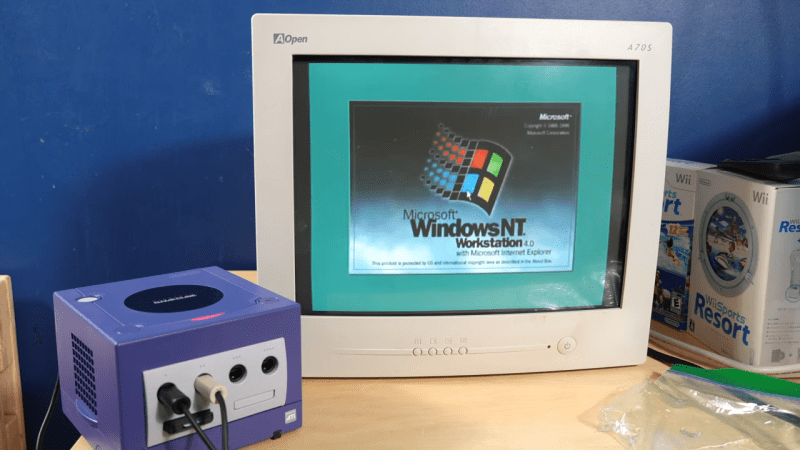
The Nintendo GameCube is known for playing the best version of Smash Bros. and its vaguely rectangular aesthetic. It’s not particularly known for running a workstation OS from the mid-1990s. However, with a little work, your diminutive purple console could also boot up Windows NT if you really wanted it to.
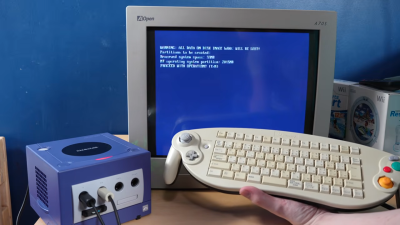
You’ll want a controller that looks *like* this, but not this exact model—because [Jiga Tech] couldn’t get this keyboard controller to work with the ported version of Windows NT.
This is fundamentally possible because, once upon a time, Microsoft built a PowerPC version of Windows NT. The work to make it compatible with the GameCube was performed by a group of contributors—[Rairii], [NTx86], and [stonedDiscord]—with the resulting port made available on Github. It won’t just run on the GameCube, either. You can also boot it on the Wii, and within the Wii-U’s vWii mode, as well.

If you’re interested in seeing what this looks like, there’s a great video from [Jiga Tech] on YouTube that outlines the install process. Just note that the GameCube never really came with a proper keyboard. If you want textual input, you’ll have to fuss with a range of controller-entry methods, or get one of the rare GameCube controllers that had an entire keyboard in the middle. We’re not even kidding, they did exist.

If you’re still obsessed with this generation of consoles, consider trying to order pizza from your Sega Dreamcast. Video after the break.

Continue reading “Running Windows NT On The Nintendo Gamecube”
WoWMIPS: A MIPS Emulator For Windows Applications

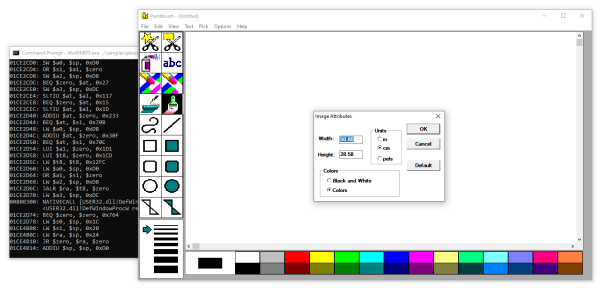
When Windows NT originally launched it had ports to a wide variety of platforms, ranging from Intel’s x86 and i860 to DEC’s Alpha as well as the MIPS architecture. Running Windows applications written for many of these platforms is a bit tricky these days, which [x86matthew] saw as a good reason to write a MIPS emulator. This isn’t just any old emulator, though. It maps 32-bit Windows applications targeted at the MIPS R4000 CPU to an x86 CPU instead. Since both platforms run in a little-endian, 32-bit mode, this theoretically should be a walk in the park.

The use of the Windows PE executable format is also the same, so the first task was to figure out how to load the MIPS PE binary in a way that made sense for an x86 platform. This involved some reverse-engineering of the MIPS ntdll.dll file to figure out how relocations on that platform were handled. Following this, the mapping of the instructions of the R4000 CPU to the (CISC) x86 ISA was pretty easy. Only Floating Point Unit (FPU) support was left as a future challenge. Memory access was left as direct access, meaning no sandboxing or isolation, for simplicity’s sake.

The final task was mapping the native API calls, which call almost directly into the underlying host Windows OS’s API, with a bit of glue logic. With all of this done, Windows NT applications originally written for 1990s MIPS ran just fine on a modern-day x86_64 PC running Windows — as long as you don’t need an FPU (for now).

Microsoft Live Account Credentials Leaking From Windows 8 And Above

Discovered in 1997 by Aaron Spangler and never fixed, the WinNT/Win95 Automatic Authentication Vulnerability (IE Bug #4) is certainly an excellent vintage. In Windows 8 and 10, the same bug has now been found to potentially leak the user’s Microsoft Live account login and (hashed) password information, which is also used to access OneDrive, Outlook, Office, Mobile, Bing, Xbox Live, MSN and Skype (if used with a Microsoft account).

Continue reading “Microsoft Live Account Credentials Leaking From Windows 8 And Above”