It’s a bit of an understatement that at release Windows Vista rather fell flat. Much of the problem was due to how rushed of a release it was, with incomplete driver support and various glitches in the OS that ought to have been ironed out prior to release. In a retrospective, [SteelsOfLiquid] takes a look at what used to be the most infamous Windows OS until the arrival of first Windows 8 and subsequently the popcorn-fest that is Windows 11.
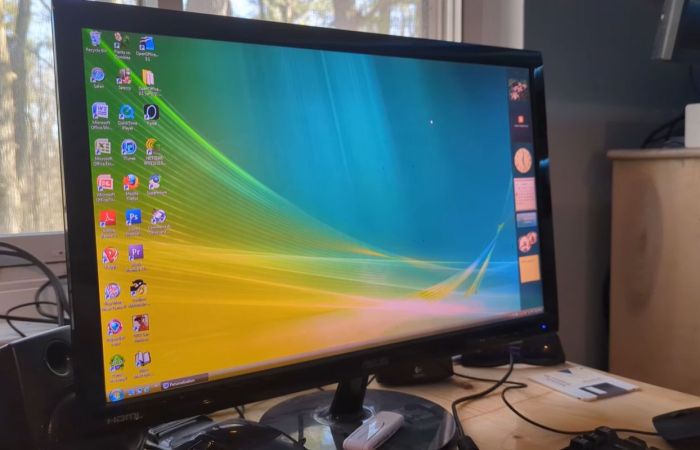
After a brief re-run of the development history and initial release of Vista, the OS is installed on a Core 2 Duo E8400 with 4 GB of DDR3 and a Geforce 310 card. This being the first NT6-based Windows version (with Microsoft jumping up to version 10 with Windows 10), it’s still got a lot of working software for it in 2026. Some have argued that Windows 7 is basically Vista SE in the vein of Window 98, so it doesn’t face the same software and driver hurdles as e.g. Windows XP does.
Thus the video focuses mostly on the software that was provided with the OS, giving a detailed look at an OS that many of us skipped in favor of sticking to Windows XP to the despair of Microsoft who had to push back that OS’s EOL by a few years as a result. For those of us who joined in the hate-fest against Vista it feels somewhat nostalgic to look back at an experience that in 2026 terms would have been less rough than trying to use Windows 10 or 11 until years of updates made at least the former not entirely terrible to use.
Here’s hoping that Windows 12 will be more of a modern Windows 7, especially in the GUI department, as it’s so nice to have a colorful OS interface with some tasty skeuomorphism rather than monochrome, flat icons.
Continue reading “Reflecting On Microsoft Windows Vista In 2026” →