
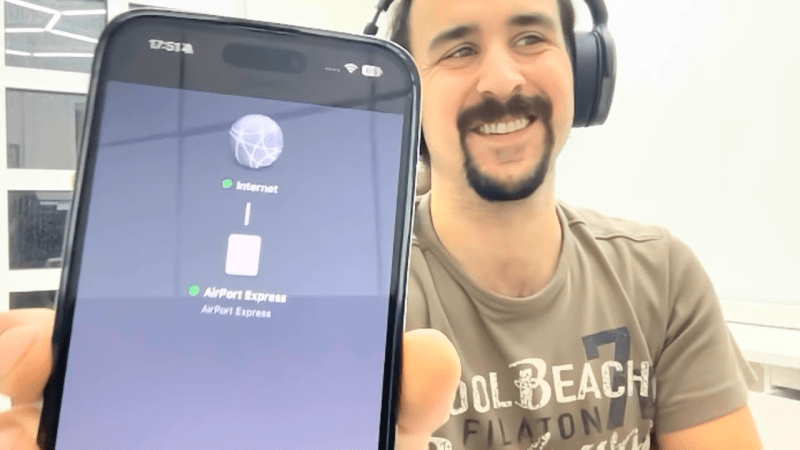
Apple was all-in on WiFi from the beginning, launching the AirPort line of products to much fanfare in 1999. In 2004, along came the AirPort Express—a fully-functional router the size of a laptop charger, that offered audio streaming to boot. As [schvabek] found out that while a lot of older Apple gear has long ago been deprecated, the AirPort Express is still very much supported and functional to this day!
Generally, you wouldn’t expect to plug in a 20-year-old Apple accessory and have it work with the company’s modern hardware. However, upon slotting the AirPort Express into a wall socket and starting the initialization process, [schvabek] noted that it was detected perfectly well by his post-2020 Macs. Only, there was a small problem—the configuration process would always stall out before completion.
Thankfully, there was a simple remedy. [schvabek] found that he could connect to the AirPort Express with his classic white plastic MacBook and complete the process. From there, he was astonished that Apple’s servers let him pull down a firmware update for a device from 2004. After that upgrade, the AirPort Express was fully functional with all his modern Apple gear. He could readily stream audio from his iPhone and MacBooks with no compatibility issues whatsoever.
It’s nice to see Apple still supporting this ancient hardware to this day. It’s a nice contrast when companies like Sonos are more than happy to brick thousands of old devices just for the sake of progress.












Aiport Express A1392 is still popular. It has Airplay and Audio Ouput jack to connect to speakers
Yep, the model to get/use is the Gen2 (a1392).
Biggest distinction is Airplay 2 support, old APE only supports Airplay 1. The biggest difference is that 2 supports synced multi-room audio playback.
Additionally the audio output also supports mini-Toslink for digital output, it’s a combo 3.5mm jack.
It’s not just the Express either, I have two different versions of the AirPort Extreme that continue working just fine and that get an occasional update.
I would have kept my Airport Express, Extreme and Time Capsules for longer if it wasn’t that it doesn’t support WPA3 authentication. They’ve always been very stable.
for those who are wondering, you can do the firmware upgrade using Windows too.
I just give it a try (I have a PowerBook G4 but running under Tiger which does not support the last Airport Utility). My Airport Express was running 6.1.1.
Windows version can only do manual firmware upgrade, so you have to download it (Mac OS X version), extract the dmg (using 7zip), change the extension from .dat to .bin of the firmware found here:
“C:\Users\user\Downloads\AirPortExpressFWUpdater\AirPort Express Firmware Update.localized\AirPort Express Firmware Updater.app\Contents\Resources\AirPortFirmware.dat”
Links:
Airport utility: https://support.apple.com/en-us/106400
firmware 6.3: https://support.apple.com/fr-fr/106794
Apple has removed all Airport download pages for the USA, or possibly all English pages. The French page you posted for the firmware is still there, so I downloaded it.
I had to use the Wayback Machine to get the utility for Windows, and the Macintosh Repository to get the Mac version. Another site had the companion utility to make the Mac version usable in OS X 10.9.
No such software shenanigans are supposed to be needed in Windows 10 and 11. It (ahem) Just Works.
I don’t know if I’ll ever use this A1264 AirPort Express I have, which appears to be new in box. But now I have the software.
I have used the PC version of the apple airport utility to configure them and it works when the apple version fails. Go figure.
My airport express is my main streaming device and has been for many years. It just works. Can’t ask for more than that. Airplay is still supported and makes life easier.