
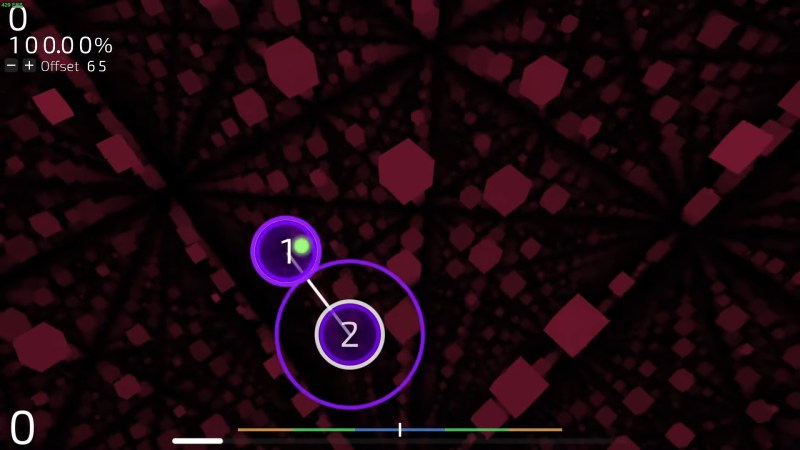
Most rhythm games have a community creating custom charts, and Trombone Champ is no exception. What is exceptional, however, [CraftedCart]’s osu! played in a Trombone Champ chart.
It all started as a challenge to make the most unserious chart possible. Among some other ideas, [CraftedCart] eventually decides to make an osu! chart but play it in Trombone Champ. Okay, not a problem, let’s just–oh, you can’t run arbitrary code without a making a mod. So instead, they decided to use shaders on the GPU. There are, of course, all sorts of problems with such an idea. Being stuck in the fixed render pipeline of a game, you can’t just add any resources to your shader you want. This leads to using textures as memory, both the game state and the osu! chart are actually textures. Another interesting one is getting user input into the shader. [CraftedCart] solves that by connecting the position of the game object the background is rendered to to the cursor; then, the shader reads the world to local transform matrix to determine the mouse position. Finally, the graphics the player ends up seeing are rendered using ray marching.
Video after the break.












This is exactly what I needed today 🙌 Really appreciate you posting this
You have incredible ability to make people feel seen and understood
Love how you turn simple ideas into something truly meaningful for all readers
Superb insights here
This made me think
Your authentic voice really comes 😊 through in everything you create and share with us
Your creativity shines through every single word 💎 you write here today
Your passion really shows
Your posts always deliver exactly 💪 what your audience needs at the right time
You create content that feels like warm conversation with dear friend
Thanks for taking time to create content that actually matters to people
Really love how you make learning 🌈 feel natural and enjoyable for everyone
This is pure talent
Really helpful insights shared
This is so helpful
This post perfectly captures what I was feeling inside. Thank you for being vulnerable
Love how you make everyone feel welcome and valued in this wonderful space
This information is going to help so many people who really need to hear this
If you’re interested in giving shader effects a try, checkout shadertoy.com. It’s a simpler shader/C IDE where you can code up some shader based graphics and see it in the browser. There are some really cool examples, including the code.
Volcanic landscape:
https://www.shadertoy.com/view/XsX3RB
Erm:
https://www.shadertoy.com/view/XsBXWt
Alien world:
https://www.shadertoy.com/view/4ts3z2
I gave it a shot a while ago, was able to create a simple effect. Would like to spend more time on it.
(I didn’t watch the video yet, which might also reference shadertoy.com)
For anybody else wondering, osu! is apparently an old rhythm game that started on Microsoft Windows
https://en.wikipedia.org/wiki/Osu!
Watching folks manipulate game engines to perform wild feats is always a favorite to see. Some recent examples include OpenTaiko’s Negative Measure trick to allow fakeouts (https://www.youtube.com/watch?v=eRYfnyRddGI) and notITG’s minigames growing wilder and crazier (https://www.youtube.com/watch?v=aJY370d8saU).