
OK, every operating system is a bit of a stretch — Windows Vista notably didn’t make the cut — but [Andrew]’s Virtual OS museum has a good claim to being the most comprehensive archive of operating systems yet assembled.
[Andrew] has a blog post describing the project, as well as a YouTube video that we’ve embedded below. But the real fun is in the downloading and spinning up one of 570+ operating systems for more than 250 platforms on pre-configured virtual machines that have been packaged up for us.
This isn’t just the usual retrocomputer nostalgia-fest of Macintosh System and DOSBox. There’s everything from IBM Big Iron and VAXen to Texas Instrument graphing calculators emulated in the museum, with software to run on them, too. If you’ve ever wondered what you could do with the Manchester Baby, well, all known software for that machine is included with its ‘operating system’.
Admission is free, but like any good museum you’ll be waiting in line a while to get in, so expect the full 128 GB download to take some time. If you’re into computer history, though, it’s going to very much be worth the wait. If you try it and like it, you could help others by seeding the torrent.
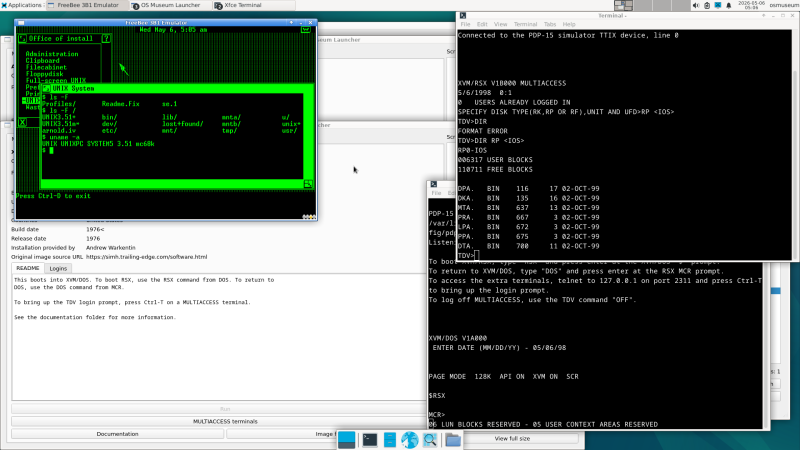
The actual museum launches in a VM as a modern Linux system — perhaps that can be considered an exhibit itself — with a launcher to select any of the other system/OS combos, including various other, older Linuxes hosted on their own VMs. There are more to come, too, as [Andrew] continues the long debugging process of making sure everything works as expected.
Purists may decry this virtual emulation as not being quite the real thing, which is true. But while MiSTer supports a lot of cores via FPGA, you probably won’t find everything here on that platform. We have, however, seen an FPGA recreation of the Manchester Baby. More than once, even.











Purists also decry FPGA emulation as being not quite the real thing :)
“Purists” can go touch grass.
Even original hardware new in the box is different now compared to when it was manufactured, so it is literally impossible to experience those old machines.
I’m all for arguments that a particular emulator or soft-core isn’t faithful enough to run X or abuse Y like original hardware could, but purism for its own sake is dumb and should be made fun of not supported.
Modern wizards have done some crazy things on original hardware that don’t work well on emulators, or at all on FPGA cores though.
Good luck using the 9th bit per memory cell on an N64 emulator…
My 3 favorite OS: ZX Spectrum, OS/2 Warp and Symbian S60
mine are newton os 2, nextstep 3.3 and mac osx 10.4
It’s been years since I’ve tried emulating a Newton. The MessagePad 2000 was a decade ahead of its time.
Plan 9 from Bell Labs… purely because I spent a long weekend and a case of Jolt Cola forcing it to work on a VM on my work’s test server. Honestly, for no other reason than I used to love the movie Plan 9 from Outer Space, and I bet one of my college professors I could do it. (I got a 100 on an exam I could use for anything other than the final, so worth it.)
Not only is this a beautifully realized labor of love, but it is also of great value to future historians. And it’s an absolute blast to see older, almost forgotten OSs in action.
I have a few Vax and other workstations to run the unix flavours in the basement. A/ux is still waiting for hardware.
The Decwritter is in the garage with the AS/400. My wife will be happy someone else is hosting them now.
Are we talking an original CISC AS/400, or one of the RISC/POWER models?
I’ve been searching for years just to have a small one to play with, but they seem to go to e-waste as soon as IBM ends support.
Wow. This list brings back memories. Thank you for sharing the info
Mine are ME, Vista and 8……………………………..:)
Pretty cool. I see DOS3.3 and GS Dos, but ProDOS, Apple Pascal, not quite there. Lots of things worth being included are. I don’t even know if it’s possible to emulate something like Project Oberon though.