
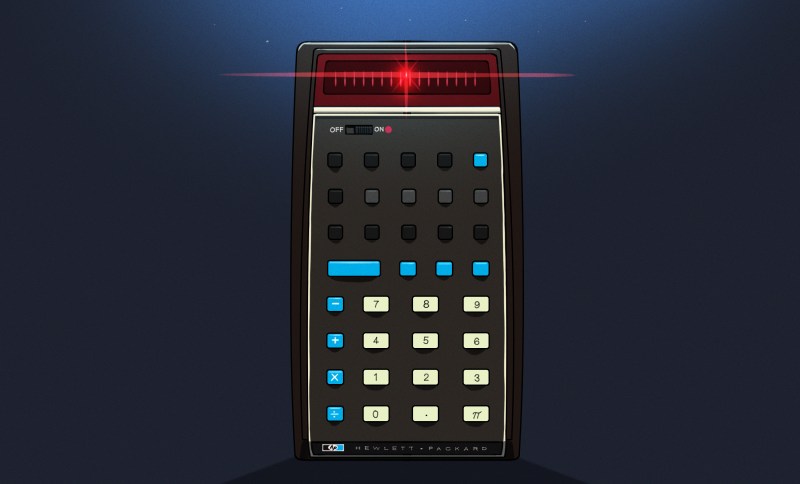
If you used a scientific calculator in the 1970s or 1980s, there was a fair chance that it worked differently from almost every calculator you see today. Instead of typing:
2 + 3 =
you entered:
2 ENTER 3 +
There wasn’t even an equals key. Hewlett-Packard made this system — Reverse Polish Notation, or RPN — practically synonymous with serious scientific calculators until other players like TI and Casio got serious. Once you got used to it, ordinary algebraic calculators could feel annoyingly clumsy.
Today, RPN calculators look like a nearly extinct species. HP left the calculator market, licensing the HP calculator line to Moravia Consulting. Old HP-15Cs, 16Cs, 32Ss, 42Ss, and 48s have become collectibles. But RPN isn’t dead. You can still buy new hardware, build your own, or turn almost any computer or phone into a very capable RPN machine. There are reasons some of us still want to.
But Why Polish?
The name goes back to Polish logician [Jan Łukasiewicz], who devised a notation in which operators precede their operands. Instead of writing:
A + B
you can write:
+ A B
The big advantage is that parentheses aren’t required. The structure of the expression tells you exactly what operates on what. Reverse Polish notation simply puts the operator at the other end:
A B +
[Łukasiewicz] wasn’t designing calculators, of course, but the same idea turned out to be extremely convenient for computers and calculators. Your software doesn’t have to remember what operation is in progress. Each operator is ready to go and can simply work on the operands that you’ve already read.
RPN isn’t exactly the way people calculate with pencil and paper, and it certainly wasn’t derived from the slide rule, but there is a similarity in the way you work. With a slide rule, you generally establish some value, operate on it, and continue from the result. When doing a long-hand calculation, you often calculate a subexpression, write down the answer, and use that answer in the next step. You will probably start with the inner parenthesis and work outward, just like someone with an RPN calculator does. RPN formalizes that process with a stack.
Suppose you want:
(3 + 4) × (5 + 6)
On a conventional calculator, you either need parentheses, or you have to calculate one result and remember it. On an RPN calculator:
3 ENTER

4 +

5 ENTER

6 +

×
The first + leaves 7 on the stack. The second leaves 11 above it. The multiply consumes both and leaves 77.
Notice what’s missing: parentheses, an equals key, and any need to tell the calculator about precedence. This isn’t much of a win for a five-key calculation. It becomes more apparent with something like computing the value of a bunch of parallel resistors:
R=1/(1/R1+1/R2+1/R3…)
An RPN user can calculate each reciprocal, add it to the running result on the stack, and finally take the reciprocal. Intermediate answers stay in the calculator naturally instead of being stuffed into memory registers or enclosed in increasingly impressive collections of parentheses.
Is RPN better? Calculator users have been arguing about that for half a century. But once RPN gets wired into your fingers, it can be surprisingly hard to give up.
RPN Before HP
Although RPN and HP are nearly inseparable in popular memory, HP didn’t invent the RPN calculator. That distinction generally goes to the Friden EC-130, introduced in 1964. It was a 44-pound transistorized desktop calculator costing $2,150, and its CRT actually displayed all four levels of its RPN stack at once. More than 18,000 were eventually made. You can even simulate it in Verilog, if you like.
HP entered the business in 1968 with the HP 9100A, a programmable desktop scientific calculator. It weighed about 40 pounds and sold for $4,900, but it provided logarithms, trigonometry, hyperbolic functions, coordinate conversion, programming, and RPN operation. HP famously called it a calculator rather than a computer partly because customers could often buy calculators without getting corporate computer departments involved.
Then came the machine that changed everything: 1972’s HP-35, the first HP pocket scientific calculator. From there, RPN became a defining characteristic of HP calculators for decades.
There were financial calculators, programmer’s calculators, scientific calculators, graphing calculators, and eventually the RPL machines such as the HP-28 and HP-48, which generalized the stack idea into an entire programming environment.
Eventually, though, algebraic entry won the mass market. Even HP began producing machines with algebraic modes, and some later calculators let you choose either system.
So did RPN die out? Are there any RPN machines left in 2026? Quite a few, as it turns out. The real question is do you want a calculator that pretends, in some way, to be your favorite old-fashioned RPN calculator, or do you want a more modern device that happens to use (or, at least, is able to use) RPN?
RPN You Can Still Hold In Your Hand
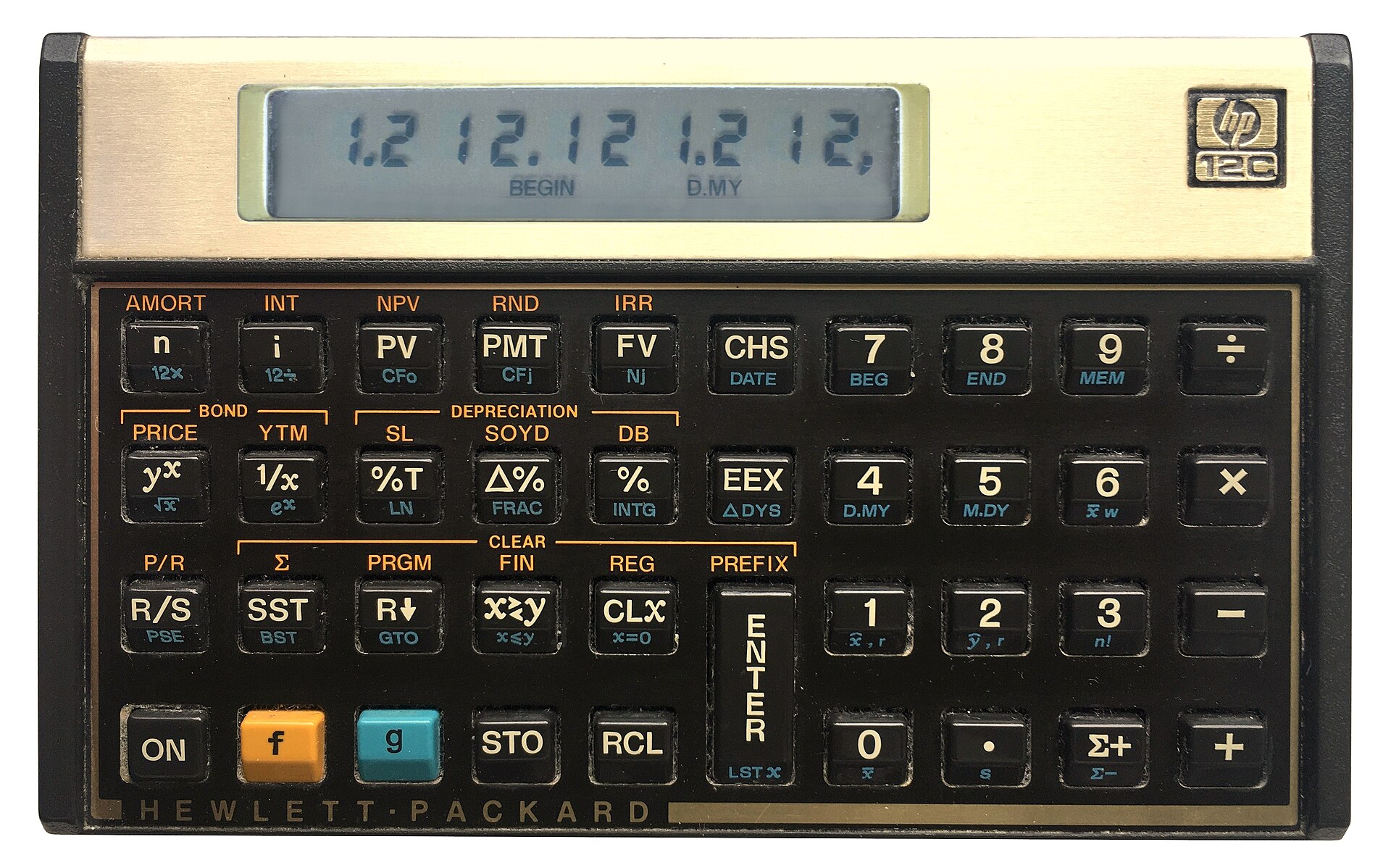
The strange survivor is the HP-12C. Introduced in 1981 as a financial calculator, it remains available new more than four decades later. Depending on the retailer, expect something around $50 to $70. The 12C Platinum, which can operate in either RPN or algebraic mode, is also still available for roughly $80 to $110.
Then there is the HP Prime G2, generally around $150 to $170. The Prime is a graphing calculator with CAS, programming, symbolic mathematics, touch screen, and textbook-style input — but buried among all of that is an RPN entry mode. It isn’t an old-fashioned HP RPN calculator, but it certainly qualifies.
The real center of new RPN hardware today, however, is SwissMicros. SwissMicros started by producing modern implementations of classic HP designs and has since moved well beyond simple reproduction. Its current machines include the DM15L, modeled after the HP-15C; the DM16L programmer’s calculator; DM41L, DM41C, and DM41X machines inspired by the HP-41 family; and the DM32, which occupies roughly the territory once covered by the HP-32SII.
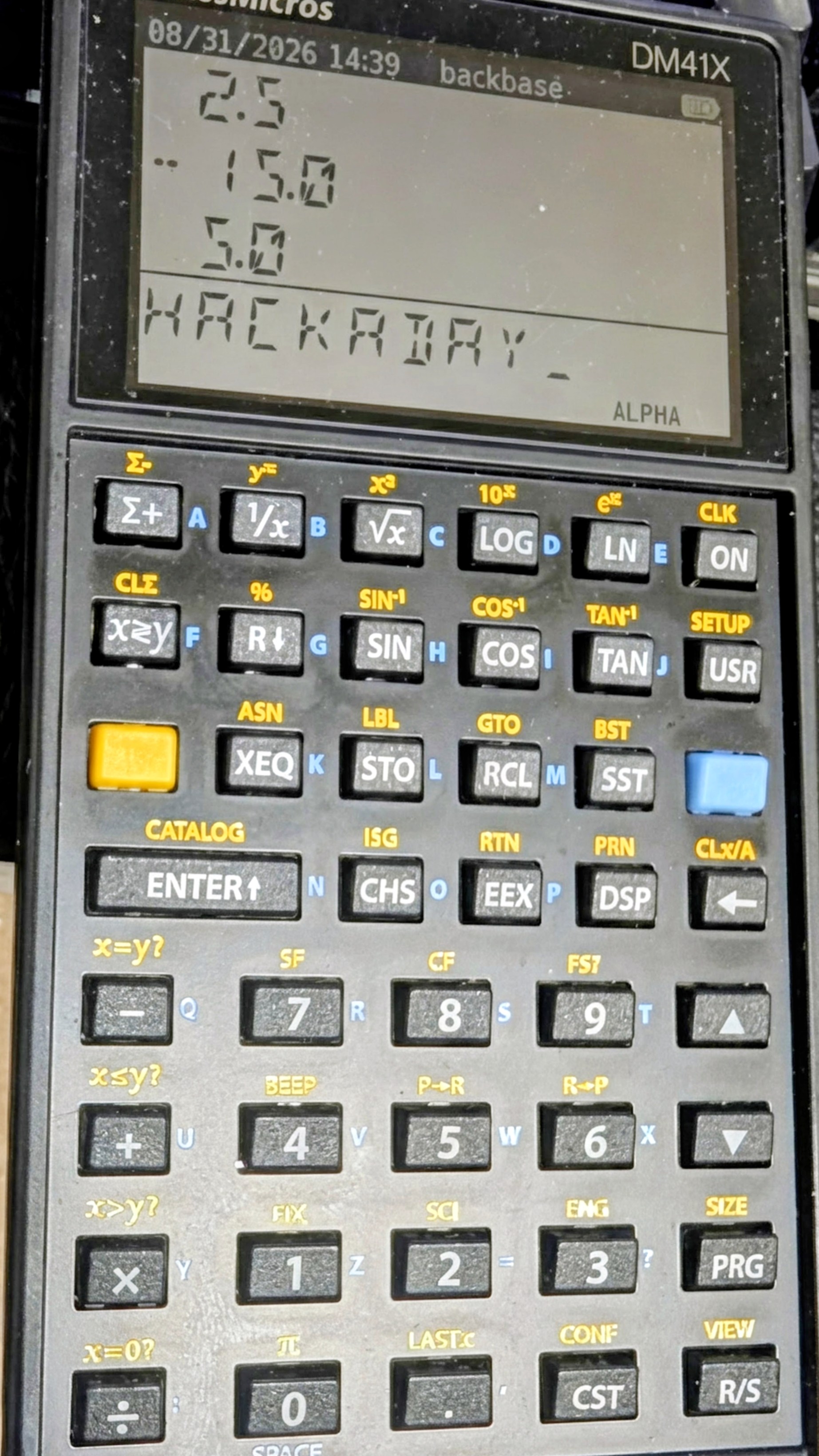
The SwissMicros answer to the HP41C (thanks [Julian]).
At the high end is the DM42n, a modern descendant of the HP-42S idea. It has a 400×240 display, USB-C, programmable operation, matrices, complex numbers, equation solving, numerical integration, and 34-digit decimal arithmetic. It currently sells for a bit more than $300.
Perhaps more interesting is the R47, at about the same price. Instead of recreating a particular HP calculator, it grew out of the WP34S/WP43 community projects and attempts to be a modern enthusiast’s RPN calculator. It has an eight-level stack, matrices and vectors, complex arithmetic, base-N and bit operations, statistics, units, financial calculations, equation solving, integration, programming, and even built-in electrical engineering functions. Its firmware is still officially considered beta. This is probably the closest thing today to somebody asking, “What calculator would an obsessive HP engineer build if we started over?”
SwissMicros calculators aren’t cheap. Depending on the model, you’re generally looking at roughly $180 to more than $300 after currency conversion. But they are real, currently manufactured calculators rather than 40-year-old collectibles.
Heat Up The Soldering Iron
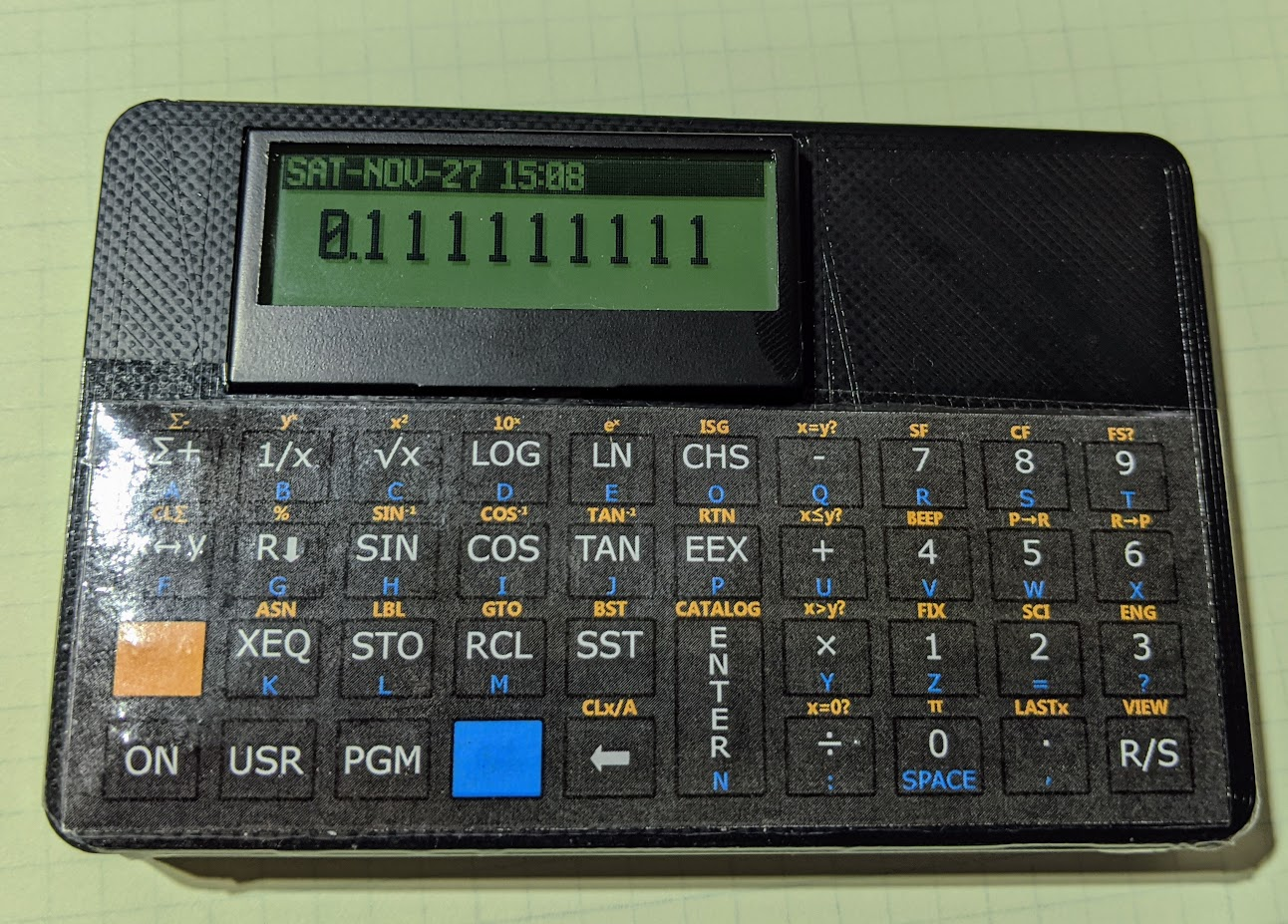
There is also a suitably hacker-friendly route. [Alex Garza’s] PAXER calculator projects reproduce machines such as the HP-15C, HP-16C, and HP-41C using an ATmega328. They’re available in kit form, use through-hole components, and aren’t just empty cases containing old calculator electronics.
The ATmega scans the keyboard, drives the display, and emulates the original machine. The design adds such modern amenities as continuous memory, an LCD backlight, real-time clock, and considerably higher execution speed than the originals. Kits and assembled versions are typically under $100.
There is also the 10LC (and related models), which approaches the problem from the other direction: take inexpensive ESP32-based M5Stack Cardputer hardware, add calculator firmware and key labels, and turn the whole thing into a pocket RPN calculator. Figure roughly $50-$60.
It isn’t going to make a calculator collector forget an HP-42S keyboard, but it does show how little hardware is actually required to build an extraordinarily capable calculator today.
There’s An App For That
CalcTastic is a modern RPN phone app.If physical keys aren’t mandatory, RPN is actually thriving. You can get a host of RPN calculators on your Android or iPhone. There are many options for desktop computers, too. You can generally find these on your platform’s program repositories.
One of the best places to start is Free42, [Thomas Okken’s] free, clean-room implementation of the HP-42S. It runs on Android, iOS, Windows, macOS, and Linux. Plus42, from the same author, takes that foundation and expands it with equations, units, directories, plotting, financial functions, and other capabilities that the original HP-42S never had.
Android users also have CalcTastic, which can switch between algebraic and RPN modes and provides scientific calculation, complex numbers, fractions, statistics, conversions, and — in the paid version — programmer functions. The basic version is free, and the Plus version is only a few dollars.
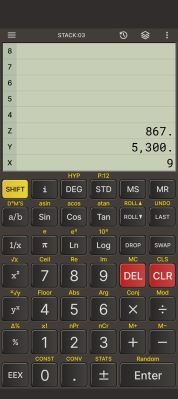
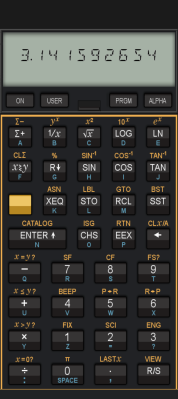
For the HP-48 crowd, there is Droid48 on Android and several HP-48 implementations on iOS. If your idea of a calculator includes directories, symbolic objects, programs, lists, and an RPL command line, the phone in your pocket can impersonate a 48 far faster than the original hardware ever could. If you prefer the HP41C, go41C is the one I like.
Apple users have an especially large selection. i41CX recreates and extends the HP-41 environment. PCalc isn’t primarily an RPN calculator, but has long offered a very good RPN mode. There are also modern RPN calculators including MathU, RPN Calc, RPN Calculator 48, and a growing number of simulations of individual classic HP machines.
Real HP
Even HP’s current flagship environment is available in software. HP Prime Pro runs on Android and iOS and supports optional RPN input.
Desktop users aren’t left out either. HP provides a free HP Prime Virtual Calculator for Windows, and there has also been a macOS version. Most unusually, HP once produced an actual native Linux version. The Linux release was packaged as an AppImage and survives as a 2019 technical preview — build 2.1.14288 in the copy sitting on my Linux machine. It isn’t the Windows version hidden inside Wine; it’s a native HP build, and it still works remarkably well. Unfortunately, it predates one particularly interesting addition to the Prime: Python programming.
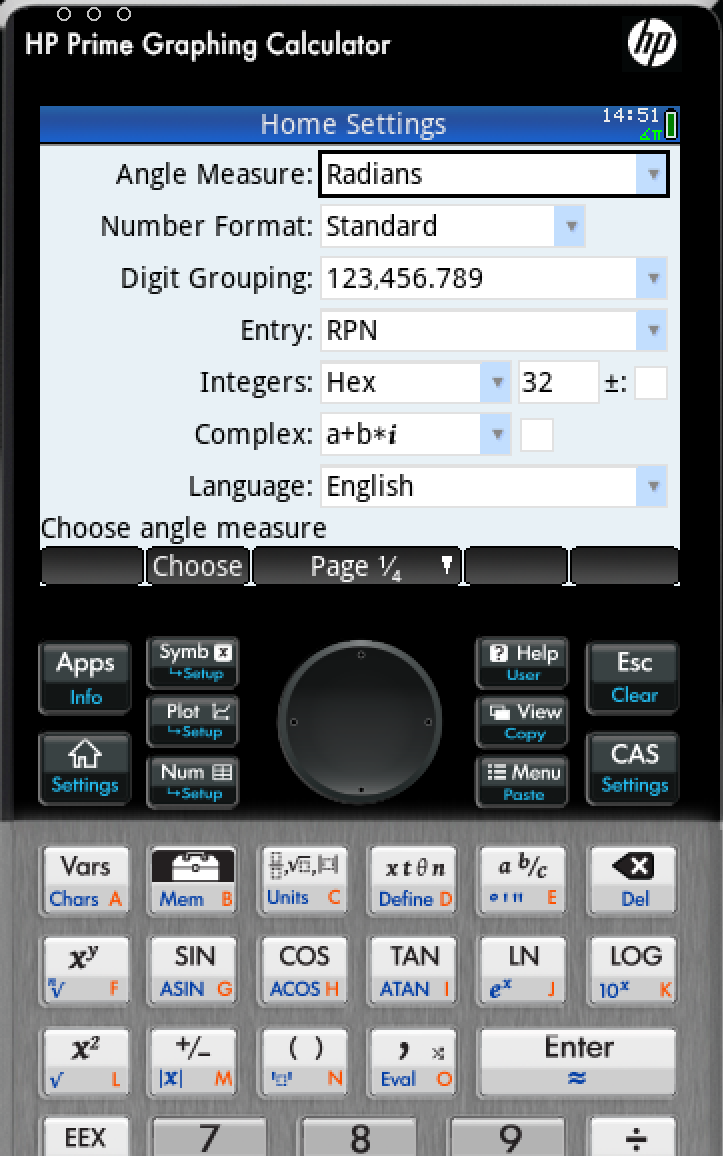
There is a way to get that on Linux, although HP doesn’t make it easy. I found that the December 2024 Windows release of the Virtual Calculator, version 2.2.15212, runs under Wine using the Soda 9 runner in Bottles. That version includes the Prime’s Python app and reports MicroPython 1.9.4. The catch is that you don’t want to accept its offer to upgrade. Updating to the current Windows version causes the simulator to stop working under the same setup, and Soda 11 doesn’t appear to fare any better. So there is a slightly absurd sweet spot where an older Windows Prime under an older Wine runner provides a more up-to-date Prime on Linux than HP’s own native Linux build.
Between Free42, Plus42, Prime, HP-48 emulators and innumerable smaller projects, software may actually be the easiest way to use RPN today.
The Used Option
Of course, another source is available: millions of old calculators are already out there. If you’ve always wanted an HP-11C, 15C, 16C, 28S, 32SII, 41CX, 42S, or 48GX, auction sites and used-equipment dealers will happily provide one. Sometimes you can still find a bargain, especially if you’re willing to buy a cosmetically ugly machine or something outside the most desirable models. The problem is that the best old calculators aren’t merely used calculators anymore. They’re collectibles.
A calculator that originally lived in an engineer’s shirt pocket may now be a pristine example with its case, manuals, and box — and priced accordingly. Even fairly ordinary examples of desirable models can sell for enough money that carrying one around every day starts to feel irresponsible. My treasured HP41C, for example, works fine, but is already scuffed up enough that I rarely risk using it at my desk these days.
That creates a slightly absurd situation. A perfectly functional 35- or 40-year-old calculator may cost considerably more than an astonishingly capable modern computer because one is being priced as a collectible and the other as a tool.
On the other hand, battered calculators exist. If you don’t care about scratches, engraved names, missing battery doors, or someone’s old asset-control sticker, those are often exactly the machines to buy. You’re going to use it, after all.
ENTER Isn’t Dead
RPN plainly lost the calculator wars. Walk into an office supply store, and almost every calculator on the shelf expects conventional algebraic input. But it didn’t disappear.
You can still buy an HP-12C. You can buy sophisticated new RPN machines from SwissMicros. You can solder together your own HP-inspired calculator around an 8-bit AVR. You can turn an ESP32 gadget into one. Or you can install an app and have an HP-42S, HP-48, or modern RPN calculator in your pocket for anywhere from nothing to a few dollars.
That’s a surprising amount of life for an input system the mainstream calculator industry decided we didn’t want decades ago. Then again, people who like RPN tend to really like RPN.
If 2 ENTER 3 + looks more natural to you than 2 + 3 =, apparently somebody is still willing to sell you a calculator. If you want to see how easy it can be to parse RPN in a program, we’ve done that.












It’s mentioned, in the article, but not as clearly as I think it ought to be, that the primary reason for RPN is that it is incredibly simple for computers to process. Every time you get a number you push it onto the stack. When you hit an operator, you pop the two numbers off the top of the stack do the operation on your two numbers and push the result back on the stack. Once you get to the end of the users input, if it was valid, you should have one value left on the stack which is the result. RPN is still a great trick for solving a lot of small compute problems. I’ve used it at least twice in my career. Once to neatly handle a case where I needed to dynamically describe a complex conditional of multiple fields.
If one looks into ASM on 8-bit microcontrollers, there are traces of RPN in the fact that any calculation start by loading values into accumulator, then performing operation, and either keeping the result in the accumulator, or moving it back to memory. So entire complex calculation can be performed using RPN. Many early and modern computers and processors use this method of operation, as it’s fairly easy to design logical structures of such computer.
We don’t use RPN because it’s too different to the way we learn math in schools, and it’s cheaper to make a software layer to make calculator/computer user-friendly.
One fun fact about Polish language, due to the way grammar operates, positions of verbs, nouns and other elements of the sentence aren’t all that important. The language supports RPN. This feature made it really hard for translators to translate Yoda. He clearly spoke Polish…
While RPN could have been invented (discovered?) by any national and I don’t think it has any relation to Łukasiewicz’s native language, you’re absolutely right about the flexibility of word order in Polish (and other Slavic languages). As a native speaker myself I still find myself surprised by why western languages have to be so strict on word order.
English “The girl has a white umbrella” (which is really the only way to grammatically put it) can take all of the following forms in Polish. There are nuances in what is stressed in each of them, how you read them, there’s also a little-known grammatical nuance about datum/novum, but still ALL of the following are perfectly correct!
Dziewczyna ma białą parasolkę.
Dziewczyna ma parasolkę białą.
Dziewczyna białą ma parasolkę.
Dziewczyna białą parasolkę ma.
Dziewczyna parasolkę ma białą.
Dziewczyna parasolkę białą ma.
Ma dziewczyna białą parasolkę.
Ma dziewczyna parasolkę białą.
Ma białą dziewczyna parasolkę.
Ma białą parasolkę dziewczyna.
Ma parasolkę dziewczyna białą.
Ma parasolkę białą dziewczyna.
Białą dziewczyna ma parasolkę.
Białą dziewczyna parasolkę ma.
Białą ma dziewczyna parasolkę.
Białą ma parasolkę dziewczyna.
Białą parasolkę dziewczyna ma.
Białą parasolkę ma dziewczyna.
Parasolkę dziewczyna ma białą.
Parasolkę dziewczyna białą ma.
Parasolkę ma dziewczyna białą.
Parasolkę ma białą dziewczyna.
Parasolkę białą dziewczyna ma.
Parasolkę białą ma dziewczyna.
As you may imagine this is heavily used (and abused) in Polish poetry.
I didn’t want to miss a single permutation, so I wrote the script to generate the above :D
Yoda seem to be following the Subject-Object-Verb language model that’s actually quite widespread. If I remember right, japanese, georgian and turkish are that way, nearly 100% RPN-compliant :]
Having said that, poetry (the calssical kind, rhyming and all) is well-known to do that regularly, switch nouns and verbs around, though, I am not good with poetry in the languages I don’t know, so my examples are rather too few and between.
i think you’re putting the emphasis in the wrong place :)
it is easy for the computer to process, but that doesn’t hardly matter…computers can process anything these days. what’s remarkable about it is that it’s easy for the human user to understand how the computer processes it. the computer’s processing is so simple that the human can understand it. that’s a truly remarkable thing, especially today.
More important: With RPN, it’s very easy to work your way through any equation, from any part onwards. You just mentally ‘color in’ each part of the equation as you go. Or, with sufficient stack space, you could do the complete opposite, for example, that first example about the no-parenthesis could have been 3 enter 4 enter 5 enter 6 + roll + x
I wouldn’t normally do that, because having too many things on the stack is too much of a mental drain usually. The trick is to just pick one part of the equation, and start entering numbers you have and simplifying it down using the rules of algebra. It’s mentally much easer to let the calculator ‘remember’ the numbers: You just focus on what those numbers ‘mean’, which is essentially just which part of the equation they belong to.
Occasionally you find yourself needing ‘swap’ because you started by entering the denominator, and now need it to be a numerator. Good news: RPN and good RPN systems have features specifically for this: swap, +roll, -roll, (maybe also ‘over’, and, if you really have to, ‘pick’.
In general, so long as you only expend mental effort to keep track of what part is where, it’s fairly easy to rearrange things as you go until you arrive at a single number answer. You might need to roll a few times to get back the chunk you need, and don’t forget you can ‘make a copy’ of an intermediate number in the calculation by just hitting ‘enter’ on a ‘result’, which will push another copy of it onto the stack.
RPN is really good at this ‘on the fly’ handling, in a way that make going back to = feel unusably bad.
That common algor-like system feels like it’s been specifically designed to punish you for being merely human, and occasionally making a mistake. A good RPN system has an ‘undo’ which just undoes whatever you last did, really good ones you can go back over all the steps. RPN feels much more like an honest attempt to be a good, human-forgiving tool.
It does exactly what you tell it to do, when you tell it to, and shows you it’s working out as it goes, and it remembers the other fine details so you don’t have to.
I studied about this notation in univ, only as a historical thing. Is it really useful right now? I really like my cheap scientific calculator for CASIO and it doesn’t has this RPN. Am I missing out on something?
These days I mostly use python on my computer to calculate stuff, its very handy, I am very fast when using it
With RPN, you never have to type parentheses. This means that you can’t mess them up by forgetting to close one, or by overlooking order-of-operations. Operations always happen the moment you press the button, rather than being deferred to when you press the “=” button.
A knock-on effect is that you can see intermediate results of your calculation. If you fat-finger something, you sometimes can just drop the most recent result and re-do just that one part, without having to start over. And with complicated calculations, it’s slightly fewer keystrokes.
Seems like there’s other new ways to mess up the syntax analogous to forgetting to close a parentheses though
RPN is best for calculations where you are thinking through the problem as you go; engineering, finance, process monitoring… At each step, you can decide, “Does that make sense?”
Textbook is best when you’re given the formula in canned fashion, and all you’re doing is transcribing it into the machine, with manual or automatic variable replacement. That makes it easier in schools, where having the small calculator LCD match the big ebook LCD matters.
You might then think about crossover examples, as in physics/engineering where you have a big, canned equation. My favorite example here is the resistor Johnson noise one. Yes, I’ve memorized it, but I still want to use RPN, by writing a short program to calculate what I want to know from what is either constant or given. I don’t want to type that whole thing into my textbook-display calculator each time, and I don’t care what the expression looks like on-screen, just the results.
The common case for my application is that only one input is variable: the resistance. Everything else is either constant or nearly so, as with the bandwidth, since I can fix it in place for my application, not give the starting and ending frequencies each time.
A crucial feature of my algebraic notation TI89 (emulated on my phone) is that I can press the up arrow, and change some numbers or operations in my last calculation, and get a new answer back.
Of course, on a good RPN calculator, you can always write a program to do the calculation on multiple numbers. But that’s a nuisance. It’s much easier to just scroll up through recent calculations and change a few things.
And seeing the whole calculation can make one confident that one didn’t make a mistake in entering the data.
In theory, one could do this with RPN. You just enter formulas on a line like “12 2 * 4 +”, and then scroll back up and edit. But none of the classic RPN calculators let you do that that I know of, while my algebraic Casio fx7000G which my dad got me for my first university math class let me do that.
No, not any more. It made a lot of sense when calculators all had single line 7 segment displays.
Basic scientific calculators getting graphical displays was the final nail in the coffin. (Ti 36X pro for example) I’ve got a large RPN collection and even I can recognize that the algebraic calculator eventually won.
I was reading about writing custom audio effect functions for Audacity and came across RPN there. It makes sense for a language to parse RPN, as explained by numerous commentors, RPN is essentially a stack with a few methods for operation. Syntactically it is less ambiguous than parenthetical formats.
Casio Basic is for sure easier to debug than something programmed in rpn lisp, if you havent dipped your toes in the rpn bog.
I started using RPN in college (1975) I had a National Semiconductor mathematician I bought for $30. My second calc….
I was ruined for ever. Next came the HP-65 I took in trade. Later came the first of 2 HP-41s they got used every day at work running preprograms a wrote to automate my job tuning transmitters…
Back in the day those calculators were so powerful and so easy.
If you didn’t mind the wait…………….. and it was a long wait……….
The HP-41CV / X could read Spice code and do circuit analysis…
Sad thing is;
They don’t age well nor last long in day to day use, not the 41s.
The HP-65 with the card reader and put together inside with 0-80 screws,
NOW! that is a Real HP calc.
Oh and……
GO41C has been on my phone as the default calculator app.
V41 here.
RPN for life. I find it easier to use.
The HP-65 had a little motor that would pull the tiny magnetic cards through a slot for reading and writing user programs. Totally nuts. Peak HP right there.
I loved HP engineering since I was a kid, right up until Carly Fiorina made the company the joke that it is today. However, the offshoot, Agilent, still makes terrific products; just not the ones I would really like them to make.
+1
HP67 owner, it still sits on my desk.
Yeah, it is a classic but unless it were in a museum, it deserves to be used and not put forgotten on a shelf simply because it can be sold for more than it originally cost.
When I went off to college, many, many years ago, I arrived with a conventional calculator, a TI SR-50. A classmate, whom I became good friends with, had an HP 35. He said at the time that RPN was better because it made you think about how to solve the problem, not just blindly poke numbers into the keypad. At the time I was somewhat insulted but years later I managed to obtain an RPN calculator and after using it for a while I was inclined to agree.
Today I use RealCalc on Android. I liked it so well I bought the paid version for my grandson when he entered college.
I too have bought RealCalc (after having spent a day trying to figure out that it was what Hugh Hunt used in a Matt Parker flick) and would do again in a heartbeat, although I moved to Plus42 when that became available.
You will pry my (still functional, third or fourth set of batteries, and on my desk) 35 from my cold dead hands. As well as the 11Cs, 15C, 16C, 41C, 35s, and a couple others. Not all are used much, but the 11C’s are daily carries (all have field specific programs), the 35s got a lot of use until about two years ago (decent solvers in a modernish package… buttons finally gave up), and the 16C is primary project support since I got it in the late 80’s.
There is a new issue of the 16C, HP branded and licensed, from Moravia Consulting, as well.
As to WHY postfix, outside of the calculator realm? Why is it NOT a historical thing? And, for that matter, why use it in the handheld calculator realm, given the constraints on hardware in the 1970’s and 80’s?
Prefix and posfix notations are key for efficient evaluation of expressions, generally postfix in software builds (an AST is a modern way to do this rather than a traditional state based or Dikjstra’s algorithm, but the end result is the same). It is also worth noting that algebreic notation as used in most programming languages and by most calculators is not truly infix, but a mix of infix and prefix, with a dash of postfix sometimes thrown in, and often contextual precedence rules (associativity of an operator may even be ambiguous… Think early C compilers). The prefix is best seen in the context of standard function notation.
The beauty of restructuring to postfix is that the resource consuming part of the evaluation process, in general, is the need to make decisions. Dealing with precedence and associativity require extra time and space, in the forms of decision making, table lookups, extra storage (an additional stack, or explicit backtracking, generally. A recursive implementation adds additional issues) and the possibility of structural or evaluative errors requiring backtracking. Doing the restructuring to postfix prevents ill formed expressions from making it to run time, reduces the mass of the run time code, and simplifies both catching and handling evaluation exceptions.
Oh wow, the 16C programmers calculator has been updated and re-released. Nice!
And it’s a limited run of 10k, so if you want one, get it now or pay more later to pry it out of some collector’s hands. It may seem expensive, but it’s a smidge cheaper than the SwissMicros DM16L and a lot cheaper than a 40-year old original unit in mint condition. You can get a beat-up HP-16C for less, but did you want a beat up 16C?
I look at RPN like I look at FORTH programming. It looks eerily similar to each other.
and it come from the same place, memory/registers were expensive. So it uses a stack instead, that it is completely backwards to how we write equations be damned
Keep in mind that what you think of as simple– positional algebraic notation– is NOT the notation we generally use with a calculator, and there is a reason it isn’t until year five (or later) most people get to expressions using ratios for division (rather than division symbol), adjacency for multiplication, function notation, and so on, and year seven or eight for real algebra.
When writing code in most languages, we use a different notation yet, a sequential infix, rather than positional, and after a short learning curve, don’t give it another thought.
RPN is just another, quite useful notation. In some ways more intuitive than algebraic, in others less.
The familiarity bias is a powerful force. Resist it.
RPN isn’t strictly postfix like FORTH. Yes, it’s “2 3 +” but to store that result in register A it’s “STO A”, not “A STO”.
RPL fixes this, but at a cost of adding a lot of LISP type stuff to it, sans all the parentheses. It’s a beautiful hybrid, but thumb-typing its verbose expression syntax on that limited keyboard is miserable. The model was born on HP’s fold-out units (HP-18/19/28) but even with roughly twice the keys, it’s still crap compared to a proper computer keyboard.
RPN is (IMHO) better suited to the physical limitations of a handheld calculator.
forth isn’t really strictly postfix either :) depends on your dialect, of course, but generally “IMMEDIATE” mode words can be user-coded and will affect the parsing of the rest of the input stream (generally just the next token). for better and worse, there’s a ton of ways to use forth
One more tool worth mentioning is available (and probably preinstalled) on any Linux distro: dc, the arbitrary precision desktop calculator. It also uses RPN.
One of my all-time favourite mindf^Hbenders: https://sed.sourceforge.io/local/scripts/dc.sed.html
I think I just had a heart attack.
I love RPN calculators, and one of the best Android emulators I’ve found is Elektronika MK-61/54: microcode-level emulation, original quirks, undocumented behavior and real calculator history preserved. Absolutely worth trying.
Calculators 3000 can emulate these too. http://www.emulator3000.org/c3.htm
I have a real MK61 but the leading negative sign on the VFD is weak. So in bright light it’s hard to know if the answer is negative.
OpenRPNCalc (https://github.com/apoluekt/OpenRPNCalc) was already covered on Hackaday before, and recently it got a major upgrade. There’s even a fork of it that can run Plus42 software (https://gitlab.com/stevenfalco/OpenRPNCalcHardware).
The biggest change is that now you don’t even need to have a 3D printer to build it – It’s made as a stack of PCBs (including the keyboard).
Still use my 50G daily (I love the tactile feel of the HP calculator buttons), and Free42 on my PC (Linux), phone and tablets. My first HP was a 28S back in 1991.
Once you’ve used RPN you can never go back. If you understand assembler, RPN just makes so much more sense.
Good discipline: with RPN you gather everything you need (the operands) and only then do something with them (the operator).
The alternatives are messy and often half-RPN, e.g. “1 sin” to calculate the sine of 1 radian.
Also too many people are convinced 1+2×3 is 9, because that’s sometimes what non-RPN caluluate.
yeah i don’t think of it as discipline but that’s exactly why i like RPN. when i’m approaching a problem, i just start collecting numbers and entering them. and i’ll generally have 3 or 4 numbers on the stack before i have any idea what operations i’ll apply to them. especially when i’m working with units, often the units themselves will tell me obviously what needs to be done once i have a few on the screen. and i’ll ‘DUP’ (hit enter repeatedly) a number too if i think i might need it again after the immediate calculation. basically can save me the step of writing a measurement down on paper while i’m in the process of working something out.
i learned this from approach from the hp48 30 years ago and now it’s even easier, i can use the touch screen on my phone to select a deep level of the stack and ‘OVER’ it onto the top.
I’m dating myself, but I still use, almost daily, the HP41C that my dad got me as a HS graduation gift in 1980. The 2 key is a little soft and the display is now missing a comma segment on one of the digits but it’s still going strong.
“RPN isn’t exactly the way people calculate with pencil and paper,”
It’s not?
You write down the values.
Then you add them.
I really dislike “ordinary” calculators.
When the screen finally broke on my old HP48G the only reason I didn’t replace it was because the emulator on my phone works great and I don’t have any tests to take anymore.
I can’t remember why I ended up with an an HP graphing calc in HS calculus class instead of a TI-89, but because of RPN (I think the settings allowed you to switch between RPN and standard) when we started learning about the stack in CS class other kids were confused, but it just made intuitive sense to me.
There exists a RPN variant called RPL which is more object oriented. All kinds of things can be pushed onto a big stack: arrays, bitmaps, programs, strings, etc. Pretty advanced stuff that was first used on the HP28c calculator in 1986 and carried into later graphing calculators like the 48 series. RPL calcs show multiple levels of the stack on screen while most RPN calcs show only the bottom of the stack on a single line.
RPL was born on the HP-18/19 business units, then only later appeared in the scientific HP-28C. The small 2k memory which was fine for business proved too small for serious use in a scientific application given the capabilities RPL brought, so they shortly replaced it with the 28S, having 16x the memory.
I have and have had a number of HP calculators over time. At uni I couldn’t afford one and had to make do with a discounted TI SR-52 (through a friend that worked for Texas Instruments), which was quite capable in its own right but not the HP-67 I had my eyes set on.
To compensate for this I created my own symbolic mathematics package (in ALGOLW) that would use postfix internally but accept most general infix expressions and perform calculations on them, including differentiation, and also integrals in a limited way. On top of the actual calculations, it had the possibility to simplify expressions.
It worked by converting the infix notation to postfix with a recursive descent parser, do whatever was asked of it on the postfix stack and show the result (if not just a number) by converting the postfix stack back to infix notation. It could optimise the stack by reordering it and looking for stuff like common denominators, collapse constant expressions (with two modes: calculate a value, even if it could not be exact, e.g.
⅓orln(2); or by optimising as much as possible with only operations that would be exact, so½would be represented as0.5andln(1)as0whereas⅓would be represented as1 3 ÷andln(2)as (big surprise)2 ln). It was actually quite a capable program despite its fairly small size and I wish I had kept the source code; but I have moved several times and those heavy boxes of punched cards I had to let go at some point — unfortunately before I had a proper chance to get it onto a more sensible medium like 80kB 8″ floppy disks.Do not ever buy an RPN calculator—even if you know how RPN works—from anywhere, or anybody, without the manuals. At the VERY minimum, hold out for the ‘Quick Reference Guide’ and the ‘Owner’s Handbook’. If the seller is also offering the ‘Applications Manual’, consider that the gods have smiled on you. But…it can’t be stressed strongly enough—
Do not EVER buy any brand of RPN calculator—even if you know how RPN works—from anywhere, or anybody, without the manuals.
You can’t find those on the internet?
For HP67:
http://literature.hpcalc.org/items/979
I know that a lot of compilers used the technique of using a stack to parse an infix notation expression into an internal postfix representation before execution.
One more to add to the list – nonpareil, which simulates a number of well known HP calculators, running the actual microcode of the originals. Installed on every computer I own:
(https://github.com/brouhaha/nonpareil)
Just some info for you young guys who didn’t have to study Logic in college:
I have been using Polish notation since the 1960s. I learned to program computers before there were operating systems (Assembly), and this worked. It also works today (I LOVE LISP!). It also works for language. If you want to know more, see if you can find a copy of this book: https://www.amazon.com/Symbolic-Logic-Language-Programmed-Text/dp/B0010ZRHCS/ref=sr_1_1?crid=4I661LADJ2Q9&dib=eyJ2IjoiMSJ9.DDz9ZTcxkgR97gYFIPtChctlnVuY9DZe6LYsFVRrzKIwpRxmSKLHfbo3Yz0RsWxEJd-vM_epRwai_pI9Ol_LTjB95KmdLx1O2-owADmXLmisGCAkXLD5RKJ6EdMYdZ3Q4aDolCQzK1HDmkUk_fnAE00qK7XHmomPzXloI3_PSRLHiZfgUbXDkB_hYCWuIKmme-wDpzcikc2j_oIl-mPnQYWZ-X1iR0v6MBDiGjRpx2w.rakGkN_4bjHT3f6OKwatdb109SiqV3_MOWu59EWee4o&dib_tag=se&keywords=symbolic%2Blogic%2Band%2Blanguage%2Bboo%2Bpatricia%2Bjames&qid=1788375917&sprefix=symbolic%2Blogic%2Band%2Blanguage%2Bboo%2Bpatricia%2Bjmes%2Caps%2C189&sr=8-1
No Politician will ever lead you astray again.
You can delete everything after the ? (and even the name of the book) to get to the Amazon listing.
This was useful to me when I first found RPN:
https://en.wikipedia.org/wiki/Shunting_yard_algorithm
I still have the HP41C I bought in 1982 and recently refurbished the card reader so I can read my old programs again. Since I have bit more money that in my school days I bought 3 more, all collectibles. For daily use I have the DM41X and the DM42, also go41 for the phone and the linux HP15 program from Torsten manz. If you start using RPN you are doomed, you never go back.
I am over 60 and I see the kids dont use calculators anymore besides for schoolwork, now its python and matlab which is not necessarily bad but a bit sad from a historical point of view.
I go through this cycle every time I see articles about these old scientific calculators:
Oh, I remember those!
Hey, I could get one of those now.
Hmm. What would I use it for?
And how would it be better than a calculator app on my phone, or a Python window on my PC, or …
Then I realize that I don’t want a scientific calculator as much as I want a job where a scientific calculator would be useful. I’m not sure how many of those are left.
I may have missed it but I did not see anyone mention that complex equations could be performed in fewer keystrokes with RPN. When I was in college in the mid 80s, the business college used to have different contests during “Business week.” One was solving equations with a calculator. This was always popular with the engineering students as they would use their RPN calculators to smoke the business majors. After several years, the college of business dropped that activity from Business week.
Way back in the 90s, I went to engineering school. The EE track suggested HP calcs so I got a shiny new HP-48GX and barely learned how to use it. I wish someone would have had some expertise to show me what it could do, because looking back it was so incredibly powerful. My 48 ended up with some issues where I had to hold the bezel at just the right spot for some of the keys to work and I retired it.
I picked up a re-release of the HP-35s which is amazing if only for the unit conversions as modifiers on the regular keypad instead of buried in a menu. I simply can’t believe how much they go for now, when I bought mine retail it was only like $70, now the leftovers are about double that.
I recently got a HP-32SII also, to keep at work, some scuffs but it works and I got it cheap on eBay, then got a whole printed manual to go with it just for completeness.
That bezel test reliably diagnoses a common problem: degradation of the foam that presses the zebra strip on the display module to the main keyboard PCB. It’s repairable, but only by literally breaking the calculator in half first, in a manner that makes all this noise about Apple and “right to repair” seem like an overreaction. (The PCB is heat-staked to the front half of the case.)
There are many guides for this online, and even a few experts willing to do the work for you.
And yes, I also wish I’d had a friendly local wizard take me in hand earlier in life, to save me decades of fighting with early textbook entry horridness.
Yeah, I looked at those repair guides and decided against it. Repair was never a primary concern in that design. Still better than TI’s junk, just to take a cheap shot. I opened my kid’s TI graphing calc and it was amazing how it literally guillotined its own flex circuit inside because of the way they sandwiched it in.
The article mentions Free42 in the section on apps, but it fails to mention that a headless version of it underpins the SwissMicros DM42/DM42n, plus a few others. That’s important to realize not merely on a credit-where-due basis, but also because it affects program compatibility. If you stick within the Free42 sphere, you can copy the program from one to another in binary format and expect it to work identically, modulo UI differences.
Ahhh, good memories. Still have my HP-41CX purchased new a few years before graduating college and also the HP 82153A Optical Wand to read in programs from barcode. Have been in their boxes for decades. Nice to know they’re collector’s items now. :-) Time to pull them out of their boxes and play with them again.
I got a HP-45 in 1974, was a great calculator, used it mostly as a machinist until it was stolen- was greatly upset, finally replaced it with a HP-11C, was great also wrote a series of programs for it to calculate the number of minutes between a start time and ending times for food processing, saved the company a ton of money from math errors with tired operators late at night, The HP-97 with the programming cards were great for engineering (had trouble keeping it on my desk when our Sr. Design Engineer found that I had it.) Had some others but have a 15C and 16C original both in mint condition, maybe I should check the collector market. Also not mentioned was the subscription to a real cool HP magazine about their calculators, came out quarterly I think, all great calculators.
Some of the HP pubs
http://www.keesvandersanden.nl/calculators/hpsolve.php
I blame this article for causing me to find out that there is a new HP16C Collector’s Edition that I have ordered.
Sorry… My apologies to your wallet (I am awaiting delivery of two right now. One for me and one for the person that replaced me when I retired my position teaching embedded software. Down to one job now.)
We need a flash/ rpn firmware for this 4 row display , $9, Casio FX-300ESPLSB-WAIT Scientific Calculator (Amazon)
Let us know when you have the code on gethub
RISC core (nX-U8/U16 family from Lapis Semiconductor, formerly OKI Semiconductor).Integration: It uses a “chip-on-board” (COB) or integrated ASIC/microcontroller package directly bonded to the printed circuit board, keeping power consumption minimal for single-battery or solar/battery operation.
Having written an 5 function RPN in C for a TI CC2533, I can assure you that you’ll not morph a $9 calculator into an RPN HP-anything without spending $200 in sweat and tears; best to buy a real HP ;)
http://hackaday.io/project/191722-rpn-integer-calculator-from-smart-response-pe
I still go back and forth with RPN and algebraic calculators. I started with the HP-48S from educalc. A fun calculator at the time as I remember writing a program to utilize the IR transceiver control the televisions in high school which I used to mess with the teachers during class. What teacher at that time would guess a graphing calc could control a TV. Next moved to the HP-48SX. Picked up a HP-12C, HP-15C, and HP-16C, TI-89 and VOYAGE 200 in college. I used the VOYAGE 200 for the first 15 years of my engineering carrier. I now use a HP Prime daily at my desk.
The biggest problem with RPN on a graphing calc was is no history of your equation as it is consumed on the stack. I still occasionally use my HP-15C and HP-16C at home but they are to valuable to me to bring to work anymore.
It’s somewhat amazing to me that the best-selling RPN calculator (best guesses: 50 million units since introduction in 1981. HP does not give out this info at all), which has been in continuous production since introduced, has not been mentioned at all—the HP 12C
Some possible reasons for its longevity, from The Museum of HP Calculators:
“—And like all 10C series models, it has the advantage of running for months to years instead of hours on a set of batteries. (The record so far is 34 years on the original set of batteries!)”. [three (3) LR44s, if you’re interested]
“—Tough construction: One HP-12C was used by a zoo keeper to calculate feed mixtures. The zoo keeper dropped the calculator and it was consumed by a hippopotamus. The calculator survived the hippo’s digestive process as well as the washing that followed….”
The HP 12C is one of the only two units which is allowed to be used on the Standardized Test for Certified Public Accountants (the other is a T.I.).
It also makes a darned nice, very powerful g.p. calculator (which is programmable—99 steps, by the way).
There’s only a picture of it and discussion about it being from 1981 and still available.
IMHO, HP-12C is one of the few calculators that were properly designed – roughly all “operations/functions” are on the left, numbers/entry/data are on the right, and ENTER key is in the middle. Though the mandatory addition/subtraction/etc keys are to the right of the numbers/entry/data, it probably had to do with the right half resembling el-cheapo/most-widespread calculators, which makes sense.
Makes me think the calculator design is not really for simple dummies like myself, and there are other considerations I haven’t thought of before. Though, still, prefer the HP-12C design paradigm, it just make sense.
Not to split this fine hair any further, average computer keyboard has these pesky F keys at the top, and I recall those at some point were serving definite functions. Maybe HP designers were onto something.
I remember shelling out $435 for an HP-45 in the early 1970s. Just figured out that’s about $2900 in 2026. Zero regrets.
Long time RPN user here, starting with a Philips Novus in the late 1970s. One of my first programs after learning C in the early 80s was a RPN calculator. Today I contribute to marcopaganini/rpn (search for it on GitHub), a very competent Golang implementation using arbitrary precision decimal math (so no more pesky binary rounding errors and such).
If you are familiar with how the HP9100, and then the HP-65 were programmed, you can understand the design strategy for using RPN. The stack and step-based programming was far easier to implement with RPN. The minimal program memory available at the time eliminated needing steps for parentheses and a larger “stack” to hold parenthetical expressions until an equal sign was pressed.
The HP-65 was envisioned way before the introduction of the 35 and 45. They were introduced as a natural progression to the 65.
If you’ve never programmed a 65 or 67, RPN might very well not be you choice, but if you have, you certainly understand.
I loved my HP 41CX but it is no more, so replaced with an app. Don’t do enough calculations to splurge on one of the new alternatives, but really like that RPN is still alive 💪🏼
Not only in calculators, RPN is very much alive in the FORTH programming language (actually, now modernised to ‘Forth”), when Chuck Moore (Forth’s creator) chose it as the most efficient way of performing mathematics.
See
“Starting Forth” by Leo Brodie/Forth, Inc.; ISBN 0-13-843079-9,
and
“Forth (operating system)”, Wikipedia
for one of the most compact, fairly complete introductions to the language you’ll find.
Yes, we are big Forth fans here at Hackaday, too.