
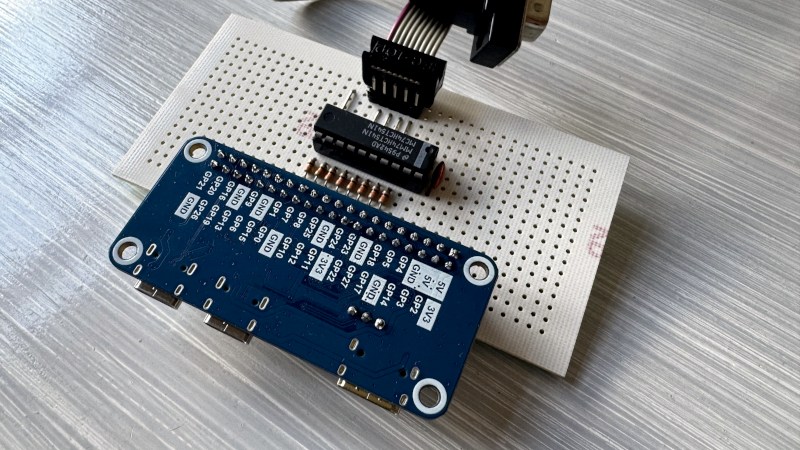
Before HDMI and DVI there was VGA, and before that? TTL RGB, in which instead of analogue voltages, the connector carried TTL logic voltages. TTL monitors used to be ten a penny because nobody wanted them in the VGA era, but the decades have not been kind to the TTL video aficionado. Stuck with a TTL card and no compatible monitor? Never fear, for [Charlysan] has your back with a TTL-to-DVI converter using an RP2350. The PIOs are used to sample the TTL input to a framebuffer, and the rest of the 2350 does the DVI magic using PicoDVI.
It requires a bit of level shifting hardware, which at minimum can be a set of resistors, and it targets the Waveshare RP2350-PiZero which comes with a handy ready-made HDMI socket. There’s a USB serial terminal to manage the thing, for which there’s even a TK GUI script.
This is the type of project which may never be center stage, yet performs such a vital function that it becomes indispensable. It’s not the first such project we’ve seen, a previous one did the same for VGA.










Direct drive RGB CGA/EGA are the most well known of this kind I suppose? Never had such a monitor, they were much too expensive back in the day. Even the green screen CGA monitor I used back in 1986 used the composite video output, not the DE-9 TTL RGB. Finally got VGA in 1991 or so and used that until HDMI took over in the 2010s.
Why do it the hard way? Converting EGA/CGA to VGA (RGB) levels can be done with a couple of resistors and there’s an abundance of monitors and TVs, new and used, that have some kind of analogue RGB input.
The problem isn’t the voltage levels, but the scan rates.
I have the opposite problem: I have a nice amber MDA/Hercules CRT monitor, but no card to drive it. I really want to make a new amplifier for it and give it 16-256 grayscales instead of three.
You might give a try to this:
https://github.com/jesus966/PicoTTL
A complete RP2350 based framebuffer -> MDA/CGA/EGA output (you might need 3V3 -> 5V level translator if your monitor does not play nice)
All with PIOs and DMA, CPU just feeds the framebuffer, very clean.
Custom video configurations (either in windows with a suitable tool from the graphics card, or under linux with a modeline, or by soldering in a 24C01 into the cable) are available solutions here. The only hard part is that you often can’t get less than 25MHz pixel clock, and the MDA monitor has square pixels around 13MHz and the native graphics cards used a 16MHz pixel clock.
But it’s easy enough to just hook up the various wires, and if you’re lucky the VGA output might just happen to be received by the monitor as high/low even so
Most modern lcds error out at the hz scanning rate old cgas go at. Heck even many cheap vga monitors might not support anything other than basic cga and console.
https://15khz.miraheze.org/wiki/Main_Page