MikroPhone – Open, Secure, Simple Smartphone

Modern smartphones try and provide a number of useful features to their users, and yet, they’re not exactly designed with human needs in mind. A store-bought smartphone will force a number of paradigms and features onto you no matter whether you want them, and, to top it off, it will encroach on your privacy and sell your data. It’s why self-built and hacker-friendly smartphone projects keep popping up, and the MikroPhone project fills a new niche for sure, with its LTE connectivity making it a promising option for all hackers frustrated with the utter state of smartphones today.

MikroPhone is open-source in every single aspect possible, and it’s designed to be privacy-friendly and easy to understand. At its core is a SiFive Freedom E310, a powerful RISC-V microcontroller – allowing for a feature phone-like OS that is easy to audit and hard to get bogged down by. You’re not limited to a feature phone OS, however – on the PCB, you will find a slot for an NXP i.MX8M-based module that can run a Linux-based mobile OS of your choice. MikroPhone’s display and touchscreen are shared between the Linux module and the onboard MCU, a trick that reminds us of the MCH2022 badge – you get as much “smartphone” as you currently need, no more, no less.

The cool features at MikroPhone’s core don’t end here. The MikroPhone has support for end-to-end encrypted communications, kept to its feature-phone layer, making for a high bar of privacy protection – even when the higher-power module might run an OS that you don’t necessarily fully trust. Currently, MikroPhone is a development platform, resembling the PinePhone’s Project Don’t Be Evil board back when PinePhone was just starting out, and just like with PinePhone, it wouldn’t be hard to minify this platform into a pocket-friendly form-factor, either. The PinePhone has famously become a decent smartphone replacement option in the hacker world, even helping kick off a few mobile OS projects and resulting in a trove of hacks to grace our pages.

Easily Build This IMU Array Sandbox

These days we’re used to our devices containing an inertial measurement unit (IMU) that lets it know its position relative to the Earth. They’re mechanical devices at heart, and so they’re not infallible, with a few well-known failure modes — but we can try and help it. One way that’s getting some attention is to put many MEMS IMUs on a single PCB, connect it to an FPGA, then process their data all together to make for a more sensitive IMU or filter out drift. Want to join in? Here’s an open source implementation from [will127534].

With 32 individual ICM-42688-P SPI-connected IMUs and the beloved ICE40 chip at the center of the board, this PCB is a powerful platform to help you jump onto the new direction of the IMU research world. There’s example Verilog code that tests the board’s workings, and you can pair it with a Pi Pico running MicroPython to test out its raw capabilities. After that, the stage is yours.

The board is cheap to order online, easy to assemble yourself if you must, or have JLCPCB assemble it — just solder some capacitors on the backside afterwards. There’s a breakout, but it’s mostly for tests. This board is very much designed to be a module in a bigger system, [will] mentions that he’s building a geophone. Clever array-based hacks are en vogue, it would feel – here’s a LED array from [mitxela] that uses LEDs as sensors.

ROG Ally Community Rebuilds The Proprietary Asus EGPU

As far as impressive hacks go, this one is more than enough for your daily quota. You might remember the ROG Ally, a Steam Deck-like x86 gaming console that’s graced our pages a couple of times. Now, this is a big one – from the ROG Ally community, we get a fully open-source eGPU adapter for the ROG Ally, built by reverse-engineering the proprietary and overpriced eGPU sold by Asus.

We’ve seen this journey unfold over a year’s time, and the result is glorious – two different PCBs, one of them an upgraded drop-in replacement board for the original eGPU, and another designed to fit a common eGPU form-factor adapter. The connector on the ROG Ally is semi-proprietary, but its cable could be obtained as a repair part. From there, it was a matter of scrupulous pinout reverse-engineering, logic analyzer protocol captures, ACPI and BIOS decompiling, multiple PCB revisions and months of work – what we got is a masterpiece of community effort.

Do you want to learn how the reverse-engineering process has unfolded? Check out the Diary.md – it’s certainly got something for you to learn, especially if you plan to walk a similar path; then, make sure to read up all the other resources on the GitHub, too! This achievement follows a trend from the ROG Ally community, with us having featured dual-screen mods and battery replacements before – if it continues the same way, who knows, maybe next time we will see a BGA replacement or laser fault injection.

Xiaomi M365 Battery Fault? Just Remove A Capacitor

Electric scooters have long been a hacker’s friend, Xiaomi ones in particular – starting with M365, the Xiaomi scooter family has expanded a fair bit. They do have a weak spot, like many other devices – the battery, something you expect to wear out.

Let’s say, one day the scooter’s diagnostics app shows one section of the battery going way below 3 volts. Was it a sudden failure of one of the cells that brought the whole stage down? Or perhaps, water damage after a hastily assembled scooter? Now, what if you measure the stages with a multimeter and it turns out they are perfectly fine?

Turns out, it might just be a single capacitor’s fault. In a YouTube video, [darieee] tells us all about debugging a Xiaomi M365 battery with such a fault – a BQ76930 controller being responsible for measuring battery voltages. The BMS (Battery Management System) board has capacitors in parallel with the cells, and it appears that some of these capacitors can go faulty.

Are you experiencing this particular fault? It’s easy to check – measure the battery stages and see if the information checks out with the readings in your scooter monitoring app of choice. Could this be a mechanical failure mode for this poor MLCC? Or maybe, a bad batch of capacitors? One thing is clear, this case is worth learning from, adding this kind of failure to your collection of fun LiIon pack tidbits. This pack seems pretty hacker-friendly – other packs lock up when anything is amiss, like the Ryobi batteries do, overdue for someone to really spill their secrets!

Continue reading “Xiaomi M365 Battery Fault? Just Remove A Capacitor”

Supercon 2023: Thea Flowers Renders KiCad Projects On The Web

Last year’s Supercon, we’ve had the pleasure of hosting Thea [Stargirl] Flowers, who told us about her KiCanvas project, with its trials, its tribulations, and its triumphs. KiCanvas brings interactive display of KiCad boards and schematics into your browser, letting you embed your PCB’s information right into your blog post or online documentation.

Give the KiCanvas plugin a URL to your KiCad file, and it will render your file in the browser, fully on the fly. There’s no .jpg to update and re-upload, no jobs to re-run each time you find a mistake and update your board – your files are always up to date, and your audience is always able to check it out without launching KiCad.

Images are an intuitive representation for schematics and PCB files, but they’re letting hackers down massively. Thea’s KiCanvas project is about making our KiCad projects all that more accessible to newcomers, and it’s succeeded – nowadays, you can encounter KiCanvas schematic embeds in the wild on various hackers’ blogs. The Typescript code didn’t write itself, and neither was it easy – she’s brought a fair few war stories to the DesignLab stage.

A hacker’s passion to share can move mountains. Thea’s task was a formidable one, too – KiCad is a monumental project with a decades-long history. There are quite respectable reasons for someone to move this particular mountain – helping you share your projects quickly but extensively, and letting people learn about your projects without breaking a sweat.

Continue reading “Supercon 2023: Thea Flowers Renders KiCad Projects On The Web”

HP WebOS TouchPad Gets With The USB-C Times

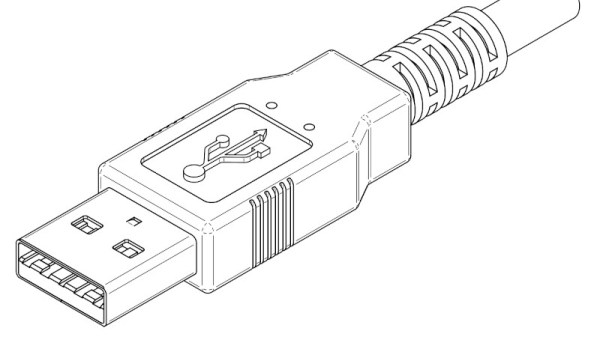
Despite HP shuttering their WebOS project some time ago, the operating system has kept a dedicated following. One device in particular, the HP TouchPad, was released just a month before webOS went under and is still a favorite among hackers — giving the device the kind of love that HP never could. [Alan Morford] from the pivotCE blog shares the kind of hack that helps this device exist in a modern-day world: a USB-C upgrade for charging and data transfer.

The inline micro USB port used is a perfect fit for a USB-C upgrade, with only small amounts of PCB and case cutting required. Just make sure to get a breakout that has the appropriate 5.1 K resistors onboard, and follow [Alan]’s tutorial closely. He shows all the points you need to tap to let your TouchPad charge and transfer data to your computer, whether for firmware flashing or for daily use.

This hack doesn’t preserve the USB-OTG feature, but that’s fixable with a single WUSB3801. Apart from that, this mod is perfect for keeping your webOS tablet alive and kicking in today’s increasingly USB-C dominated world. Once you’ve done it, you might want to take care of your PlayStation 4 controllers and Arduino Uno boards, too.

IPhone 15 Gets Dual SIM Through FPC Patch

It can often feel like modern devices are less hackable than their thicker and far less integrated predecessors, but perhaps it’s just that our techniques need to catch up. Here’s an outstanding hack that adds a dual SIM slot to a US-sold eSIM iPhone 15/15 Pro, while preserving its exclusive mmwave module. No doubt, making use of the boardview files and schematics, it shows us that smartphone modding isn’t dead — it could be that we need to acknowledge the new tools we now have at our disposal.

When different hardware features are region-locked, sometimes you want to get the best of both worlds. This mod lets you go the entire length seamlessly, no bodges. It uses a lovely looking flexible printed circuit (FPC) patch board to tap into a debug header with SIM slot signals, and provides a customized Li-ion pouch cell with a cutout for the SIM slot. There’s just the small matter of using a CNC mill to make a cutout in the case where the SIM slot will go, and you’ll need to cut a buried trace to disable the eSIM module. Hey, we mentioned our skills needed to catch up, right? From there, it appears that iOS recognizes the new two SIM slots seamlessly.

The video is impressive and absolutely worth a watch if modding is your passion, and if you have a suitable CNC and a soldering iron, you can likely install this mod for yourself. Of course, you lose some things, like waterproofing, the eSIM feature, and your warranty. However, nothing could detract from this being a fully functional modkit for a modern-day phone, an inspiration for us all. Now, perhaps one of us can take a look at building a mod helping us do parts transplants between phones, parts pairing be damned.

Continue reading “IPhone 15 Gets Dual SIM Through FPC Patch”