Compact Calendar Display Reduces Phone Dependency

Phones can be distracting objects if you’re not an enlightened master of the mental arts. Even just reading an email or glancing at your calendar can get you caught up checking other apps and notifications and waste your time. [Paul Lagier] built a device to eliminate this problem by showing him critical information right on his desk.

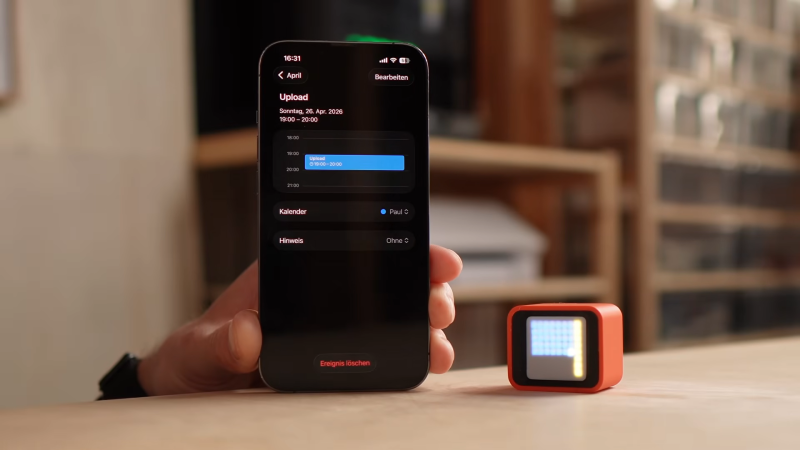
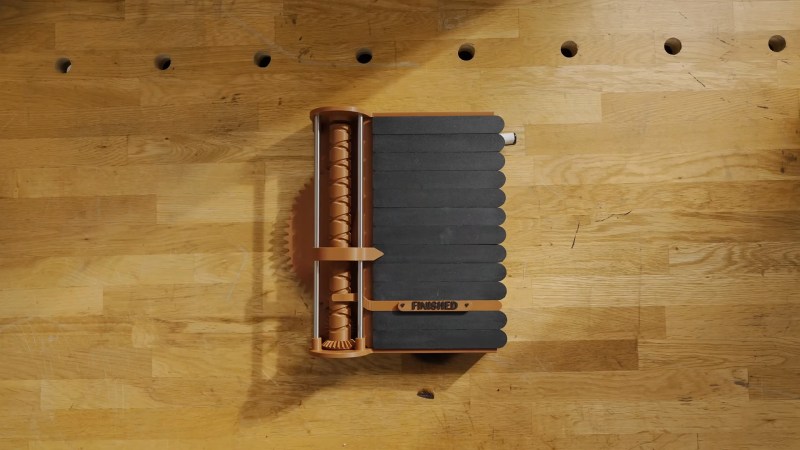
The device is based around an off-the-shelf Waveshare ESP32 board which packs in a small 8×8 RGB LED matrix on one side. It’s a neat way to get an LED project up and running quickly, but [Paul] noted that it didn’t look that great out of the box. He had to experiment with some different solutions for diffusing the light, eventually wrapping the board in a 3D printed housing with a black grid to separate the light output from each LED to make a clear pixelated display.

The ESP32’s wireless connectivity comes in handy, because it’s able to query web services for [Paul’s] calendar and other useful data. The user interface is minimal—you merely flip the housing into a different orientation to display different information, relying on the onboard QMI8658 6-axis sensor. The main display shows [Paul’s] calendar in 15 minute blocks so he can keep track of meetings without having to open his phone. Shaking the device in this mode will display the events as scrolling text. There’s also an ambient mode that looks pretty, and a pairing mode for setting up the wireless connectivity.

The great thing about modern electronic hardware is that it’s very easy to produce productivity aids like this to suit your own lifestyle.

Continue reading “Compact Calendar Display Reduces Phone Dependency”

InfinityTerminal Brings Infinite Horizontal Scrolling

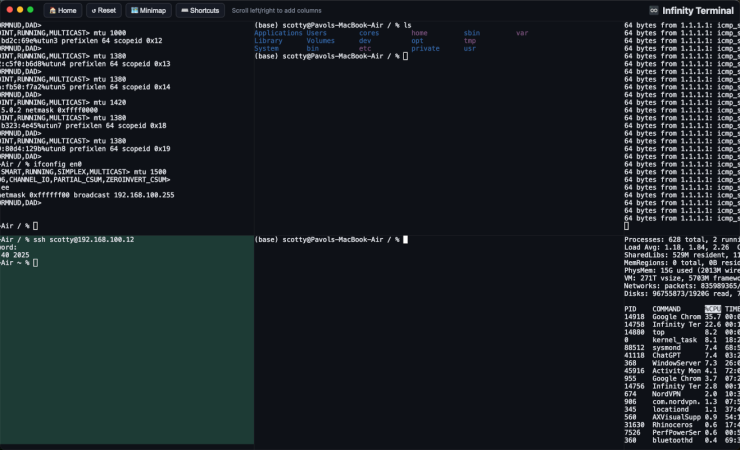
The creator of infinite vertical scrolling in social media, [Aza Raskin], infamously regrets his creation that has helped to waste a tremendous amount of human attention and time on the Internet. But that’s vertical scrolling. [bujna94] has created infinityTerminal, a program with infinite scrolling, but in the horizontal direction instead. This tool has had the opposite effect to go along with its opposite orientation: increased productivity and improved workflow.

The impetus for infinityTerminal is [bujna94]’s need for many simultaneous SSH sessions, and the fact that no other terminal program can support an indefinite number of visible terminal windows. This application starts with four terminal windows in a 2×2 grid, and allows the user to open more terminals, two at a time, to form a 2xN grid. As many terminals as needed will open in pairs in the horizontal direction with smooth, trackpad-compatible scrolling and automatic color-coded backgrounds for servers accessed by SSH.

For anyone with a similar dislike of tabs like [bujna94], this might be worth trying out. It’s built with Electron, xterm.js, and node-pty.

There are a few more details about the project on a Reddit post. [Bujna94] also made it completely open source and freely available with the files on a GitHub page, and welcomes anyone to try out his creation that wants to. For more terminal magic, we’d also recommend checking out Notcurses, a terminal application capable enough to output SNES-level detail natively.

Can A Thermal Printer Cure ADHD?

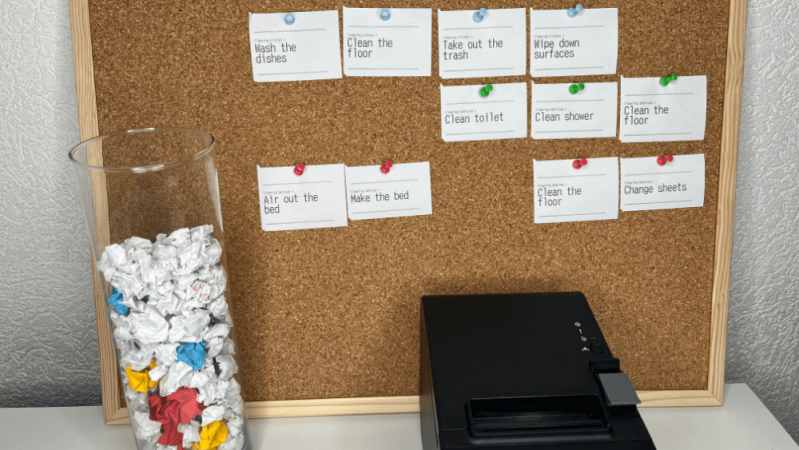
No, of course not. Per Betteridge’s law, that’s the answer to any headline with a question mark. On the other hand, while a thermal printer might not cure ADHD, it can help treat it — according to [Laurie Hérault], to the point of curing his procrastination habit. Even if you don’t have ADHD, you probably do procrastinate sometimes, so this hack is worth a look.

The printer itself is a key hardware portion of the hack, but the hack itself is purely organizational. [Laurie] started with post-its before adding automation. Before the post-it notes came a simple realization: [Laurie] could sit and play games for hours, but not buckle down for serious work for more than a few minutes, if he could even get started. (Who can’t relate?) That sent him down a rabbit hole reading about the psychology of what makes games so addictive — and the idea of “gamification” that was so popular in educational circles not long ago.

Unlike work, games give you a loop of unambiguous, instant, and continuous feedback to pump your dopamine circuits. [Laurie] uses the example of an FPS. You aim, you shoot — and either you miss, or you hit the target. Either way, there’s feedback. When you hit, your brain gives you dopamine. This fast loop of input -> feedback is what [Laurie] felt he was missing from his day.

Continue reading “Can A Thermal Printer Cure ADHD?”

An ESP32 Pomodoro Timer

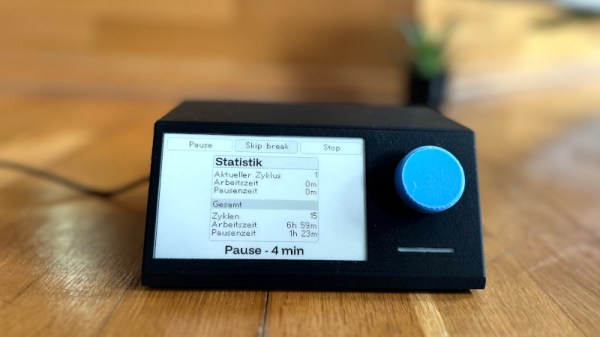
The Pomdoro technique of time management has moved on a little from the tomato-shaped kitchen timer which gave it a name, as [Rukenshia] shows us with this nifty ESP32 and e-paper design. It’s relatively simple in hardware terms, being a collection of off-the-shelf modules in a 3D printed case, but the software has a custom interface for the friend it was built for.

At its heart is a NodeMCU board and a Waveshare display module, with a rotary encoder and addressable LED as further interface components. A lot of attention has been paid to the different options for the interface, and to make the front end displayed on the screen as friendly and useful as possible. Power comes via USB-C, something that should be available in most working environments here in 2025.

We’ve tried a variant on this technique for a while now with varying success, maybe because a mobile phone doesn’t make for as good a timer as a dedicated piece of hardware such as this. Perhaps we should follow this example. If we did, the Hackaday timer couldn’t possibly use an ESP32.

Hack On Self: Headphone Friend

In the last two articles, I talked about two systems relying on audio notifications. The first one is the Alt-Tab annihilator system – a system making use of my window monitoring code to angrily beep at me when I’m getting distracted. The other is the crash prevention system – a small script that helps me avoid an annoying failure mode where I run out of energy before getting myself comfortable for it.

I’ve been appreciating these two systems quite a bit – not only are they at my fingertips, they’re also pretty effective. To this day, I currently use these two systems to help me stay focused as I hack on my own projects or write articles, and they are definitely a mainstay in my self-hacking arsenal.

There is a particular thing I’ve noticed – audio notifications help a fair bit in a way that phone or desktop notifications never would, and, now I have a framework to produce them – in a way that calls for a purpose-tailored device. It’s just wireless headphones, Pi-powered, connected through WiFi, and a library to produce sounds on my computer, but it turns out I can squeeze out a lot out of this simple combination.

Here’s a pocketable device I’ve developed, using off-the-shelf hardware – an audio receiver/transmitter with extra IO, paired to my laptop. And, here’s how I make use of this device’s capabilities to the fullest.

Audio Output

In the “producing sound out of a Pi” article, I’ve mentioned USB-C 3.5mm soundcards. You can use them with a USB-C host port, and you don’t even need any sort of resistors for that – the soundcard doesn’t try and detect state of the CC pin, and why would it, anyway? Get VBUS, GND, D+, and D-, and you got yourself an audio card with high quality output.

Continue reading “Hack On Self: Headphone Friend”

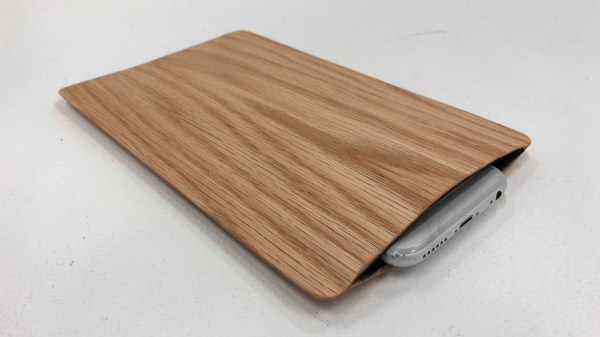
A grey smartphone sits inside a sleeve made of light brown wood veneer and a black felt interior.

Wooden Smartphone Sleeve Keeps You On Task

Smartphones are amazing tools, but sometimes they can be an equally amazing time suck. In an effort to minimize how much precious time goes down the drain, [Lance Pan and Zeynep Kirmiziyesil] decided to make a functional and beautiful smartphone sleeve to keep you on task.

Most modern smartphones have some form of Do Not Disturb mode available, but having the phone visible can still be an invitation for distraction. By tucking the phone into an accessible but less visible sleeve, one can reduce the visual trigger to be on the phone while keeping it handy in the even of an emergency.

Once in the sleeve, the NFC tag sandwiched between the felt and wood veneer triggers an automation to put the phone into Do Not Disturb mode. This hack looks like something that you could easily pull off in an afternoon and looks great which is always a winning combination in our book.

To see some more focus-oriented hacks, checkout the Pomodachi or this Offline E-Paper Typewriter.

Organise Your Hacks With TreeSheets: An Open Source Hierarchical Spreadsheet

Some people may have heard of Dutch programmer [Wouter Van Oortmerssen] since he’s the creator of the Amiga-E programming language, as well as being involved with several game engines. Heard of SimCity? How about Borderlands 2 or Far Cry? Having had clearly a long and illustrious career as a programmer for a variety of clients — including a long stint at Google, working on Web Assembly — many people will be familiar with at least some of his work. But you may not have heard of his TreeSheets productivity tool. Which would be a shame, as you’ve been missing out on something pretty darn useful.

TreeSheets is described as a hierarchical spreadsheet, which is intended as a replacement for several distinct tools; think spreadsheets, mindmaps and text editors and similar. In [Wouter]’s words:

It’s like a spreadsheet, immediately familiar, but much more suitable for complex data because it’s hierarchical.
It’s like a mind mapper, but more organized and compact.
It’s like an outliner, but in more than one dimension.
It’s like a text editor, but with structure.

Having been in development for about a decade, TreeSheets might look a bit dated here and there, but the design is clear and distraction-free, which is exactly what you need when you’re trying to focus on the task in hand. Why not give it a try and see if it works for you? After the break, you can see a video tutorial by YouTube user [DrilixProject].

No strangers to productivity hacks, here’s Pomodachi, a cute pomodoro timer crossed with a Tamagotchi. Sometimes productivity isn’t solved with software tools, but more to do with your attitude to projects. Finally sometimes the route to greater productivity is a little closer to home, like inside your head.

Continue reading “Organise Your Hacks With TreeSheets: An Open Source Hierarchical Spreadsheet”