Sony’s First Computer

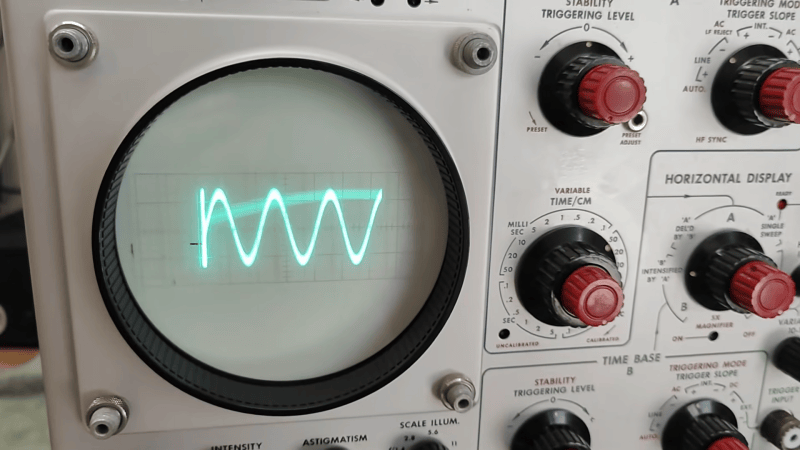
In 1982, desktop computers were coming into their own, and no clear leaders had emerged. But everyone knew they wanted a piece of the action. This led to, among other things, Sony’s SMC-70, which, frankly, for 1982, was a good-looking, if not oddball, machine. [Tech Tangents] shows the machine off in a recent video.

From the front, the computer looks more-or-less like everything else. But as you move backward, you can see this computer wasn’t another typical entry into the market. One of the things that was the hallmark of successful business computers of the day was expandability. The earlier Altair had the later-titled S100 bus. The IBM PC had the ISA bus. But in both cases, you had to open the box to plug and unplug cards.

Continue reading “Sony’s First Computer” →

Brain Control Your Appliance, Sort Of

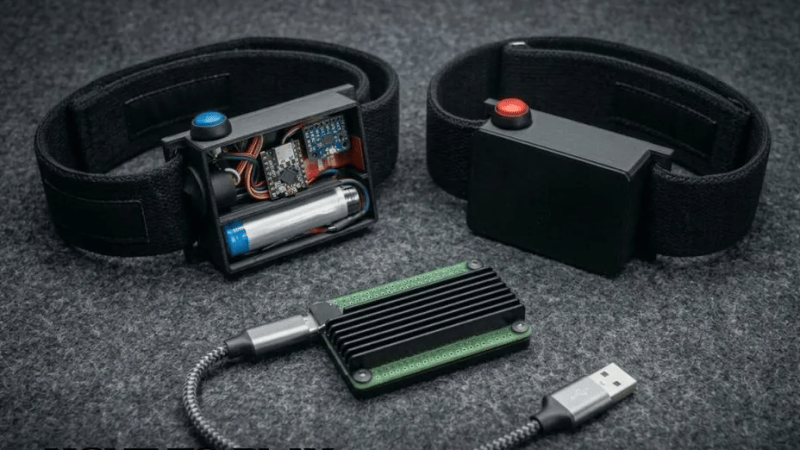
We aren’t sure we subscribe to [Upside Down Labs] description that their Neuro PlayGround Lite (NPG Lite) actually constitutes brain control in the science fiction sense. However, the package can sense biopotentials, and that lets you do things like change TV channels with a blink of the eye or a muscle gesture. That’s the gist of their project example on Instructables.

Since the NPG has an ESP32 onboard, it isn’t hard to see that coupling it to an IR transceiver would be all you need to control anything with an IR remote. The real problem is reading things like eye blinks.

The simplest way to think of the Neuro PlayGround Lite is as a 3-channel instrumentation amplifier + ADC + ESP32-C6 radio, packaged for measuring very small biological voltages. The same hardware can be used for EEG, EMG, ECG, or EOG, depending mainly on where you put the electrodes and how you filter/process the resulting signal.

It is true that you can measure EEG, so maybe it is brain control if you can learn to control your EEG output. EMC for muscles or EOG for blinking is probably somewhat more practical.

The instrumentation amplifier is where the main value is. You probably can’t just hook biosensors up to an ESP-32 analog input. The software, too, does a lot of heavy lifting for signal processing. Once you have reliable indicators that an eye or muscle moved, the rest is pretty simple.

For us, we don’t want to glue sensors to our body every time we want to watch a cat video. But we know there are legitimate reasons you might want this type of interaction, and this is as good a way to dip your toe into user interfaces that use biosignals.

We’ve seen this type of tech — strangely — used to order drinks. Not to mention games.

Linux Fu: Speak Up!

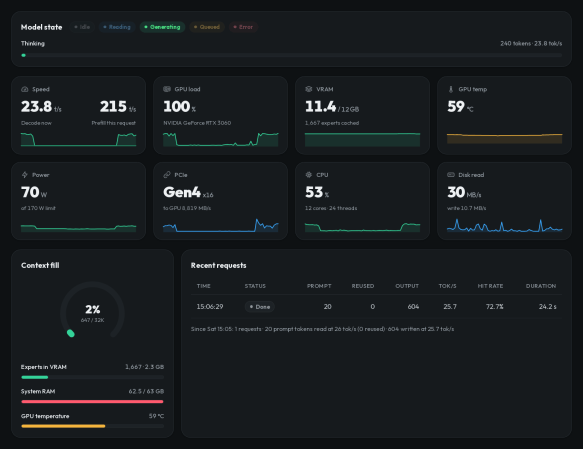
Apparently, people hate typing. As every movie and TV show suggests, the future is talking to computers. There was a time when speech recognition was complex and not very good. But these days, even our lowly phones can do a pretty good job of speech recognition. Of course, one problem is that your phone probably isn’t actually doing the speech recognition. It sends it to the big business of your choice to interpret. I’ve been using Handy, a speech recognition system that works well for me. I’ve also looked at some that didn’t.

After all, it is sometimes nice to dictate to your computer, and it would be even nicer if you could keep your data local. On Windows, oddly enough, there is a well-developed speech feature that, as far as I can tell, almost no one talks about or uses. One video estimates that 99% of users don’t use it. Linux, of course, has many options, but historically, these have been difficult to set up or finicky.

Of course, the good news is that many of the Linux tools are open source and the models are quite good. That means other people have had the freedom to fork the tools and make them easier to use, at least in theory. The licensing of the models themselves may be different, but those will be hard to modify, anyway and they generally work well. The biggest problems on Linux isn’t the technology itself, but the tremendous variety of systems and setups.

Suppose you want to write a speech-to-text program. Will it work on ARM? What desktops will it integrate with? Can it use a GPU? What kind? What about specialized instructions in some CPUs? Then there’s the forced input situation; typing into arbitrary programs once you know what the user said. On X11, it is easy, but Wayland needs different handling.

A Shortcut

I’ve thought about using my phone with KDE Connect, which is an excellent program. It can let you use your phone as a keyboard and mouse for your Linux computer. Unfortunately, it is aimed at character-at-a-time input, and I’ve never found a way to make it work with voice.

Besides, the phone is beaming all the data to “the cloud.” You probably type things you’d rather not broadcast to the ether.

I had looked at Speech Note before, but it is sort of a speech recognition notepad. I didn’t find it seamless, and it didn’t work well on my system anyway. Vocalinux looks nice, but a quick test kept complaining that my Intel extensions were not available. Makes sense, since I have an AMD CPU. Even though the documentation said it should work, I was never able to get it to work.

The Easy Way

Turns out the application that worked readily on my machine was Handy. Keep in mind, Handy is just another tool that uses one of several models out there, along with other open-source tools. You might need to install some tools to deal with your system like xdotool or dotool, but they are probably already installed anyway. That isn’t to minimize the value of Handy. It is — well — Handy. You don’t have to load and configure models, set up a bunch of system-level hooks, or install a bunch of libraries. You install it, and it works.

You can configure it. The best model for you, for example, may depend on your machine and the languages you speak. You can configure the hotkeys and how the app types into your computer. But it does all the work of downloading and configuration. Continue reading “Linux Fu: Speak Up!” →

Rosy Retrocomputing

Most of us are guilty of romanticizing the past. Do you long to be the captain of a tall ship? Just as long as you don’t mind weevils in your food, vitamin deficiencies, and death from an infection when there were no antibiotics. Want to be a medieval knight? Even worse. But surely, retrocomputing is as fun as we remember, right? Turn your computer on, and it comes up with BASIC! Ready for you to write your own programs. None of this GUI foolishness. Of course, this is just another example of rosy retrospection.

Even if you like BASIC or a similar language today, things have changed. You have a nice text editor, a fast computer, debugging tools, along with things like named functions, no line numbers, and modern control structures. None of those things were very common in the 1980s. At least, not on a hobby-grade computer.

Why am I thinking about this? Well, the Hackaday Retrocomputing Challenge is on, and it occurred to me that I wanted to work with some young students in glorious MBASIC on a CP/M machine I built and modified from a Hackaday project. Perfect, right? Many of us started that way, so why shouldn’t they?

But it quickly got old. Even a simple program gets bogged down with GOTOs and GOSUBs to mysterious line numbers. It made me remember the time back in the early 1980s, or maybe even the late 1970s, that I wrote a BASIC preprocessor to scan BASIC with no line numbers and produce proper source, converting labels to line numbers in two passes.

Continue reading “Rosy Retrocomputing” →

Rusting An E-scooter (In A Good Way)

It is a classic Hackaday situation. You have an Egret GT E-scooter. It has a screen that shows the usual dash stats, but that led to an annoyance. You could accidentally enter firmware update mode and, from there, enter operational mode without the security PIN. [Ben] couldn’t let that stand, so he reverse-engineered the protocol and rewrote the firmware in Rust. As he put it, “… because I have to break… everything I own…” We get it.

The mobile app was useful for some basic info, since sniffing Bluetooth is fairly easy and analyzing mobile code is, more or less, straightforward. Analysis revealed some data that doesn’t show on the display and that several things are sent back to home base tagged with the scooter’s unique ID — another reason to gut the existing firmware.

Continue reading “Rusting An E-scooter (In A Good Way)” →

Tech In Plain Sight: Meet The Robot That Does CPR

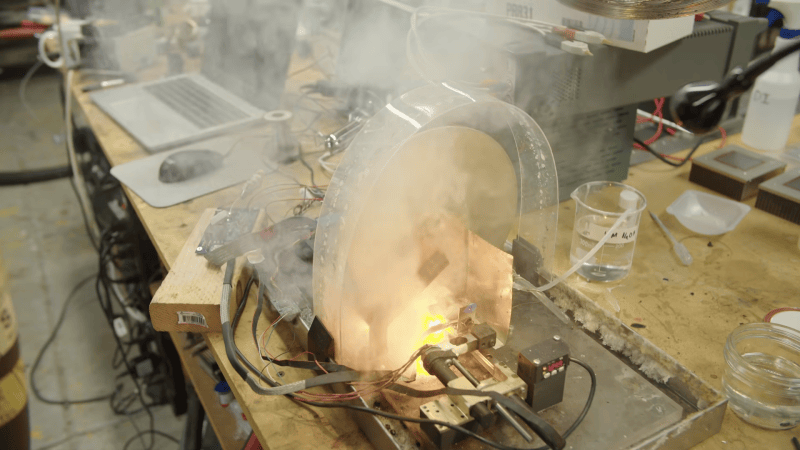
Usually in Tech In Plain Sight, we talk about technology you probably see every day, even if you don’t notice it. But we hope you don’t get to see one of the latest crop of medical robots, such as the LUCAS chest compression system. If you watch the popular TV series “The Pitt”, though, you may have caught a glimpse of one of these medical marvels. They aren’t fiction. They are very real devices.

Calling them robots might be stretching the definition a little. They don’t roam the halls looking for patients. But once attached to someone in cardiac arrest, they can take over one of the most important — and physically demanding — parts of CPR: chest compressions.

Keep The Blood Moving

When someone’s heart stops pumping blood, time is critical. CPR doesn’t normally restart the heart on its own. Instead, chest compressions produce enough blood flow to keep oxygen reaching the brain and heart while rescuers work on the underlying problem and, when appropriate, use a defibrillator.

Doing that well is harder than it looks on television. Current American Heart Association guidelines call for adult chest compressions 100 to 120 times per minute, at least 5 cm deep but generally no deeper than 6 cm, while allowing the chest to recoil fully between compressions. Interruptions should be kept to a minimum.

That’s hard physical work. In fact, studies show compression depth begins to fall after only about 90 to 120 seconds, which is one reason CPR teams normally swap compressors every two minutes. But a robot doesn’t get tired.

Continue reading “Tech In Plain Sight: Meet The Robot That Does CPR” →

One Bit Sound With The ZX Spectrum

[Michael] has a thing for playing audio over beepers using a single bit. He’s done it with the Apple ][ and the IBM PC. This time he turns to the ZX Spectrum. He didn’t get quite as good a result — at least not yet — but he did manage to get some things working. He documents everything, so even though this wasn’t a successful week, there’s sometimes more to learn from reasonable failures than from unreasonable successes.

Of course, the whole thing relies on pulse code or pulse width modulation. Of the two techniques, PWM should produce better results. However, he wasn’t able to get PWM working yet. Some other target computers drive the buzzer through a dedicated hardware timer. However, with the Spectrum, it is all software.

Continue reading “One Bit Sound With The ZX Spectrum” →