
5K IMac Turned Into 5K Display

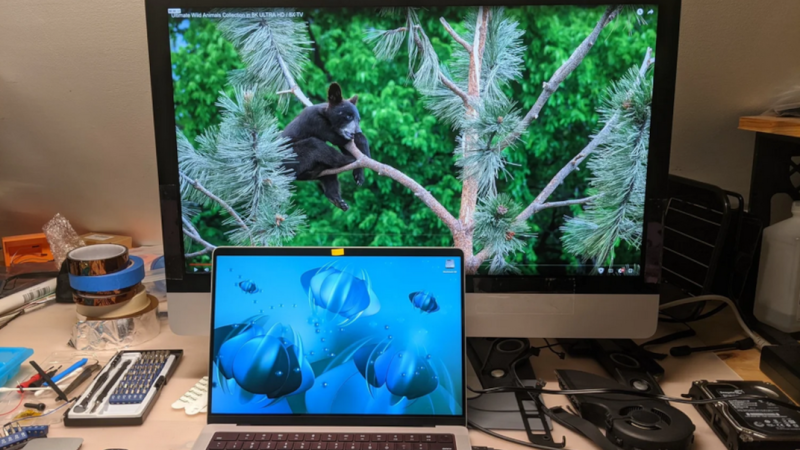
While Apple weren’t the first to invent high-DPI displays or to put them into consumer electronics, they did popularize them fairly effectively with the Retina displays in the early 2010s and made a huge number of them in the following years. The computers they’re attached to are getting up there in age, though, and although these displays are still functional it isn’t quite as straightforward to use them outside of their Apple-approved use. [David] demonstrates one way of getting this done by turning a 5k iMac into an external monitor.

The first attempt at getting a usable monitor from the old iMac was something called a Luna Display, but this didn’t have a satisfying latency. Instead, [David] turned to replacing the LCD driver board with a model called the R1811. This one had a number of problems including uneven backlighting, so he tried a second, less expensive board called the T18. This one only has 8-bit color instead of the 10-bit supported by the R1811 but [David] couldn’t personally tell the difference, and since it solved the other issues with the R1811 he went with this one. After mounting the new driver board and routing all of the wires, he also replaced the webcam with an external Logitech model and upgraded the speakers as well.

Even when counting the costs for both driver boards, the bill for this conversion comes in well under the cost of a new monitor of comparable quality from Apple, a company less concerned about innovation these days than overcharging their (admittedly willing) customers. For just a bit of effort, though, these older iMacs and other similar Apple machines with 5k displays can be repurposed to something relatively modern and still usable. Others have done similar projects and funded the upgrades by selling off the old parts.

Rescuing High-Res Displays From Older Macs

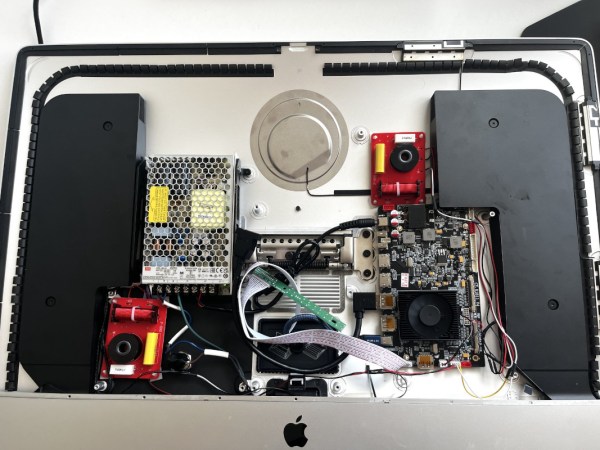
When Apple started rolling out its Retina displays, it multiplied the amount of pixels compared to their standard, non-Retina displays by four. This increased pixel density while keeping the standard screen size — idea for those needing a lot of detail for their work. But, as is common with Apple, using these displays outside of the Apple ecosystem can be quite a challenge. Retina displays have been around for about a decade now, though, with some third-party hardware able to break them free of their cage. This post details how [Kevin] liberated the 5K display from a 2017 iMac for more general use with support for USB-C.

The first step was to find a used iMac for the right price, and then sell off most of its parts to recoup most of the initial cost. That brought the cost of the panel itself to about $250. The key to getting the display working without all of the Apple hardware is the R1811 driver board, which can be had for around $300. A new 156 watt power supply was added to the mix, and [Kevin] also put in a few extras like a USB cable extension and a latching push-button which kills the display’s power. Additionally, he attempted to get the original iMac speakers working with this setup too, but none of his attempts resulted in anything close to quality sound so he’s mostly abandoned that extra feature for now.

With that all buttoned up, he has a 27″ 5K display with USB-C input for around $650 which is quite a deal. The MacRumors thread that [Kevin] added his project to currently has around 1,700 posts about similar builds too, so it can be a wealth of information for all kinds of models. As Apple drops support for their older machines, these displays will become more and more common and projects like these can keep a lot of e-waste out of the landfill while also providing decent hardware at a bargain price. Don’t just look for iMacs and MacBooks though; there’s a similar process to use various iPad displays for other things as well.








