
Upgrading And Desoldering A Fake CPU

[quarterturn] had an old Apple Powerbook 520c sitting around in his junk bin. For the time, it was a great computer but in a more modern light, it could use an upgrade. It can’t run BSD, either: you need an FPU for that, and the 520 used the low-cost, FPU-less version of the 68040 as its main processor. You can buy versions of the 68040 with FPUs direct from China, which means turning this old Powerbook into a BSD powerhouse is just a matter of desoldering and upgrading the CPU. That’s exactly what [quarterturn] did, with an unexpected but not surprising setback.

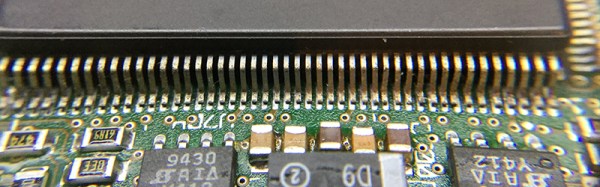
The motherboard for the Powerbook 500 series was cleverly designed, with daughter cards for the CPU itself and RAM upgrades. After pulling the CPU daughter card from his laptop, [quarterturn] faced his nemesis: a 180-pin QFP 68LC040. Removing the CPU was handled relatively easily by liberal application of ChipQuik. A few quick hits with solder braid and some flux cleaned everything up, and the daughter card was ready for a new CPU.

The new FPU-equipped CPU arrived from China, and after some very careful inspection, soldering, and testing, [quarterturn] had a new CPU for his Powerbook. Once the Powerbook was back up and running, there was a slight problem. The chip was fake. Even though the new CPU was labeled as a 68040, it didn’t have an FPU. People will counterfeit anything, including processors from the early 90s. This means no FPU, no BSD, and [quarterturn] is effectively back to square one.

That doesn’t mean this exercise was a complete loss. [quarterturn] did learn a few things from this experience. You can, in fact, desolder a dense QFP with ChipQuik, and you can solder the same chip with a regular soldering iron. Networking across 20 years of the Macintosh operating system is a mess, and caveat emptor doesn’t translate into Mandarin.

Hackaday Retro Edition Roundup

It’s time for another update chronicling the adventures and misadventures of getting really old computers to load our retro edition!

First up is [Andrew Hull] and his brilliant use of a Raspberry Pi to get an old Psion 5mx PDA on the Internet. The Raspi served as a wireless bridge, taking in Internet from a WiFi dongle and sending it back out via a serial port. Here’s a great guide for enabling PPPD on the Raspi, and giving just about anything with a serial port an Internet connection.

It may push the limits of being a retro submission, but [Glen]’s use of a modem to get on the Internet calls to us like a siren song.

Did you know Corel made computers? Well, [Victor] has one, and it’s actually a pretty interesting machine. ARM processor, an actual hard drive, and dual Ethernet ports. It was built in the late 90s and the hard drive has since died, but [Victor] booted it into Red Hat over his network and loaded up our retro site.

Finally, we come to [Greg]’s submission. He could have sent in a Mac SE/30 submission, but figured that was old hat (do you see one on there, [Greg]. No. And it’s the best computer Apple will ever make). Instead, he had an old Powerbook Duo 2300c with a Duo 230 screen lying around.

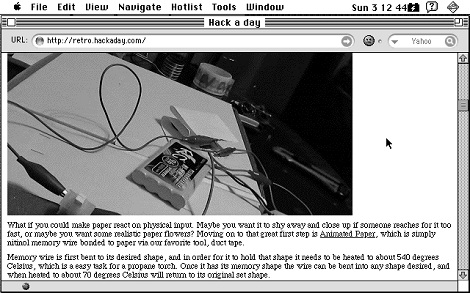
Powerbook Duos are pretty weird; they only had two ports – a single DIN-8 serial port and a dock connector. [Greg] had a Powerbook Duo dock that surprisingly had an Ethernet port. Third-party peripherals to the rescue, it seems. After plugging his Duo to his network and launching iCab, [Greg] was able to browse both the retro and main Hackaday editions. Picture Not bad for the smallest laptop Apple made before the Air.

Oh, [Greg] was also cool enough to write a tutorial for getting just about every Macintosh on the Internet. We’ve put that up on the retrocomputing guide portion of our retro site, and we’re always looking for new submissions.

You can check out the pics from all these submissions in a Web 2.0 WordPress gallery after the break, or head on over to the retro site and view them the way the gods of HTML intended.

Continue reading “Hackaday Retro Edition Roundup”








