Alright, so Doom isn’t actually running on the key chain itself, but rather a BifferBoard: a small 150MHz x86 containing ethernet, serial, and even USB with only one watt of power consumption! The project is to show how easy it is to program the BifferBoard and getting it talking to other hackable items – such as the picture key chain for a display. Doom does appear a bit slow, but [Biff] figures its do to how haphazardly it grabs keyboard input over SSH.
Bittorrent is a great distribution method for large files, but its heavy bandwidth usage can be disruptive to both work and home networks. [Brett O'Connor] has decided to push all of his torrenting activity into the cloud. Amazon’s EC2 service lets you run any number of Amazon Machine Images (AMI, virtual machines) on top of their hardware. You pay for processing time and data transferred. [Brett] put together a guide for building your own seedbox on the service. First, you set up the Security Group, the firewall for the machine. Next, you specify what AMI you want to use. In this example, it’s a community build of Ubuntu. Once you have your SSH keypair, you can start the instance and install Apache, PHP, and MySQL. TorrentFlux is the web frontend for bittorrent in this case. It manages all the torrents and you just need to click download when you want to grab the completed file.
Even if you don’t plan on setting up a seedbox, the post is a straightforward example of how-to get started with EC2. He’s not sure what the cost will be; the current estimate is ~$30/mo.
It’s the season of gift giving. Did you get anything interesting/hackable? What will you work on next?
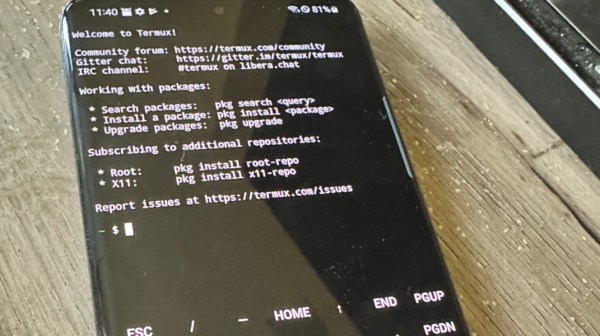
We gave ourselves an Android Dev Phone 1 (ADP1). We hadn’t really considered getting a G1 until the ADP1 was announced… It’s actually a lot of fun to use as our primary phone. Our favorite app so far is connectbot, the SSH client. The interface is really smart, way better than all of the iPhone clients.
With another hacker conference looming in front of us, it’s time to start thinking about hardware security. Hacker conventions have the most hostile network you’ll ever encounter. [Security4all] points out that 25C3 already has an extensive page on securing your hardware. It starts from the ground up with physical security, BIOS passwords, and locking down bootloaders. There’s a section on securing your actual OS and session. Finally, they cover network usage. It mentions using SSH for dynamic forwarding, which we feel is a skill everyone should have. We’ve used it not just for security, but for bypassing brainless bandwidth restrictions too. There’s also the more trick transparent version. Every piece of data you bring with you, you risk losing, so they actually recommend just wiping your iPhone and other devices before attending. It’s important to remember that it’s not just your own data at risk, but everyone/thing you communicate with as well.
To appease people waiting for the iPhone 3G unlock, iphone-dev team member [MuscleNerd] did a live video demo this afternoon. The video shows him removing the AT&T SIM and putting in a T-Mobile SIM. After the switch, the phone shows no connectivity. He then runs “yellosn0w” in an SSH session with the phone. The phone then unlocks without needing to be rebooted and the signal bars appear. The final test shows the phone receiving a call.
The target for this release is New Year’s Eve and it doesn’t support the most recent baseband. Well be attending the 25C3 talk hosted by [MuscleNerd] and other team members. The VNC screen you see in the video is thanks to [saurik]’s Veency.
The iphone-dev team published a video today showing access to the iPhone’s baseband processor. They connect to the device over ssh and then use minicom to issue AT commands. They’re writing custom AT commands for full control.
Considering an iPhone but not sure if you can live without SSH in your pocket? Have no fear! Hot off the press is this review of four SSH clients for the iPhone: iSSH, pTerm, TouchTerm, and SSH. All four clients have their strengths and weaknesses, and iSSH seems to be the best option so far. Although each of these is an early release, and therefore has its own idiosyncrasies, they’ve got improved features being planned for the next major release. Furthermore, they’re surprisingly inexpensive (none of them are more than five dollars), and so you should give them a shot if you see the need to SSH without being bound to your terminal.
iSSH is the best of the reviewed clients, giving you a good balance of usability and features. It has is share of problems, though, primarily related to the way it handles scrolling, pTerm comes in second, and is almost perfect. Its two rather glaring weaknesses are a too-large font that requires plenty of scrolling, and a lack of Ctrl, ESC, and Tab keys. TouchTerm, which comes in third, is the most configurable of the reviewed SSH clients,but is otherwise irrationally quirky. SSH is even quirkier than TouchTerm, and is a waste of your time and money.
Between the idiosyncrasies of iSSH, pTerm, and TouchTerm, you’re bound to find one that you like. Furthermore, these are initial releases; all three have exciting features on the roadmap (like implementing the ESC key) which should improve their usability.
Should you give one of them a try? For five bucks, it wouldn’t hurt.
They still haven’t released the jailbreak yet, but the iPhone dev team hasn’t been sitting idly by either. They recently posted this video of ssh access on the iPhone 3G. Not only have they succeeded in hacking into the phone, they say that apple can’t fix it without a hardware change. Having root level access to the device opens up many more possibilities than just hooking an API.
In case you’ve ever wondered, “why don’t I ever run into those Hack a Day scamps at the Panera?” It’s because SonicWALL thinks we’re a “Hacking/Proxy Avoidance Systems” and the more inexplicable “Usenet News Groups.” We’ve gotten many reports from readers over the years about getting blocked by various vendors’ proxies. Do you have any trouble viewing Hack a Day from your school/work? What “service” are they using? We use ssh’s application level dynamic port forwarding to get around most systems when we’re on the road.