Writing An ESP32 Bluetooth Printer Driver In Two Acts

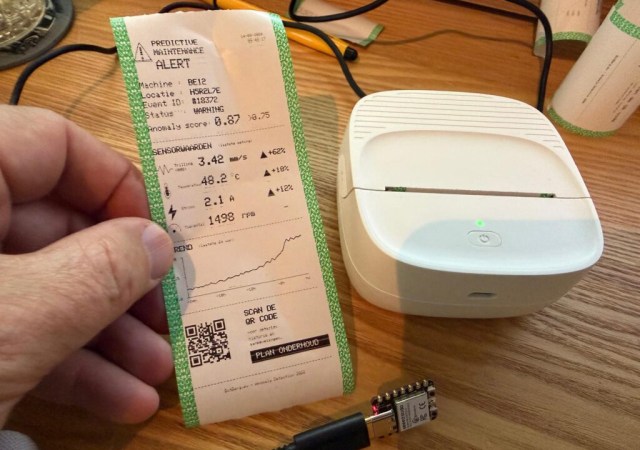
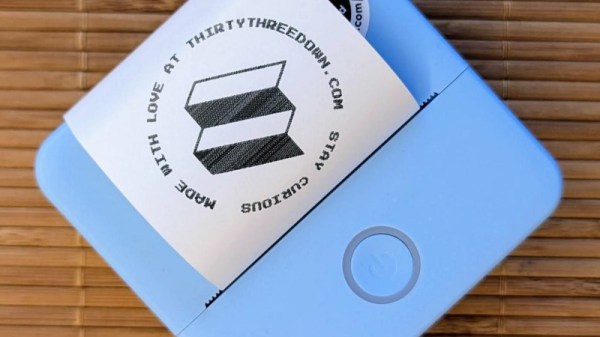
[Bas BotBerg] wanted to use a portable Bluetooth thermal printer to run off reports on sensor data collected by an ESP32-C3 microcontroller. But as is so often the case these days, the only official way to interface with the printer was through a proprietary smartphone application provided by the manufacturer. With no documentation on how the thing works, he set out to reverse engineer the printer’s communications protocol so he could control it from the MCU — but the route he took to get there was a bit different than what we usually see, and is an excellent case study for those who might have similar projects in mind.

The standard procedure for something like this, if it can be called that, is to use Android’s built-in debugging capability to log Bluetooth communications while running the manufacturer’s application. The resulting file can be fed into Wireshark, and with patience and some educated guesses, you can usually work out the various commands and values that get passed to the hardware.

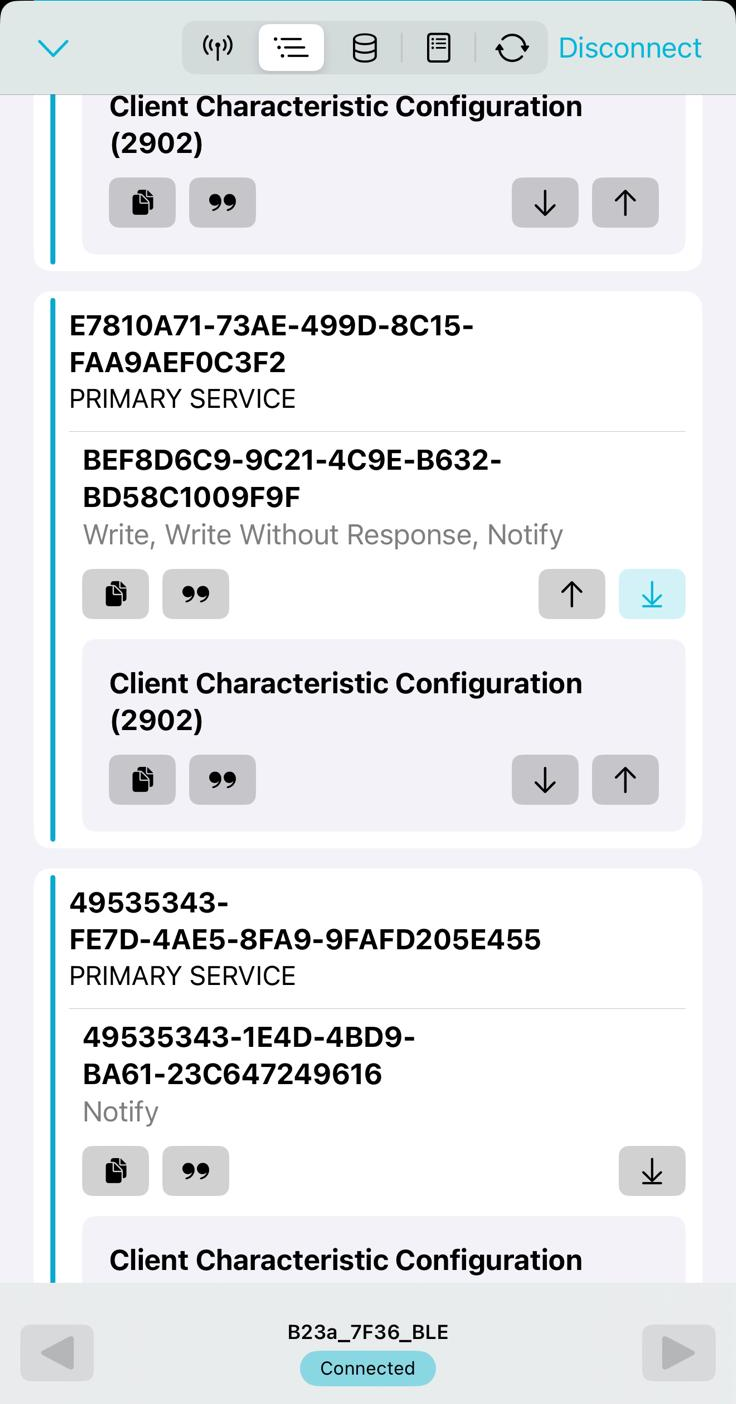
But in this case, [Bas BotBerg] ignored the manufacturer’s software and instead used an application that can query a device and list its Bluetooth Low Energy services and characteristics. Specifically, he looks for services that are marked as writable, and starts pushing data into them to see how the printer responds. For this he uses Python with the Bleak library, as it allows him to rapidly iterate and adapt his code. After a bit of poking and experimentation, he finds the proper incantation to get the printer’s motor to kick on and advance the paper — a critical first milestone that tells him he’s on the right path.

Once [Bas BotBerg] mapped out what data needed to be sent to what endpoints to operate the printer in Python, it was a relatively straightforward process to send those same payloads using C++ code on the ESP32. For extra style points he also brought in the Adafruit GFX library so he could produce icons and more easily format the output of the printer.

It doesn’t look like [Bas BotBerg] has released the code in this case (perhaps if we all ask nicely), but we’ve seen similar efforts to bring open source drivers to these cheap Bluetooth printers for the good of the community.

Doubling Thermal Printer Resolution By Wiggling

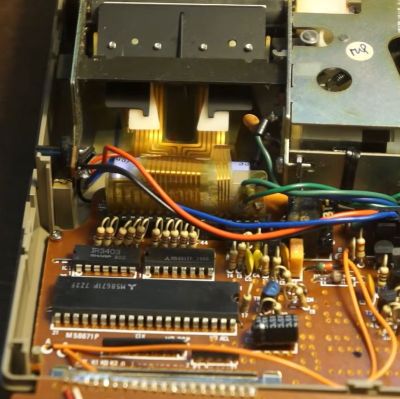
Insides of the Sears 12 calculator. (Credit: Danalog, YouTube)

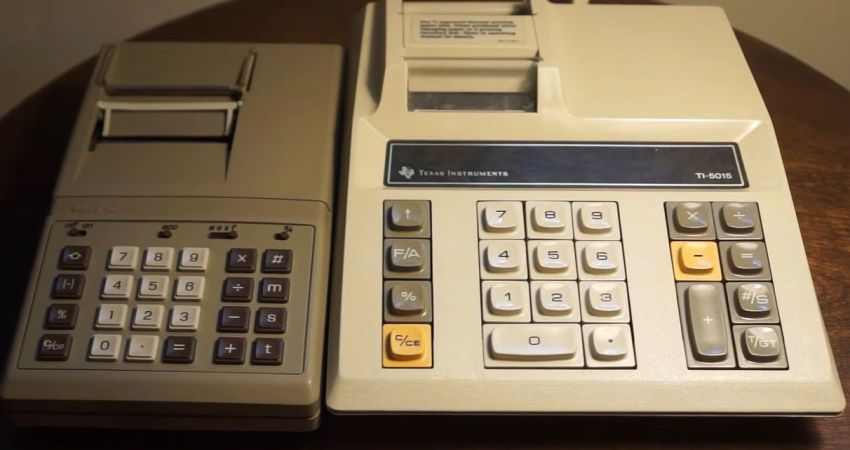
Thermal printers are still extremely common today, using small heating elements in combination with temperature-sensitive paper to create a dot matrix-like effect without messing with ink ribbons and complex mechanisms. Of course, even with just a line of elements you still needed one of these per pixel, which at least in the 1970s when the Sears 12 calculator was released added significantly to the cost. The solution here was to wiggle the elements, doubling the resolution of the print head, as detailed in this video by [Danalog].

Using a contemporary Texas Instruments TI-5015 calculator as comparison with its non-wiggling print head, it’s easy to see the advantages here. In an era where electronic calculators didn’t have displays but a thermal printer, this print quality was the selling point, yet adding more thermal elements added to the price tag of the final device and more complexity to the design in terms of driving circuitry.

In this regard adding a way to make the print head move side-to-side at a set rate and tying this fact into the printing would save about half of that circuitry. Inside the Sears 12 is a fairly standard Mitsubishi M58671 calculator IC, but also the whole printer mechanism. When operating, as demonstrated in the video with the cover removed, you can see the whole print head moving rapidly.

With this mechanism this much cheaper Sears 12 definitely gives the TI-5015 a run for its money, even if as noted by [Danalog] the timing would go off a bit after a longer session, resulting slightly wavy printing. Presumably with the massive cost savings of buying a Sears calculator over a TI one, this was deemed an acceptable trade-off.

Continue reading “Doubling Thermal Printer Resolution By Wiggling”

Quote Printer Keeps Receipts

In the world of social media, “keeping receipts” refers to the practice of storing evidence that may come in handy for a callout post at a later date. For [Teddy Warner], though, it’s more applicable to a little printer he whipped up to record the very best banter from his cadre of friends.

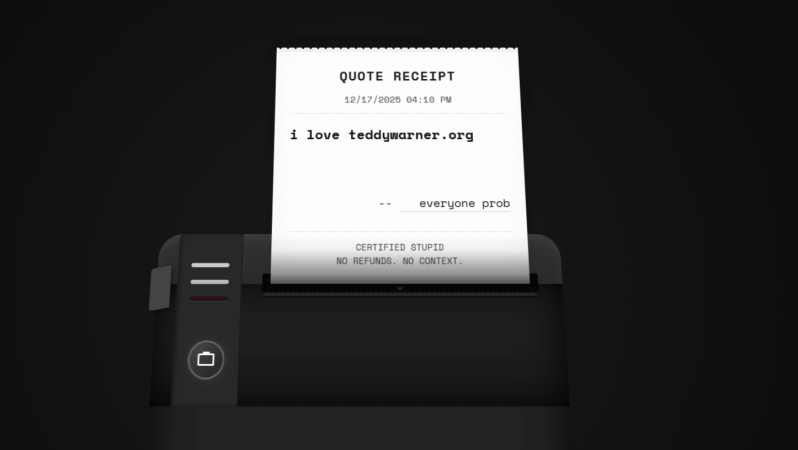
[Teddy’s] idea was simple. He hoped to capture amusing or interesting quotes his friends made in his apartment, and store them in a more permanent form. He also wanted to allow his friends to do the same. To that end, he whipped up a small locally-hosted web interface which his friends could use to record quotes, along with proper attribution. Hosted on a Raspberry Pi 5, the web interface can then truck those quotes out to an 80 mm thermal receipt printer. The anecdote, epithet, or witticism is then spat out with a timestamp in a format roughly approximating a receipt you might get from your local gas station. What’s neat is that [Teddy] was also able to install the entire system within the housing of the Miemieyo receipt printer, by 3D printing a custom base that could house the Pi and a suitable power supply.

Beyond being fun, this system also serves a critical purpose. It creates a paper trail, such that in-jokes, rumors, and insults alike can be traced back to their originating source. No more can Crazy Terry claim to have invented “the Malaga bit,” because the server and the receipt clearly log that Gerald dropped it first at the Boxing Day do.

We’ve seen similar projects before, too. There’s just something neat about holding a bit of paper in your hand.

Continue reading “Quote Printer Keeps Receipts”

a torn-up printer with a very long image of different frames

Playing DOOM On A Receipt Printer

Gaming is a wonderful thing. Unfortunately for many of us, work takes up our valuable time, which should be allocated to our gaming. What if there was a better way? Well, printers can print an image quickly, and receipt printers can print a lot of images. This sounds like an effective display for DOOM in a pinch. [Bringus Studios] managed to find such a printer and got the classic shooter running.

Getting the printer’s attached computer, which was only designed for printing the cost of your chicken sandwich, to run Half-Life was far from easy. [Bringus] struggled through the process of swapping operating systems from Windows 7 to Linux just to return to Windows 7 after a painful process of maintaining compatibility between 32 and 64 bit software. Driver issues followed through the entire process just to get anything running at all.

But we can’t play DOOM while at work on a normal screen. The printer MUST display our glorious 480p gameplay. To achieve such a workflow, [Bringus] implemented a script to print out a frame of the display, allowing for “visible gameplay”. Along with some heat issues from the nature of thermal receipts, eventually the printer displayed the glory of DOOM.

Playing games on a thermal printer might be one of the weirdest things you’ve seen today, but what if we could reverse the script a bit and create a printer from something else? Here at Hackaday, we have exactly the thing for you: a printer made from a vintage typewriter!

Continue reading “Playing DOOM On A Receipt Printer”

Another Thermal Printer, Conquered

The arrival of cheap thermal printer mechanisms over the last few years has led to a burst of printer hacking in our community, and we’re sure many of you will like us have one knocking around somewhere. There are a variety of different models on the market, and since they often appear in discount stores we frequently see new ones requiring their own reverse engineering effort. [Mel] has done some work on just such a model, the Core Innovation CTP-500, which can be found at Walmart.

The write-up is a tale of Bluetooth reverse engineering as much as it is one about the device itself, as he sniffs the protocol it uses, and finds inspiration from the work of others on similar peripherals. The resulting Python app can be found in his GitHub repository, and includes a TK GUI for ease of use. We like this work and since there’s an analogous printer from a European store sitting on the Hackaday bench as we write this, it’s likely we’ll be giving it a very close look.

Meanwhile if [Mel] sounds a little familiar it might be because of their print-in-place PCB holder we featured recently.

Can A Thermal Printer Cure ADHD?

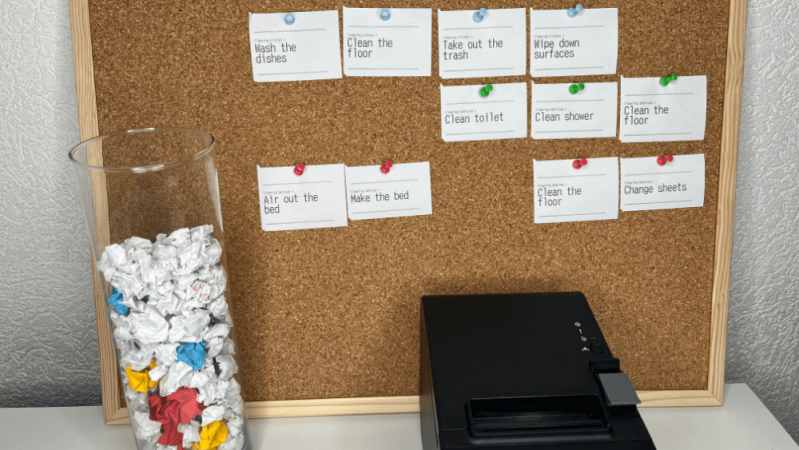
No, of course not. Per Betteridge’s law, that’s the answer to any headline with a question mark. On the other hand, while a thermal printer might not cure ADHD, it can help treat it — according to [Laurie Hérault], to the point of curing his procrastination habit. Even if you don’t have ADHD, you probably do procrastinate sometimes, so this hack is worth a look.

The printer itself is a key hardware portion of the hack, but the hack itself is purely organizational. [Laurie] started with post-its before adding automation. Before the post-it notes came a simple realization: [Laurie] could sit and play games for hours, but not buckle down for serious work for more than a few minutes, if he could even get started. (Who can’t relate?) That sent him down a rabbit hole reading about the psychology of what makes games so addictive — and the idea of “gamification” that was so popular in educational circles not long ago.

Unlike work, games give you a loop of unambiguous, instant, and continuous feedback to pump your dopamine circuits. [Laurie] uses the example of an FPS. You aim, you shoot — and either you miss, or you hit the target. Either way, there’s feedback. When you hit, your brain gives you dopamine. This fast loop of input -> feedback is what [Laurie] felt he was missing from his day.

Continue reading “Can A Thermal Printer Cure ADHD?”

Project Scribe thermal printer printing out a receipt

Project Scribe: Receipts For Life

Here’s a fun project. Over on their YouTube page [Urban Circles] introduces Project Scribe.

The idea behind this project is that you can print out little life “receipts”. Notes, jokes, thoughts, anecdotes, memories. These little paper mementos have a physical reality that goes beyond their informational content. You can cut them up, organize them, scribble on them, highlight them, stick them on the wall, or in a scrapbook. The whole idea of the project is to help you make easier and better decisions every day by nudging you in the direction of being more mindful of where you’ve been and where you’re going.

Continue reading “Project Scribe: Receipts For Life”