
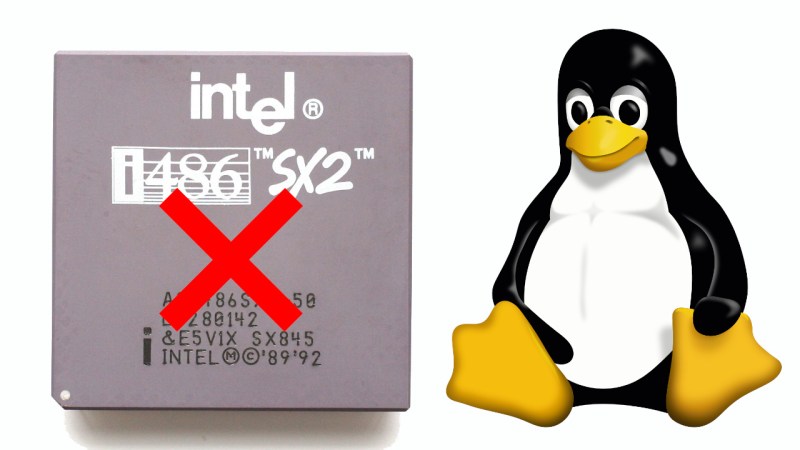
Although everyone’s favorite Linux overlord [Linus Torvalds] has been musing on dropping Intel 486 support for a while now, it would seem that this time now has finally come. In a Linux patch submitted by [Ingo Molnar] the first concrete step is taken by removing support for i486 in the build system. With this patch now accepted into the ‘tip’ branch, this means that no i486-compatible image can be built any more as it works its way into the release branches, starting with kernel 7.1.
No mainstream Linux distribution currently supports the 486 CPU, so the impact should be minimal, and there has been plenty of warning. We covered the topic back in 2022 when [Linus] first floated the idea, as well as in 2025 when more mutterings from the side of [Linus] were heard, but no exact date was offered until now.
It remains to be seen whether 2026 is really the year when Linux says farewell to the Intel 486 after doing so for the Intel 386 back in 2012. We cannot really imagine that there’s a lot of interest in running modern Linux kernels on CPUs that are probably older than the average Hackaday reader, but we could be mistaken.
Meanwhile, we got people modding Windows XP to be able to run on the Intel 486, opening the prospect that modern Windows might make it onto these systems instead of Linux in the ultimate twist of irony.












Really?
It’s linux, so someone will keep it running, even just for fun.
As for XP, I wouldn’t call it a “modern” OS any more and that it doesn’t natively run on the 486 while newer releases of linux do, there is nothing ironic there.
Hi, XP does run on a i486. Support for it had been added recently.
https://hackaday.com/2024/06/23/kernel-hack-brings-windows-xp-to-the-486/
Anyway, it’s not that surprising, since Windows 2000 still ran on 80486.
To be fair, performance isn’t exactly great unless it’s a late 486.
486DX4 or Cyrix/IBM 5x86C etc. Maybe NexGen 586, too?
It depends.. Latest XP updates are from 2019 (POS ready).
And there are Kernel extensions, such as OneCore API.
They allow running Windows Vista/7 era applications to run on XP, including DX10 applications.
With a different, PAE enabled kernel, XP Pro 32-Bit can use 64 GB of RAM (about 16 GB being safe maximum in terms of application compatibility).
Windows 98SE also has something like that, btw.
KernelEx with gdiplus.dll and unicows.dll allows running Windows 7 applications on Windows 98SE/Me.
The 32-Bit versions only, of course. It really works.
Useful for using more recent web browsers and media players, for example.
So a Pentium MMX laptop from the mid-90s can run a modern application, still, provided it doesn’t require certain CPU instructions.
Linux doesn’t have that kind of long lasting backwards compatibility, still.
It wasn’t THAT long ago that the 486 had finally been space rated.
“Linux doesn’t have that kind of long lasting backwards compatibility”
What in the world makes you think that a Pentium MMX running Linux from like 5 years ago wouldn’t be able to run practically any Linux application out there with similar restrictions?
Linux has no real binary (backwards) compatibility in same way Windows has.
There’s even a niche Linux distro that focuses on running Win32 applications instead of native Linux applications because of that.
https://www.theregister.com/2026/01/06/loss32_crazy_or_inspired/
Yes it does. You just need to carry the libraries over, which is just a script. I’ve done it with a 20 year old SBC running a 3.x kernel.
You’re confusing user space and the kernel. There have been some ABI changes over the years, but very few.
Of course this is silly, because you can usually just recompile it. But in my case it was closed source.
Hi, I often see them as a combination, since both need each other to be useful.
I should have written “Linux [environment] doesn’t have that kind of long lasting backwards compatibility, still.”
That’s cool! 😎👍
Yes, but why in the world would anyone want to run the latest distribution on a 486?
It’s a massively constrained system, so of course you’re going to want a customized user space and kernel. Linux ABI stability is great.
Does anyone know the average age of Hackaday readers? How would this be known?
I think i486 is being removed, rather ironically, because the 32bit x86 architecture is still somewhat alive and actively maintained: people do actually care about the code quality and the performance. There are many other fairly obscure or old architectures under the kernel’s /arch/ directory (qualcomm hexagon, hp pa-risc, etc).
That said, yes, the impact is probably going to be minimal, and you can try NetBSD instead if you absolutely want a Unix-style OS for your 486.
Removing kernel support for Pentium/486-class CPUs in Linux can be beneficial for several technical and maintenance reasons:
👉 Reduced maintenance burden: Fewer CPU-specific workarounds, emulation paths, and conditional code paths mean less code to maintain, review, and test. 🎯
👉 Smaller, cleaner codebase: Removing legacy code simplifies kernel internals and makefiles, improving readability and reducing hidden bugs. 🐞
👉 Compile-time and runtime simplification: Eliminates conditional compilation flags and runtime checks for old CPU feature sets, slightly reducing kernel binary size and startup overhead. 🚀
👉 Performance optimizations: Freed from needing to support very old instruction sets or errata workarounds, developers can use newer CPU features and optimizations without complex fallbacks, improving performance on supported hardware. 💻
👉 Security: Legacy code paths often harbor unnoticed vulnerabilities; removing them reduces attack surface and potential for security bugs tied to obscure CPU behaviors. ☠
👉 Testing and CI efficiency: Fewer hardware variants to validate reduces CI matrix complexity and testing time. 🧬
👉 Focus resources on modern hardware: Developer effort can shift to improving support and features for CPUs actually in use (64-bit and recent x86), accelerating innovation. ✨
👉 Deprecation aligns with hardware lifecycle: Very old CPUs are rare in the user base and often incapable of running modern software efficiently; supporting them provides little practical benefit relative to cost. 😊
Trade-offs to acknowledge:
👉 Loss of support for very old systems: Users with legacy hardware must stay on older kernel releases or use alternative kernels that keep legacy support. 👴
👉 Potentially larger jump for embedded/industrial systems that still run older chips — those environments require careful migration planning. 🏭
Overall, removing support for Pentium/486-class CPUs simplifies maintenance, improves security and performance for modern hardware, and lets developers concentrate effort where it benefits most users. ☎
Shut up robot.
If the CPU has been the same for decades, why update the kernel? Just use an earlier version. Not sure why people think “no more updates” means “dead”. It could just mean “done”.
I think it’s because of dependencies.
One problem with Linux ecosystem is that everything depends on everything.
It’s like a star topology, basically.
So if you want to compile some little utility, you need about 20 packages of various software.
Stuff like a PNG library, Perl, Python, zlib, curl, etc.
But since they aren’t always backwards compatible, they have to be available in a specific version.
Too bad if that versions is outdated and nolonger in the reprository.
Then the utility must be modified or the old version must be built from scratch.
Which in turn again requires old, unavailable packages that are nolonger available.
Same thing might be the case with the Linux kernal, I guess.
That modern Linux software can’t be run on a 10 years old kernel out of box.
Add to that they need to test and compile the kernel for all those architectures (in theory). If they make a change then they need to consider the other architectures even if they’re just doing work to avoid breaking it.
The pain of monolithic kernels.
Long live seL4 ;-)
Like me having now 12 bwrap processes on XFCE, because some Gnome dev decided they want to add sandboxing to their widely used image loading library.
But still better that they dropped the idea of kernel sandboxing (because they woud have to learn it) i think, because that widely used library would suddenly be Linux-only.
That was a great synopsis of the dependency mess the community has run into. To do one thing often requires three other fencekey crapplications or scripts to juggle around. It makes me miss the days when ya didn’t have to find ‘portable’ versions of things and could just get things done.
“But since they aren’t always backwards compatible, they have to be available in a specific version.”
You’re talking about user space. Not the kernel. You don’t recompile all of user space when you update the kernel, and in general you can go in reverse too.
If you are going to hook up it to a network, you do want the latest Linux image. (I wouldn’t use my 486 PC to surf the web in 2026, but it seems like some retrocomputing hobbyists do things like that?)
That said, most of the security vulnerabilities are on the utils and user apps, not on the kernel….and there are literally billions of embedded systems running outdated, insecure Linux images on the Internet, so I guess you can get away for a while.. but it is still not something that I would recommend.
I’ve rawdogged the internet on windows 95 within the past decade, I do not care about exploits. If It’s gonna happen, it’s gonna happen. No use worrying about it.
CPU has never “been the same”. 486 has CMPXCHG, but modern Linux really needs 64bit atomics introduced with Pentium CMPXCHG8B.
Yup. It’s because Pentiums are really where SMP started, and SMP is so hard that trying to maintain non-SMP stuff is too dangerous.
And it’s not like it matters, because 486s don’t have new hardware devices, so they don’t need new kernels. And because Linux doesn’t break user space, the ABI is stable enough that sticking on a release won’t matter.
Of course all of this is pointless because the major user space distros dropped 486 forever ago, but for some weird reason no one cared. Maybe because a 486 running modern applications is hilarious.
I’m not getting upset about this anymore.
Linux is the new Windows, except that it’s an even bigger resource hog now.
But I’m hardly surprised. The philosophy of *nix always has been that free resources equal wasted resources.
Makes me miss the times of Windows 98SE, though, which ran fully functional on a 486DX2-66 and 16 MB of RAM.
https://www.neowin.net/news/a-popular-linux-distro-now-has-higher-system-hardware-requirements-than-windows-11/
To be fair, maybe I should point out that 486 support never was really good in Linux land.
Some Linux distributions such as Mandrake skipped the 486 in favor of Pentium optimizations.
Considering how few 486 systems got the RAM they deserved,
starting with Pentium systems that had high-capacity PS/2 SIMMs and SDRAM made sense.
Also, there were Pentium level CPUs that could be used on 486 motherboards, such as Pentium Overdrive (POD).
So the 586 optimization was a reasonable decision, at least.
Huh.
I forgot that Mandrake didn’t support 486. That explains why I remember running early RedHat even though I also remember switching to Mandrake on my desktop very shortly after starting to use Linux.
I was in college in the late 90s. I wanted a server. But I didn’t have a spot for it in the tiny dorm bedroom so I needed to justify sticking it in the also-tiny shared livingroom. So I installed a desktop on the server. It had netscape for browsing, TiK for AIM because that’s how we all communicated back then, x11amp for music and a login for each roomate and suitemate.
That was on a 486. I don’t remember 486 being a problem. It was actually better than Windows on the same hardware because you could play an MP3 and do other things like web browsing at the same time. If I tried that in Windows it would stutter too much.
Windows 98SE on 16MB would be painful on a Pentium…
It runs (ran) “ok” on a Pentium 75 with 24 MB and an SCSI HDD..
Better than modern Linux does run on a hot-headed Pentium 4 with 4 GB of RAM, I think.
A modern Linux kernel alone takes up more RAM than a whole Windows 98 Setup CD-ROM does, including the complete library of device drivers.
Linux has always like having a lot of RAM. But that doesn’t mean it HAS to have it.
These days in a modern machine there is enough RAM that top will show some being available if you aren’t running big applications to use it all. Back in the day when 24MB was a decent machine it would usually appear to be pretty much all in use all the time.
So what?
What it was actually doing is using whatever free RAM was available to cache things. Such as the filesystem. As soon as an application needed memory it would flush those caches and give the memory to the application.
Memory usage would always appear to be pegged but stuff ran just fine that way.
That said.. if you could install more RAM then Linux could do more caching so everything would run better. I remember the rule being that RAM was the most important thing to upgrade to speed up Linux while CPU was the thing to upgrade for Windows. It was 6 of one, ½ dozen of the other. Which chip would you rather spend your money on?
As far as I can tell that rule still holds, only the scale is different.
I remember people trying Linux for the first time… looking at the memory usage and immediately deciding it was too inefficient when all they had to do was open an application and see that it would run just fine.
Both Windows and Linux cache as much as they can, so no, there’s no difference.
Not caching filesystem data would be nuts. The overhead is tiny and filesystems are so slow even a low hit rate is worth it.
Another aspect is that software like Linux should keep having low requirements, as long as feasible.
Targeting 386/486/586/686 class systems with their period-correct RAM expansion (MB range) and HDD capacities and computing power ensures that.
Because they’re from the origin era of Linux, after all.
Otherwise, the software will never stop growing and it will become bloatware.
Eventually, Megabytes turn to Gigabytes turn Gigabytes..
See Wirth’s law: https://en.wikipedia.org/wiki/Wirth%27s_law
The demoscene has certain categories (such as 64KB demos) that keep artificial limitations, to make sure coders remain being creative.
Nonsense!
The current popular desktop distros do very much fit your description. But you don’t have to use all that.
Just start with a clean basic cli-only install then add a lightweight desktop on top of that. Or.. pick a distro that was meant to be used as a lightweight desktop in the first place. You can still have a desktop that runs on low resources easily.
If you are just doing a default Desktop install of Ubuntu or RedHat or some distro like that you chose to install a resource hog, it wasn’t forced on you.
yeh, like anyone will survive win11 on 4G ram
Uhmph.
I understand the decision, given maintenance and testing costs.
But the machine in my workshop, used for things like looking up woodworking information or talking to the 3D printer, is an ancient laptop. Having a display and keyboard in a convenient clamshell case, it’s more convenient for those basic tasks than switching to an SBC would be. And I hate discarding a working machine. A minimal lightweight Linux kept it usable/useful.
So I’m not exactly delighted with it hitting end of life. But I accept that it’s a minor miracle to have kept it going this long. Heck, it’s reaching the age where capacitors are starting to become questionable…
What kernel version are you running on that thing? Like, it’s 2.6.14, right? Aren’t you going to keep using that same kernel version forever???
You don’t need to update things for them to work, lol. Just keep using what you’ve got.
It’s the kernel. It’s not the user space.
The main thing with not supporting it in kernel is that you’ll lose access to new hardware device drivers for your (check notes) ancient laptop?
If people are upset about this you want to complain about Debian/Ubuntu/etc. Not the kernel.
This is a non-event, since in practice every 486 system out there will have so little RAM that you will want to use an old everything…i mean, the last time i used a 486 to run Linux, i had to undergo the hassle of the big update from libc4 (a.out) to libc5 (ELF). And even on that ancient Debian 0.93rc6, i never felt like i had enough RAM until after i had upgraded to a pentium, early 1996. I did happen to use linux on a 386 as late as 1999, but it ran nothing but a CGI script to manage ppp, and even for that, it was barely suitable…had to use boa web server and write the CGI in C because apache+perl was waaay too bloated even back then.
The kernel dropping support for these old devices doesn’t mean anything but i have been frustrated by userspace dropping support for old kernels! For example, systemd added a dependency on statx(STATX_MNT_ID), which was added in Linux 5.8 (2020). I have machines with uptime longer than that! STATX_MNT_ID is obviously a nice feature for things like mount / automount / udev, but systemd gratuitously requires it just to find its config files, so it completely fails at everything if you update it, which you have to because there’s a tight dependency between versions of libc6 and systemd and everything else these days too. Systemd is genuinely a brittle monolith — the fact that automount will want STATX_MNT_ID pollutes every corner of the thing, even parts that have nothing to do with filesystems. People will say 6 years ago is a long time ago, but it’s nothing compared to how long since i used a 486 for anything other than MSDOS gaming.
Another example is libc6’s compatibility dance for 64-bit seek interfaces, which have evolved in the kernel quite a bit. My Chromebook finally died to this…there’s a new-ish 64-bit seek syscall, and libc6 depends on it. There is still support for the legacy 64-bit lseek, but it is broken because no one tests it. And the dependecy is totally gratuitous, none of the broken programs are working with >4GB files. Obviously, lots of options to work around it, but for a laptop that had already been relegated to ‘backup’ status, just not worth the hassle.
On the one hand it’s no big deal, but on the other hand it is a real and ongoing pain in the butt.
AI slop comment for AI slop world.
No biggie. If I ever use the old 486-100 I have sitting on my shelf, it would run a retro OS on it. Let us move ‘forward’ not backward.
The reason why vintage computer enthusiasts would run a modern Linux in a dual-boot configuration is connectivity, I think.
Modern websites and internet services do demand for a lot, especially the latest web browser.
If the age certification thing becomes mandatory, a Linux or BSD with “aged daemon” might become more important.
On a 486??? dual boot? I still say just run a retro OS on the 486 museum piece … err platform and call it good. Use your wiz-bang workstation for internet access. Go retro ‘all the way’ and not try to have a foot in both worlds. It makes sense to me anyway :) .
🤷♂️
I think there are retro/vintage fans who try their best to run a modern browser on Windows 98SE or XP or Mac OS X 10.6.8.
They try to find latest forks of Firefox or Chrome etc that have binaries that work with SSE2 or less.
Compiling Linux and open source software for a 486/586 would be an alternative, a backup plan, I think.
Unless the system requirements are getting too high.
Another aspect is that software like Linux should keep having low requirements, as long as feasible.
Targeting 386/486/586/686 class systems with their period-correct RAM expansion (MB range) and HDD capacities and computing power ensures that.
Because they’re from the origin era of Linux, after all.
Otherwise, the software will never stop growing and it will become bloatware.
Eventually, Megabytes turn to Gigabytes turn to Terabytes..
See Wirth’s law: https://en.wikipedia.org/wiki/Wirth%27s_law
The demoscene has certain categories (such as 64KB demos) that keep artificial limitations, to make sure coders remain being creative.
(Duplicate, since my comment was displayed at wrong spot)