
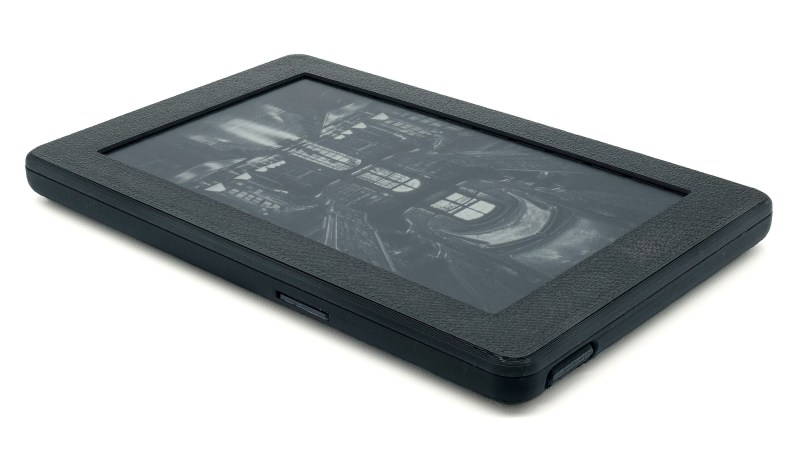
If you have even the slightest interest in open hardware e-readers, you’ve certainly heard of [Joey Castillo]’s Open Book project. We’ve covered his efforts to develop an affordable reader that delivers a Kindle-like experience without the Orwellian megacorp trappings for several years now, and watched with great interest as the core hardware has evolved.
So we were particularly excited over the weekend to see the Open Book Touch finally hit Crowd Supply, and judging by the fact that the campaign for the $149 device has already blown past 60% of its funding goal in just a few days, it seems like we weren’t the only ones.
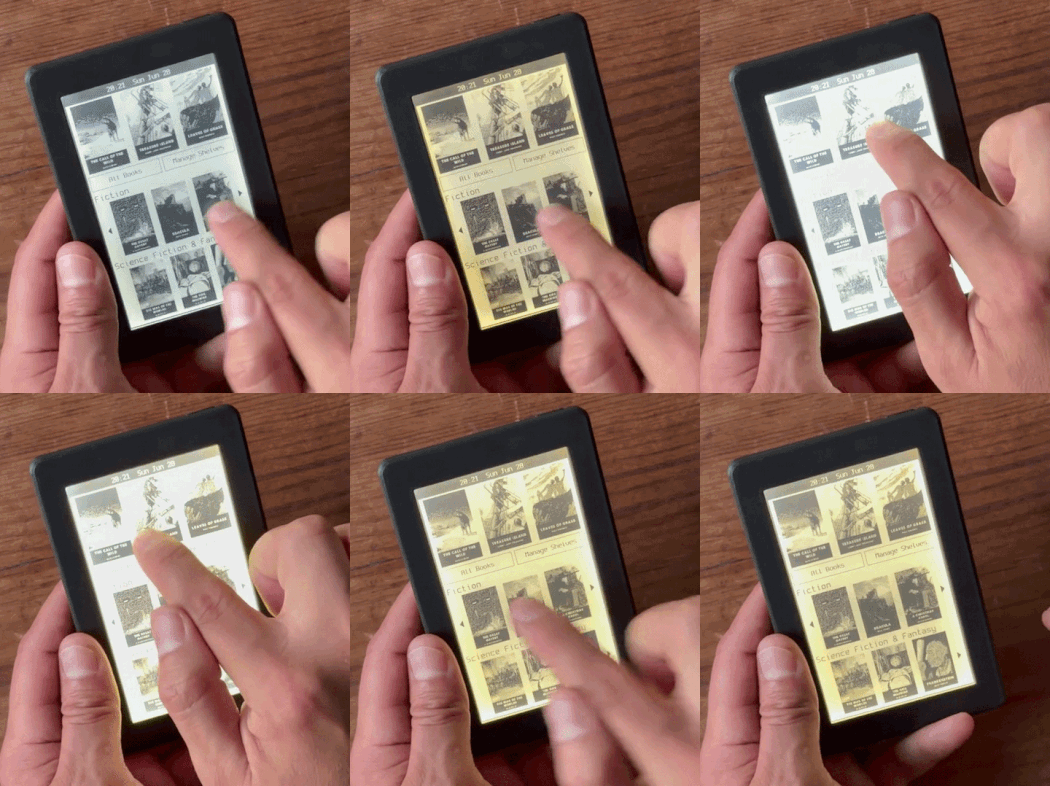 As the name implies, this latest iteration of the e-reader does away with physical navigation buttons and introduces an intuitive touch-based interface. Those who like to enjoy their open source hardware under the covers will be glad to hear that not only does this new version of the Open Book finally include an illuminated display, but it even allows you to adjust the color temperature and brightness of the LEDs with the swipe of a finger.
While the hardware improvements over the previous Open Book are impressive, the software has really come a long way as well. The user interface lets you organize your books on virtual shelves and browse through their covers, providing the sort of slick experience that you’d expect from a modern e-reader. You can also look up the definitions of words, or dog-ear favorite pages so you can return to them later.
But what you won’t get is locked down with DRM — the Open Book Touch uses standard EPUB and TXT files loaded from a micro SD card, and thanks to the WiFi-enabled ESP32 at its heart, it offers up a web interface that lets you manage your collection over the network.
It’s been nearly a decade since the Open Book first graced our pages, and though we’re not in the habit of picking favorites here at Hackaday, this is one project where the stakes are so high that we can’t help but feel invested. Reading shouldn’t require a subscription fee, or depend on a proprietary piece of hardware that can get ejected from its own ecosystem once its maker decides you need a new one. Obviously the Open Book Touch won’t even make a dent in the market share that Amazon’s Kindle enjoys, at least there will be an option available for those who wish to keep reading on their own terms.












Works for me, but shipping and VAT add another $45 to the price.
Don’t get me wrong, I applaud the effort. But it’s so incredibly tiny. I haven’t seen many ereaders in real life but the ones I’ve seen were either the size of an iPad mini or a full sized ipad. Isn’t the point of an ereader to have something you can take with you for long reading sessions? Wouldn’t a big size be more logical for reading books, comics etc? I’ve never owned or used an ereader so maybe I’m missing something.
Most ereaders are around the size of a paperback book. This one does look on the smaller size, judging only from that gif, but maybe that man just has large hands? Don’t know.
For reading comics you’d definitely want a larger screen, my best device for reading comics is an ipad but I don’t have any of those newer colour ereaders.
For reading text you just want clear text, I make the text on my ereaders as small as my eyes and the screen can go together. My most recent ereader is a kindle voyage which has a diagonal size of 6 inches which is just around half that of an ipad, it’s easy to hold, has a light, is light. The only reason I’d want to upgrade is for waterproofing, but I’d miss the touch buttons on the sides for page turning.
Don’t like it? Source some larger screens that use the same display protocol. That’s the wonders of OSH, if you want something different just do it. Don’t be a jerk and not share your work though…
Reading ebooks and reading comics or pdfs require different hardware.
Small eink devices are actually ideal for reading ebooks. The small size makes them cheap and portable and doesn’t affect the experience much since text can easily change layout. That’s why the most popular ereaders are small devices like the Kindle or Kobo Clara.
If you want to read comic books or documents, you would need the display to be larger to accurately fit the pages, as well as have a stronger processor to control more pixels. This makes the device cost more and be much less portable. For example, the 10.3″ Kobo Elipsa 2E is $400, way above the price of this device or a 6″ Kobo Clara ($160).
Most technical ebooks contain lots of graphics, often coloured and in vector format. For my use cases this makes Kindles and other e-inks while Android tablet get the job done perfectly.
OPDS?
I started reading books on my SE P800 and, looking at this? I’ll continue to use my phone.
Key will be support from tools such as Calibre. A) Getting books out of Amazon’s walled garden (pretty sure, mostly), and 2) organization into shelves (which it doesn’t do for Kindle)
Yes, paid content is important.
I used to read on a tablet with a 12″ screen, and eventually broke down and bought a kobo clara bw with a 6″ screen, expecting to hate how small it was. I discovered it’s the perfect size for reading text: a wide screen means long lines which actually slow me down, and a big sea of text is actually distracting.
Yeah, here’s a good reason why newspapers use columns. I have a 7.8″ ereader at the moment and I like the larger size better than my old 6″ kindle for novels. It’s 1.3:1 ratio is a little squarer than I’d like for reading, but better for writing. For references (whether industry, standards/codes, or gaming), sheet music, graphic novels, a 12-13″ device really is superior. But they are generally formatted into columns already (from pdf sources). The big ones can also get unwieldy.
I recently got an old 10.1″ WUXGA hybrid laptop for use as a document reader, and while I can read a full-page PDF file in tablet mode just fine, it’s just a teeny bit too small. So I’d have to agree that around 12″ is the sweet spot.
That said, I’ll hold onto this one for the foreseeable future, as there’s nothing comparable with upgradable storage that fits within my budget. Surface tablets are technically upgradable, but not without the risk of damaging the screen, and most of what’s locally available are Fujitsu and NEC detachables with 128GB eMMC storage and lacking the all-important keyboard dock. :(
I love the idea but when I can flash an X4 by xteink using a community distro and other than touchscreen I have the same device for 1/2 the price, this is a hard sell.
Hate touch controls, they are awful. What happened to buttons?
Just find it ironic that a device that is more open can’t also cater to the physical button crowd. (Nothing crazy, just forward and back would be amazing.)
Fork me! It’s open! Just add tactile buttons.
Because its open that physical button crowd can take care of itself. This is hackaday afterall. Do it yourself. And touch is great. A real book does not have buttons either. you use a finger to “swipe” to the next page. Touch does that very well.
Like the first E-Ink Nook.
https://hackaday.com/2022/09/29/open-book-abridged-oshw-e-reader-now-simplified-pico-driven/
It’s still there, he didn’t take it down did he?
I’m offended by the price considering you can buy an eink screen now powered with an esp32 for so much cheaper.
This feels like a scam.
This is a complete package that is repairable, low volume, and open source*. It will cost a bit more, though it is still quite reasonable. The 6″ Kindles and Kobo Claras are $130 and $160 respectively. The 4.3″ Xteink 4, a more direct competitor, is $70, but has poor software, no touchscreen, no frontlight, and is not easily repairable.
*The software is currently open, the hardware should be after launch.
So… CrossPoint firmware when?