
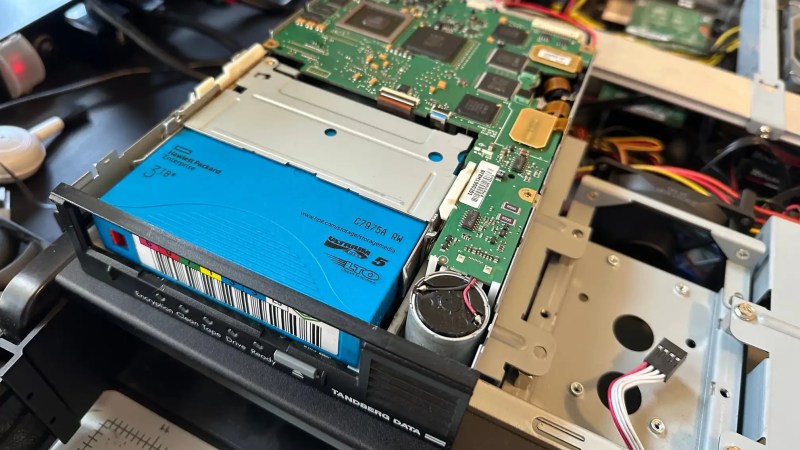
It’s one of the great mysteries of computing, how somehow in the Year Of OLlama 2026, tape remains the god of cheap storage. A while back [Ben Pettis] recounted his experience setting up an LTO-5 tape drive in his homelab, an experience which only becomes more relevant as hard drive prices stay high.
LTO-5 is already well out of date in the professional world, after all– a new server install would be debating the merits of LTO-9 versus LTO-10, but for the homelab it’s a matter of what’s affordable on the used market with decently-sized cartridges. If you can live with 1.5 TB of uncompressed data on a roughly palm-sized Linear Tape, Open cartridge then LTO-5 could be good enough. Yes, the tapes are advertized as 3TB, but that’s assuming a 2:1 compression ratio on the data, which you’re not likely to get on the photos and video that make up much of a data horder’s storage. That’s one thing [Ben] was quick to clear up for us. He also detailed his adventures with the cheaper-to-buy fiber channel model of drive.
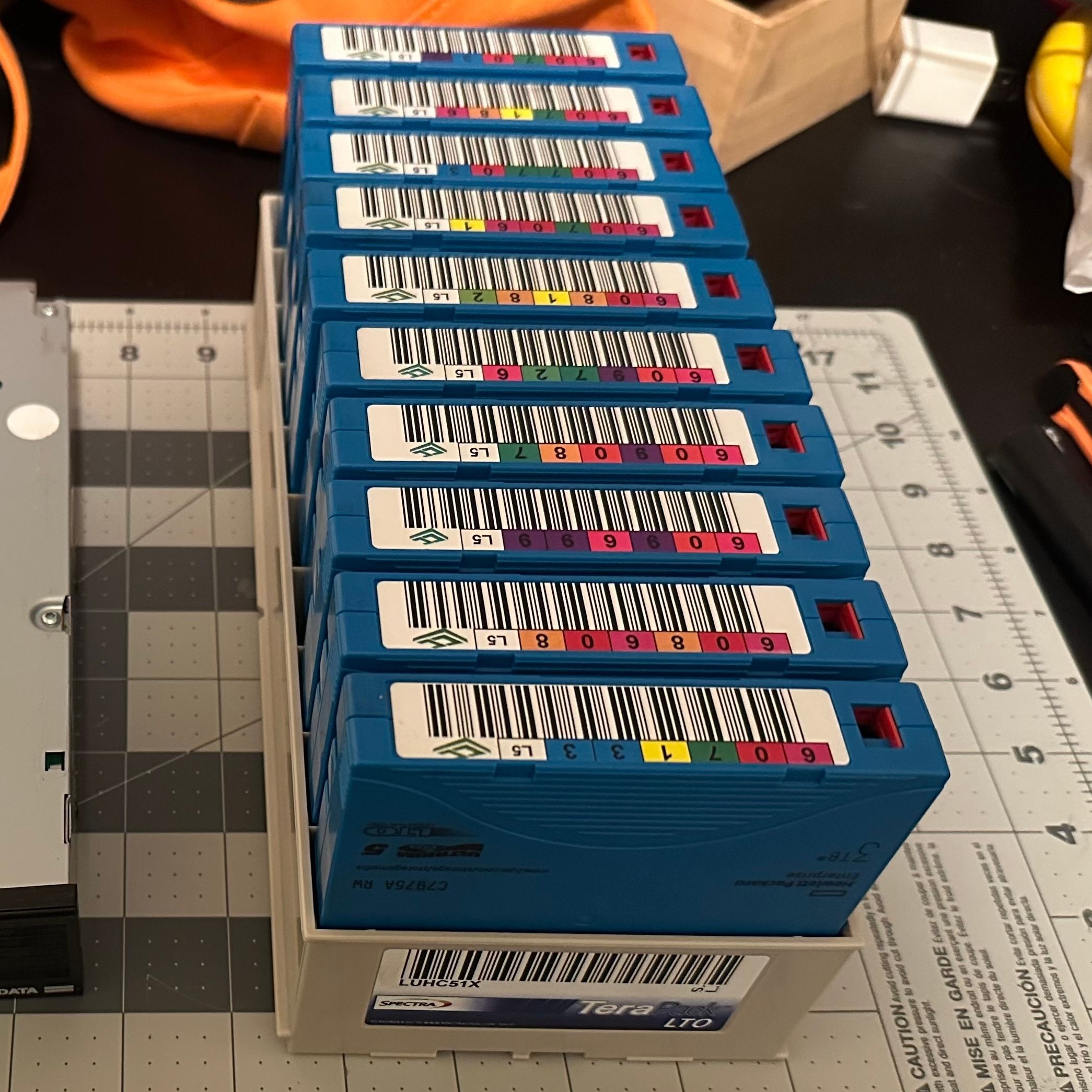
Tape drives usually come with an SAS or fiber channel interface– fiber channel being, you guessed it, an optical solution unlike the SCSI-like SAS connection you may be familiar with for block storage devices. With a PCIe adapter it’s not hard to set up, provided you get the cables the right way around! That’s another detail we’re glad [Ben] shared so we can find it again if we have the same problem: with no switch in the circuit, you need a crossover cable to bring TX to RX. Which is obvious in retrospect, but obscure to those of us just learning about the standard.
The advantage, as [Ben] makes clear and everyone has always known is simply price. As of this writing, diskprices.com has 16$/TB as the lowest cost, while [Ben] was able to pick up lightly-used tapes on eBay for only 2$/TB. If you have a lot of data, those savings amortize the drive costs relatively quickly, since a used drive like [Ben]’s can be had for a few hundred bucks.
Is it the ultimate solution for our data storage woes? That depends on your needs, but perhaps not considering we get as many tips on storing data on reel-to-reel as we do on LTO. We even saw a tape-loading robot repurposed to serve bar one time.












Slight typo on this 3TB on 2:1. Not GB. However well written and hopefully keeps older lto gear out the landfill.
Don’t ascribe to a typo what can be explained with poor compression 🤪
Thanks, fixed.
Honestly I’m surprised that typo only happened once; I still think in GB. Alas, 1500 GB is objectively not the right way to write that capacity, though, even if it feels more real to me.
Speaking of thousands of gigabytes, let’s stop for a moment and appreciate that each LTO-5 tape is over 1 million diskettes. I knew the size in GB, but I don’t often think of how many diskettes my backups would be these days. It’s almost awe-inspiring, in a way.
A potential downside is that if you lose your main system, it might not be that easy to find another compatible tape drive for doing the restore.
LTO will probably always be around. We used it 25 years ago, and as recent as 3 before I retired. I think both were backwardly compatible with previous levels.
This will not be totally true for latest generations since the technology moved from BaFe to StFe (LTO 10 drives cannot read LTO 9 tapes).
By the way you are true: data can be recovered because old tape drives are cheap, and repairable … Why ?
First because, LTO is a consortium and there are many companies that make tape (I don’t speak about Storagetek / Sun / Oracle tape drives that are no longer manufactured, and IBM 3592 development that should end soon)… As tape storage demand is increasing (densities continue to grow, compared to HDD), these will be refurbished hardware for us…
Second, tape drive heads are made to wear to avoid damaging the data (the tape). Thus lots of faulty drives can be repaired by replacing the read/write head (a tape head is cheaper than a drive ;).
By the way, keeping data on an older tape is a big mistake since moving it to a newer, more capacitive technology, is quite “cheap” compared to the volume enhancement: shifting from LTO4 to LTO5 will not cost twice most, even if you can store twice the data inside the same physical volume.
When I started working on tape storage, we used LTO4 (800GB/tape), now we have LTO8 (12TB/tape), and we will shift to LTO10 soon (40 to 50TB/tape). An LTO4 tape drive can be found for 200€, and LTO4 tapes can be have for pennies. Moving to LTO5 would not cost much, and allows to store twice the amount of data inside the same physical volume …
So hardware is available … What about the software ? Here come the problem … A tape is just blocks, not a file system. Moreover it’s a sequential access (you have to rewind to access a given chunk of data). Dealing with the data on it is not simple… Hopefully some open source solutions exists:
– tar (Tape ARchiver) : yes, you can do “baremetal” things :)
– Bacula / Bareos : for backups (may be adapted to your needs to do archiving)
– Phobos / Lustre : for doing tiering (HDD space is “extended” to tape).
Many? How many?
were can you get replacement heads?
Newer drives in the LTO family tend to be able to read tapes from older drives. The issue is not finding a drive for a restore in your scenario, but affording it.
LTO-5 is about the sweet spot for used units. Goes off a cliff after that. Plus people need to remember the size of drives.
LTO-5 tapes can be read on drives upto LTO-7, but they’re backing off on backwards compatibility– LTO-9 is only backwards compatible with LTO-8 tapes and nothing older, while LTO-10 drives can only read their own tapes.
LTO5 tapes can be read and written by LTO5 and LTO6 drives and only read with LTO7 drives. Later generation drives cant be used
I always wondered if i could repurpose my old VHS player or Walkman to record digital data. How much data could they store? Probably not a lot i guess.
I want a lot of data storage but i don’t want to spend too much money
Maybe IBM’s Millipede memory may make a comeback.
Man that’s a throwback, but I think it would also be hit by the same bottlenecks on etching tiny silicon structures that conventional memory is struggling with
It was done in the ’80s. With an unmodified VCR, the data density wasn’t very high.
It was commonly used for storing digital audio. A PCM adapter would store about 1.2GB of audio on a 2 hour tape. Back then, hard drives held tens of megabytes and were very expensive, so that was pretty good.
Interfaces to use cheap commodity VHS recorders as a data backup medium existed back in the day. ArVid was a popular one in the mid 90s and stored about 2GB on standard 180 minute VHS tapes. Keep in mind it was pretty slow though, writing and reading happened in real time so transferring an entire 180 minute tape’s worth of data would take … 180 minutes
I tried that a (long) while ago with mini-dv tapes but it was too much hassle and the storage capacity (10GB per tape) nowadays is next to useless. I guess that, even if possible, with VHS it would be in the MB range.
https://dvbackup.sourceforge.net/
ADAT, using certified SVHS tapes, was optimized for data integrity. The digital storage was about 5 GB after error correction.
We used Exabyte video8 tapes for that purpose. they were pretty good then in the late 80s
I cannot find the HaD article I’ve read about that years ago, but here’s the relevent Wikipedia page : https://en.wikipedia.org/wiki/ArVid
One of the problems with vhs is the (spinning) helical head. 8mm and 4mm also use helical heads. This puts much more wear on the tape.
You can reuse the 8mm & 4mm tapes a limited time. 10-20 passes IIRC before the tape snaps. Sooner if it is shoeshining.
LTO and DLT use a linear fixed head
Funny. I’m trying to restore DDR-2 and DDR-3 tapes from 30 years ago. Found a recorder for $75. But,now need the SCSI controller, terminated SCSI cable and the right software, different for Win95 and NT backups! Let you know how it goes.
That sounds like a great candidate for an article– drop us a tip if you ever document that adventure.
Some recorders have auto terminating functionnality (usually jumpers at the back of the unit, near the SCSI connector). Check the manual of your drive to see if there’s such functionnality. If yes that will save you the trouble of finding the right SCSI terminator for your cable or a autoterminating one.
I am using 60tb of home usage
35 tbh ongoing with 30 tbh back ups
Never herd of tape L5 etc
How would you back up 60 tb of hard drives
This would gave me 3 20 tbh hard drives spare
The technology as a whole is called LTO (Linear Tape Open), and the number at the end is the generation. Generally each generation doubles the raw size of the previous generation. The tapes are physically the same, but (eg) an LTO5 tape can only be written by an LTO5, or 6 drive, and read-only by LTO7.
In terms of how you’d back up your particular data, it might be worth looking to see if you can find a cheap tape library. Even a 2U one can hold about 12 tapes.
LTO tapes are pretty easy to store, and are probably slightly more resilient than a harddrive sat on a shelf.
Of course, tape is best for data that you don’t need on a day to day basis. It’s ideal for a secondary backup, rather than live data.
I wascso lucky to score 20 tapes new old stock last week
Alpha Micro had a VHS tape-based backup system for their AMOS operating system running on (specialized) S-100 hardware(a Western Digital-made variant of the PDP-11 architecture). The data was stored on the tape as a regular black and white video signal, with blocky “pixels” representing the data, as well as some relatively simple error detection/correction code. The tapes could be “viewed” on a regular VHS deck connected to a TV(its entertainment quality wore off quickly), and the recorder was a regular VHS deck connected up to what was essentially a frame buffer card on the S-100 bus. It wasn’t terribly fast, and it certainly had its quirks, but it worked well, and was infinitely more convenient than swapping floppy disks for backups. The wired remote-control of the VHS deck was also wired into the card so that the deck could be turned on and put in record mode by the interface card, and the tape ejected and the deck shut off when the tape was full. This system was vastly less expensive than any other more conventional (e.g., 9-track reel-to-reel tape), backup method at the time, and had a lot more capacity per tape than data storage on Compact Cassette. I seem to remember that this option became available on Alpha Micro’s first-generation AM-100 systems sometime in the late 1970’s.
I would happily get some LTO tapes… If the drives weren’t so expensive here.
I’ve got an HP MSL2024 , anyone know of FREE software that can be used on a WINDOze box ? (to make it work). Presently all diagnostic software from HPE on old HP Z440 Win10 box, indicate the device works perfectly (read/write to a tape, etc) – unfortunately, can’t locate WINDOze software to use it for actual back up purposes….. Any suggestions ? links ?
All those years of the purist’s unhelpfully telling us [technology x, y, z] isn’t a real backup device, and only now we can now finally afford the reel solution (ar, ar).
Tapes were, at one time the highest bandwidth way of moving large amounts of data from hither to thither. Not much exceeded the bandwidth of a motorcycle courier with a backpack stuffed with tapes, even up to when I started working on Radiology systems for the NHS in 2010.
Actually, thinking back to my early days working in hardware development for IBM, I have actually flown on British Midland Airways, with a 2400 foot reel of data, from the South of England to Glasgow, since we couldn’t reliably ship the 100MB of test data to Manufacturing over so-called ‘wideband’ data links.
Having used quite a bit of FC equipment, including single-drive emergency adapters… I’m fairly certain all fiber optic cables are normally crossover, no matter if a switch is involved or not. The same SFPs go into a switch, host, or drive enclosure. Also, there are plenty of times where no optics are involved. The internal FC-AL loop on a Sun Fire V480 for example. End to end it’s all copper from the host controller to the two FC drive bays. You could also get FC Disk Shelves with iSCSI target boards. Inside the box its all copper FC-AL, and then you can go copper or fiber for the ethernet connection.
Makes me want to look into this again. As of 3.5 years ago when I switched jobs, we were running a mix of LTO-6/7/8 drives, and LTO-5/6/7 tapes (long story about no one wants to fund backups). I was slowly phasing out the LTO-5 stock and replacing with 6/7. This was across 2 different models of Overland tape libraries (the larger had an expansion unit). Our limiting factor at the time was not enough PCIe slots for FC cards on the lone backup server. And no one wanted to spend more on NetBackup licensing to have more backup hosts. We were also doing archival backups to WORM tapes (legal requirements), and explaining why we needed those more frequently to the PhDs controlling the money was “fun”.
Fibre channel is often optical but not always….
It was an excellent article. I’ve done a similar thing. I used lTO3 and LTO4 with tar. No LTFS here.
The LTFS on LTO5 adds another option. There are opensouce drivers for Linux.
The mbuffer is crucial to get throughput and prevent shoeshining
FC cards are pretty cheap. FC cables can be very long. SCSI and probaby SAS might not have the bandwidth and they’re bulky and short.
Tape robots usually use FC and you can open the carrier. Get an old PC power supply to power the drives. Half height drives wear out sooner, that’s why robots don’t used them.