Backup Tapes Come Back To The Homelab

It’s one of the great mysteries of computing, how somehow in the Year Of OLlama 2026, tape remains the god of cheap storage. A while back [Ben Pettis] recounted his experience setting up an LTO-5 tape drive in his homelab, an experience which only becomes more relevant as hard drive prices stay high.

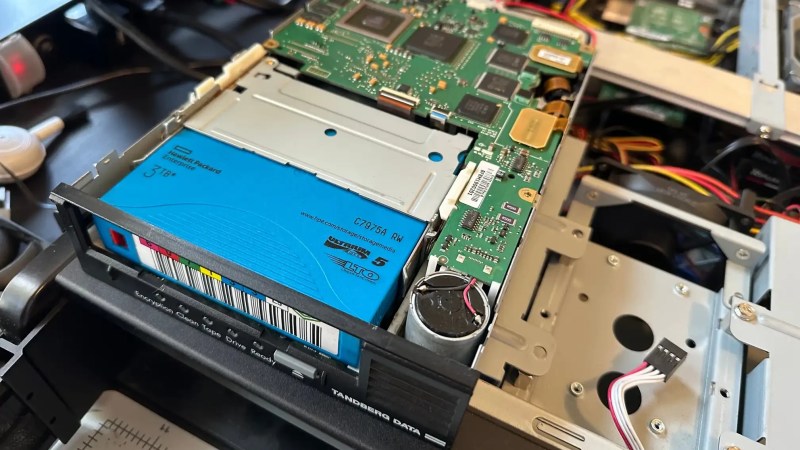
LTO-5 is already well out of date in the professional world, after all– a new server install would be debating the merits of LTO-9 versus LTO-10, but for the homelab it’s a matter of what’s affordable on the used market with decently-sized cartridges. If you can live with 1.5 TB of uncompressed data on a roughly palm-sized Linear Tape, Open cartridge then LTO-5 could be good enough. Yes, the tapes are advertized as 3TB, but that’s assuming a 2:1 compression ratio on the data, which you’re not likely to get on the photos and video that make up much of a data horder’s storage. That’s one thing [Ben] was quick to clear up for us. He also detailed his adventures with the cheaper-to-buy fiber channel model of drive.
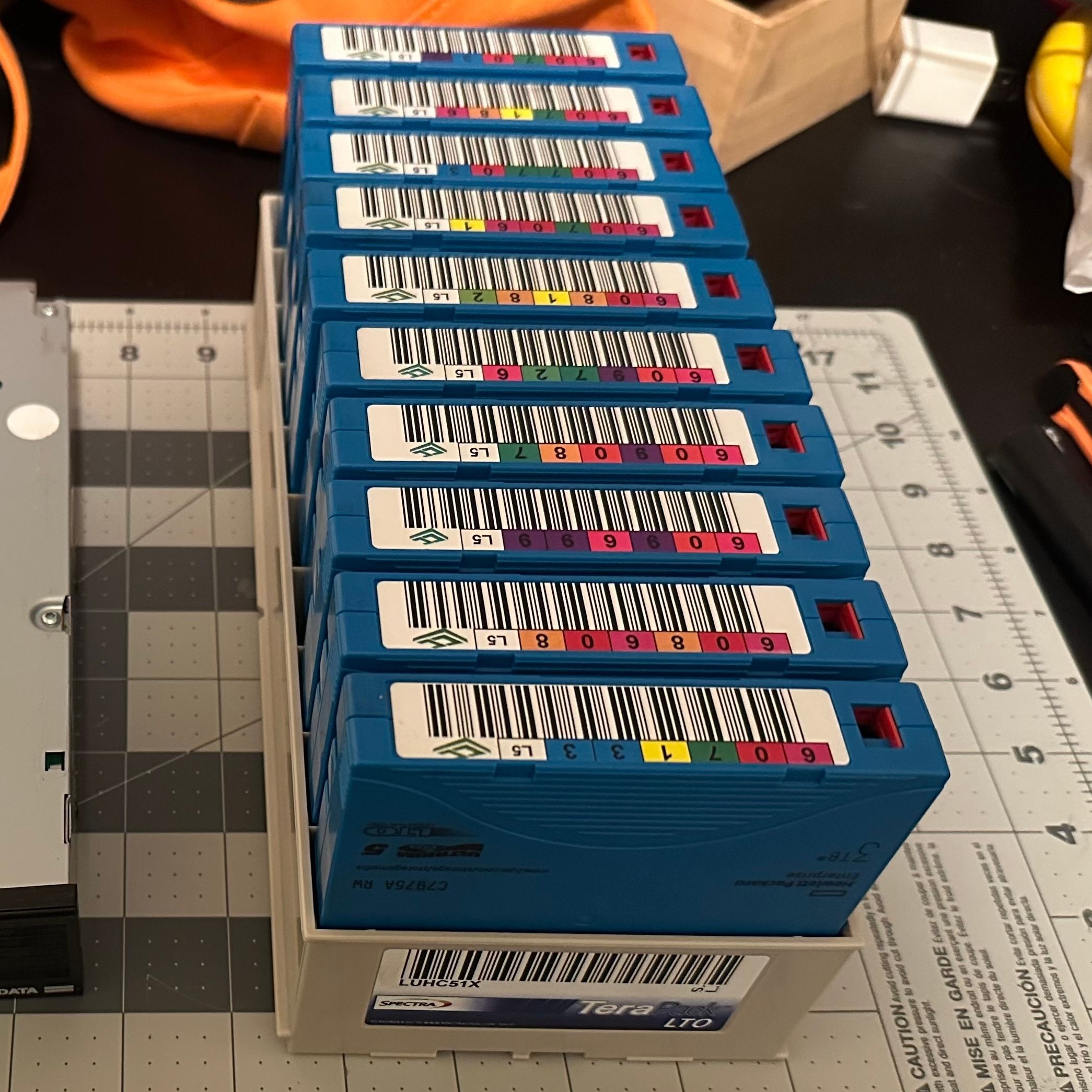
The label would have you believe this box stores 30 TB.

Tape drives usually come with an SAS or fiber channel interface– fiber channel being, you guessed it, an optical solution unlike the SCSI-like SAS connection you may be familiar with for block storage devices. With a PCIe adapter it’s not hard to set up, provided you get the cables the right way around! That’s another detail we’re glad [Ben] shared so we can find it again if we have the same problem: with no switch in the circuit, you need a crossover cable to bring TX to RX. Which is obvious in retrospect, but obscure to those of us just learning about the standard.

The advantage, as [Ben] makes clear and everyone has always known is simply price. As of this writing, diskprices.com has 16$/TB as the lowest cost, while [Ben] was able to pick up lightly-used tapes on eBay for only 2$/TB. If you have a lot of data, those savings amortize the drive costs relatively quickly, since a used drive like [Ben]’s can be had for a few hundred bucks.

Is it the ultimate solution for our data storage woes? That depends on your needs, but perhaps not considering we get as many tips on storing data on reel-to-reel as we do on LTO. We even saw a tape-loading robot repurposed to serve bar one time.
Debloat The Internet With A Self-Hosted Compressing Proxy

It’s no secret that the size of webpages has been slowly — or not so slowly — creeping up over the years. Does a simple website need to span multiple floppy disks? [PortalRunner’s] doesn’t — or rather, he doesn’t want to burn that much of his limited mobile data. So he built a self-hosted HTTPS proxy to compress images and websites, block ads, and save his bandwidth.

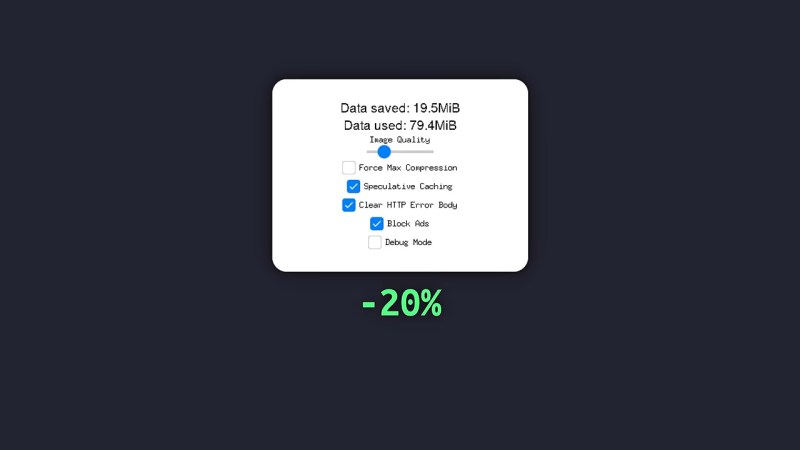
The proxy itself is based on mitmproxy rather than reinventing the wheel. The biggest gains are, of course, from knocking images down to size — since he’s only going to be looking at them on a tiny screen, he can not only apply the better compression of .webp rather than the more common .PNG and .JPEG, but also toss unneeded information by reducing the resolution. Exactly how much quality to toss is left up to the individual user in a handy config.

Likewise, if you’re willing to wait a little longer for pages to load, you can force every webpage to get the highest possible level of compression — otherwise the server is only going to do that with ridiculous Java-heavy pages that absolutely need it. As a bonus, going through your home server means this acts like a private VPN to help protect your data on the go. If you want the details, check out the GitHub link above or the video embedded below.

This project is explicitly about saving data; it won’t help older hardware get online the way the publicly hosted FrogFind search engine or private-hosted MacProxy servers do. If you really want to escape the bloat of the modern internet, a proxy can also help you go way back.

Continue reading “Debloat The Internet With A Self-Hosted Compressing Proxy” →

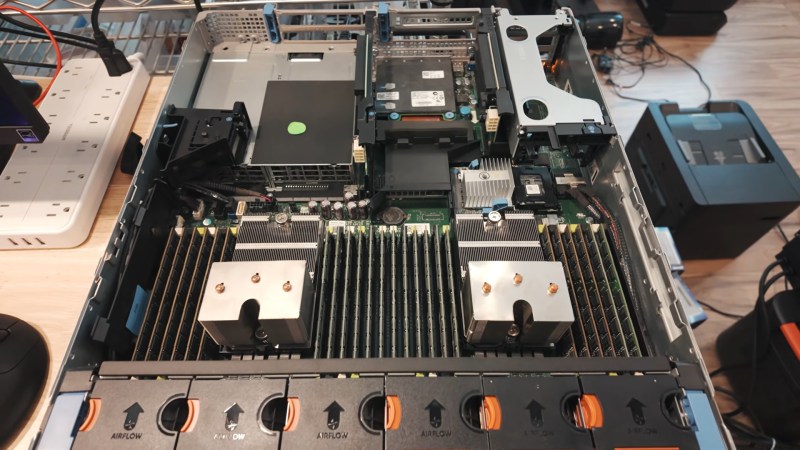
The guts of the server, with lots of sticks of DDR3, and not a single GPU in sight.

No GPU, No Problem: Flagship LLMs On A GPU-less Teenaged Server

There are lots of reasons to run LLMs locally, from privacy concerns to just wanting to futz about with the technology, but if you want to run the big models, the standard logic is that you need big money for lots and lots of VRAM. [MattMo] is calling that into question with his recent video — embedded below, naturally — in which he gets GLM 5.3 Flash, Qwen 3.8 Flash and Qwen 3.8 27B all running on a 14-year-old server without a single GPU.

The secret, if you can call it that, is that they aren’t running very fast: four tokens per second was about the max. Those four tokens are excreted from the twin Xeon processors of the vintage Dell PowerEdge R720 server, with the models living in its 348 GB of DDR3 system memory. That’s enough even for the largest flagship models, but as you can see by the speed, things are a bit bottlenecked by having only 20 threads available between the two processors. Said processors are also old enough to lack certain instructions that might have helped speed things up. Still, [MattMo] argues in the video that this is more than just a dancing bear: there are workloads where batch-processing at 4tps might make sense, and there are people who already have servers of this class laying around in their homelabs. The intersection of that Venn diagram is probably pretty lonely, but if that’s you — hey! [MattMo] says it’ll work, so give it a shot.

If you had to buy the hardware, well, it’s also quite reasonable on the second-hand market, with [MattMo] estimating about $600 given prevailing prices. He also points out that the newer models may still get some optimization to improve speeds, but don’t expect real-time conversations with Hal 9000.  Still, in terms of local LLMs, it certainly beats the pants off toy models running via Llama on the PSP or the C64.

Continue reading “No GPU, No Problem: Flagship LLMs On A GPU-less Teenaged Server” →

Homelab Gets Linksys Themed Aesthetic

If you’re building a homelab rig, you could just use off-the-shelf hardware in standard cases and slap it all in a rack like the normies do. Or, you could follow the example of [Justin Garrison] and build a more oddball setup.

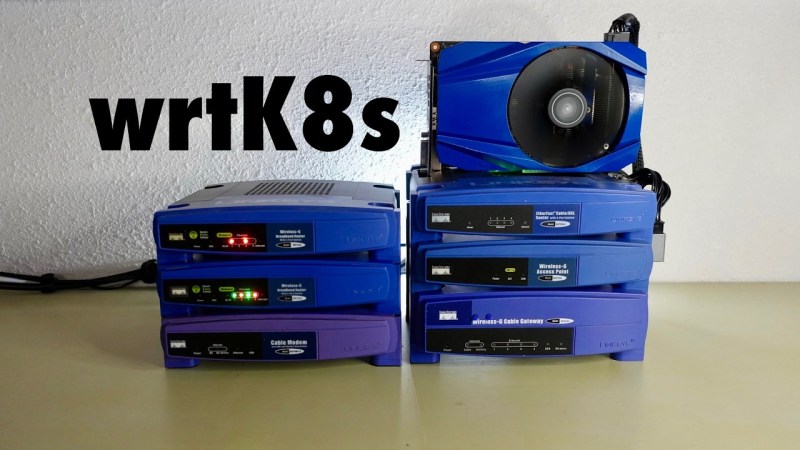
This particular homelab is, at its heart, built from familiar components. There are two Raspberry Pi 5s, two Raspberry Pi 4s, a GMKtec NucBox M6 Mini with an ASUS GeForce RT 2060 GPU, a LattePanda IOTA, an NVidia DGX Spark, and an HP Z4 G4 mini PC. These machines are all laced together with a TP-Link LS108GB PoE switch. [Justin] has the mini PC running the control plane components, with the rig as a whole running Talos and Kubernetes workloads. What makes this build particularly appealing, though, is the aesthetics of the rig. [Justin] documents how he hacked this hardware to fit into a bunch of old Linksys router cases, which provides a pleasant early 2000s look to the build. This included a bit of hackery to get status LEDs flickering as they should be. [Justin] also took the time to make the power buttons accessible.

If you want to stunt on your friends with a rad homelab, you either have to go for maximum power, or maximum style. This build would be the latter. Video after the break.

Continue reading “Homelab Gets Linksys Themed Aesthetic” →

From Smartphone To A Home Server

Some people like their homelabs to be as big and fancy as possible, with racks of new or surplus server hardware sucking down power. [Hardware Haven] evidently has the opposite idea, given he just made a video about making the cheapest, smallest server possible: an Android phone.

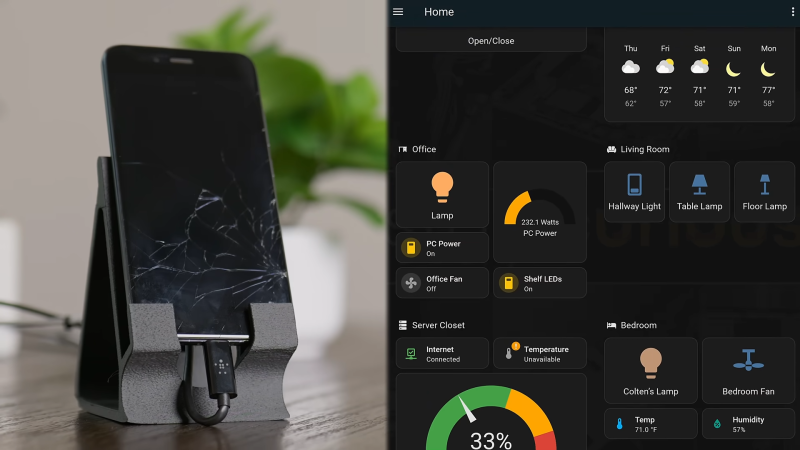
Sure, it’s not going to be streaming terabytes of data at multiple gigabytes per second, but that’s not everyone’s use case. Don’t forget, flagship phones had multiple cores and gigabytes of RAM a decade ago, so even an old and busted smartphone has more than enough power for something like Home Assistant, which is what gets installed in this video.

After considering loading termux and rooting his device for Docker-on-Android, he opted for postmarketOS, the premiere Linux for old smartphones. That’s not because the Linux environment you get with termux wouldn’t work; it’s just that he wanted something native. To that end, he bought a somewhat worse-for-wear Xiaomi Mi A1 from eBay to get hardware Alpine-based postmarket could use.

Software wise, it was just a matter of following instructions and reading manuals — Linux is Linux, after all. The firewall proved to be his main challenge, though trying to branch out from Home Assistant to run Minecraft Server did run into Java issues [Hardware Haven] had no interest in troubleshooting. Hardware wise, though, well — do you want to leave a phone plugged in permanently? Smokey the Bear suggests you not, especially if you live near a forest. Besides, you probably don’t want your server on WiFi, and at least this smartphone wouldn’t charge when using a networking dongle.

That meant phone surgery: the battery came out, and 5 V from an old USB charger was piped into the battery charge controller via a diode. The diode was used for its voltage drop, to bring the 5 V supply down to a believable battery voltage — a buck converter might have been better, but you use what you have, and the diode drop doesn’t dissipate much power. Power dissipation is still one watt at idle, six during a stress test.

Given how cheap the phone was, and how little power this thing sips, [Hardware Heaven] has an excellent answer to those who say homelabbing is a rich person’s hobby. This project also reminds us that while our phones might not be as hackable as we’d like, they’re still far from totally locked down. You can even run NixOS on (some of) them.

Continue reading “From Smartphone To A Home Server” →

Dial Into The Internet Like It’s 1999

Restoring classic hardware of any sort is a great hobby to have, whether it’s restoring vintage cars, tools, or even antique Apple or Commodore computers. Understanding older equipment can help improve one’s understanding of the typically more complicated modern equivalents, plus it’s just plain fun to get something old up and running again. Certainly we see more retro computing restorations around here, but one thing that we don’t typically see much of is the networking equipment that would have gotten those older computers onto the early Internet. [Retrocet] has a strong interest in that area, and his latest dial-up server really makes us feel like we’re back in the 90s.

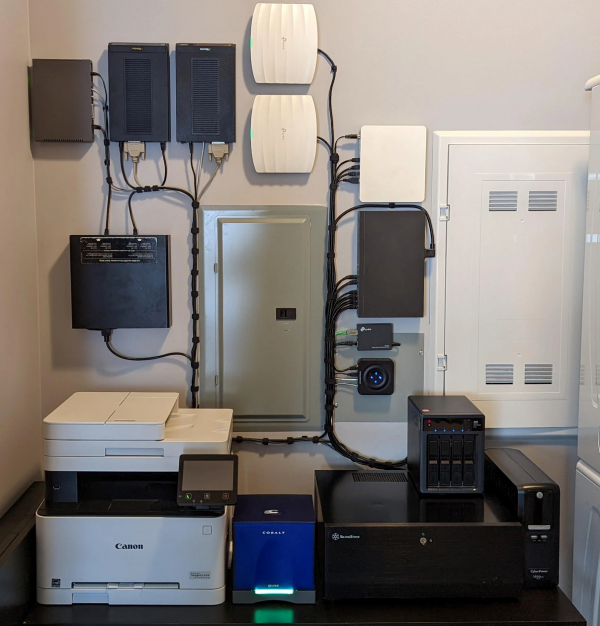
This home networking lab is built around a Cobalt Qube 2 that was restored after it was gifted to him as a wedding present. The Qube had a cutting edge 250 MHz 64-bit processor with up to 256 MB of RAM, and shipped with a customized Linux distribution as an operating system. The latest upgrade to this build sped up the modems to work at their full 56k rates which involved the addition of a DIVA T/A ISDN terminal and some additional hardware which ensures that incoming calls to the modems are digital. Keeping the connections digital instead of analog keeps the modems from lowering their speed to 33k to handle the conversions.

Until recently, [Retrocet] was running some of the software needed for this setup in a custom virtual machine, but thanks to the full restoration of the Qube and some tweaking of the Red Hat Linux install to improve the Point-to-Point Protocol capabilities of the older system, everything is now running on the antique hardware. If you are like [Retrocet] and have a bunch of this older hardware sitting around, there are still some ISPs available that can provide you with some service.