
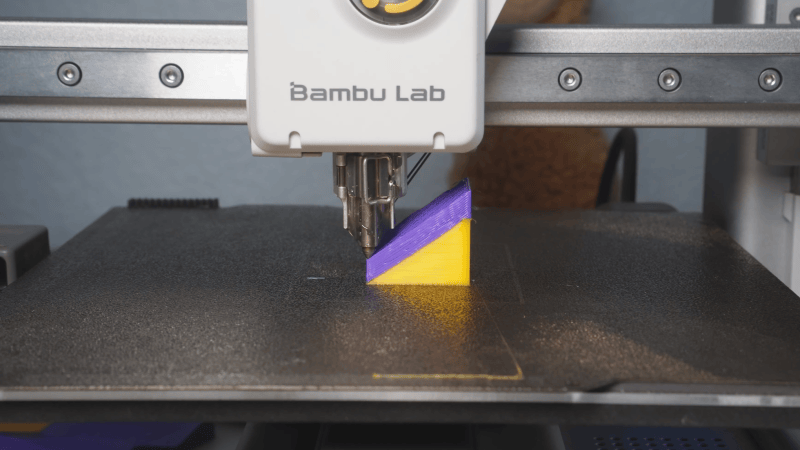
One of the most tantalizing prospects for 3D printing has been non-planar printing, which promises smoother surfaces without a staircase pattern, reduced or eliminated support structures in some incarnations, and the possibility of greater strength in others. One of the biggest limits to its adoption has been the lack of non-planar slicer programs, a gap which [Zimeng Xiong] of [Alpaca Engineering] has worked to eliminate with the non-planar PancakeSlicer.
PancakeSlicer is designed to work with standard 3-axis printers (a Bambu Labs A1 Mini in this case), so the non-planar paths available to it are limited by the print head’s clearance on each side of the nozzle. In the case of the A1 Mini, this could be substantially improved by removing the cooling shroud from the print head, relying instead on a remote static cooling system (RSCS), which blows cooling air in from the sides of the print bed. Being meant for 3-axis printers, the main goal of PancakeSlicer is to print smooth top surfaces without a stair-step pattern.
The first step is to find the surfaces over which the top layer should be smoothly overlaid; it does this by tracing rays downward through the part and keeping track of their intersection points. The simplest way to slice is by generating a planar structure, then overlaying a few non-planar layers on the top surface. This still left some bleed-through staircase pattern, which a morphed structure eliminated by continuously varying layer thickness. In narrow regions, though, the layers could get far too thin for the printer to extrude, resulting in under-extrusion. Conformal slicing solves this by building a planar base, a morphed transition region, and several constant-thickness conformal layers on top. Where the slicer can’t print a non-planar layer due to the print head’s clearances, it falls back to planar slicing.
While we’re still waiting for a universal non-planar slicer, there have been some remarkable advances in the last few years, from non-planar print ironing to non-planar infill and conformal overlays. We’ve even seen some home-built printers add in fourth and fifth axes.











Please be kind and respectful to help make the comments section excellent. (Comment Policy)