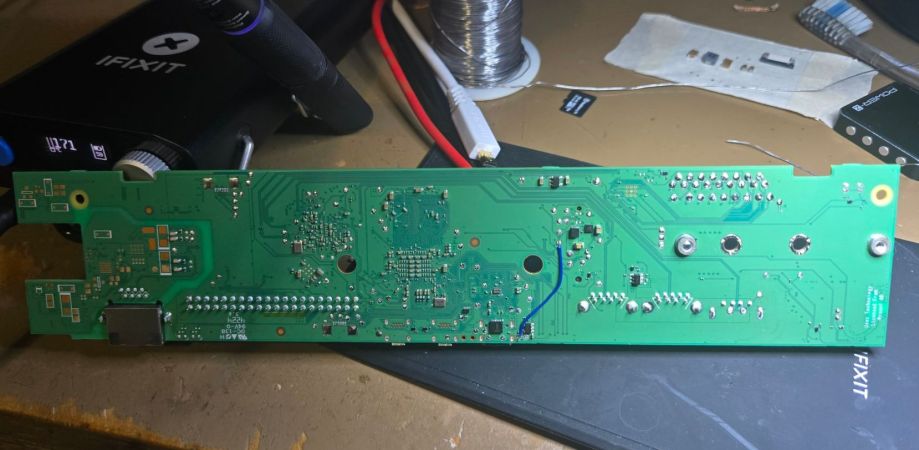
The added 3.3v rail on the Raspberry Pi 500 PCB. (Credit: Samuel Hedrick)

Enabling NVMe On The Raspberry Pi 500 With A Handful Of Parts

With the recent teardown of the Raspberry Pi 500, there were immediately questions raised about the unpopulated M.2 pad and related traces hiding inside. As it turns out, with the right parts and a steady hand it only takes a bit of work before an NVMe drive can be used with the RP500, as [Jeff Geerling] obtained proof of. This contrasts with [Jeff]’s own attempt involving the soldering on of an M.2 slot, which saw the NVMe drive not getting any power.

The four tiny coupling capacitors on the RP500’s PCIe traces. (Source: Jeff Geerling)

The missing ingredients turned out to be four PCIe coupling capacitors on the top of the board, as well as a source of 3.3 V. In a pinch you can make it work with a bench power supply connected to the pads on the bottom, but using the bottom pads for the intended circuitry would be much neater.

This is what [Samuel Hedrick] pulled off with the same AP3441SHE-7B as is used on the Compute Module 5 IO board. The required BOM for this section which he provides is nothing excessive either, effectively just this one IC and required external parts to make it produce 3.3V.

With the added cost to the BOM being quite minimal, this raises many questions about why this feature (and the PoE+ feature) were left unpopulated on the PCB.

Featured image: The added 3.3 V rail on the Raspberry Pi 500 PCB. (Credit: Samuel Hedrick)

Documented Source Code For Elite On The C64, BBC Micro And Others

If you ever wanted to dive into the source code for the 1980s space gameĀ Elite, but didn’t want to invest many hours reverse-engineering the 6502 assembly code, then [Mark Moxon]’s annotated code has you covered. The systems referenced range from the BBC Micro and Commodore 64 to the NES and Apple II, with some of these versions based on the officially released source code. For other systems the available source code was used together with decompiled game binaries to determine the changes and to produce functional, fully commented source code.

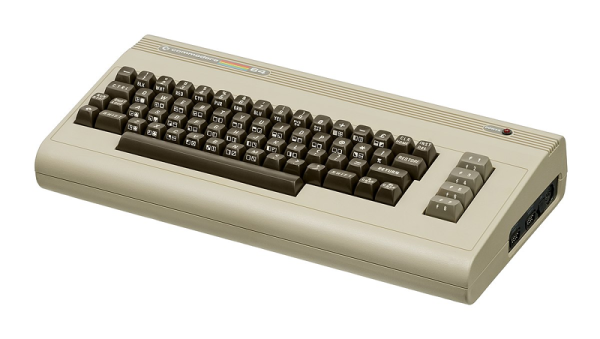
The cutting-edge gameplay of Elite on the 8502.

This particular game is fascinating for being one of the first to use wire-frame 3D graphics with hidden-line removal and a sprawling universe in which to trade and deal with less than friendly parties using a variety of weapons. After this initial entry it would go on to spawn many sequels and inspired countless games that’d follow a similar formula.

On the respective GitHub project page for each version, you can find instructions on how to build the code for yourself, such as for the Commodore 64. Of note here is the license, which precludes anyone from doing more than forking and reading the code. If this is no concern, then building the game is as simple as using the assembler (BeebAsm) and the c1541 disk image utility from the VICE project.

Running Fusion 360 On Linux With Wine

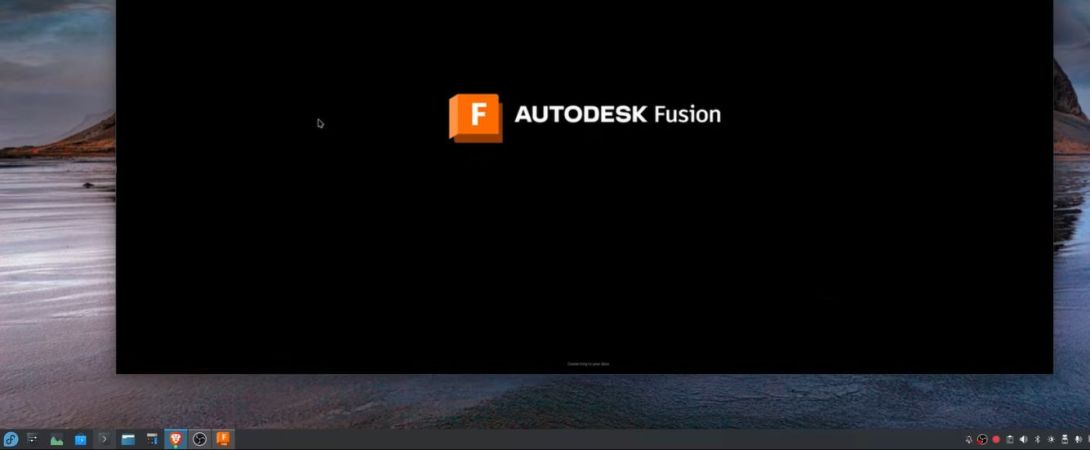
One of the major reasons why using Linux on a desktop system is unsuitable for many is due to the lack of Linux support for many major applications, including Autodesk Fusion 360. Naturally, using Wine this should be easy in an ideal world, but realistically getting something like Fusion 360 set up and ready to log in with Wine will take some serious time. Fortunately [Steve Zabka] created some shell scripts to automate the process. As demonstrated by [Tech Dregs] on YouTube, this seems to indeed work on a Fedora system, with just a few glitches.

Among these glitches are some rendering artefacts like application controls remaining on the desktop after closing the application, in-application line rendering and [Tech Dregs] was unable to switch from the DirectX 9 renderer to the DirectX 11 one. Since Fusion 360 will soon drop DirectX 9 and OpenGL support, this would seem to be rather an important detail. The GitHub project seems to indicate that this should work, but [Tech Dregs] reported only getting a black screen after switching.

Clearly, using applications like Fusion 360 on Linux isn’t quite what you’d want to use for a production workflow in a commercial setting (even ignoring lack of Autodesk support), but it could be useful for students and others who’d like to not switch to Windows or MacOS just to use this kind of software for a course or hobbyist use.

Continue reading “Running Fusion 360 On Linux With Wine”

Saving An Electron Microscope From The Trash

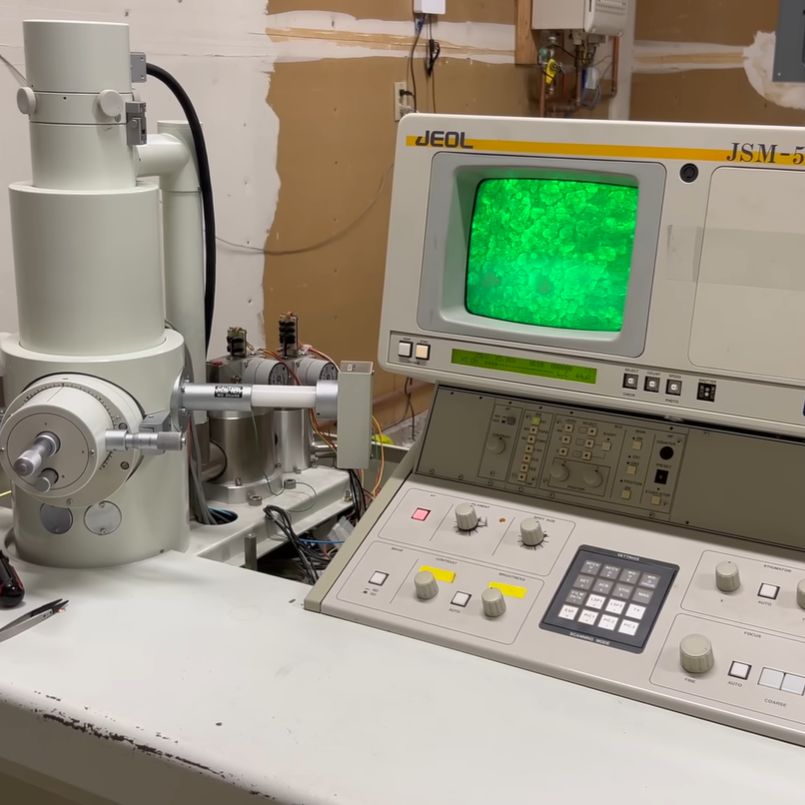
Who wouldn’t want to have a scanning electron microscope (SEM)? If you’re the person behind theĀ ProjectsInFlight channel on YouTube, you certainly do. In a recent video it’s explained how he got his mittens on a late 1980s, early 1990s era JEOL JSM-5200 SEM that was going to be scrapped. This absolute unit of a system comes with everything that’s needed to do the imaging, processing and displaying on the small CRT. The only problem with it was that it was defective, deemed irreparable and hence the reason why it was headed to the scrap. Could it still be revived against all odds?

The JEOL JSM-5200 SEM after being revived and happily scanning away. (Credit: ProjectsInFlight, YouTube)

The good news was that the unit came with the manual and schematics, and it turns out there’s an online SEM community of enthusiasts who are more than happy to help each other out. One of these even had his own JSM-5200 which helped with comparing the two units when something wasn’t working. Being an SEM, the sample has to be placed in a high vacuum, which takes a diffusion vacuum pump, which itself requires a second vacuum pump, all of which requires voltages and electronics before even getting to the amplification circuitry.

Since the first problem was that this salvaged unit wasn’t turning on, it started with the power supply and a blown fuse. This led to a shorted transformer, bad DC-DC converters, a broken vacuum pump, expired rubber hoses and seals, and so on, much of which can be attributed simply to the age of the machine. Finding direct replacements was often simply impossible to very expensive, necessitating creative solutions along with significant TLC.

Although there are still some small issues with for example the CRT due to possibly bad capacitors, overall the SEM seems to be in working condition now, which is amazing for a unit that was going to be trashed.

Thanks to [Hans] for the tip.

Continue reading “Saving An Electron Microscope From The Trash”

A Look Back At Google’s 2015 Chromecast

Google’s Chromecast was first released in 2013, with a more sophisticated follow-up in 2015, which saw itself joined by the Chromecast Audio dongle. The device went through an additional two hardware generations before the entire line of products was discontinued earlier this year in favor of Google TV.

Marvell's Armada 88DE3006 dual-core Cortex-A7 powers the second-generation ChromeCast. (Credit: Brian Dipert, EDN)
Marvell’s Armada 88DE3006 dual-core Cortex-A7 powers the second-generation Chromecast. (Credit: Brian Dipert, EDN)

In addition to collecting each generation of Chromecast, [Brian Dipert] over at EDN looked back on this second-generation dongle from 2015 while also digging into the guts of a well-used example that got picked up used.

While not having any of the fascinating legacy features of the 2nd-generation Ultra in his collection that came with the Stadia gaming controller, it defines basically everything that Chromecast dongles were about: a simple dongle with a HDMI & USB connector that you plugged into a display that you wanted to show streaming content on. The teardown is mostly similar to the 2015-era teardown by iFixit, who incidentally decided not to assign any repairability score, for obvious reasons.

Most interesting about this second-generation Chromecast is that the hardware supported Bluetooth, but that this wasn’t enabled until a few years later, presumably to fix the wonky new device setup procedure that would be replaced with a new procedure via the Google Home app.

While Google’s attention has moved on to newer devices, the Chromecast isn’t dead — the dongles in the wild still work, and the protocol is supported by Google TV and many ‘smart’ appliances including TVs and multimedia receivers.

Danger-Klipper Fork Renamed To Kalico

Hobbyist 3D printers have traditionally run the open source Marlin and later Klipper firmware, but as some hobbyists push their printers to the limits, more capable and less conservative firmware was needed. This is why the aptly named ‘Danger-Klipper’ fork of the Klipper firmware comes with the motto ‘I should be able to light my printer on fire’. Because the goal of Danger-Klipper wasn’t literally to light printers on fire (barring unfortunate accidents), the project has now been renamed to Kalico by the developers, after the pirate Calico Jack to maintain the nautical theming.

The Kalico project logo.

Not only does the project get a new name, but also a cute new pirate-themed calico cat logo. Beyond these changes not much else is different, though the documentation is obviously now also at a new domain. As a Klipper fork just about any printer that can run Klipper should be able to run Kalico, though the focus is on Raspberry Pi 2, 3 or 4. The FAQ has some more details on what Kalico can run on. Obviously, Kalico makes for a great option if you are building your own customized 3D printer (or similar), and will support the typical web UIs like Fluidd, OctoPrint, etc.

For some of the differences between Klipper and Kalico, the ‘Danger Features’ section of the documentation provides an impression. Suffice it to say that Kalico is not the kind of firmware to hold your hand or provide guiderails, making it an option for advanced users for whom breaking things while pushing boundaries is just part of the hobby.

Thanks to [Vinny] for the tip.

Retrotechtacular: 1980s Restoration Of San Francisco’s Cable Car System

The cable car system of San Francisco is the last manually operated cable car system in the world, with three of the original twenty-three lines still operating today. With these systems being installed between 1873 and 1890, they were due major maintenance and upgrades by the time the 1980s and with it their 100th year of operation rolled around. This rebuilding and upgrading process was recorded in a documentary by a local SF television station, which makes for some fascinating viewing.

San Francisco cable car making its way through traffic. Early 20th century.

While the cars themselves were fairly straight-forward to restore, and the original grips that’d latch onto the cable didn’t need any changes. But there were upgrades to the lubrication used (originally pine tar), and the powerhouse (the ‘barn’) was completely gutted and rebuilt.

As opposed to a funicular system where the cars are permanently attached to the cable, a cable car system features a constantly moving cable that the cars can grip onto at will, with most of the wear and tear on the grip dies. Despite researchers at San Francisco State University (SFSU) investigating alternatives, the original metal grip dies were left in place, despite their 4-day replacement schedule.

Ultimately, the rails and related guides were all ripped out and replaced with new ones, with the rails thermite-welded in place, and the cars largely rebuilt from scratch. Although new technologies were used where available, the goal was to keep the look as close as possible to what it looked at the dawn of the 20th century. While more expensive than demolishing and scrapping the original buildings and rolling stock, this helped to keep the look that has made it a historical symbol when the upgraded system rolled back into action on June 21, 1984.

Decades later, this rebuilt cable car system is still running as smoothly as ever, thanks to these efforts. Although SF’s cable car system is reportedly mostly used by tourists, the technology has seen somewhat of a resurgence. Amidst a number of funicular systems, a true new cable car system can be found in the form of e.g. the MiniMetro system which fills the automated people mover niche.

Continue reading “Retrotechtacular: 1980s Restoration Of San Francisco’s Cable Car System”