Solderless Pogo-Pins For Flashing Routers

Solderless Router Pins

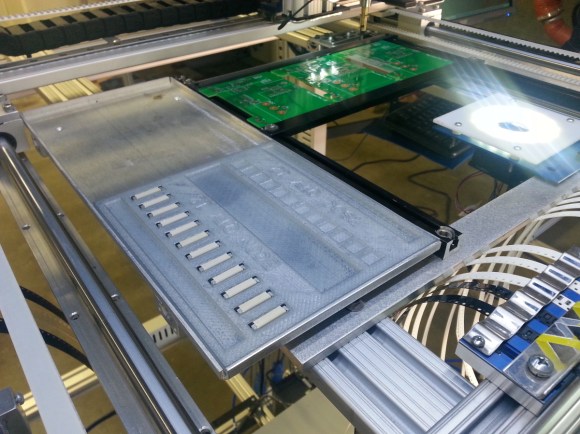
Low-cost wireless routers are a dime a dozen these days — but what happens if you need to flash the firmware? Normally you’d have to solder in a serial connection in order to access it, but [Luka Mustafa] had another idea — pogo-pins!

It’s actually quite easy to make a small PCB with pogo-pins and then use a 3D printed bracket or alignment jig in order to make connection. They currently only have designs for a few TP-Links (WR740 and WR741ND) on their GitHub, but more will be added soon. They’ve also included instructions on how to restore firmware on any of these devices with their handy-dandy pogo-pin PCB.

[Luka] is one of the guys behind IRNAS (the acronym is in Slovenian), a non-profit open-source company that makes lots of cool projects. They believe in open-source and sharing technology in order to empower the world.

And if you’ve royally bricked your router it could be possible to unbrick it with a Raspberry Pi!

Replicator 1 Receives A PID Controlled Heated Chamber

Replicator 1 PID Heated Enclosure

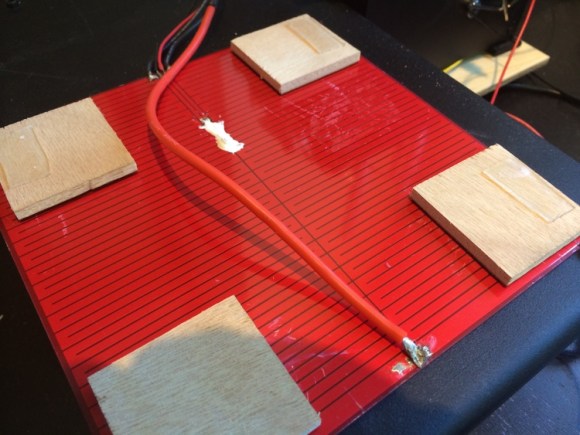
Improving 3D print quality is a bit of a black magic — there are tons of little tweaks you can do to your printer to help it, but in the end you’re just going to have to try everything. Adding a heated build enclosure however is one of those things almost guaranteed to improve the print quality of ABS parts!

And for good reason too — heated build enclosures are one of the outstanding “patented 3D printing technologies” — It’s why you don’t see any consumer printers with that feature. Anyway, [Bryan] just sent us his upgrade to his Makerbot Replicator 1, and it’s a pretty slick system. His goal was to add the heated enclosure to the printer as unobtrusively as possible — no need for people to think his printer is an even bigger fire hazard!

Continue reading “Replicator 1 Receives A PID Controlled Heated Chamber”

Opensource RhinoBOT Is Well Suited For Hacking And Sumo-Robotics!

RhinoBOT

The RhinoBOT is an open source and 3D printed robot that is fun to build and easy to expand. It can be used for educational purposes or even as a sumobot!

[Miguel Carro] runs a DIY robotics blog at bq.com (Spanish — Translated) to help teach kids about robotics using a fun cartoon character named Andy. He’s released all the design files for his latest printbot, the RhinoBOT on thingiverse.com. Using an Arduino UNO, an IR sensor, two rotational servos, an LED, batteries and a few pieces of hardware, you can build your very own RhinoBOT! That is — if you have a 3D printer.

The fun doesn’t stop there though, as [Miguel’s] also created a phone app to let you control your RhinoBOT wirelessly!  And since not all the outputs on the UNO are used, y0u can add extra functionality with a bit of creativity — how about being able to move that dozer! To see what it can do, and to start thinking about what you could do with it, stick around after the break to see it in action!

Continue reading “Opensource RhinoBOT Is Well Suited For Hacking And Sumo-Robotics!”

3d printed house in china

3D Printing Homes In Less Than 24 Hours Using Recycled Materials

While many 3D printer companies are racing towards smaller and smaller accurate printers, a company in China called the Shanghai WinSun Decoration Design Engineering Company is experimenting with a monstrous 3D printer the size of half of an Olympic sized swimming pool.

The mammoth of a printer measures 32m by 10m by 6.6m and can print 200sqf detached single story homes. The printer uses FDM technology and deposits a mixture of cement and construction waste to build the walls. According to the company, it can cost less than $5000 a house, and the printer can spit out 10 houses a day!

The printer was designed a few years ago, and WinSun purchased the parts for it from overseas, and then had it assembled in a factory in Suzhou. They plan to print an entire villa of these homes, and to start building recycling facilities in China to collect material for use in the printer. The first home for sale will be located in Qingdao.

Continue reading “3D Printing Homes In Less Than 24 Hours Using Recycled Materials”

3D Printed Hydrofoil Boat RC Flies

hydrofoil boat

[Wersy] has been trying out different designs for 3D printed RC boats — his latest is a hydrofoil!

He’s using a high power RC plane out-runner motor, which he found is simply… too powerful. It would cause his first boat to flip and sink if he opened the throttle up too much! To counter this — and make full use of his motor — he’s made new two boats; a hydrofoil, and a dual-hulled  air(?) boat.

He based the hydrofoil’s profile off of NACA 63-412, a typical profile for sailboat hydro foils like the Moth. What he found was it’s still extremely difficult to get the right balance between the pitch of the wings, and the throttle output to hit a steady condition for driving smoothly. It works, but it will still needs a few more iterations!

His other solution, a quasi-jet engine-dual-hulled-boat is pretty fun too — he’s 3D printed a large impeller for his motor, and strapped it in between two of his boats! It’s quite a bit more stable to drive, and looks pretty unique!

Stick around after the break to see both of them in action.

Continue reading “3D Printed Hydrofoil Boat RC Flies”

Filament Extruder Pumps Out 1kg/hour!

3D printers are awesome, and while the plastic filament may not be as much as a rip off as printer ink (yet), it’s still marked up at least 500%! If you really want to break free, you’re going to need your own filament extruder.

ABS, a typical printing material, will run you about $30 USD per kilogram. Don’t get us wrong, that will go a long way — but did you know ABS pellets (technically processed MORE than filament) can be as cheap as $3-4/kg?

What if you could buy the pellets, and make your own filament with them? If you do a lot of printing, this could save you a lot of money. We’ve seen lots of different filament extruders here on Hackaday, and here’s yet another iteration — capable of extruding at an extremely fast rate of 1kg per hour! [Ian McMill] was inspired by [Xabbax’s] Low Cost Filament Extruder, and has put together an excellent Instructable guide on how to make your own — with his own flair of course.

Take a look!

BeagleBone Black + RAMPS

CRAMPS

The BeagleBone Black, with an impressive amount of computing power and a whole bunch of I/O, would make an impressive CNC controller, save for two shortcomings: The BBB isn’t in stock anywhere, and CNC capes are a little on the pricey side. [Marc Peltier] can’t do anything about finding a distributor that doesn’t have the BeagleBone on backorder for you, but he did come up with an adapter for the very popular RAMPS-FD 3D printer controller board (Forum, French, Here’s the Google translation matrix).

The RAMPS-FD is an extension of the RAMPS board and a shield for the Arduino Due. Both the Due and BBB work on 3.3 V, meaning controlling the RAMPS-FD is simply a matter of finding the correct wiring diagram and pin assignments on the BeagleBone. [Marc] solved this problem by using the settings from the BeBoPr cape and using the existing BeBoPr LinuxCNC configuration.

The end result of [Marc]’s tinkering is something a lot like [Charles Steinkueler]’s CNC capes for the BeagleBone Black we saw at the Midwest RepRap Fest. [Charles] isn’t selling his capes, but no one else seems to be selling BeagleBone Blacks, either.

Continue reading “BeagleBone Black + RAMPS”