Home Computers Behind The Iron Curtain

I was born in 1973 in Czechoslovakia. It was a small country in the middle of Europe, unfortunately on the dark side of the Iron Curtain. We had never been a part of Soviet Union (as many think), but we were so-called “Soviet Satellite”, side by side with Poland, Hungary, and East Germany.

My hobbies were electronics and – in the middle of 80s – computers. The history of computers behind the Iron Curtain is very interesting, with a lot of unusual moments. For example – communists at first called cybernetics as “bourgeois’ pseudoscience” (as well as sociology or semiotics), “used to enslave a mankind by machines”. But later on they understood the importance of computers, primarily for science and army. So in 50s the Eastern Bloc started to build its own computers, separately and “in its own way.”

The biggest problem was a lack of modern technologies. There were a lot of skilled and clever people in eastern countries, but they had a lot of problems with the elementary technical things. Manufacturing of electronics parts was divided into diverse countries of Comecon – The Council for Mutual Economic Assistance. In reality, it led to an absurd situation: You could buy the eastern copy of Z80 (made in Eastern Germany as U880D), but you couldn’t buy 74LS00 at the same time. Yes, a lot of manufacturers made it, but “it is out of stock now; try to ask next year”. So “make a computer” meant 50 percent of electronics skills and 50 percent of unofficial social network and knowledge like “I know a guy who knows a guy and his neighbor works in a factory, where they maybe have a material for PCBs” at those times.

Continue reading “Home Computers Behind The Iron Curtain”

Sqonkbox 55 Is A Cigar Box Organ Of Awesome

Sometimes, the best birthday presents are the ones you give yourself. In [Dino]’s case, they’re the ones you make for yourself.  In honor of his 55th, he built the Sqonkbox 55, a 13-note cigar box organ based on a 555 and amplified with an LM386.

It’s based on a 555 wired in astable mode, turning it into an oscillator that outputs a frequency. This frequency is determined by the resistors between pins 6 and 7, another between 7 and 8, and the capacitor between pin 2 and ground. [Dino] shows a breadboard version first, with a single tuning pot and momentary acting as a piano key. As he explains, this portion of the circuit is repeated 13 times with pots and momentaries that he arranges like piano keys through the lid of a cigar box.

“Sqonkbox,” you ask? A second 555 in astable mode sends the output through an LED. This LED stands face to face with an LDR, and they are shrouded in this configuration with black heat shrink tubing. The ‘sqonk’ 555 changes the frequency of the first 555, providing a clippy, rhythmic tone at the rate set by a potentiometer. [Dino]’s full video of the build is after the break. A BOM is forthcoming, but it’s easy enough to puzzle it out between the video and the lovely, Forrest Mims-esque schematicContinue reading “Sqonkbox 55 Is A Cigar Box Organ Of Awesome”

Reverse Engineering Capcom’s Crypto CPU

There are a few old Capcom arcade titles – Pang, Cadillacs and Dinosaurs, and Block Block – that are unlike anything else ever seen in the world of coin-ops. They’re old, yes, but what makes these titles exceptional is the CPU they run on. The brains in the hardware of these games is a Kabuki, a Z80 CPU that had a few extra security features. why would Capcom produce such a thing? To combat bootleggers that would copy and reproduce arcade games without royalties going to the original publisher. It’s an interesting part of arcade history, but also a problem for curators: this security has killed a number of arcade machines, leading [Eduardo] to reverse engineering and document the Kabuki in full detail.

While the normal Z80 CPU had a pin specifically dedicated to refreshing DRAM, the Kabuki repurposed this pin for the security functions on the chip. With this pin low, the Kabuki was a standard Z80. When the pin was pulled high, it served as a power supply input for the security features. The security – just a few bits saved in memory – was battery backed, and once this battery was disconnected, the chip would fail, killing the game.

Plugging Kabuki into an old Amstrad CPC 6128 without the security pin pulled high allowed [Eduardo] to test all the Z80 instructions, and with that no surprises were found; the Kabuki is fully compatible with every other Z80 on the planet. Determining how Kabuki works with that special security pin pulled high is a more difficult task, but the Mame team has it nailed down.

The security system inside Kabuki works through a series of bitswaps, circular shifts, XORs, each translation different if the byte is an opcode or data. The process of encoding and decoding the security in Kabuki is well understood, but [Eduardo] had a few unanswered questions. What happens after Kabuki lost power and the memory contents – especially the bitswap, address, and XOR keys – vanished? How was the Kabuki programmed in the factory? Is it possible to reprogram these security keys, allowing one Kabuki to play games it wasn’t manufactured for?

[Eduardo] figured being able to encrypt new, valid code was the first step to running code encrypted with different keys. To test this theory, he wrote a simple ‘Hello World’ for the Capcom hardware that worked perfectly under Mame. While the demo worked perfectly under Mame, it didn’t work when burned onto a EPROM and put into real Capcom hardware.

That’s where this story ends, at least for the time being. The new, encrypted code is valid, Mame runs the encrypted code, but until [Eduardo] or someone else can figure out any additional configuration settings inside the Kabuki, this project is dead in the track. [Eduardo] will be back some time next week tearing the Kabuki apart again, trying to unravel the mysteries of what makes this processor work.

Altair Online

Online Altair 8800 Clone Lets You Play Zork

[Citponys] wanted to share their Altair 8800 clone with the world, and what better way to do so than by hooking it up to the Internet? This hack was pulled off by using a Linux computer which receives a Telnet connection and redirects it to a serial port. This serial port is connected to the Altair clone. In order to connect the serial port to the Internet using TCP, the ser2sock program was used. People can interact with the Altair on the webpage, where there is also a live camera feed showing the Altair’s Blinkenlights.

This is an ongoing project for [Citponys]. Zork 1-3 and Ladder are now available for play. You can interact with other people in the current session; play nice, or it’ll end up a Mad Libs version of ‘Twitch Plays Pokemon’.  Most recently, [Citponys] updated the webpage with a HTML5-embedded terminal emulator. If you want to quit the current session displayed, enter “quit” and you will be redirected to the main menu where you can choose another game. [Citponys] has links to game walkthroughs on the top of the page. We have a soft spot for classic computers and games, especially the Altair. Take a trip down memory lane and play some Zork at the fork where the past meets the present!

[via Reddit]

Fail Of The Week: Teddy Top And Fourteen Fails

Last summer, [Quinn] made the trip out to KansasFest, the annual Apple II convention in Kansas City, MO. There, she picked up the most modern Apple II system that wasn’t an architecturally weird IIGS: she lugged home an Apple IIc+, a weird little machine that looks like an old-school laptop without a screen.

Not content with letting an old computer just sit on a shelf looking pretty, [Quinn] is working on a project called the Teddy Top. ‘Teddy’ was one of the code names for the Apple IIc, and although add-ons to turn this book-sized computer into something like a laptop existed in the 80s, these solutions have not withstood the test of time. [Quinn] is building her own clamshell addition to her IIc+, and somehow failing at something she’s done hundreds of times before.

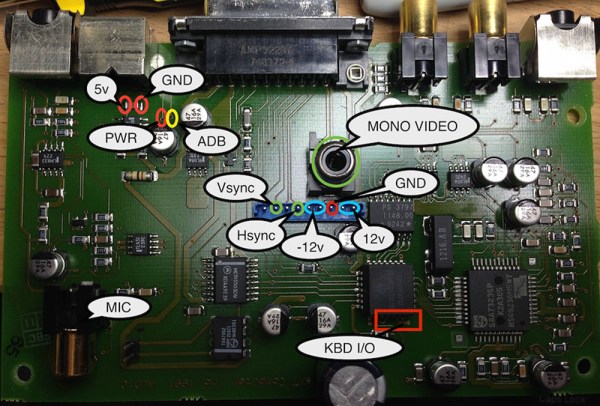
While the IIc+ has an NTSC composite output, the super-special video add-ons for the IIc+ used a DB15 expansion connector. Here, any add-on could access video sync signals, the a sound signal from the audio circuit, and even a +12V line that could drive loads up to 300 mA. It just so happened the display [Quinn] is using for this project runs at 12V, 200 mA. Everything was great, but as a worthy trustee of this computer’s Earthly existence, [Quinn] thought a bit of current limiting should be included in her addon. She designed a circuit around an NPN power transistor, that would allow the display to draw power until the load was around 250mA. After that, the transistor would start dumping excess power as heat. Yes, a fuse would be better. [Quinn] calls this Fail #1. There are thirteen more to go.

Continue reading “Fail Of The Week: Teddy Top And Fourteen Fails”

The ERIC-1 Microcomputer

Everyone is having a go at building their own 8-bit 80s-era microcomputer now, and [Petri] thought he would throw his hat into the ring with ERIC-1, a homebrew, 6502-based computer that’s running at about 2MHz.

We’re about 30 or 40 years ahead of the game compared to the old-school 6502 designs, and [Petri] decided to capitalize on that. Instead of a separate ROM, VIA, and other peripherals, [Petri] is connecting a microcontroller directly to the data and address pins. This is a technique we’ve seen before, and [Petri] is doing it right: the micro and 6502 share 64k of RAM, with the ROM stored in the micro’s Flash. Video (PAL in this case) is handled by the ATMega, as is clocking and halting the CPU.

There were a few changes [Petri] made along the way to make this microcomputer a little more useful. One of the biggest changes was switching out the old NMOS Rockwell 6502 with the modern CMOS W65C02 from Western Design Center. The CMOS variant is a fully static design, keeping the registers alive even if the clock is stopped and making single-stepping and halting the CPU easier.

The CMOS variant also has a Bus Enable (BE) pin. Like similar pins on later, more advanced processors, this pin puts the address, data, and R/W pins into a high impedance state, giving other peripherals and microcontrollers the ability to write to RAM, peripherals, or anything else. It’s a handy feature to have if you’re using a microcontroller for everything except the CPU.

It’s already a great build, and since [Petri] has the skills to program this 8-bit ‘duino game, he’s sure to come up with something even better for this computer.

Oh, if you’re looking for something even cooler than a 3-chip 6502, there’s a bunch of stuff over on hackaday.io you should check out. Everything from 4-bit computers built from discrete components to dual AVR board can be found there.

[Amazing Science’s] Simple Electric Train

Making an electromagnet is as simple as wrapping some wire around a nail and taping the wire to both ends of a battery. When you’re done, you can pick up some paper clips – it demonstrates the concept well, but it could use some more oomph. [Amazing Science] has done just that, making an “electric train” (YouTube link). All that’s needed is some coiled copper wire, a battery and magnets thin enough to fit through the coils. The magnets snap onto both ends of the battery. Put the battery inside the coil and watch the fun! The electromagnetic force generated by the current moving through the coil pushes against the magnets attached to the battery, pushing the battery along the way.

[Amazing Science] plays with the setup a bit. Connect both ends of the coil together and the battery will travel in a loop until it’s drained. Add a small hill, or even another battery/magnet set to the mix, and watch them go! We may even make a version of this ourselves to take with us to family gatherings this holiday season – it’s simple, fun, and can teach the young ‘uns about science while we swig some egg nog.

[via Reddit]

Continue reading “[Amazing Science’s] Simple Electric Train”