Building An Electric Kiln

[EmcySquare] is delving into some hobby-blacksmithing by making his own knives. He needs a furnace to heat the metal, and after trying out a few different forge designs he decided to attempt an electric kiln build. The final project seen above is a box within a box. The outer shell is reclaimed using old computer cases and metal shelving brackets. Inside you’ll find a box made from fire brick, with stone-wool insulation to keep the heat where it’s supposed to be.

He cut the bricks to the right size to build the inner box, then added grooves on the inside edge witch will host the heat coils. This cutting was done with an angle grinder and [EmcySquare] notes that it kicks up an extraordinary amount of brick dust to make sure you’re wearing a respirator and goggles. Once the enclosure was ready he set out to fabricate the heat coils. Twelve meters of Kanthal A1 wire was used, shortened to a neat length by shaping coils around a 1 cm diameter wooden dowel. This prototype works but future improvements plan to add automatic temperature control through a thermocouple and a relay.

Dynamic DNS Updating – No PC Required

arduino_ddns

[Boris] from Open Electronics recently wrote us to share their latest creation. Like many of us, he uses DynDNS to keep his home network a FQDN’s reach away. While DynDNS is quite a convenient service, many people don’t like the idea of leaving their computer on all the time to keep the IP updated. That’s where the Arduino DDNS module comes into play.

Built using a standard ATMega328 with the Arduino bootloader installed, the module periodically checks to see if the user’s IP has changed, updating the DynDNS entry as needed. The Arduino talks to the network via a WIZnet Ethernet breakout board, contacting DynDNS’ servers to check and update the user’s IP over a series of standard HTTP requests.

We are aware that several router firmware packages such as DD-WRT have this functionality built-in, but this project makes for a nice alternative when those resources are not available.

As always, a bill of materials, PCB layouts, and Arduino Sketch code are all available for download over at the Open Electronics site.

Temperature Sensing Mug Means Never Burning Your Mouth Again

temp_sensing_mug

Some people tend to get awfully attached to their favorite mug. Like an old friend, the mug holds a special place in their hearts, and there’s a weird sadness when it finally gives up the ghost. Through the winter months [Ben’s] girlfriend is never without hers, and when it broke, he decided to give her a new one with some added functionality.

He built her a temperature sensing mug that uses a rather novel way of determining how hot or cold the contents are. Instead of using a thermistor to determine the drink’s temperature, he opted to use a simple diode since it is well known that a diode’s forward voltage varies with temperature. After determining the diode’s voltage range using hot and cold beverages, he hooked it up to the ADC of a PIC12F615 micro controller. The temperature is displayed via 10 LEDs, which are driven through a pair of 8-bit shift registers and buffers since his PIC did not have enough pins to control them on its own.

He had some PCBs made, and after a handful of setbacks got everything put together. He says the mug works pretty well, though the display changes a bit more slowly than he would like. He also mentions that if he builds a second version, he will be sure to select a different PIC that has enough I/O pins to do the job, as well as use a thermistor instead of a simple diode for sensing the temperature.

Continue reading to see a brief demo video [Ben] put together.

Continue reading “Temperature Sensing Mug Means Never Burning Your Mouth Again”

Giant Scale Printer

Giant Printer Print Head

This giant printer was originally constructed by [Komponent/LAB] in 2006 to print some large-format banners for a festival, but has recently been pulled out of storage and updated for the Venture Cup competition. The system received a few mechanical and software updates and was also mounted on tripods in order to make it fully portable.

Instead of using stepper motors and encoders to directly control the print head as in a typical printer, the entire print axis is turned vertically and the relative lengths of two belts are varied (along with the constant downward pull of gravity) to precisely control movement across the plane. The software uses HPGL plotter files and is able to scale them to fit the available printing area.

Although there are some issues with the print head wobbling due to the rapid accelerations, any printed imperfections appear to be difficult to notice from more than a few feet away. Precision could be further increased by tweaking the software to compensate for such unwanted movements.

Although we can imagine many different applications for such a printer such as architectural or street art, some fine tuning would definitely be required at very large scales and to compensate for wind, etc if done outdoors.

Here are some pictures of the build and there is a short video of it in action after the jump.

[via GeekPhysical]

Continue reading “Giant Scale Printer”

Print Your Own Header Shrouds

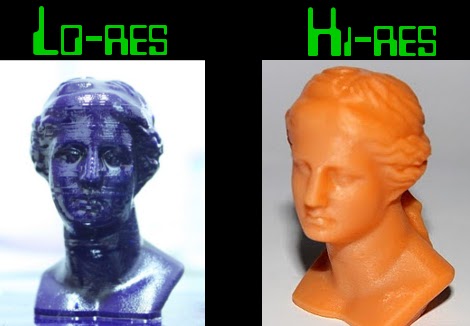
Don’t get us wrong, printable whistles are cool and all, but these printable header shrouds make us think that filament printers like the Makerbot and RepRap might just be worth their salt. This utilitarian purpose is a departure from the souvenirs, toys, and art that we’re used to seeing from the expensive development toys tools.

The six and ten pin header shrouds are designed for a snug fit that makes it easy to glue them onto the plastic spacers of male pin headers. We use IDC plugs and ribbon cable all the time in our projects, but never seem to order shrouded connectors; this is perfect for us. It makes us wonder what other PCB-friendly printable designs we’ve been missing out on? Surely someone’s been printing stand-offs with threaded inserts, right? If you know of something useful that we can share with the rest of the readers, don’t hesitate to send in a tip.

[via Dangerous Prototypes]

PIC-based Temperature Logger With Onboard Storage

pic_temp_logger

Last summer, [Rajendra Bhatt] built himself a simple PIC-based temperature monitor with data logging abilities and recently got around to sharing it on his site. The sensor is based on a PIC12F683 micro controller and measures the ambient temperature on a set interval, storing the values on the MCU’s internal EEPROM.

He used a Maxim DS18B20 temperature sensor, which communicates with the PIC over a 1-wire bus. The sensor is read based upon the interval chosen by the user, and can be configured to measure the temperature every second, every minute, or every 10 minutes. The data is stored on the aforementioned EEPROM and can be uploaded to a computer via a serial connection. The PIC has the ability to store 254 readings before the data must be cleared from the device.

It’s a great beginner project, and has plenty of room for improvement. As [Rajendra] points out, an external EEPROM could be added to expand the recording capacity, and it would be nice to have a real-time clock on hand for accurate time stamping. If we were to build one ourselves, a means of wireless data transfer would be first on our list of potential enhancements.

Hackaday Reader Throwdown: Electronic Dice

electronic_dice

Hackaday reader [Daid] posted in our forums showing off a set of electronic dice he recently constructed. Back in January, we featured a similar set of electronic dice built with an Arduino that was way overpowered as far as [Daid] was concerned. Not satisfied with simply saying it could be done better, he put his money where his mouth is – something we would love to see more of.

He used an ATTiny2313 to provide the device’s logic, outputting the dice values on a set of four 7 segment displays. The whole setup is controlled by a single push button that serves triple duty rolling the dice, configuring how many sides the dice have, as well as selecting how many dice are being thrown.

He admits that the wiring job is a bit of a mess, but he was going for function over form, and it works just fine. He also says that he would have finished it far sooner if it hadn’t been for those meddling kids some broken 7 segment displays.

We think he did quite a nice job, though we’re all ears if you think you can do it better.