Tearing Down A Forgotten Video Game

Remember Video Volley? No? We don’t either. It looks like it was a very early video game console that could play tennis, hockey, or handball. In this video, [James] tears one apart. If you are like us, we are guessing there will be little more than one of those General Instrument video game chips inside.

These don’t look like they were mass-produced. The case looks like something off the shelf from those days. The whole thing looks more like a nice homebrew project or a pretty good prototype. Not like something you’d buy in a store.

Continue reading “Tearing Down A Forgotten Video Game”

Another Old ThinkPad Gets A New Motherboard

The Thinkpad line of laptops, originally from IBM, and then from Lenovo, have long been the choice of many in our community. They offer a level of robustness and reliability missing in many cheaper machines. You may not be surprised to find that this article is being written on one. With such a following, it’s not surprising that a significant effort has gone into upgrading older models. For example, we have [Franck Deng]’s new motherboard for the Thinkpad X200 and X201. These models from the end of the 2000s shipped as far as we can remember with Core 2 Duo processors, so we can imagine they would be starting to feel their age.

It’s fair to say the new board isn’t a cheap option, but it does come with a new Core Ultra 7 CPU, DDR5 memory, M.2 interfaces for SSDs alongside the original 2.5″ device, and USB-C with Thunderbolt support. There are a range of screen upgrade options. For an even more hefty price, you can buy a completely rebuilt laptop featuring the new board. We’re impressed with the work, but we have to wonder how it would stack up against a newer Thinkpad for the price.

If you’re curious to see more of the same, this isn’t the first such upgrade we’ve seen.

Thanks [Max] for the tip.

PoE-powered GPIB Adapter With Ethernet And USB-C Support

In the world of (expensive) lab test equipment the GPIB (general purpose interface bus) connection is hard to avoid if you want any kind of automation, but nobody likes wrangling with the bulky cables and compatibility issues when they can just use Ethernet instead. Here [Chris]’s Ethernet-GPIB adapter provides an easy solution, with both Power over Ethernet (PoE) and USB-C power options. Although commercial adapters already exist, these are rather pricey at ~$500.

Features of this adapter include a BOM total of <$50, with power provided either via PoE (802.3af) or USB-C (5V-only). The MCU is an ATmega4809 with the Ethernet side using a Wiznet W5500 SPI Ethernet controller. There is also a serial interface (provided by a CH340X USB-UART adapter), with the firmware based on the AR488 project.

The adapter supports both the VXI-11.2 and Prologix protocols, though not at the same time (due to ROM size limitations). All design documents are available via the GitHub repository, with the author also selling assembled adapters and providing support primarily via the EEVBlog forums.

The Apple II MouseCard (Credit: AppleLogic.org)

The Apple II MouseCard IRQ Is Synced To Vertical Blanking After All

Recently [Colin Leroy-Mira] found himself slipping into a bit of a rabbit hole while investigating why only under Apple II MAME emulation there was a lot of flickering when using the (emulated) Apple II MouseCard. This issue could not be reproduced on real (PAL or NTSC) hardware. The answer all comes down to how the card synchronizes with the system’s vertical blanking (VBL) while drawing to the screen.

The Apple II MouseCard is one of the many peripheral cards produced for the system, originally bundled with a version of MacPaint for the Apple II. While not a super popular card at the time, it nevertheless got used by other software despite this Apple system still being based around a command line interface.

According to the card’s documentation the interrupt call (IRQ) can be set to 50 or 60 Hz to match the local standard. Confusingly, certain knowledgeable people told him that the card could not be synced to the VBL as it had no knowledge of this. As covered in the article and associated MAME issue ticket, it turns out that the card is very much synced with the VBL exactly as described in The Friendly Manual, with the card’s firmware being run by the system’s CPU, which informs the card of synchronization events.

Hacky Shack? The TRS-80 Model I Story

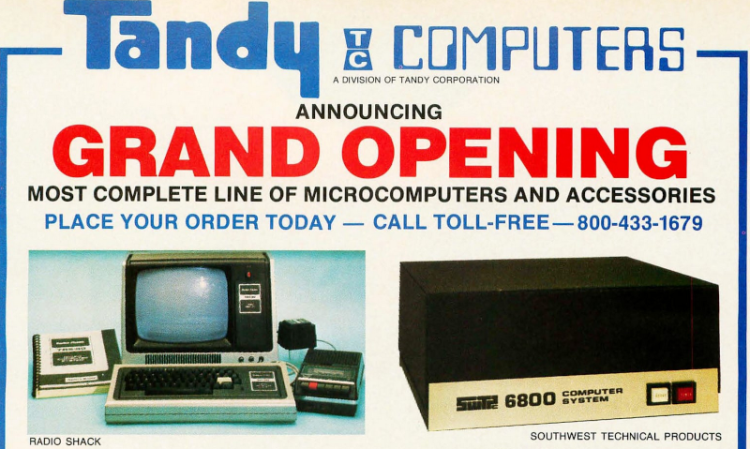
The 1970s saw a veritable goldrush to corner the home computer market, with Tandy’s Z80-powered TRS-80 probably one of the most (in)famous entries. Designed from the ground up to be as cheap as possible, the original (Model I) TRS-80 cut all corners management could get away with. The story of the TRS-80 Model I is the subject of a recent video by the [Little Car] YouTube channel.

Having the TRS-80 sold as an assembled computer was not a given, as kits were rather common back then, especially since Tandy’s Radio Shack stores had their roots in selling radio kits and the like, not computer systems. Ultimately the system was built around the lower-end 1.78 MHz Z80 MPU with the rudimentary Level I BASIC (later updated to Level II), though with a memory layout that made running the likes of CP/M impossible. The Model II would be sold later as a dedicated business machine, with the Model III being the actual upgrade to the Model I. You could also absolutely access online services like those of Compuserve on your TRS-80.

While it was appreciated that the TRS-80 (lovingly called the ‘Trash-80’ by some) had a real keyboard instead of a cheap membrane keyboard, the rest of the Model I hardware had plenty of issues, and new FCC regulations meant that the Model III was required as the Model I produced enough EMI to drown out nearby radios. Despite this, the Model I put Tandy on the map of home computers, opened the world of computing to many children and adults, with subsequent Tandy TRS-80 computers being released until 1991 with the Model 4.

Continue reading “Hacky Shack? The TRS-80 Model I Story”

Jellybean Mac Hides Modern PC

The iMac G3 is an absolute icon of industrial design, as (or perhaps more) era-defining than the Mac Classic before it. In the modern day, if your old iMac even boots, well, you can’t do much with it. [Rick Norcross] got a hold of a dead (hopefully irreparable) specimen, and stuffed a modern PC inside of it.

From the outside, it’s suprizingly hard to tell. Of course the CRT had to go, replaced with a 15″ ELO panel that fits well after being de-bezeled. (If its resolution is only 1024 x 768, well, it’s also only 15″, and that pixel density matches the case.) An M-ATX motherboard squeezes right in, above a modular PSU. Cooling comes from a 140 mm case fan placed under the original handle. Of course you can’t have an old Mac without a startup chime, and [Rick] obliges by including an Adafruit FX board wired to the internal speakers, set to chime on power-up while the PC components are booting.

These sorts of mods have proven controversial in the past– certainly there’s good reason to want to preserve aging hardware–but perhaps with this generation of iMac it won’t raise the same ire as when someone guts a Mac Classic. We’ve seen the same treatment given to a G4 iMac, but somehow the lamp doesn’t quite have the same place in our hearts as the redoubtable jellybean.

Wireless USB Autopsy

It might seem strange to people like us, but normal people hate wires. Really hate wires. A lot. So it makes sense that with so many wireless technologies, there should be a way to do USB over wireless. There is, but it really hasn’t caught on outside of a few small pockets. [Cameron Kaiser] wants to share why he thinks the technology never went anywhere.

Wireless USB makes sense. We have high-speed wireless networking. Bluetooth doesn’t handle that kind of speed, but forms a workable wireless network. In the background, of course, would be competing standards.

Texas Instruments and Intel wanted to use multiband orthogonal frequency-division multiplexing (MB-OFDM) to carry data using a large number of subcarriers. Motorola (later Freescale), HP, and others were backing the competing direct sequence ultra-wideband or DS-UWB. Attempts to come up with a common system degenerated.

Continue reading “Wireless USB Autopsy”