Making A Magnetic Core Memory USB Drive

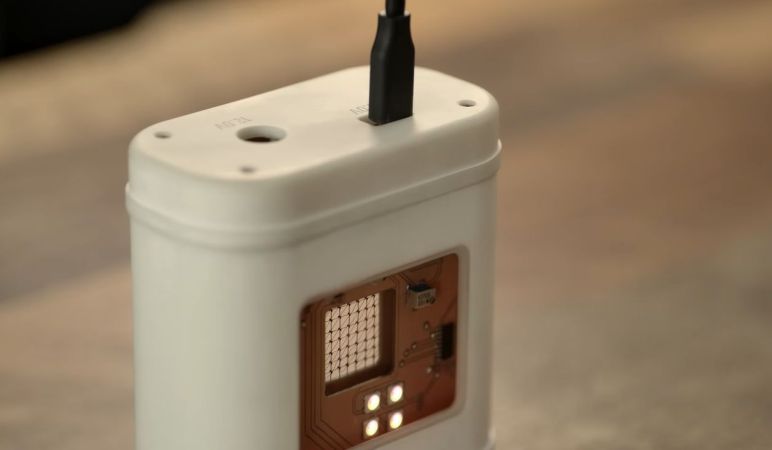
Some of us have felt somewhat nervous about the collapse of DRAM and NAND Flash memory supply in the consumer market, while others seem to have fully embraced it. Someone like [polymatt] for example, whose recent project entails a USB drive that skips back quite a few decades and opts to use a glorious 64-bit core memory device for storage.

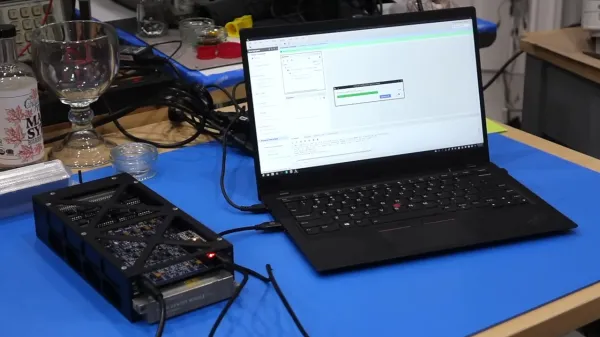
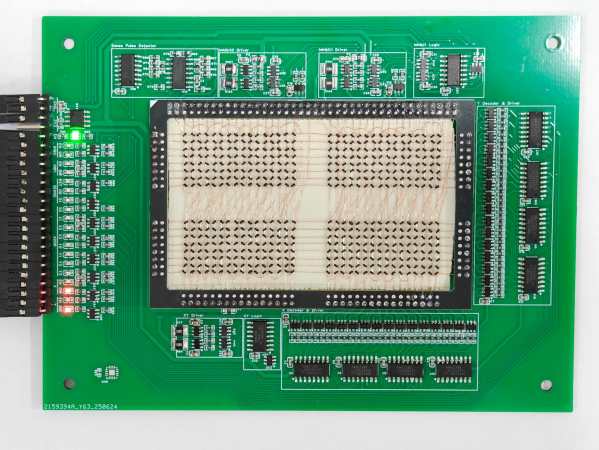
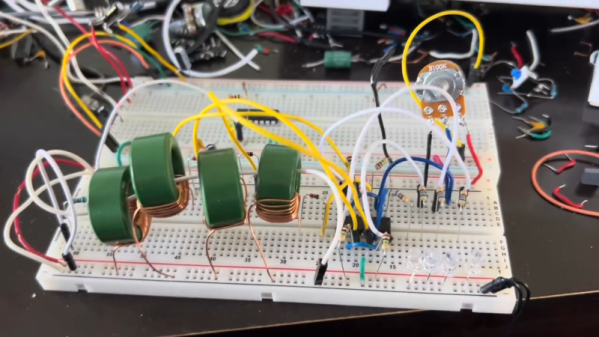
To really embrace the DIY spirit here, the PCBs were milled using a small CNC router before the core memory was assembled alongside the other components, including apparently L293 H-bridge ICs as the drivers, along with an ESP32 module for the brains and USB interface.

Core memory relies on sensing the state of a cell through a destructive read action, which thus requires a fair bit of surrounding logic to set up read and writes, parse sense line values and restore any read value after said destructive read. Determining the right voltage to use during read and write actions is essential, and here determined experimentally.

The final build contains two PCBs inside an enclosure that’s filled with silicone oil. Other than looking cool through the acrylic window, it also helps to keep the individual cores at a fairly consistent temperature, which is helpful with reliable bit flipping, even if it’s probably overkill here.

Ignoring for a moment that just the memory required for the USB stack in the ESP32 module is many times the size of this core memory device, it’s still a very cool project whose appeal goes far beyond mere practicality.
Continue reading “Making A Magnetic Core Memory USB Drive”

Get Roped Into Magnetic Core Memory With This 512 Bit Module

Magnetic Core memory was the RAM at the heart of many computer systems through the 1970s, and is undergoing something of a resurgence today since it is easiest form of memory for an enterprising hacker to DIY. [Han] has an excellent writeup that goes deep in the best-practices of how to wire up core memory, that pairs with his 512-bit MagneticCoreMemoryController on GitHub.

Magnetic core memory works by storing data inside the magnetic flux of a ferrite ‘core’. Magnetize it in one direction, you have a 1; the other is a 0. Sensing is current-based, and erases the existing value, requiring a read-rewrite circuit. You want the gory details? Check out [Han]’s writeup; he explains it better than we can, complete with how to wire the ferrites and oscilloscope traces to explain why you want to wiring them that way. It may be the most complete design brief to be written about magnetic core memory to be written this decade.

This little memory pack [Han] built with this information is rock-solid: it ran for 24 hours straight, undergoing multiple continuous memory tests — a total of several gigabytes of information, with zero errors. That was always the strength of ferrite memory, though, along with the fact you can lose power and keep your data. In in the retrocomputer world, 512 bits doesn’t seem like much, but it’s enough to play with. We’ve even featured smaller magnetic core modules, like the Core 64. (No prize if you guess how many bits that is.) One could be excused for considering them toys; in the old days, you’d have had cabinets full of these sorts of hand-wound memory cards.

Magnetic core memory should not be confused with core-rope memory, which was a ROM solution of similar vintage. The legendary Apollo Guidance Computer used both.

We’d love to see a hack that makes real use of these pre-modern memory modality– if you know of one, send in a tip.

Your Own Core Rope Memory

If you want read-only memory today, you might be tempted to use flash memory or, if you want old-school, maybe an EPROM. But there was a time when that wasn’t feasible. [Igor Brichkov] shows us how to make a core rope memory using a set of ferrite cores and wire. This was famously used in early UNIVAC computers and the Apollo guidance computer. You can see how it works in the video below.

While rope memory superficially resembles core memory, the principle of operation is different. In core memory, the core’s magnetization is what determines any given bit. For rope memory, the cores are more like a sensing element. A set wire tries to flip the polarity of all cores. An inhibit signal stops that from happening except on the cores you want to read. Finally, a sense wire weaves through the cores and detects a blip when a core changes polarity. The second video, below, is an old MIT video that explains how it works (about 20 minutes in).

Why not just use core memory? Density. These memories could store much more data than a core memory system in the same volume. Of course, you could write to core memory, too, but that’s not always a requirement.

We’ve seen a resurgence of core rope projects lately. Regular old core is fun, too.

Continue reading “Your Own Core Rope Memory”

A Nibble Of Core Memory, In An SAO

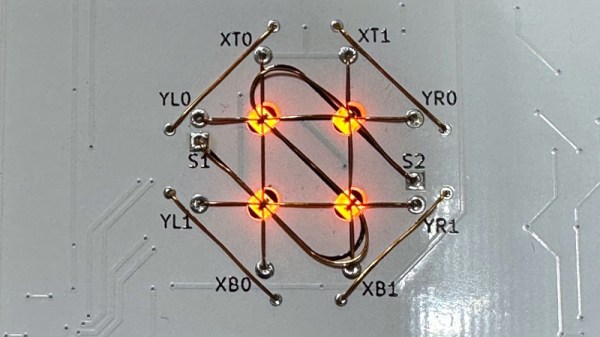
Core memory, magnetized memory using tiny magnetic rings suspended on a grid of wires, is now more than five decades obsolete, yet it exerts a fascination for hardware hackers still. Not least [Andy Geppert], who’s made a nibble, four bits of it, complete with interactive LED illumination to show state. Best of all, it’s on a badge Simple Add-On (SAO) for fun and games at your next hacker con.

Aside from it being a fun project, perhaps the most interesting part comes in the GitHub repository, where can be found the schematic for the device. He’s built all the drive and sense circuitry himself rather than finding an old-stock core memory driver chip, which gives those of us who’ve never worked with this stuff the chance to understand how it works. Beyond that it takes input from the Stemma or SAO ports to a GPIO expander, which provides all the lines necessary to drive it all.

To show it in action he’s posted a video which we’ve placed below. If you’re hungry for more, it’s not [Andy]’s first outing into core memory.

Continue reading “A Nibble Of Core Memory, In An SAO”

Inside A Mystery Aerospace Computer With [Ken Shirriff]

When life hands you a mysterious bit of vintage avionics, your best bet to identifying it might just be to get it in front of the biggest bunch of hardware hounds on the planet. After doing a teardown and some of your own investigation first, of course.

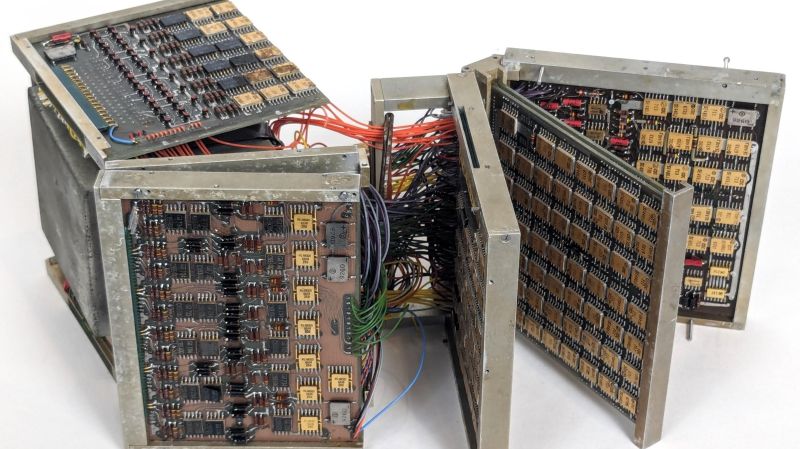
The literal black box in question came into [Ken Shirriff]’s custody courtesy of [David] from Usagi Electric, better known for his vacuum tube computer builds and his loving restoration of a Centurion minicomputer. The unit bears little in the way of identifying markings, but [Ken] was able to glean a little by inspecting the exterior. The keypad is a big giveaway; its chunky buttons seem optimized for use with the gloved hands of a pressure suit, and the ordinal compass points hint at a navigational function. The layout of the keypad is similar to the Apollo DSKY, which might make it a NASA artifact. Possibly contradicting all of that is the oddball but very cool electromechanical display, which uses reels of digits and a stepper-like motor to drive them.

Inside, more mysteries — and more clues — await. Unlike a recent flight computer [Ken] looked at, most of the guts are strictly electronic. The instrument is absolutely stuffed with PCBs, most of which are four-layer boards. Date codes on the hundreds of chips all seem to be in the 1967 range, dating the unit to the late 60s or early 70s. The weirdest bit is the core memory buried deep inside the stacks of logic and analog boards. [Ken] found 20 planes with the core, hinting at a 20-bit processor.

In the end, [Ken] was unable to come to any firm conclusion as to what this thing is, who made it, or what its purpose was. We doubt that his analysis will end there, though, and we look forward to the reverse engineering effort on this piece of retro magic.

What’s A Transfluxor?

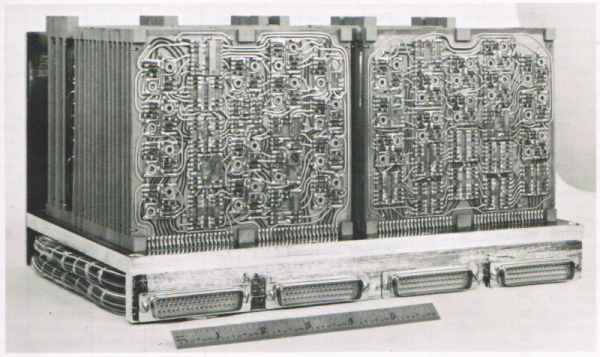
In the 1967 movie The Graduate, a wise older man gives some advice to the title character: plastics. Indeed, plastics would become big business. In 1962, though, a computer-savvy character might have offered a different word: transfluxor. What’s a transfluxor? Well, according to computer history sleuth [Ken Shirriff], it was the heart of a 20-pound transistor computer from Arma. Of course, plastics turned out to be a better bet, but in 1962, the transfluxor seemed to be the wave of the future.

In 1962, most computers were room-sized, but the Arma was “micro” taking up just 0.4 cubic feet — less than an Apple II. It would eventually spawn computers used in ships at sea and airplanes ranging from the Concorde to Air Force One.

Continue reading “What’s A Transfluxor?”

Saving Apollo By Decoding Core Rope

One of our favorite retro hardware enthusiasts, [CuriousMarc], is back with the outstanding tale of preserving Apollo Program software, and building a core rope reader from scratch to do it. We’ve talked about [Marc]’s previous efforts to get real Apollo hardware working again, and one of the by-products of this effort was recovering the contents of the read-only core rope memory modules that were part of that hardware.

The time finally came to hand the now-working Apollo guidance computer back to its owner, which left the team without any hardware to read core rope modules. But the archive of software from the program was still incomplete, and there were more modules to try to recover. So, the wizardly [Mike Stewart] just decided to roll up his sleeves and build his own reader. Which didn’t actually work as expected the first time.

And this leads us into one of [Marc]’s elevator music explainers, where he gives a beautiful rundown on how core rope works. And if you are thinking of core memory based on ferrite cores, get ready for a brain stretch, as core rope is quite a bit different, and is even more complicated to read. Which brings us to the bug in [Mike]’s reader, which is actually a bug in the block II design of the core rope modules.

Reading a byte off the module requires setting multiple inhibit wires to select an individual core. An innovation in block II allowed those inhibit wires to run at half current, but it turns out that didn’t actually work as intended, and partially selected multiple cores on the other half of the module. And [Mike] forget to re-implement that bug — the reader needs to literally be bug-for-bug compatible. A quick recompile of the FPGA code makes everything work again. And the conservation effort can continue. Stay tuned for more in the Apollo story!

Continue reading “Saving Apollo By Decoding Core Rope”