This week Jonathan chats with Alexander Neumann about Restic, a particularly compelling backup and restore solution written in Go. Why did the world need one more backup program? And what’s Alexander’s personal take on transitioning from programmer to maintainer? Watch to find out!
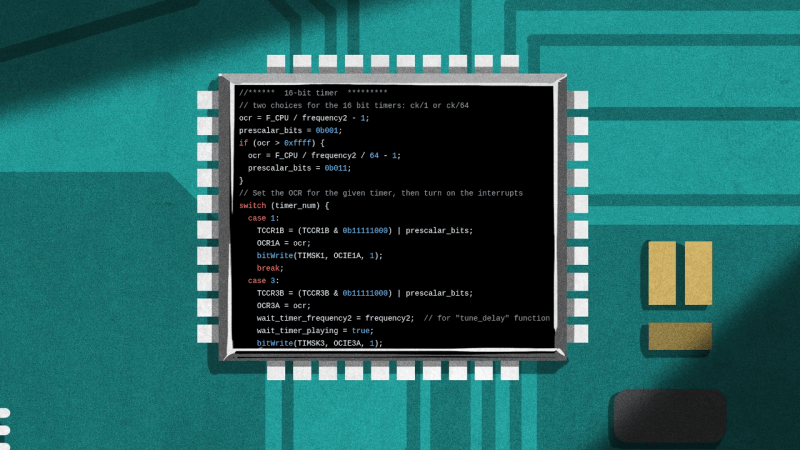
How often have you pulled out old MCU-based project that still works fine, but you have no idea where the original source code has gone? Having the binary image and the source code as separate things to keep track of usually isn’t a problem, but there’s something to be said for adding the source — and documentation — to this image if you have some flash to spare. This is basically what the Forgetfulino Arduino library by [Nader Al Khatib] does.
Essentially, the library compresses the source files and assigns it to be burned onto the flash alongside the binary. There is also a bit of code added to the firmware so that this code can be retrieved via the serial port at any time, negating the need for a firmware dump and manual disassembly. For ease of use, the library has an Arduino IDE extension that automates the process. The basic idea could also be adapted to different environments should anyone wish to take up the challenge.
You probably wouldn’t want debug builds to feature this additional payload as writing it to flash will eat up time and write cycles. But for a release build that will be put out in the (literal) field for a few years or even decades, it could be very convenient. After all, you never know when that Git repository that you relied on might go AWOL.
What would happen if you lost your memory, even partially? With so much of our lives being digital, forgetting your passwords (or the master key to your password manager) could be disastrous. Haunted by that specter after a concussion, [eljojo] created ReMemory, a tool based on Shamir’s Secret Sharing to help your friends help you.
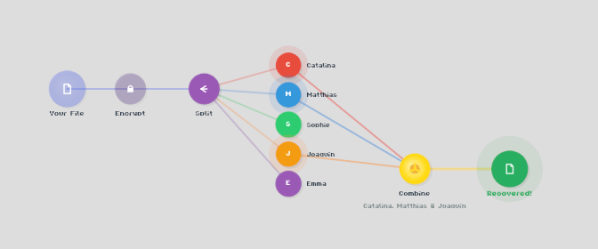
Shamir’s Secret Sharing, for the uninitiated, is a way to split up important data between parties so that the full picture is only available when a quorum comes together. The classic example is giving everyone a couple of digits out of the combination to the bank vault, but no one the full combination. Together, they can open the vault.
ReMemory works the same way. Rather than the combination to a bank vault, the locally-hosted, browser-based interface splits the encryption key to your sensitive data. If you’re old fashioned that might be a plaintext list of passwords, or for the more modern the recovery codes to your password manager. It could be literally anything, like your Aunt Edna’s famous cupcake recipe, which surely should not be lost to time.
Aunt Edna could probably handle this.
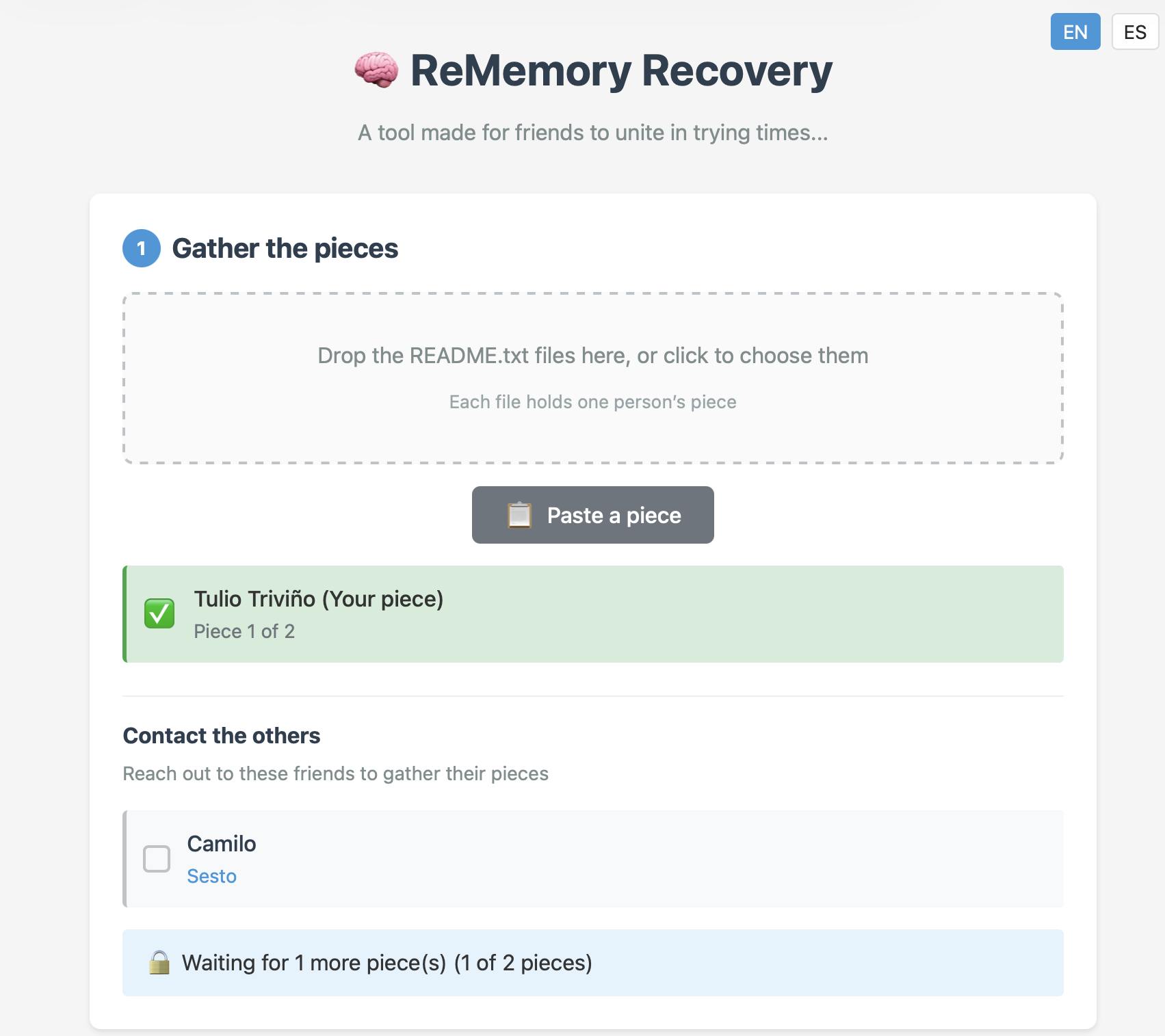
You can chose how many friends to split your data betwixt, and how many will be required to meet quorum– the minimum, of course, being two, but the suggested default is to split the data five ways, and allow decryption from any three parties. Each bundle includes the complete recovery tool, so anyone in your circle of trust can start the process of decrypting your data if they get the others on board. Since it’s self-hosted and browser based, those friends don’t have to be particularly tech-savvy, as long as they can be trusted to hold onto the files. Everything is explained in the readme included in each bundle.
This does have the downside of requiring you to have multiple close friends, at least some of whom you trust to come through in a crunch, and all of whom you trust not to collude behind your back. Still, if you’re the social type, this seems like it might be a useful tool. The code is available under an Apache 2.0 license, so you can audit it for yourself — a must for any tool you plan on entrusting your secrets to.
Game cartridges are generally seen as a read-only medium with the contents as immutable as text chiseled into a granite slab, and with accompanying save files on the cartridge surviving for generations. The unfortunate truth is that as with any media storage, cartridges can and do fail, and save files are often just ethereal bits in battery-backed SRAM. This makes being able to copy not only the game data but also the save files off these cartridges essential. Projects like the Open Source Cartridge Reader by [sanni] make this something that everyone can do.
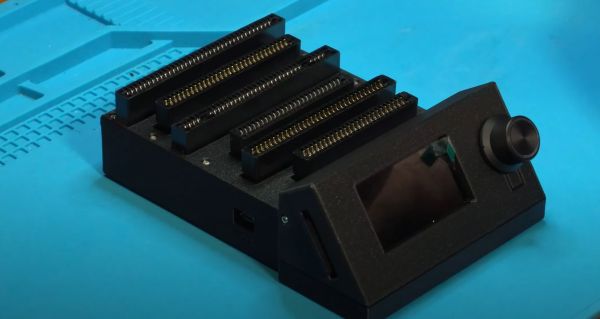
Intended to be a kind of Swiss Army knife of game cartridges, many game systems are supported directly, and many others via (user-created) adapters. A how-to-build tutorial is provided on the project wiki, though anyone interested in building such a system would do well to look at the expected price tag on the BOM page, which comes in at $134. A recent video by [Kytor Industries] (also included below) demonstrates how to assemble one of these systems, including some modding of the preassembled components.
The main components are the Arduino Mega 2560 Pro MCU module, a Makerbase assembly with LCD, control knob, and SD card slot, an SI5351-based clock generator, a PIC12F629 MCU (for snesCIC and handling SNES DRM) and a lot of pin headers and card edge connectors for specific cartridge types. The assembly is rounded off with a surface-mounted GBA card reader and an enclosure.
One important gotcha is that some of these cartridges run on 5V, while others use 3.3V. N64 cartridges require the dedicated voltage switch to be set to 3.3V, lest 5V gets sent into the unsuspecting cartridge. Once everything is configured properly, the firmware is flashed onto the Mega 2560 Pro module. The Sanni reader is then ready to run. You can use it to dump ROMs onto SD cards, along with dumping and restoring save files and loading ROMs onto new cartridges.
Backing up. It’s such a simple thing on paper – making a copy of important files and putting them in a safe place. In reality, for many of us, it’s just another thing on that list of things we really ought to be doing but never quite get around to.
I was firmly in that boat. Then, when disaster struck, I predictably lost greatly. Here’s my story on what I lost, what I managed to hang on to, and how I’d recommend you approach backups starting today.
[Michael Lynch] recently replaced his Synology NAS with a self-built solution built on ZFS, a filesystem with a neat feature: the ability to back up encrypted data without having to decrypt it first. The only glitch is that [Michael] is using TrueNAS, and TrueNAS only wants to back up unencrypted ZFS data to another TrueNAS system. Fortunately, there’s a way around this that isn’t particularly complicated, but definitely requires leveraging the right tools. It also provides an educational walkthrough for how ZFS handles these things.
The solution is a small handful of shell scripts to manage full and incremental backups and restores of encrypted datasets, without having to decrypt the data first. As mentioned, this is something TrueNAS will handle by default, but only if the destination is also a TrueNAS system. Now, [Michael] can send that backup to off-site cloud storage with only a little extra work.
There’s one additional trick [Michael] uses to monitor his backups. He leverages a paid (but with a free tier) service called Cronitor. It’s not very obvious from the site’s features, but there is a way to implement cron job monitoring that doesn’t require adding any software whatsoever. Here’s how that part works: Cronitor provides a custom, unique URL. If that URL isn’t visited regularly (for example, because the cron job fails), then the user is notified. By integrating this into an existing cron job, one can be notified. Such an integration would look like this:
In short, if the cron job runs successfully, curl checks in by visiting the custom URL. If that doesn’t happen, the user gets a notification. No added software, just a simple leveraging of a free service for some added peace of mind.