Super Mario 64, Now With Microtransactions

Besides being a fun way to pass time, video gaming is a surprisingly affordable hobby per unit time. A console or budget PC might only cost a few hundred dollars, and modern games like Hollowknight: Silksong can provide 40-60 hours of experience for only around $20 USD. This value proposition wasn’t really there in the 80s, where arcade cabinets like Gauntlet might have cost an inflation-adjusted $8 per hour in quarters. This paradigm shift is great for gamers, but hasn’t been great for arcade owners. [PrintAndPanic] wanted to bring some of that old coin munching vibe into console gaming, and so added a credit system to Super Mario 64.

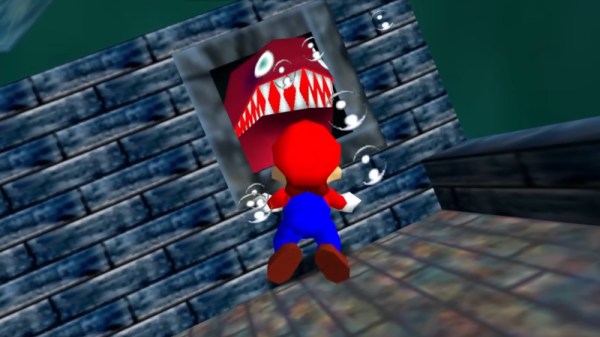
The project is a fork of a decompilation of Super Mario 64, which converts the original machine code into a human-friendly format so bugs can be fixed and other modern features added. With the code available, essentially anyone can add features into the game that weren’t there already. In this case, [PrintAndPanic] is using a Raspberry Pi connected to a coin slot, so when coins are put into the game like an old arcade machine, the Raspberry Pi can tell the modified version of Super Mario 64 to add credits. These credits allow the player to run and jump, and when the credits run out Mario becomes extremely limited and barely able to outrun even the slowest Bombombs and Goombas.

With some debugging out of the way and the custom game working, [PrintAndPanic] built a custom enclosure for the game and the coin slot to turn it into a more self-contained arcade-style machine. The modified code for this project is available on the project’s GitHub page for those who want to play a tedious version of a favorite video game that costs more money than it should.

There are plenty of other modifications for this classic as well, most of which involve improving the game instead of adding a modern microtransaction-based system.

Continue reading Super Mario 64, Now With Microtransactions”

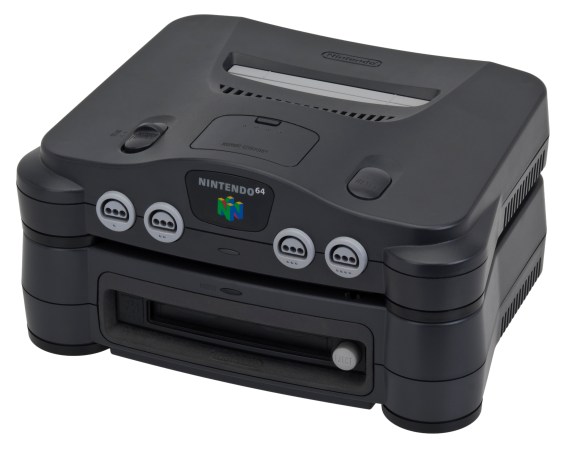
The Nintendo 64DD, an N64 add-on released only in Japan in 1999.

Exploring Nintendo 64DD Code Remnants In Ocarina Of Time

What if you took a Nintendo 64 cartridge-based game and allowed it to also use a large capacity magnetic disc format alongside it? This was the premise of the Nintendo 64DD peripheral, and the topic of a recent video by [Skawo] in which an archaeological code dig is performed to see what traces of the abandoned product may remain.

The 64DD slots into the bottom of the console where the peripheral connector is located, following which the console can read and write the magnetic discs of the 64DD. At 64 MB it matched the cartridge in storage capacity, while also being writable unlike cartridges or CDs. It followed on previous formats like the Famicom Disk System.

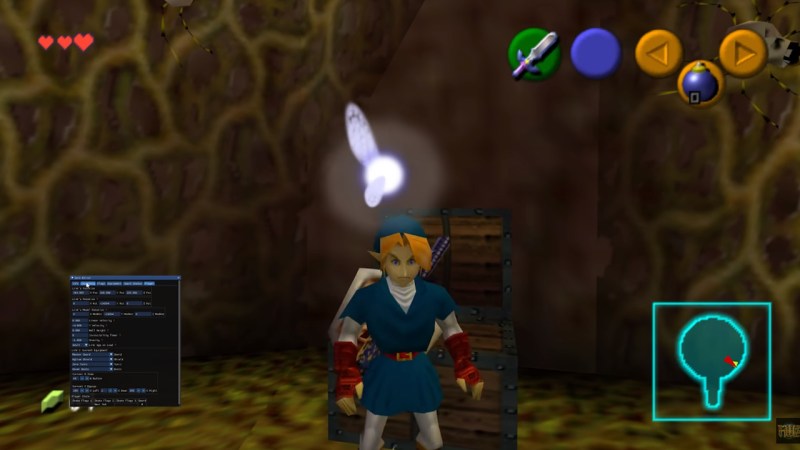
For 1998’s Game of the Year title The Legend of Zelda: Ocarina of Time such a 64DD-based expansion was worked on for a while before being cancelled along with the 64DD. With this Zelda game now decompiled, its source code has shown to be still full of 64DD-related code that [Skawo] takes us through in the video.

Continue reading “Exploring Nintendo 64DD Code Remnants In Ocarina Of Time

Why Super Mario 64 Wastes So Much Memory

The Nintendo 64 was an amazing video game console, and alongside consoles like the Sony PlayStation, helped herald in the era of 3D games. That said, it was new hardware, with new development tools, and thus creating those early N64 games was a daunting task. In an in-depth review of Super Mario 64’s code, [Kaze Emanuar] goes over the curious and wasteful memory usage, mostly due to unused memory map sections, unoptimized math look-up tables, and greedy asset loading.

The game as delivered in the Japanese and North-American markets also seems to have been a debug build, with unneeded code everywhere. That said, within the context of the three-year development cycle, it’s not bad at all — with twenty months spent by seven programmers on actual development for a system whose hardware and tooling were still being finalized, with few examples available of how to do aspects like level management, a virtual camera, etc. Over the years [Kaze] has probably spent more time combing over SM64‘s code than the original developers, as evidenced by his other videos.

As noted in the video, later N64 games like Legend of Zelda: Ocarina of Time are massively more optimized and streamlined, as lessons were learned and tooling improved. For the SM64 developers, however, they had a gargantuan 4 MB of fast RDRAM to work with, so optimization and memory management likely got kicked down to the bottom on the priority list. Considering the absolute smash hit that SM64 became, it seems that these priorities were indeed correct.

Continue reading “Why Super Mario 64 Wastes So Much Memory”

Static Recompilation Brings New Life To N64 Games

Over the past few years a number of teams have been putting a lot of effort into taking beloved Nintendo 64 games, decompiling them, and lovingly crafting them into highly portable C code. This allows for these games to not only run natively on PCs, but also for improvements to be made to the rendering engine and other components.

Yet this artisan approach to porting these games means a massive time investment, something which static binary translation (static recompilation) may conceivably speed up. Enter the N64: Recompiled project, which provides a binary translation tool to ease the translation of the N64’s binaries into C code.

This is effectively quite similar to what an emulator does in real-time, just with the goal of creating a permanent copy of the translated instructions. After this static binary translation, the C code can be compiled again, but as noted by the project’s documentation, a suitable runtime is needed to get a functional game. An example of this is the Zelda 64: Recompiled project, which uses the N64: Recompiled project at its core, while providing the necessary scaffolding and wrappers to create a working copy of The Legend of Zelda: Majora’s Mask as output.

In the video below, [Modern Vintage Gamer] takes the software for a test drive and comes away very excited about the potential it has to completely change the state of N64 emulation. To be clear, this isn’t a one-button-press solution — it still requires capable developers to roll up their sleeves and get the plumbing in. It’s going to take some time before you favorite game is supported, but the idea of breathing new life into some of the best games from the 1990s and early 2000s certainly has us eager to see where this technology goes

Continue reading “Static Recompilation Brings New Life To N64 Games”

Implementing MegaTextures On Real Nintendo 64 Hardware

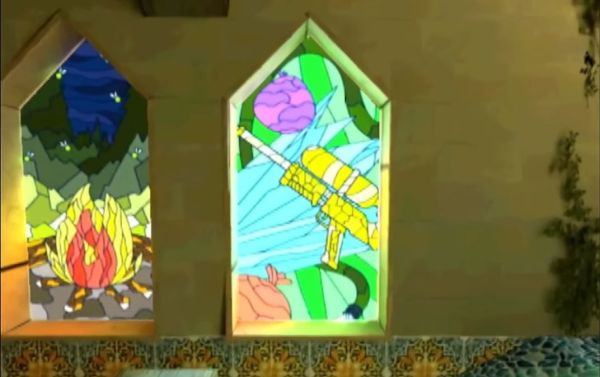
As amazing and groundbreaking as the Nintendo 64 was, over the years it has also become synonymous with blurry textures and liberal use of Gouraud shading as its most strongly defining visual features. In a recent video, [James Lambert] covers how the system’s minuscule 4 kB texture memory (TMEM) can be circumvented using mipmapping. By loading progressively more detailed textures (each in 4 kB chunks) in a level-of-detail (LoD), the visual fidelity can be maximized while keeping rendering speeds relatively zippy, as the real-time demo proves.

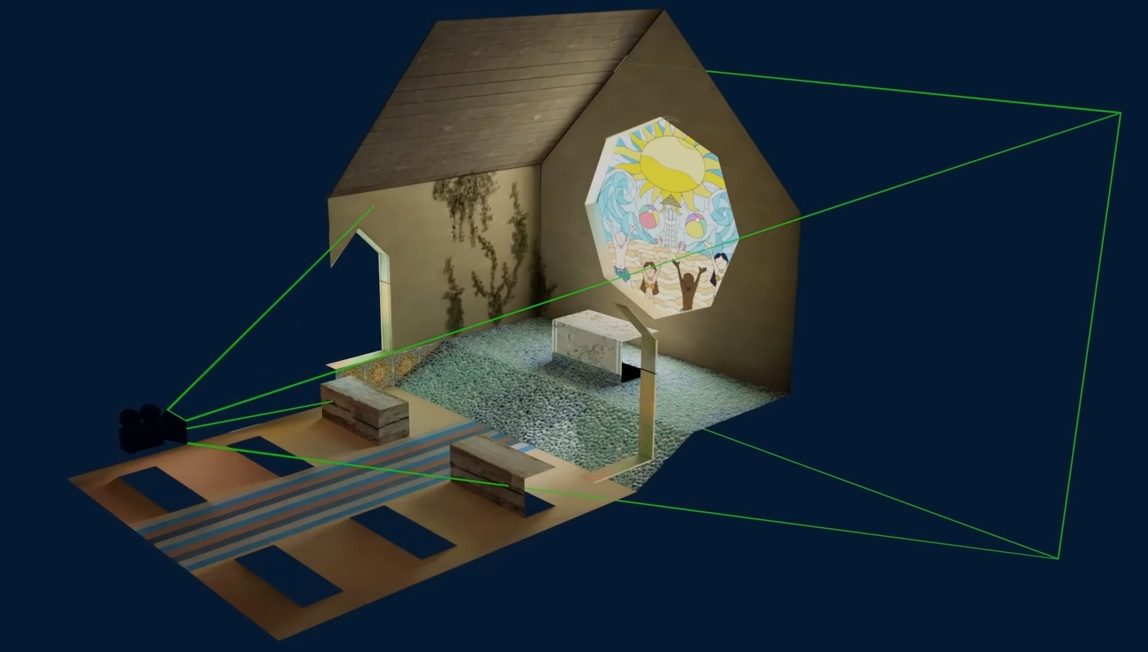
Determining which textures are visible to the player.

This project was made for the N64brew 2023, with the source code available on [James]’s GitHub account. Although impressive, it bears noting that mipmapping was not an unknown approach in 1996, and many approaches were used to work around the N64’s physical limitations.

In the case of mipmapping, [James]’s demo perfectly demonstrates the problematic nature of mipmapping, as it dramatically increases the storage requirements for the textures, hitting 40 MB just for this one single room, for a system that supports up to 64 MB cartridges.

Ultimately, this shows that the 4 kB TMEM was not the only issue with the N64, with the limited (and expensive) mask ROMs for the cartridges proving to be an insurmountable obstacle that systems like Sony’s PlayStation largely did not have to contend with. With roomy 650 MB+ optical storage, the PS1 got instead tripped up by the glacial access and loading speeds of optical media and its soggy-potato-powered GPU.

Seeing demonstrations like these manage to wonderfully highlight the bottlenecks in these old consoles, and makes one wonder about what could have been, even in an era before 1 TB solid-state drives and direct resource streaming between GPU and said storage.

Continue reading “Implementing MegaTextures On Real Nintendo 64 Hardware”

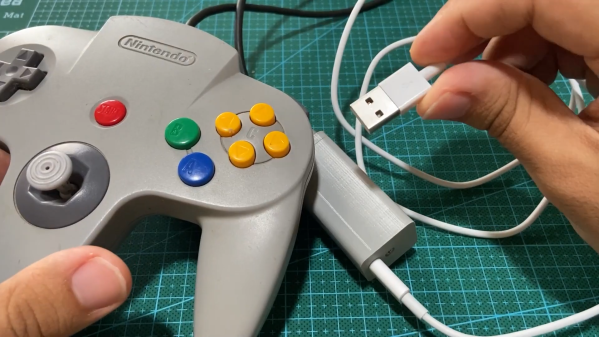
A Nintendo 64 controller with a USB adapter

Play N64 Games The Right Way With This Classic Controller Adapter

Game consoles typically support a limited number of input devices, meaning that console games are often completely optimized for the default controller supplied with that platform. Nintendo’s tendency to completely reinvent their controllers pretty much every generation can therefore become a little irritating, especially when they also enable their newer consoles to play games from their back catalog. So when [Robson Couto] found that using the Switch’s Joy-Cons was a bit awkward for playing emulated Nintendo 64 games, he decided to figure out how to connect real N64 controllers to a Nintendo Switch.

While you can buy modern N64-style controllers for the Switch, even straight from Nintendo themselves, [Robson] thought it would be way more interesting to reuse an old controller and implement the translation step from scratch. In the video (embedded below) he takes a deep dive into all the timing details of the N64 controller protocol, which is basically a 1-wire setup, and explains how to use an STM32F411 BlackPill board to read out the controller’s buttons and joystick.

Next, he explores how to map the resulting data to the USB HID protocol used by the Switch. Most of the buttons have a clear one-on-one mapping, but since the “minus”, “capture” and “home” buttons are missing on the N64 controller, he chose to map these to button combinations unlikely to be used during regular gameplay. [Robson] also ran into the common issue of the analog joystick having a poorly-defined maximum range, for which he added a rudimentary auto-calibration feature.

Finally, he designed and 3D-printed a neat enclosure for his system with an N64 controller port on one side and a USB port on the other. By 3D-printing the whole thing he also avoided having to either source the non-standard connector or permanently modify his hardware. The end result of [Robson]’s project is an unobtrusive gadget that connects classic controllers to modern hardware – but of course, the reverse process is very much possible, too. If you want, you can even play N64 games with a mouse and keyboard.

Continue reading “Play N64 Games The Right Way With This Classic Controller Adapter”

Java Is Now On The Nintendo 64!

Whether it’s your favorite programming language, or your favorite beverage, there’s no denying Java is everywhere. Now, it’s even on the Nintendo 64, thanks to the valiant efforts of [Mike Kohn]. Even better, he’s coded a demo to show off its capabilities!

The project took plenty of work. [Mike] went all the way down to the assembly level to get Java code running on the N64. The project builds on the work that he did previously to get Java running on the PlayStation 2. Notably, both the Sony and Nintendo consoles do have some similarities — both are based on MIPS CPUs.

The demo itself is a work of art. It features the typical “3 billion devices run Java” screen, followed by some truly chunky bass and wailing guitar sounds. It’s followed by all the dancing shapes, sinusoidal text, and bright colors you could shake a stick at.

For those interested in the nitty gritty, [Mike] delves deep into the details of what it took to get everything running. That includes both using the code in an emulator, as well as how to get it going on real Nintendo hardware, something we’ve looked at before.

Continue reading “Java Is Now On The Nintendo 64!”