Wrist Welcomes Wii Nunchuk As Gloriously Ergonomic Macropad

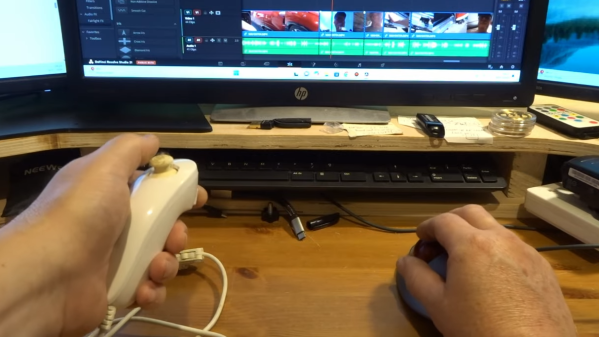
[John Dingley] spends a lot of time editing videos, and as many of us know, when it comes to repetitive tasks the more ergonomic the better.
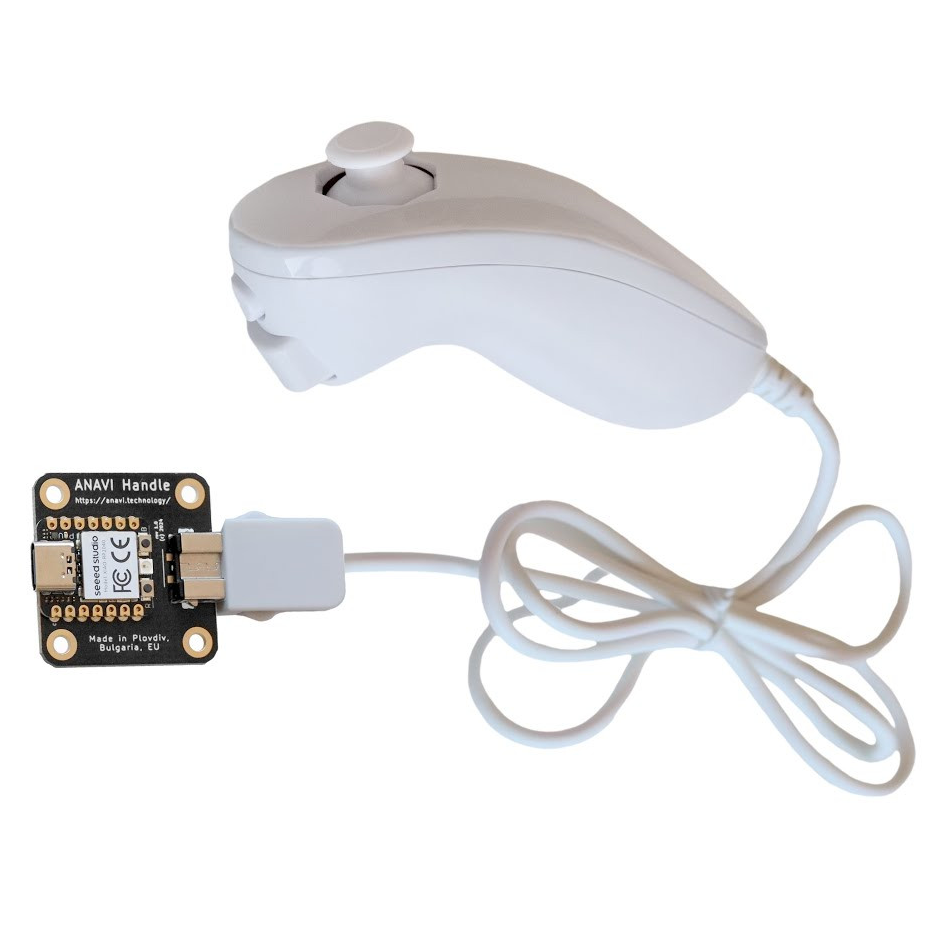
Keyboard shortcuts exist for common video editing functions, but [John] found that the vast majority of his work needed only three or four of them. Feeling he could do better than a three-key macropad, he turned to what’s perhaps one of the most ergonomic devices ever designed — the Wii Nunchuk.

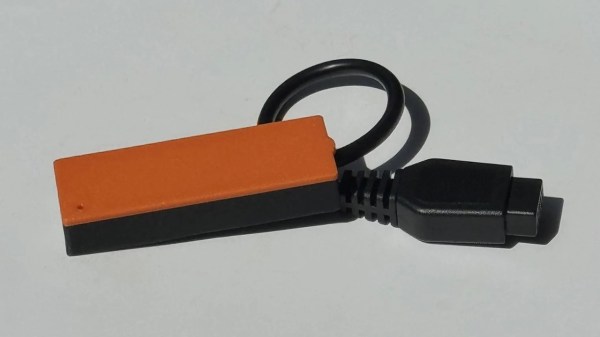
A Wii Nunchuk is an I2C device, so there needs to be some intermediary device involved if you want to plug it into a computer. [John] solves that with the ANAVI Handle, an open source adapter to make a Nunchuk act like a USB Human Interface Device (HID). That addresses the connectivity problem, but the default firmware on the adapter only treats the Nunchuk as a mouse or joystick, so a few more changes are required before it can be pressed into service as an ultra-comfortable macropad.

The ANAVI Handle runs CircuitPython code on an RP2040, and modifying its behavior is as simple as plugging it in via USB and editing the code right on the device. One has to define some keyboard events, configure the device to act as a keyboard, and send the right events when the buttons or joystick get pushed. [John] provides the code, and walks through the changes on video so even those without any coding experience can get it done.

The Nunchuk design is still being sold and used today, and it’s shown up in all kinds of places. We’ve seen a Bluetooth-enabled one and even seen a Raspberry Pi Zero shoehorned into one, complete with HDMI output.

Continue reading “Wrist Welcomes Wii Nunchuk As Gloriously Ergonomic Macropad”
A Compact Game Controller For Your Phone

[Gil Yankovitch] noted that playing games on a touchscreen phone gave up a certain something in terms of the tactile feedback one gets from real buttons. To that end, he was inspired to build a controller specifically for phones that solved this very problem.

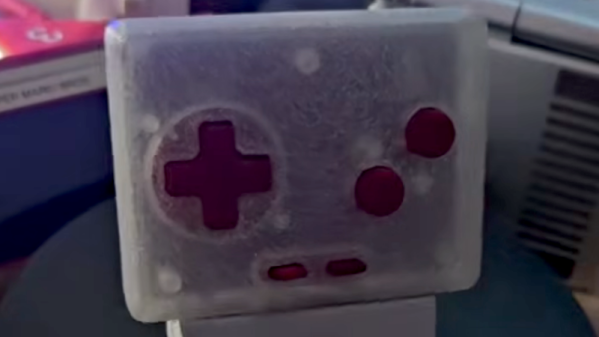
The result was JoyFon. It’s a small gamepad built around the Raspberry Pi Pico, and can be put together around an RP2040 or an RP2350 as desired. It has four face buttons, a directional pad, and start and select buttons, as well as additional shoulder buttons up top in later revisions.

The JoyFon enumerates as a standard USB HID gamepad, so you could use it to play games on just about any PC, laptop, or tablet. However, the JoyFon is specifically designed for use with smartphones in the vertical orientation. This guided the design of the 3D printed enclosure, which positions the USB-C port to plug into the base of a phone, such that the buttons sit neatly beneath it. It does cover some of the phone screen, but that’s not always a problem when playing emulated games with a 4:3 or similar aspect ratio. The result is a button and screen layout not dissimilar to that of the original Game Boy handhelds.

We’ve seen some other great custom controller builds over the years, like this fantastic design using keyswitches.

Continue reading “A Compact Game Controller For Your Phone”

Keychain GameCube Controller Made Functional

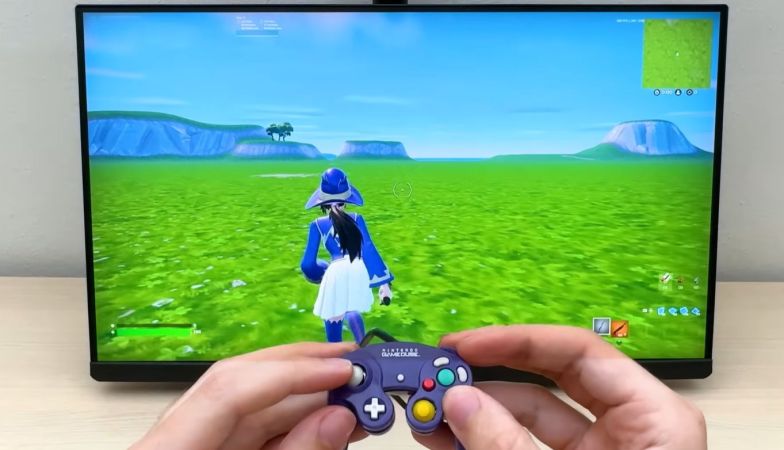
Mini game controllers with buttons and joysticks that move like the real deal are a pretty cool keychain and fidget toy, but at least for some of us there’s this intrusive thought that tells us that it would be so much cooler if it actually was a functional game controller. Enter [Brux] tearing into a miniature GameCube controller and adding the required guts.

The keychain/fidget toy is made by Backpack Buddies and is one of a range of similar toys that feature buttons you can press and joysticks that move, giving a pretty good start on the externals of the controller. Once cracked open at the seam, some interior redecorating had to be performed to clear space and add something to mount switches onto. Here [Brux] opted to glue SMD switches to custom 3D components in lieu of a PCB. These were subsequently wired up with thin enameled wire, before attaching the original buttons to them following some more plastic surgery.

Some tiny joystick innards were then installed before gluing on the final buttons and joystick caps. As for how it all connects to a real GameCube, here an RP2040 was used to handle the translation of control inputs to the GameCube controller protocol. Then a GameCube controller was sacrificed for its cable and controller connector, but as can be seen in the video it does all work and creates the perfect controller for guests.

Continue reading “Keychain GameCube Controller Made Functional”

The ProStar: The Portable Gaming System And Laptop From 1995

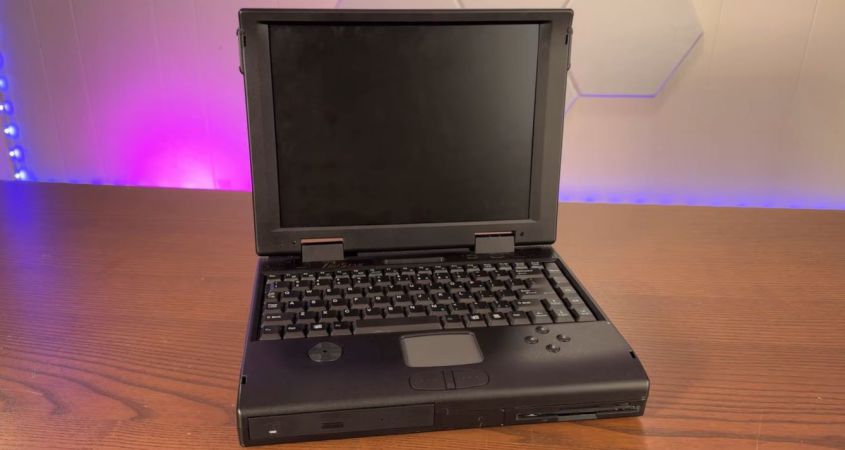
Whilst recently perusing the fine wares for sale at the Vintage Computer Festival East, [Action Retro] ended up adopting a 1995 ProStar laptop. Unlike most laptops of the era, however, this one didn’t just have the typical trackpad and clicky mouse buttons, but also a D-pad and four suspiciously game controller looking buttons. This makes it rather like the 2002 Sony VAIO PCG-U subnotebook, or the 2018 GPD Win 2, except that inexplicably the manufacturer has opted to put these (serial-connected) game controls on the laptop’s palm rest.

Sony VAIO PCG-U101. (Credit: Sony)

Though branded ProStar, this laptop was manufactured by Clevo, who to this day produces generic laptops that are rebranded by everyone & their dog. This particular laptop is your typical (120 MHz) Pentium-based unit, with two additional PCBs for the D-pad and buttons wired into the mainboard.

Unlike the sleek and elegant VAIO PCG-U and successors, this Clevo laptop is a veritable brick, as was typical for the era, which makes the ergonomics of the game controls truly questionable. Although the controls totally work, as demonstrated in the video, you won’t be holding the laptop, meaning that using the D-pad with your thumb is basically impossible unless you perch the laptop on a stand.

We’re not sure what the Clevo designers were thinking when they dreamed up this beauty, but it definitely makes this laptop stand out from the crowd. As would you, if you were using this as a portable gaming system back in the late 90s.

Our own [Adam Fabio] was at VCF East this year as well, and was impressed by an expansive exhibit dedicated to Windows 95.

Continue reading “The ProStar: The Portable Gaming System And Laptop From 1995”

PicoNtrol Brings Modern Controllers To Atari 2600

While there’s an argument to be made that retro games should be experienced with whatever input device they were designed around, there’s no debating that modern game controllers are a lot more ergonomic and enjoyable to use than some of those early 8-bit entries.

Now, thanks to the PicoNtrol project from [Reogen], you can use the latest Xbox and PlayStation controllers with the Atari 2600 via Bluetooth. Looking a bit farther down the road the project is aiming to support the Nintendo Entertainment System, and there’s work being done to bring the Switch Pro Controller into the fold as well.

Continue reading “PicoNtrol Brings Modern Controllers To Atari 2600”

Toy Gaming Controller Makes The Big Leagues

Some of the off-brand video game consoles and even accessories for the major brands can leave a lot to be desired. Whether it’s poor build quality or a general lack of support or updates, there are quite a few things on the market not worth anyone’s time or money. [Jonathan] was recently handed just such a peripheral, a toy game controller originally meant for a small child, but upon further inspection it turned into a surprisingly hackable platform, capable of plenty of IoT-type tasks.

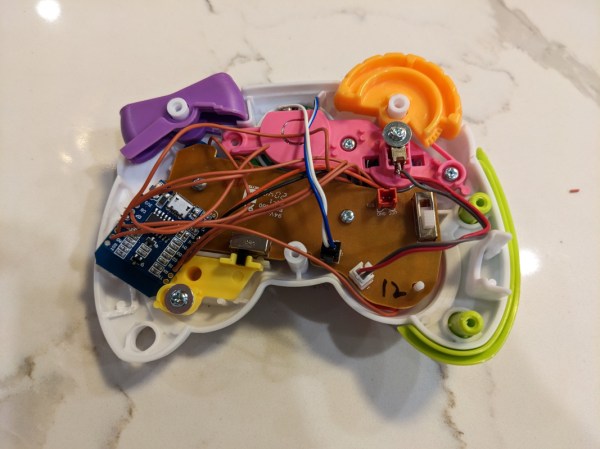
The controller itself was easily disassembled, and the functional buttons within were wired to a Wemos D1 Mini instead of the originally-planned ESP32 because of some wiring irregularities and the fact that the Wemos D1 Mini having the required amount of I/O. It’s still small enough to be sealed back inside the controller as well, powered by the batteries that would have powered the original controller.

For the software, [Jonathan] is using MQTT to register button presses with everything easily accessible over Wi-Fi, also making it possible to update the software wirelessly. He was able to use it to do a few things as proof-of-concept, including playing a game in PyGame and controlling a Sonos speaker, but for now he’s using it to control an LED sculpture. With something this easily modified, though, it would be pretty straightforward to use it instead for a home automation remote control, especially since it is already set up to use MQTT.

Continue reading “Toy Gaming Controller Makes The Big Leagues”

A Controller For More Than Thumbs

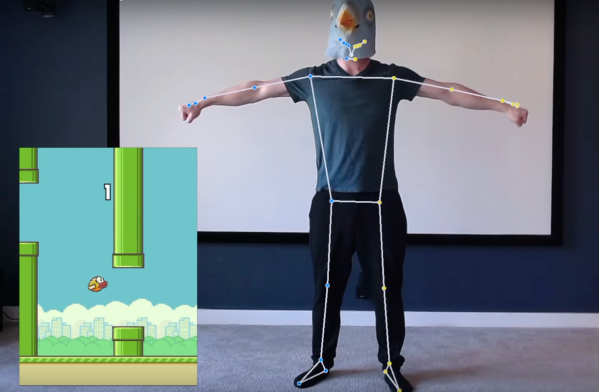
As virtual reality continues to make headway into the modern zeitgeist, it is still lacking in a few key ways. There’s not yet an accepted standard for correlating body motion to movement within a game, with most of the mainstream VR offerings sidestepping this problem by requiring the user to operate some sort of handheld controller to navigate the virtual world. And besides a brief Kinect fad from the 2010s, there hasn’t been too much innovation in this area. But computers have continued to increase in capabilities and algorithms for tracking movement have improved, so [Fletcher Heisler] aka [Everything Is Hacked] leveraged these modern tools into a full-body controller configurable for any video game.

This project builds heavily on a previous project by [Fletcher] which took body position information and turned it into keyboard input, leveraging OpenCV and posture detection software to map keys to specific body positions. It only needed slight modification to work for gaming with regards to the ability to hold down keys or mash buttons, but essentially works by mapping certain keystrokes from the previous project to commands in games. In addition to that step he also added support for multiplayer by splitting the image captured by the camera into two halves so it can keep track of two people simultaneously.

Continue reading “A Controller For More Than Thumbs”