ReMemory Is The Amnesia-hedging Buddy Backup You Didn’t Know You Needed

What would happen if you lost your memory, even partially? With so much of our lives being digital, forgetting your passwords (or the master key to your password manager) could be disastrous. Haunted by that specter after a concussion, [eljojo] created ReMemory, a tool based on Shamir’s Secret Sharing to help your friends help you.

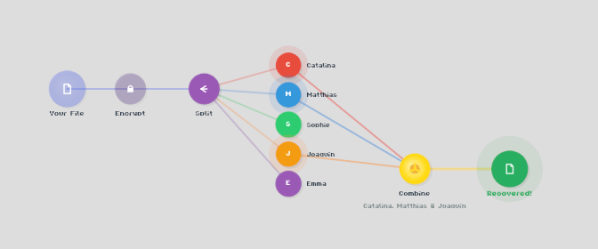
Shamir’s Secret Sharing, for the uninitiated, is a way to split up important data between parties so that the full picture is only available when a quorum comes together. The classic example is giving everyone a couple of digits out of the combination to the bank vault, but no one the full combination. Together, they can open the vault.

ReMemory works the same way. Rather than the combination to a bank vault, the locally-hosted, browser-based interface splits the encryption key to your sensitive data. If you’re old fashioned that might be a plaintext list of passwords, or for the more modern the recovery codes to your password manager. It could be literally anything, like your Aunt Edna’s famous cupcake recipe, which surely should not be lost to time.
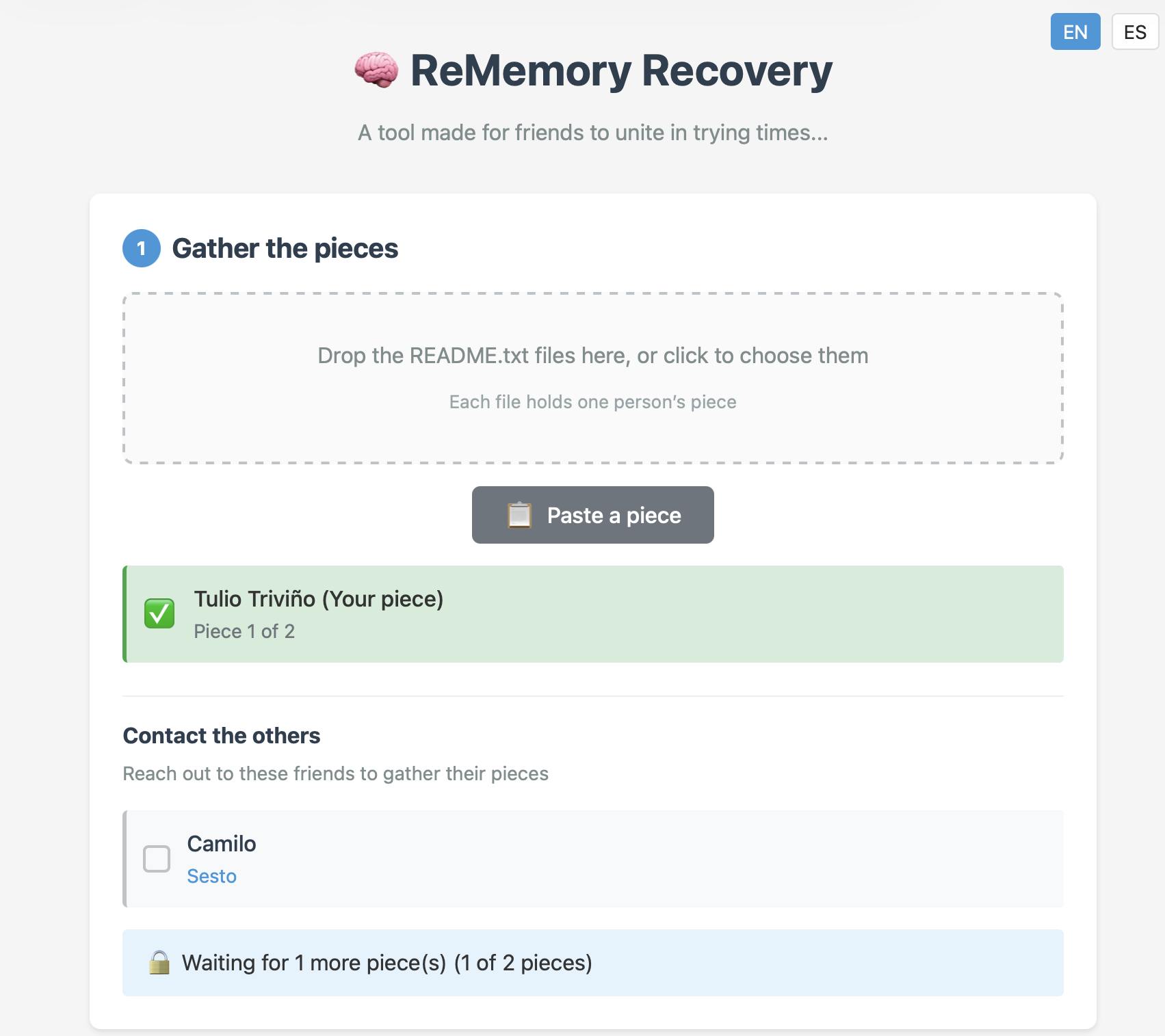
Aunt Edna could probably handle this.

You can chose how many friends to split your data betwixt, and how many will be required to meet quorum– the minimum, of course, being two, but the suggested default is to split the data five ways, and allow decryption from any three parties. Each bundle includes the complete recovery tool, so anyone in your circle of trust can start the process of decrypting your data if they get the others on board. Since it’s self-hosted and browser based, those friends don’t have to be particularly tech-savvy, as long as they can be trusted to hold onto the files. Everything is explained in the readme included in each bundle.

This does have the downside of requiring you to have multiple close friends, at least some of whom you trust to come through in a crunch, and all of whom you trust not to collude behind your back. Still, if you’re the social type, this seems like it might be a useful tool. The code is available under an Apache 2.0 license, so you can audit it for yourself — a must for any tool you plan on entrusting your secrets to.

The best part of the sharing algorithm is that it’s not vulnerable to quantum computing. While [eljojo] was thinking of amnesia when he put the tool together, we can’t help but think this also solves the postmortem password problem.
An Easy-To-Make Pi-Powered Pocket Password Pal

Sometimes, we see a project where it’s clear – its creator seriously wants to make a project idea accessible to newcomers; and today’s project is one of these cases. The BYOPM – Bring Your Own Password Manager, a project by [novamostra] – is a Pi Zero-powered device to carry your passwords around in. This project takes the now well-explored USB gadget feature of the Pi Zero, integrates it into a Bitwarden-backed password management toolkit to make a local-network-connected password storage, and makes a tutorial simple enough that anybody can follow it to build their own.

For the physical part, assembly instructions are short and sweet – you only need to solder a single button to fulfill the hardware requirements, and there’s a thin 3D-printable case if you’d like to make the Pi Zero way more pocket-friendly, too! For the software part, the instructions walk you step-by-step through setting up an SD card with a Raspbian image, then installing all the tools and configuring a system with networking exposed over the USB gadget interface. From there, you set up a Bitwarden instance, and optionally learn to connect it to the corresponding browser extensions. Since the device’s goal is password management and storage, it also reminds you to do backups, pointing out specifically the files you’ll want to keep track of.

Overall, such a device helps you carry your passwords with you wherever you need them, you can build this even if your Raspberry Pi skills are minimal so far, and it’s guaranteed to provide you with a feeling that only a self-built pocket gadget with a clear purpose can give you! Looking for something less reliant on networking and more down-to-commandline? Here’s a buttons-and-screen-enabled Pi Zero gadget that uses pass.

Building A Final Key

Final Key

Remembering passwords is a pain, and there’s a number of devices out there to make it easier. If you’re looking to roll your own, this guide to building a Final Key will walk you through the process.

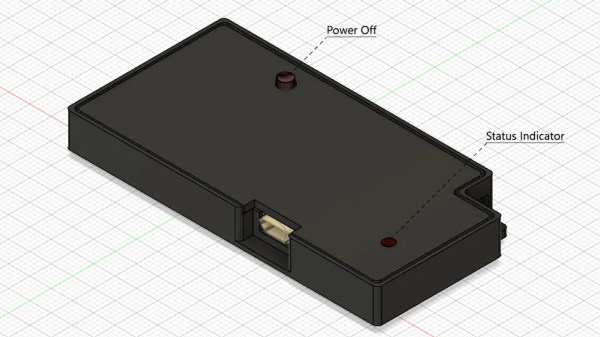
We talked about the Final Key before. It’s a one button password manager that encrypts and stores your password. It acts as a virtual serial port for configuration. When you hit the button, it becomes a keyboard and types in the correct password.

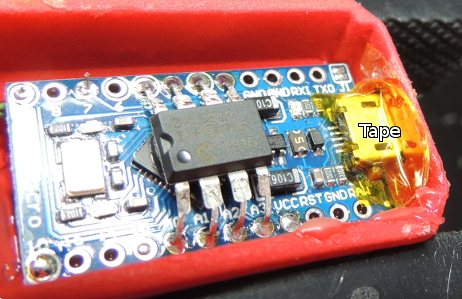
The creator has no intentions of making this a commercial project for a number of reasons. Instead, easy build instructions are provided based on the Arduino Pro Micro. The 24LC512 EEPROM can be soldered directly to the Arduino by bending out the DIP legs. A few resistors, a button, and an LED finish off the project. The last step is to fill it with hot glue to prevent tampering.

The Final Key firmware is available on Github, and the case can be ordered from Shapeways. If you’re interested in hardware password management, you can also check out the Mooltipass which is being developed on Hackaday.

[Thanks to Lars for the tip!]