DIY Probe Clamps To Ease Your PCB Work

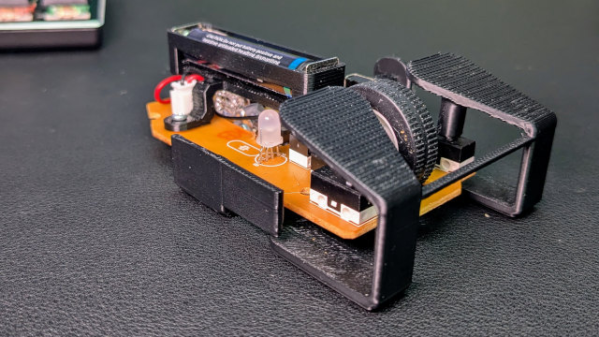
Those of us familiar with PCB work would agree that anything that helps hold probes secure and hands-free to components, traces, or test points is worth looking at. That’s where [2048bits]’ snap probe design comes in. With a little additional and inexpensive hardware, one can have all the hands-free probe clamps one’s workbench can fit!

That first link is where you’ll find a list of required hardware and the CAD files (in .step format) for the probe itself. The obvious approach to making the pieces would be to 3D print them, but we notice the design — while attractive — looks like a challenging print due to the features. We’re not the only ones to see that, and happily there’s already a remix by [user_2299476772] aimed at keeping the essential features while making them easier to print.

If you’re taking a DIY approach to PCB probes, we’d like to remind you that one of our readers discovered dental burrs make absolutely fantastic, non-slip probe tips. This seems like a good opportunity to combine two ideas, and having the CAD files for the probe clamp means modification is straightforward. Let us know on the tips line if you get something working!

[via Hackster]

3D Print Stamps, And Ink Stuff To Your Heart’s Content With These Tips

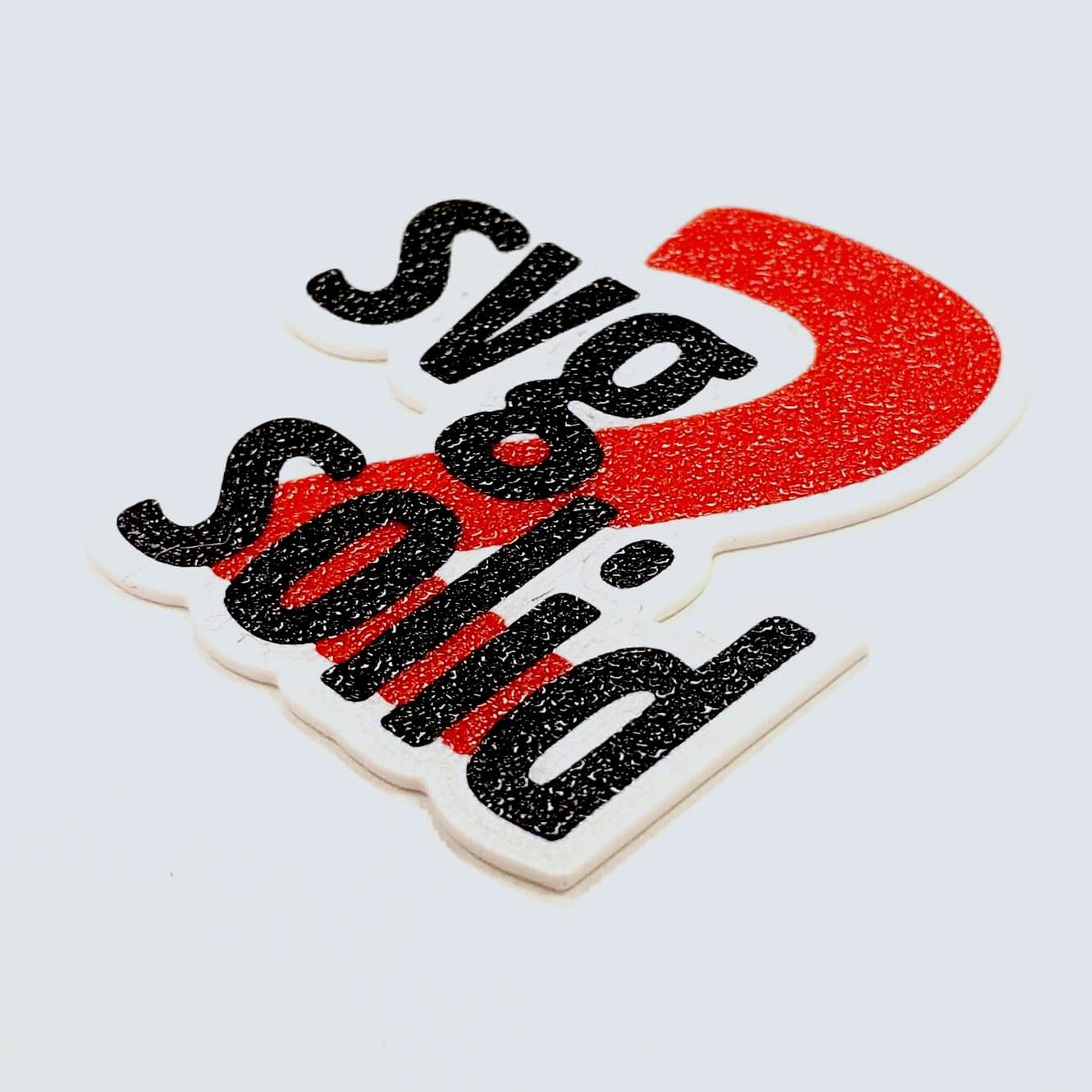
Ink stamps can be fun to make and use, and 3D printers are uniquely positioned to create quality stamps of all kinds with just a little care. As with most things, the devil is in the details and the best results will require some extra work. Luckily, [Prusa] has a blog post that goes through how to 3D print the best stamps and includes concrete recommendations and tips to get the most out of the process.

Resin printers can create stamps too, just ensure a flexible material is used.

What makes a good 3D-printed stamp? It should be easy to use, transfer an image cleanly, and retain ink reasonably well. To hit these bases, printing the stamp face out of a flexible material is probably the most important, but a flat and smooth stamp surface is equally crucial. Satin-finish build plates will give a weathered look to the stamp, but textured build plates in general are no good.

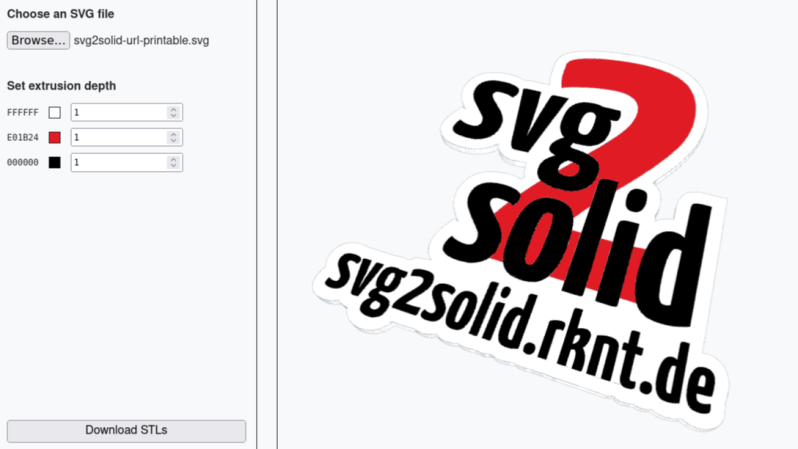
As for the design, turning an image into a 3D object can be a bit challenging for novices, but there are tools that make that much easier now than it used to be. Some slicers allow importing .svg files (scalable vector graphics) with which to emboss or deboss objects, and online tools as well as free software like Inkscape will let folks covert images into .svg format.

Flexible filaments tend to be stringy so they should be dried before use, especially if the stamp design has a lot of separate elements that invite stringing. Any flex filament should do the job, but of course some specific filament brands perform better than others. Check out the full blog post for specific recommendations.

Pausing a print and inserting a pre-printed support piece (removed after the print completes) helps form big overhangs.

The remaining tricky element is that flexible filaments also tend to be poor at bridging, and if one is printing a stamp face-down on the build plate (to get that important, ultra-flat face) then the upper inside of the stamp may need some support for it to come out right. As [Prusa] suggests, this is a good place to use a manual, drop-in pre-printed support piece. Or if one has the ability to print in multiple materials, perhaps print the support structure in PLA since it is just about the only material that won’t completely weld itself to flex filaments. Of course, if one is designing the stamp entirely in CAD, then the best option would be to chamfer the stamp elements so supports aren’t necessary in the first place. Finally, don’t overlook the value of a physical design that makes handling easy and attractive.

Since 3D printing makes iteration so fast and easy, maybe it would be worth using this to revisit using rubber stamps to help create PCBs?

Prompt Injection Tricks AI Into Downloading And Executing Malware

[wunderwuzzi] demonstrates a proof of concept in which a service that enables an AI to control a virtual computer (in this case, Anthropic’s Claude Computer Use) is made to download and execute a piece of malware that successfully connects to a command and control (C2) server. [wonderwuzzi] makes the reasonable case that such a system has therefore become a “ZombAI”. Here’s how it worked.

Referring to the malware as a “support tool” and embedding instructions into the body of the web page is what got the binary downloaded and executed, compromising the system.

After setting up a web page with a download link to the malicious binary, [wunderwuzzi] attempts to get Claude to download and run the malware. At first, Claude doesn’t bite. But that all changes when the content of the HTML page gets rewritten with instructions to download and execute the “Support Tool”. That new content gets interpreted as orders to follow; being essentially a form of prompt injection.

Claude dutifully downloads the malicious binary, then autonomously (and cleverly) locates the downloaded file and even uses chmod to make it executable before running it. The result? A compromised machine.

Now, just to be clear, Claude Computer Use is experimental and this sort of risk is absolutely and explicitly called out in Anthropic’s documentation. But what’s interesting here is that the methods used to convince Claude to compromise the system it’s using are essentially the same one might take to convince a person. Make something nefarious look innocent, and obfuscate the true source (and intent) of the directions. Watch it in action from beginning to end in a video, embedded just under the page break.

Continue reading “Prompt Injection Tricks AI Into Downloading And Executing Malware”

AI Mistakes Are Different, And That’s A Problem

People have been making mistakes — roughly the same ones — since forever, and we’ve spent about the same amount of time learning to detect and mitigate them. Artificial Intelligence (AI) systems make mistakes too, but [Bruce Schneier] and [Nathan E. Sanders] make the observation that, compared to humans, AI models make entirely different kinds of mistakes. We are perhaps less equipped to handle this unusual problem than we realize.

The basic idea is this: as humans we have tremendous experience making mistakes, and this has also given us a pretty good idea of what to expect our mistakes to look like, and how to deal with them. Humans tend to make mistakes at the edges of our knowledge, our mistakes tend to clump around the same things, we make more of them when bored or tired, and so on. We have as a result developed controls and systems of checks and balances to help reduce the frequency and limit the harm of our mistakes. But these controls don’t carry over to AI systems, because AI mistakes are pretty strange.

The mistakes of AI models (particularly Large Language Models) happen seemingly randomly and aren’t limited to particular topics or areas of knowledge. Models may unpredictably appear to lack common sense. As [Bruce] puts it, “A model might be equally likely to make a mistake on a calculus question as it is to propose that cabbages eat goats.” A slight re-wording of a question might be all it takes for a model to suddenly be confidently and utterly wrong about something it just a moment ago seemed to grasp completely. And speaking of confidence, AI mistakes aren’t accompanied by uncertainty. Of course humans are no strangers to being confidently wrong, but as a whole the sort of mistakes AI systems make aren’t the same kinds of mistakes we’re used to.

There are different ideas on how to deal with this, some of which researchers are (ahem) confidently undertaking. But for best results, we’ll need to invent new ways as well. The essay also appeared in IEEE Spectrum and isn’t terribly long, so take a few minutes to check it out and get some food for thought.

And remember, if preventing mistakes at all costs is the goal, that problem is already solved: GOODY-2 is undeniably the world’s safest AI.

It’s Never Too Late For A Fixed SimCity 2000

Some retro games need a little help running on modern systems, and it’s not always straightforward. SimCity 2000 Special Edition is one such game and [araxestroy]’s sc2kfix bugfix DLL shows that the process can require a nontrivial amount of skill and finesse. The result? A SimCity 2000 Special Edition that can run without crash or compromise on modern Windows machines, surpassing previous fixes.

SimCity 2000 Special Edition was a release for Windows 95 that allowed the game to work in windowed glory. The executable is capable of running under modern Windows systems (and at high resolutions!) but it’s got a few problems lurking under the hood.

There are crash issues during save/load dialog boxes, and a big visual problem. Animations rely on palette swapping for the game’s animations, and the technique originally used simply does not work right on modern displays. A fellow named [Guspaz] created SC2KRepainter to partially deal with this by forcing window redraws, but it’s an imperfect fix with a few side effects of it’s own.

[araxestroy]’s new solution eliminates dialog crashes and restores the animations, letting them look exactly as they should even on modern systems. It does this elegantly not by patching the executable or running a separate process, but by making the changes in memory at runtime with the help of a specially-crafted .dll file. Just grab winmm.dll from the latest release and put it into the same folder as simcity.exe, then launch the game to enjoy it as the designers intended!

Patching old games is a scene that helps ensure not only that classics never die, but also helps them be appreciated in new ways. Heck, even E.T. for the Atari 2600 has gotten tweaked, highlighting the misunderstood nature of the game in the process.

Make Your VR Controllers Handle Like Two-Handed Weapons

Wielding things like two-handed swords in VR can be awkward. There’s no sense of grasping a solid object. The controllers (and therefore one’s hands) feel floaty and disconnected from one another, because they are. [Astro VR Gaming] aims to fix this with a DIY attachment they are calling the ARC VR Sword Attachment.

The ARC is a 3D-printed attachment that allows a player to connect two controllers together. They can just as easily be popped apart, which is good because two separate controllers is what one wants most of the time. But for those moments when hefting a spear or swinging a two-handed sword is called for? Stick them together and go wild.

The original design (the first link up above) uses magnets, but an alternate version uses tapered inserts instead, and provides a storage stand. Want to know if the ARC is something you’d like to make for yourself? Watch it in action in the video embedded just under the page break.

VR is an emerging technology with loads of space for experimentation and DIY problem solving. We wish more companies would follow Valve’s example of hacker-friendly hardware design, but even just providing CAD models of your hardware to make attachments easier to design would be a big step forward, and something every hacker would welcome.

Continue reading “Make Your VR Controllers Handle Like Two-Handed Weapons”

Nice PDF, But Can It Run DOOM? Yup!

DOOM is a classic game to implement on a variety of platforms, but doompdf by [ading2210] is one we didn’t see coming. It runs a bit slow and controls are a little awkward but it does run. Entirely within a PDF file, at that.

How is this possible? PDFs are technically capable of much more than just displaying static content, and support JavaScript with their own library of functions. Adobe Acrobat implements the full spec, but modern web browsers implement at least a subset of the functionality in a sandboxed JavaScript runtime environment. Input and output are limited to things one might expect from a fancy PDF form (text input boxes, clickable buttons, things of that nature) but computation-wise, just about anything goes.

Continue reading “Nice PDF, But Can It Run DOOM? Yup!”