With Latest Update, Alexa Refuses To Pass The Aux

Although the feature has been deleted from newer models, there was a time when Amazon’s Echo devices included a 3.5 mm “aux” input jack that let you connect other audio sources to the smart speaker. Alexa would even let you switch over to an external source with a voice command — or at least, it used to.

As first reported by Reddit user [n8-sd], Amazon has started informing users that voice control over the 3.5 mm jack is no longer supported. While the physical input will still function on models equipped with it, if you want to mute the audio coming from an external device you’ll have to wade through the Alexa smartphone application to do it.
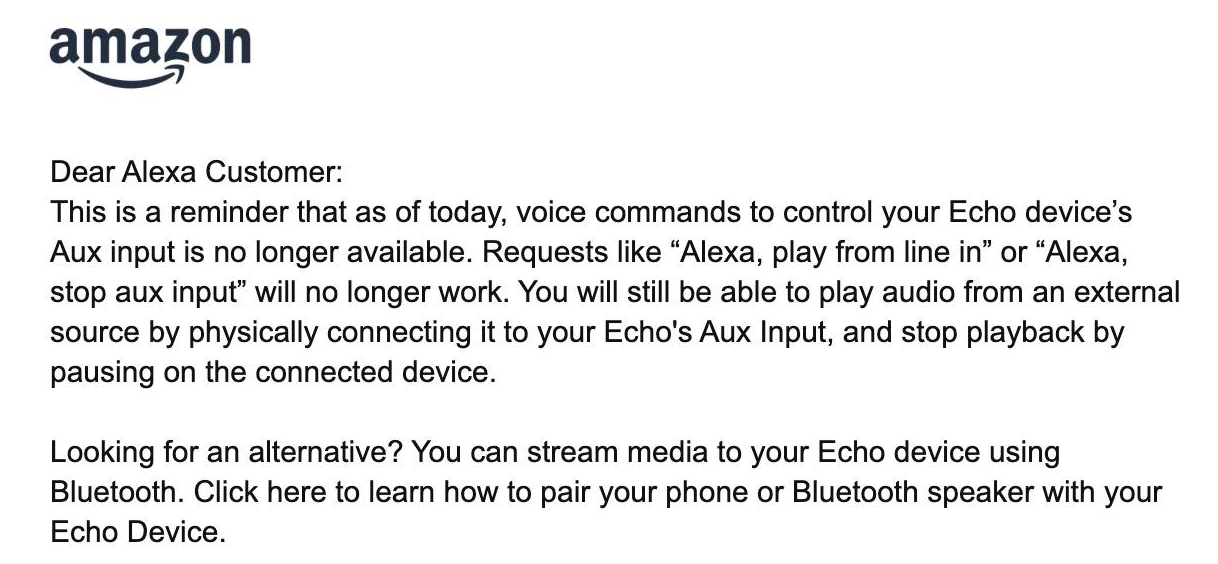
In a statement to Ars Technica, an Amazon rep confirmed that voice control over the auxiliary input has been removed as of the latest software version, and that their analytics showed not many people were using the feature in the first place. They also pointed out that no changes have been made to voice control of Bluetooth devices. While we don’t doubt that the total number of users that were physically plugging an audio source into their Echos was probably low in the grand scheme of things, that doesn’t really explain why such a simple feature needed to be actively removed.

Some commenters have theorized that the real reason behind the change is the fact that Amazon has no way of monitoring what users are playing over the auxiliary input. Since cataloging and selling the media consumption habits of users is big business these days, that’s a problem. While they might prefer to disable the feature entirely, they know that would stir up some bad press, so they’re opting to simply make it more annoying to use. We’re not saying we entirely buy this explanation, but it’s not the craziest thing we’ve ever heard either.

Although the Echo devices have never been particularly hackable, they have enjoyed a certain amount of success with tech-savvy users, making it all the more disappointing to see the ecosystem seemingly becoming less capable over time.

Security Camera Gets Several Defensive Upgrades

Ever since the early web, people have been streaming video with inexpensive webcams, and since the advent of the Raspberry Pi and its dedicated camera slot we’ve really seen how easy it can be to build security cameras or any other webcam and get it online quickly. But these cameras notably lack defensive capabilities if anyone tries to break into an area they shouldn’t be, and [John] added some features to this webcam to help defend his garage.

The webcam itself is a custom build, mounted on a custom-built tilt-and-pan mount that lets it freely rotate to view any location in the garage. Some custom software running on a Raspberry Pi lets it operate in autonomous mode or be controlled manually from an Android tablet. But for the defensive capabilities, it also carries a Nerf machine gun with a laser sight and spotlights which can all be controlled autonomously by the Raspberry Pi, including a computer vision system that lets it track various objects. While this is mostly a fun novelty for his security camera, the noise it makes might be enough to startle any would-be burglar.

[John] added a few other features to this build as well, including a speaker, which allows the system to be voice-controlled and to communicate back to the user. This lets him activate and deactivate the system using a verbal password. These types of Nerf guns are fairly popular for turrets as well, and some have practical uses as well like keeping cats from walking on the kitchen counters.

Continue reading “Security Camera Gets Several Defensive Upgrades” →

Robots Talking To Robots

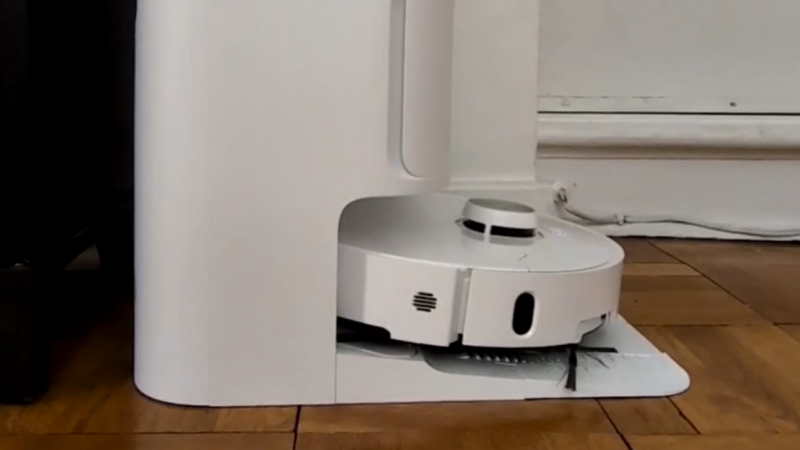
Although there are a few robots on the market that can make life a bit easier, plenty of them have closed-source software or smartphone apps required for control that may phone home and send any amount of data from the user’s LAN back to some unknown server. Many people will block off Internet access for these types of devices, if they buy them at all, but that can restrict the abilities of the robots in some situations. [Max]’s robot vacuum has this problem, but he was able to keep it offline while retaining its functionality by using an interesting approach.

Home Assistant, a popular open source home automation system, has a few options for voice commands, and can also be set up to transmit voice commands as well. This robotic vacuum can accept voice commands in lieu of commands from its proprietary smartphone app, so to bypass this [Max] set up a system of automations in Home Assistant that would command the robot over voice. His software is called jacadi and is built in Go, which uses text-to-speech to command the vacuum using a USB speaker, keeping it usable while still offline.

Integrating a voice-controlled appliance like this robotic vacuum cleaner allows things like scheduled cleanings and other commands to be sent to the vacuum even when [Max] isn’t home. There are still a few limitations though, largely that communication is only one way to the vacuum and the Home Assistant server can’t know when it’s finished or exactly when to send new commands to the device. But it’s still an excellent way to keep something like this offline without having to  rewrite its control software entirely.

Make 3D Scenes With A Holodeck-Like Voice Interface

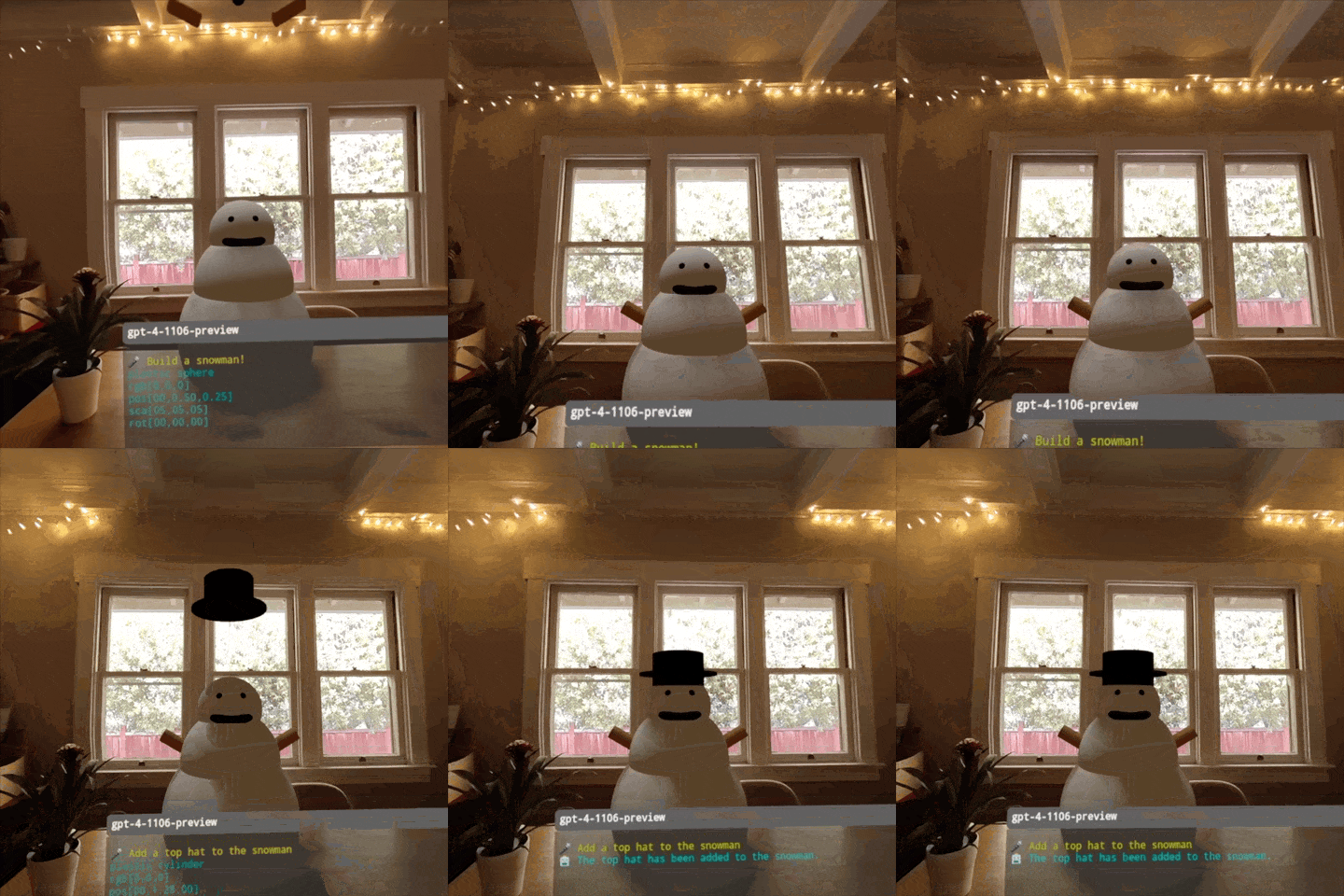
The voice interface for the holodeck in Star Trek had users create objects by saying things like “create a table” and “now make it a metal table” and so forth, all with immediate feedback. This kind of interface may have been pure fantasy at the time of airing, but with the advent of AI and LLMs (large language models) this kind of natural language interface is coming together almost by itself.

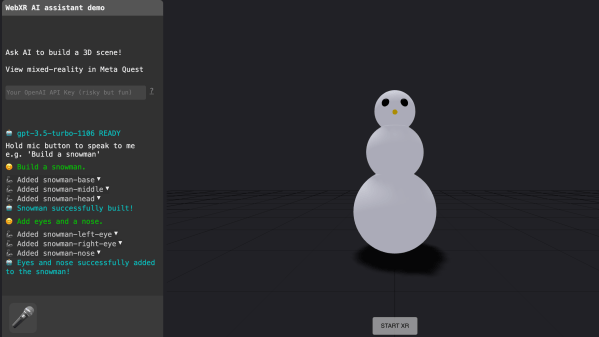
A fun demonstration of that is [Dominic Pajak]’s demo project called VoxelAstra. This is a WebXR demo that works both in the Meta Quest 3 VR headset (just go to the demo page in the headset’s web browser) as well as on desktop.

The catch is that since the program uses OpenAI APIs on the back end, one must provide a working OpenAI API key. Otherwise, the demo won’t be able to do anything. Providing one’s API key to someone’s web page isn’t terribly good security practice, but there’s also the option of running the demo locally.

Either way, once the demo is up and running the user simply tells the system what to create. Just keep it simple. It’s a fun and educational demo more than anything and will try to do its work with primitive shapes like spheres, cubes, and cylinders. “Build a snowman” is suggested as a good starting point.

Intrigued by what you see and getting ideas of your own? WebXR can be a great way to give those ideas some life and looking at how someone else did something similar is a fine way to begin. Check out another of [Dominic]’s WebXR projects: a simulated BBC Micro, in VR.

Retrogadgets: Butler In A Box

You walk into your house and issue a voice command to bring up the lights and start a cup of coffee. No big deal, right? Siri, Google, and Alexa can do all that. Did we mention it is 1985? And, apparently, you were one of the people who put out about $1,500 for a Mastervoice “Butler in a Box,” the subject of a Popular Science video you can see below.

If you think the box is interesting, the inventor’s story is even stranger. [Kevin] got a mint-condition Butler in a Box from eBay. How did it work, given in 1983, there was no AI voice recognition and public Internet? We did note that the “appliance module” was a standard X10 interface.

Continue reading “Retrogadgets: Butler In A Box” →

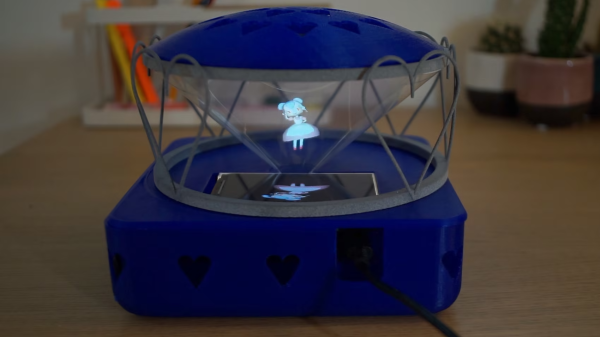
a 3d printed case, sitting on a table with cactuses in the background, with a 3d rendered holo assistant reflected in a cone of polycarbonate sheets from a flat HDMI display pointed up

Anime Inspired Holographic Virtual Assistant

[Jessp] has created a very cute and endearing DIY virtual assistant called Maria. The build combines a 3D printed housing that uses a modern take on the “Pepper’s Ghost” illusion to render a virtual, three-dimensional anime inspired assistant that can take commands to get information about the weather, play music or set timers.

The hub houses a Raspberry Pi 4B and a 3.2 inch LCD HDMI screen mounted flat on its back to render the perspective corrected “Maria” character using a technique borrowed from the Pepper’s Cone project. Polycarbonate sheets are formed into a cone, allowing for the 3D effect of rendering the virtual assistant model. A consumer grade mini USB microphone is used to receive voice commands along with a consumer grade USB speaker for audio feedback. The virtual assistant offloads the text to speech services to Google Cloud, along with using a weather API and Spotify developer account to for its musical options.

All source code is available on [Jessp]’s GitHub page, including build instructions and STL files for the housing. We’ve featured open source voice assistants in the past, including Mycroft and a even a HAL-9000 virtual assistant (running Kalliope) but it’s nice to see further experimentation in this space.

Continue reading “Anime Inspired Holographic Virtual Assistant” →

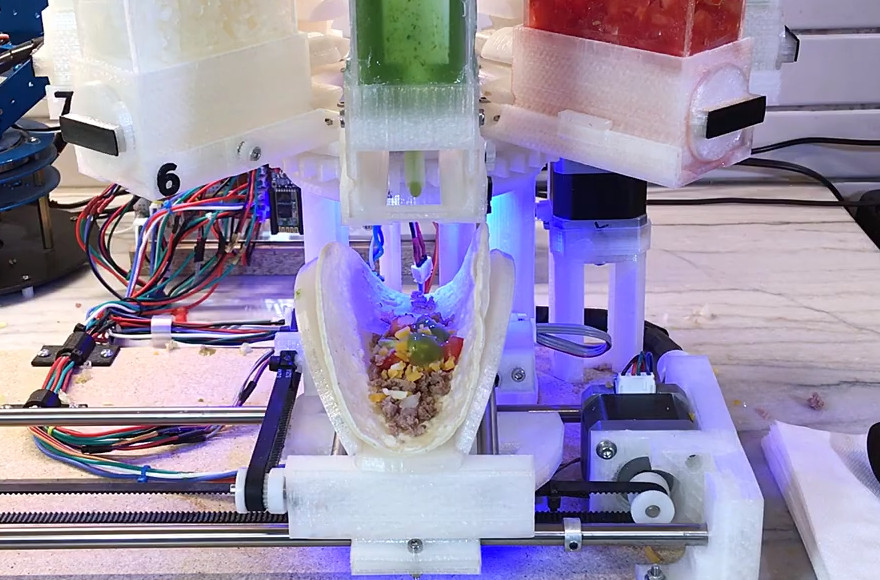
An Impressively Functional Tacobot

We’re big fans of useless machines here at Hackaday, there’s something undeniably entertaining about watching a gadget flail about dramatically without actually making any progress towards a defined goal. But what happens when one of these meme machines ends up working too well? We think that’s just what we might be witnessing here with the Tacobot from [Vije Miller].

On the surface, building an elaborate robotic contraption to (slowly) produce tacos is patently ridiculous. Doubly so when you tack on the need to give it voice commands like it’s some kind of one-dish version of the Star Trek food replicator. The whole thing sounds like the setup for a joke, an assumption that’s only reinforced after watching the dramatized video at the break. But in the end, we still can’t get over how well the thing appears to work.

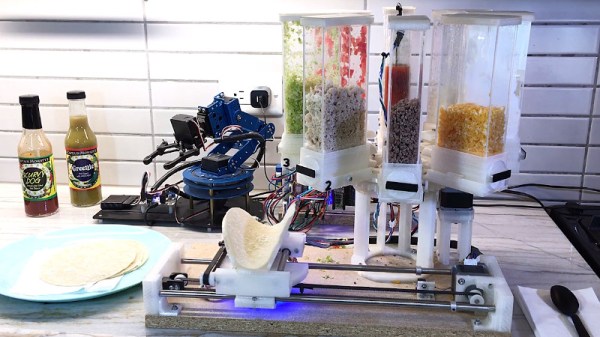
After [Vije] gives it a list of ingredients to dispense, a robotic arm drops a tortilla on a fantastically articulated rotating platform that can not only spin and move in two dimensions, but can form the soft shell into the appropriate taco configuration. The empty shell is then brought under a rotating dispenser that doles out (or at least attempts to) the requested ingredients such as beef, onions, cheese, and lettuce. With a final flourish, it squirts out a few pumps of the selected sauce, and then presents the completed taco to the user.

The only failing appears to be the machine’s ability to dispense some of the ingredients. The ground beef seems to drop into place without issue, but it visibly struggles with the wetter foodstuffs such as the tomatoes and onions. All we know is that if a robot handed us a taco with that little lettuce on it, we’d have a problem. On the project page [Vije] acknowledges the issue, and says that a redesigned dispenser could help alleviate some of the problem.

The issue immediately brought to mind the fascinating series of posts dedicated to handling bulk material penned by our very own [Anne Ogborn]. While the application here might be a bit tongue-in-cheek, it’s still a perfect example of the interesting phenomena that you run into when trying to meter out different types of materials.

Continue reading “An Impressively Functional Tacobot” →