Production KiCad Template Covers All Your Bases

Ever think about all the moving parts involving a big KiCad project going into production? You need to provide manufacturer documentation, assembly instructions and renders for them to reference, every output file they could want, and all of it has to always stay up to date. [Vincent Nguyen] has a software pipeline to create all the files and documentation you could ever want upon release – with an extensive installation and usage guide, helping you turn your KiCad projects truly production-grade.

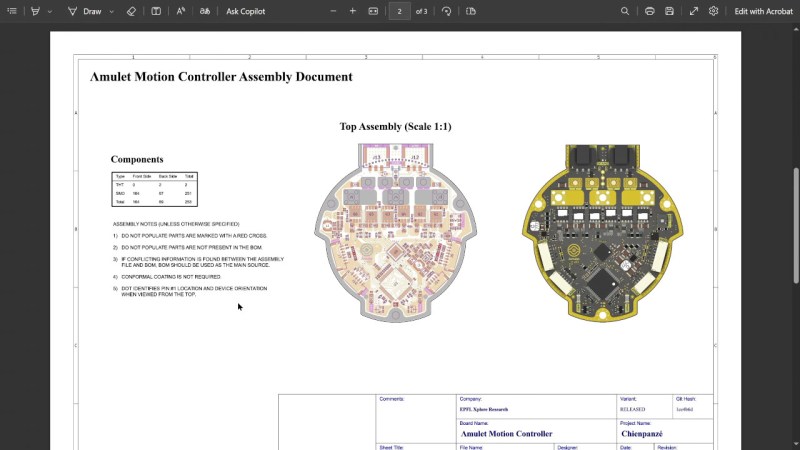
This KiBot-based project template has no shortage of features. It generates assembly documents with custom processing for a number of production scenarios like DNPs, stackup and drill tables, fab notes, it adds features like table of contents and 3D renders into KiCad-produced documents as compared to KiCad’s spartan defaults, and it autogenerates all the outputs you could want – from Gerbers, .step and BOM files, to ERC/DRC reports and visual diffs.

This pipeline is Github-tailored, but it can also be run locally, and it works wonderfully for those moments when you need to release a PCB into the wild, while making sure that the least amount of things possible can go wrong during production. With all the features, it might take a bit to get used to. Don’t need fully-featured, just some GitHub page images? Use this simple plugin to auto-add render images in your KiCad repositories, then.

Continue reading “Production KiCad Template Covers All Your Bases”
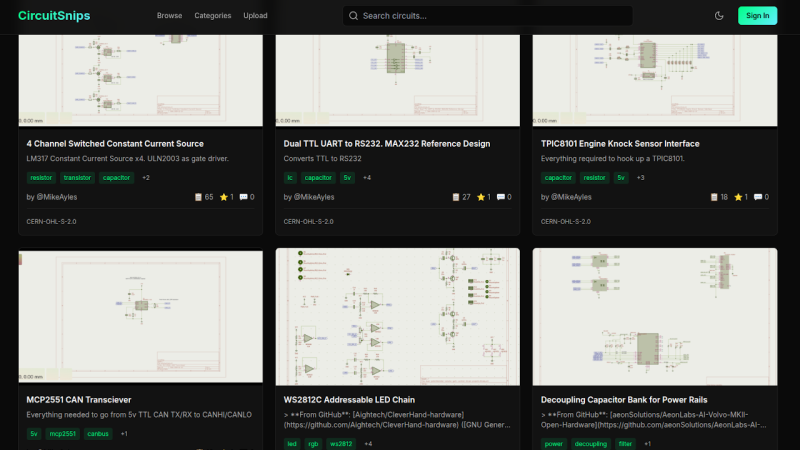
An Online Repository For KiCad Schematics

In the desktop 3D printing world, we’re fortunate to have multiple online repositories of models that anyone can load up on their machine. Looking to create a similar experience but for electronic projects, [Mike Ayles] created CircuitSnips — a searchable database of ready-to-use KiCad schematics available under open source licenses.

Looking for reference designs for LiPo chargers? CircuitSnips has you covered. Want to upload your own design so others can utilize it? Even better. Currently, there are over four thousand circuits on CircuitSnips, although not all have been put there purposely. To get the project off the ground, [Mike] scraped GitHub for open source KiCad projects. While this doesn’t run afoul of the licensing, there’s a mechanism in place for anyone who wants to have their project removed fromĀ  the repository.

To scrape the depths of GitHub, [Mike] had to simplify the text expression for the KiCad projects using a tool he’s since released. For anyone so inclined, he’s even put the entire site on GitHub for anyone who wants to try their hand at running it locally.

CircuitSnaps fills a very specific space to post your circuit diagrams, but if you’re looking for somewhere to host your complete designs, we can’t fail to mention Hackaday’s own repository for hardware projects and hacks!

KiDoom Brings Classic Shooter To KiCad

As the saying goes: if it has a processor and a display, it can run DOOM. The corollary here is that if some software displays things, someone will figure out a way to make it render the iconic shooter. Case in point KiDoom by [Mike Ayles], which happily renders DOOM in KiCad at a sedate 10 to 25 frames per second as you blast away at your PCB routing demons.

Obviously, the game isn’t running directly in KiCad, but it does use theĀ doomgeneric DOOM engine in a separate process, with KiCad’s PCB editor handling the rendering. As noted by [Mike], he could have used a Python version of DOOM to target KiCad’s Python API, but that’s left as an exercise for the reader.

Rather than having the engine render directly to a display, [Mike] wrote code to extract the position of sprites and wall segments, which is then sent to KiCad via its Python interface, updating the view and refreshing the ‘PCB’. Controls are as usual, though you’ll be looking at QFP-64 package footprints for enemies, SOIC-8 for decorations and SOT-23-3 packages for health, ammo and keys.

If you’re itching to give it a try, the GitHub project can be found right here. Maybe it’ll bring some relief after a particularly frustrating PCB routing session.

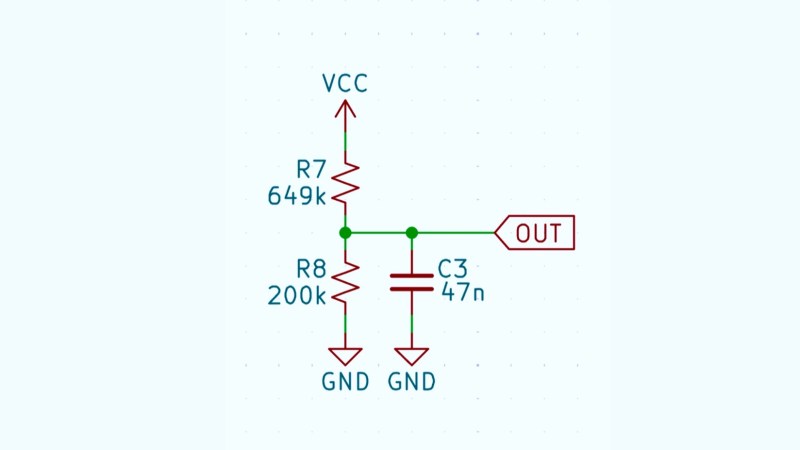
Schematic of a voltage divider

Making Actually Useful Schematics In KiCad

[Andrew Greenberg] has some specific ideas for how open-source hardware hackers could do a better job with their KiCad schematics.

In his work with students at Portland State University, [Andrew] finds his students both reading and creating KiCad schematics, and often these schematics leave a little to be desired.

To help improve the situation he’s compiling a checklist of things to be cognisant of when developing schematics in KiCad, particularly if those schematics are going to be read by others, as is the hope with open-source hardware projects.

Continue reading “Making Actually Useful Schematics In KiCad”

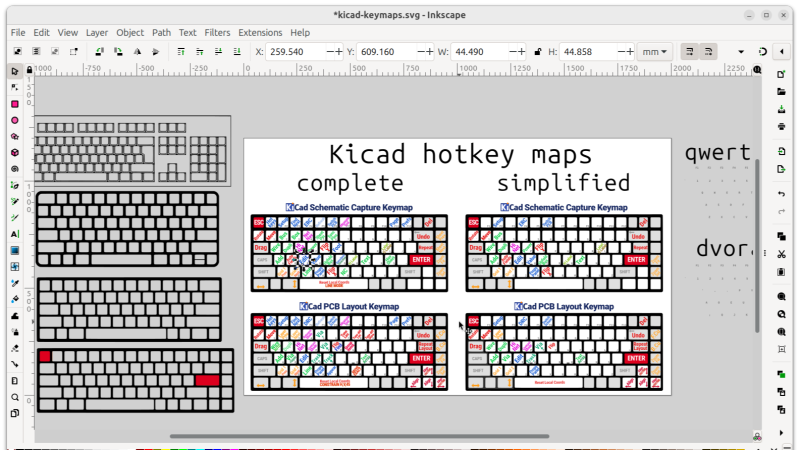
Screenshot of the cheatsheet being developed in Inkscape

Improve Your KiCad Productivity With These Considered Shortcut Keys

[Pat Deegan] from Psychogenic Technologies shows us two KiCad tips to save a million clicks, and he made a video to support it, embedded below.

In the same way that it makes sense for you to learn to touch type if you’re going to be using a computer a lot, it makes sense for you to put some thought and effort into your KiCad keyboard shortcuts keys, too.

In this video [Pat] introduces the keymap that he has come up with for the KiCad programs (schematic capture and PCB layout) and explains the rules of thumb that he used to generate his recommended shortcut keys, being:

  • one handed operation; you should try to make sure that you can operate the keyboard with one hand so your other hand can stay on your mouse
  • proximity follows frequency; if you use it a lot it should be close to hand
  • same purpose, same place; across programs similar functions should share the same key
  • birds of a feather flock together; similar and related functionality kept in proximate clusters
  • typing trounces topography; if you have to use both hands for typing you have to take your hand off the mouse anyway so then it doesn’t really matter where on the keyboard the shortcut key is

You can find importable KiCad keymaps and customizable SVG cheatsheets in the downloads section.

[Pat]’s video includes some other tips and commentary, but for us the big takeaway was the keymaps. He’s also got a course that you can follow along with for free. And if you haven’t been keeping abreast of developments, KiCad is now at version 9, as of February this year.

Continue reading “Improve Your KiCad Productivity With These Considered Shortcut Keys”

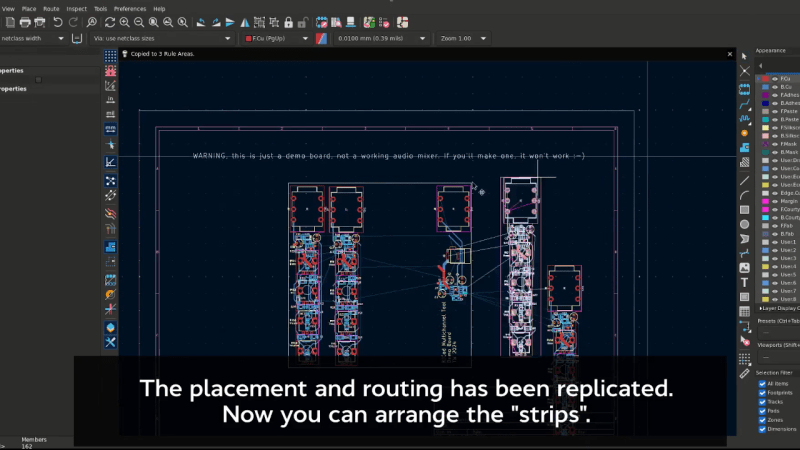
Demonstration of the multichannel design feature, being able to put identical blocks into your design, only route one of them, and have all the other blocks' routing be duplicated

KiCad 9 Moves Up In The Pro League

Do you do PCB design for a living? Has KiCad been just a tiny bit insufficient for your lightning-fast board routing demands? We’ve just been graced with the KiCad 9 release (blog post, there’s a FOSDEM talk too), and it brings features of the rank you expect from a professional-level monthly-subscription PCB design suite.

Of course, KiCad 9 has delivered a ton of polish and features for all sorts of PCB design, so everyone will have some fun new additions to work with – but if you live and breathe PCB track routing, this release is especially for you.

Continue reading “KiCad 9 Moves Up In The Pro League”

Get Ready For KiCAD 9!

Rev up your browsers, package managers, or whatever other tool you use to avail yourself of new software releases, because the KiCAD team have announced that barring any major bugs being found in the next few hours, tomorrow should see the release of version 9 of the open source EDA suite. Who knows, depending on where you are in the world that could have already happened when you read this.

Skimming through the long list of enhancements brought into this version there’s one thing that strikes us; how this is now a list of upgrades and tweaks to a stable piece of software rather than essential features bringing a rough and ready package towards usability. There was a time when using KiCAD was a frustrating experience of many quirks and interface annoyances, but successive versions have improved it beyond measure. We would pass comment that we wished all open source software was as polished, but the fact is that much of the commercial software in this arena is not as good as this.

So head on over and kick the tires on this new KiCAD release, assuming that it passes those final checks. We look forward to the community’s verdict on it.