Hackaday Prize Entry: The FPGA Commodore

The history of Commodore 8-bit computers ends with a fantastically powerful, revolutionary, and extraordinarily collectible device. The Commodore 65 was the chicken lip’ last-ditch effort to squeeze every last bit out of the legacy of the Commodore 64. Basically, it was a rework of a 10-year-old design, adding advanced features from the Amiga, but still retaining backwards compatibility. Only 200 prototypes were produced, and when these things hit the auction block, they can fetch as much as an original Apple I.

For their Hackaday Prize entry, resident hackaday.io FPGA wizard [Antti Lukats] and a team of retrocomputing enthusiasts are remaking the Commodore 65. Finally, the ultimate Commodore 8-bit will be available to all. Not only is this going to be a perfect replica of what is arguably the most desirable 8-bit computer of all time, it’s going to have new features like HDMI, Ethernet, and connections for a lot of FPGA I/O pins.

The PCB for this project is designed to fit inside the original case and includes an Artix A200T FPGA right in the middle of the board. HDMI and VGA connectors fill the edges of the board, there’s a connector for a floppy disk, and the serial port, cartridge slot, and DE9 joystick connectors are still present.

You can check out an interview from the Mega65 team below. It’s in German, but Google auto-generated and auto-translated captions actually work really, really well.

Continue reading “Hackaday Prize Entry: The FPGA Commodore”

VCF: The Guys Keeping Up With Commodore

This year at the Vintage Computer Festival, war was beginning. The organizers of the con pulled a coup this year, and instead of giving individual exhibitors a space dedicated to their wares, various factions in the war of the 8-bitters were encouraged to pool their resources and create the best exhibit for their particular brand of home computers. The battle raged between the Trash-80 camp and the Apple resistance. In the end, only one home computer exhibit would remain. Are you keeping up with Commodore? Because Commodore is keeping up with you. This exhibit from [Anthony Becker], [Chris Fala], [Todd George], and [Bill Winters] among others is the greatest collection of Commodore ever assembled in one place.

This year’s Commodore exhibit was a free for all of every piece of the hardware Commodore (or Zombie Commodore) has ever produced. Remember netbooks? Commodore made one. Remember when people carried dedicated devices to play MP3s? Commodore was there. Did you know you can spend $20,000 USD on a 30-year-old computer? That’s Commodore.

Continue reading “VCF: The Guys Keeping Up With Commodore”

Commodore Home – Your Smart Home For 1983

The Internet of Things is a horrific waste of time, even though no one knows exactly what it is. What would make it better? Classic Commodore gear, of course. Now you can run your smart home with a Commodore 64 and Commodore Home, the newest smart home framework from [retro.moe].

Commodore Home comes with the standard smart home features you would expect. The home lighting solution is a dot matrix printer, a few gears, and string tied to the light switch. Activate the printer, and the lights turn on and off. Brilliant. Multiple light switches can be controlled by daisy chaining printers.

Security is important in the smart home, and while the intruder alarm isn’t completely functional, future versions of Commodore Home will dial a modem, log into a BBS, and leave a message whenever an authorized person enters your home.

All of this is possible thanks to advances in UniJoystiCle technology, also from [retro.moe]. This device takes a standard ESP8266 WiFi module and turns it into a smartphone-to-joystick port bridge for the Commodore 64.

Unlike every other piece of IoT hardware being sold today, Commodore Home won’t stop working when the company behind it goes belly up; Commodore has been dead for twenty years already. You can grab all the software for Commodore Home over on the Githubs, or you can check out the video below.

Continue reading “Commodore Home – Your Smart Home For 1983”

Commodore PET Mods At VCF West 2016

28193708113_821f852139_zHere at the Vintage Computer Festival, we’ve found oodles of odds and ends from the past. Some, however, have gotten a modern twist like [bitfixer’s] recent Commodore PET project upgrades.
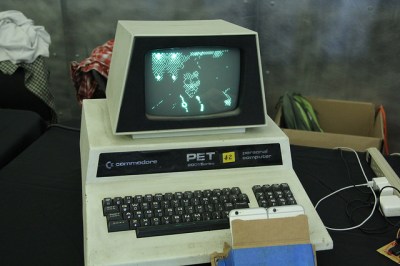
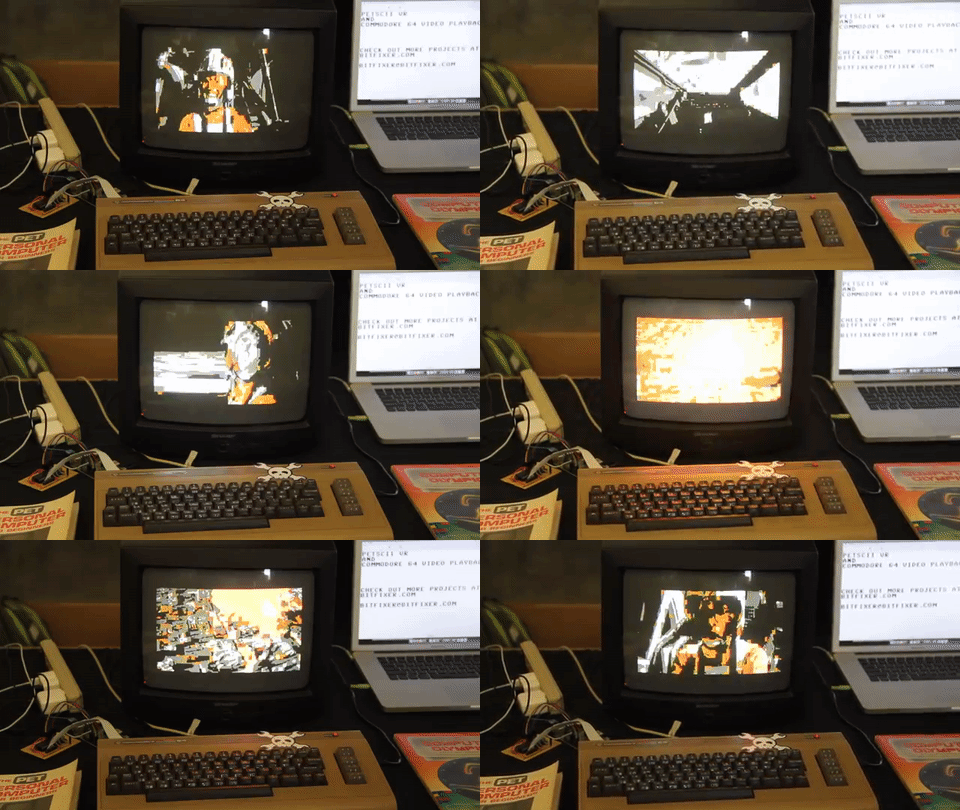
First off is [bitfixer’s] Augmented Reality upgrade. By the power of two iPhones and one raspberry Pi, the user dons a Google-Cardboard-esque heads-up-display and can visualize a 3D, ASCII rendering of the world before them. Not only does this view show up in the HUD, however, it’s also streamed to a Raspberry Pi whch then serializes it info a video display on the Commodore PET.

28191391174_7186b4758d_z
TRON Legacy, can you tell??

This hack builds on some of [bitfixer’s] prior work getting ASCII video streaming up-and running. Of course, the memory on the Commodore PET is nowhere near capable of being able to process these images. In fact, streaming and storing the video data onto the PET’s memory would fill it up in under one second! Instead, [bitfixer] relies on some preprocessing thanks to the far-more-powerful (by comparison) Raspberry Pi and iPhone processors that are capturing the images.


Next off is [bitfixer’s] full-color video display on the same Commodore PET. Again, leveraging another RaspPi to encode and reduce the video to bitmap images, the Commodore PET simple grabs these images and streams them to the screen as fast as possible–at a beloved 5.8 frames per second.


Refurbishing Six Commodore 64s In Parallel

[Drygol] found himself with six Commodore 64’s in various states of disrepair. Because batch work is often more efficient, he detailed the process of restoring all of them in parallel in this one-, two-, three-part series.

The first step was to whiten the cases. Old cases turn yellow from the degradation of the fire retardant additives in the plastic. The proven method to fix this is with a paste called Retr0bright. [Drygol] used hair bleaching paste which is very similar. The cases came out nicely whitened from their treatment.

Next he repaired the keyboard PCB and whitened the keys as well. Drinking was involved, but it all came out okay. The circuit boards were cleaned and inspected. There were a few corroded spots, broken chips, and bad solder joints to be repaired. A few common mods were also installed.

In the final part of the series two of the C64s have SD cards installed into them. A few interesting fixes were done to repair broken plastics. Lastly the two worst cases were painted. In the end [Drygol] found himself with six perfectly working and attractive C64s. Who know’s what he’ll do with them, but we all know that was not the point.

The Dual-Core, ARM-Powered Commodore 64

There is no CPU that is better understood than the 6502 and its cousins the 6510, 6507, 6509, and whatever we’re calling the CPU in the NES. With this vast amount of documentation, just about anything can be done. Want a discrete and un-discreet 6502? Sure thing. It’s the NMOS version, though. Want an emulated version. Sure. With libraries porting the 6502 to every platform ever, there’s only one place left to go: putting a 6502 in a Commodore 64. Make it dual-core, too, so we can run CP/M.

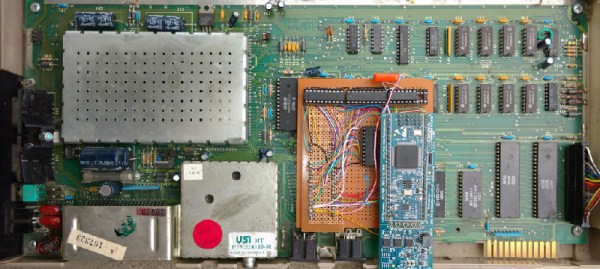
This build is based on one of [telmomoya]’s earlier builds – a soft-core 6510 running on an ARM Cortex M3. The inspiration for this build came from a 6502 emulator running on an Arduino, which got [telmomoya] wondering what would happen if he attached some external RAM, CIA or a SID. Doing this on an Arduino is hard, but there are a few 5 Volt tolerant ARM chips out there, and with a few banks of SRAM, [tel] quickly had an emulated 6502 running EhBasic.

Running an emulated 6502 on an ARM chip is nothing new. What makes this build spectacular is the adaptation to the C64 motherboard. Since [telmomoya] was already breaking out the data and address lines to go to the SRAMs, it didn’t take much extra work to simply build an adapter for the DIP40 CPU socket on a C64. A few 74-series logic chips made the interface easy, and after a bit of soldering, [telmomoya] had a Commodore 64 powered by an ARM chip.

If you’re emulating one chip, you can emulate two, and with the Commodore 64, this leads to a few interesting possibilities. The C64 had a CP/M cartridge — a cartridge that contained a Z80 CPU, sharing the data and address bus with the 6510. This cartridge allowed the ‘toy computer’ C64 to run the ‘business’ CP/M operating system (and the Z80 made the Commodore 128 much cooler).  Since [telmomoya] was already emulating a CPU, emulating a second CPU wasn’t really that hard.

It’s a phenomenal build, and great if you’ve ever wanted to speed up VisiCalc.

Adding A Second Drive To A Forgotten Commodore

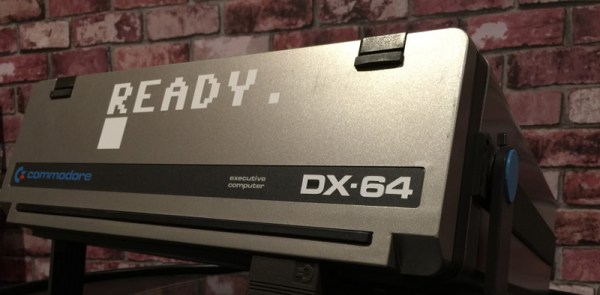
Commodore would never release a laptop, or really much of anything resembling the chunky luggable portable computers of the 1980s. This doesn’t mean a ‘Commodore LCD’ wasn’t designed – it’s sitting in [Bil Herd]’s basement. Of the entire Commodore lineup, the only computer that could remotely be called ‘portable’ is the SX-64, the ‘executive’ version that came with a built-in 5″ monitor, the usual C64 circuitry, one floppy drive, and an empty hole that could obviously hold a second floppy drive. Something must be done about that missing floppy drive, and it only took thirty years for someone to do something about it.

While the conversion requires mucking around in an already tight enclosure, the parts for this conversion are readily available thanks to a few people trying to repair an SX-64, giving up, and parting the whole thing out on eBay. These parts include the 1541 controller relabeled as the ‘FDD’ board in the SX-64, and of course the floppy drive itself. With the right teardown guide, putting the new drive in this old computer isn’t that hard; just remember to cut a jumper to assign the new drive a number other than 8.

The missing floppy drive of the SX-64 is what happens when marketing is put in charge of engineering. There were a few of these dual drive Commodore luggables back in ’83, and we have the computer magazine clippings to prove it. The official story is the power supply wasn’t beefy enough to handle the second drive. This mod, though, seems to work well enough, albeit with a distinct lack of somewhere to store a few floppies.

Find yourself getting sentimental while reading about this great hardware? Keep those feelings going by listening to [Bil] recount some stories from his time at Commodore.