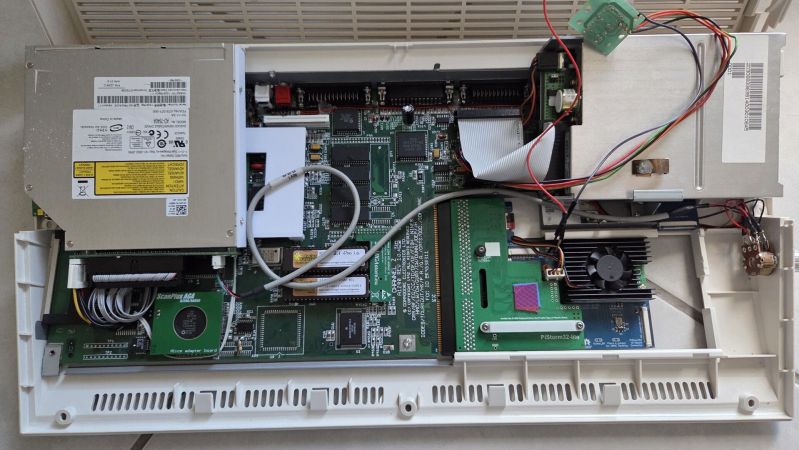
It's rare to see an A1200 case fuller than this.

Amiga 1232 Storm CD Packs Every Upgrade Into One Wedge

You know what they used to say– once you go Commodore, you’ll never leave by any door. Well, they might not have said that, but given the prevalence of projects still using Commodore-branded systems decades after the company’s demise, perhaps someone should have. A case in point is [Jit06] with this writeup on his Ultimate Amiga 1200 — or “Amiga 1232 Storm CD”– which crams just about every upgrade you might think of into the 1990s wedge computer.

Of course it has the PiStorm 32, with a CM4 providing supercomputer performance, at least by A1200 standards. That’s rather old hat, though, and it’s everything else crammed into the old Commodore that takes the score. For one thing, there’s a slot-loading, slim-form DVD drive from an old laptop that’s been incorporated so smoothly it almost looks factory. Ditto for the compact flash card slot, which is also on the IDE bus. The two share a custom IDE cable– yes, kids, we did used to roll our on 44-pin cables back in the day, but you’d better believe no one did it unless they really had to. With the space constraints inside the A1200 case, [Jit06] falls into that category.

The optical and CF cards trigger the drive LED on the Amiga case by default, but [Jit] wanted to see access on the PiStorm’s SD card as well, so he wired a couple of red LEDs to the default lightguide to get a colour-contrasting flash. That SD card is also broken out with an extender for easy access without opening the case– and once again, it looks almost as good as stock. So does the modded-on VGA port, which is stealing space that once belonged to the Amiga’s RF modulator and fed by a ScanPlus AGA board.

The only thing that really stands out as modded is the volume knob on the floppy-drive side of the case; that controls a mixer that sits between the CD audio and Paula, the Amiga’s custom sound chip. This lets him use the A1200 as a CD-32 system, and is very handy to have as CD-32 games used CD audio tracks that apparently were not well mixed with the digital audio in the games.

With all the cutting and soldering, this is not a reversible mod, something people are becoming much more concerned with as these machines slowly increase in rarity. Still, as a quality-of-life improvement, this sort of upgrade might be worth it if can keep the old A1200 relevant for another three decades. For anyone else who never got over the Amiga bug, he’s also published a linux-native SD-card creator called emu68 bootstrap on github to help with making images for the PiStorm.

Thanks to [Jit] for the tip! With the easy OS-swapping he’s enabled with the SD-breakout, there’s no reason not to try the rediscovered Amiga Unix. If you want the same without cutting into a vintage case, the PiStorm can be a sidecar.

Continue reading “Amiga 1232 Storm CD Packs Every Upgrade Into One Wedge”

Three Arduinos Team Up To Make 80s-Style Computer

Back in the 80s, buying a home computer could easily mean an inflation-adjusted cost of thousands of dollars (or your equivalent currency unit of choice), and all for an 8-bit machine that might not have a hard drive and almost certainly didn’t connect to a network. Here in the future it’s easy to get spoiled by all the computing power and inexpensive devices practically falling into our laps, but using some modern low-cost microcontrollers can connect us to our early computing roots like [Joe]’s latest Arduino-based computer.

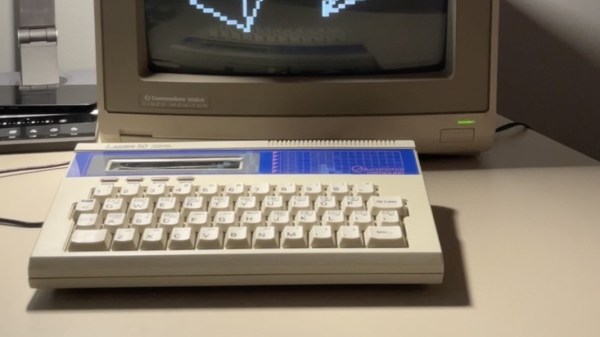
Taking design an engineering cues from computers like the Timex Sinclair 1000, Commodore PET, and TRS-80 MC-10, this computer uses a trio of Arduinos to accomplish what the best computer manufacturers once did with tons of integrated circuits. An Arduino Due handles all of the processing and traditional computing tasks, including a somewhat customized BASIC implementation, while an Uno performs audio processing duties. Taking care of the video processing is the much more capable Arduino Mega, outputting 40×25 monochrome NTSC composite video at 8×8 character resolution. There’s even WiFi courtesy of an ESP32 — certainly an upgrade compared to the source material.

After booting it up, the user gets a Commodore-like experience that replicates the 80s computing era quite well, and is even built inside its own keyboard case just like that era of computers usually were. [Joe] plans to release all three firmware images and the Python script used to get files onto the faux-retro machine, so keep an eye out for that.

In the event that you used rubles instead of dollars to pay for your expensive 8-bit machines back in the 80s, this computer might be more up your alley instead.

How Commodore Made A Sync Splitter

Recently we featured an unusual Commodore 8-bit computer on the bench of [Tynemouth Software] — a Commodore 64 in a PET case. One of the unique parts it had was a board which took the composite output from the mainboard and split out the sync pulses for the monitor, and now they’re back to give it a full reverse engineer.

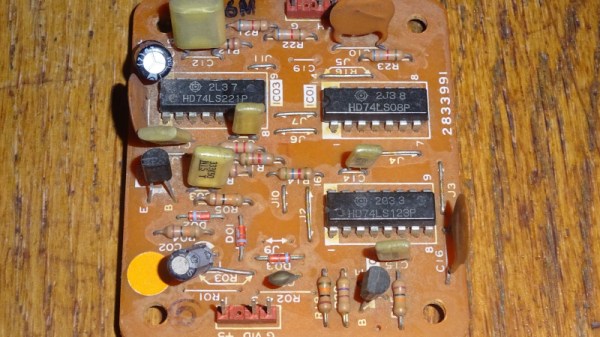
Perhaps the first surprise is why this board is necessary at all, after all one might expect an 8-bit machine to have those signals already at hand. It seems that the VIC chip inside the 64 did the combination to composite internally, so no such luck for the Commodore engineers. The board they designed then is a complete and very well-engineered sync splitter.

The technology of a video signal has its origins in the 1930s, so it’s not hard to extract both vertical and horizontal sync pulses with little more than a few passive components and a couple of transistors. The trouble with such a simple approach is that the output will work, but it will be messy and crucially, not have quite the required timing. The Commodore board uses the same approach as a simple discrete circuit of having a pair of filters with a time constant selected to catch the relevant sync, but extends it with extra logic. There are one-shots designed to provide clean pulses of exactly the right length, and gates that provide blanking to remove the chance of pulses ending up where they shouldn’t. The video path is the only part which might differ from a conventional sync splitter, because as the output from the 64 is all-digital, it takes a TTL-level through a gate rather than a more conventional analogue path.

You can see the rest of the machine in our original write-up, and we’re reminded that the boards haven’t been cleaned at their owner’s request, to preserve their patina.

Restoring A Commodore PET 3032 In Rough Condition

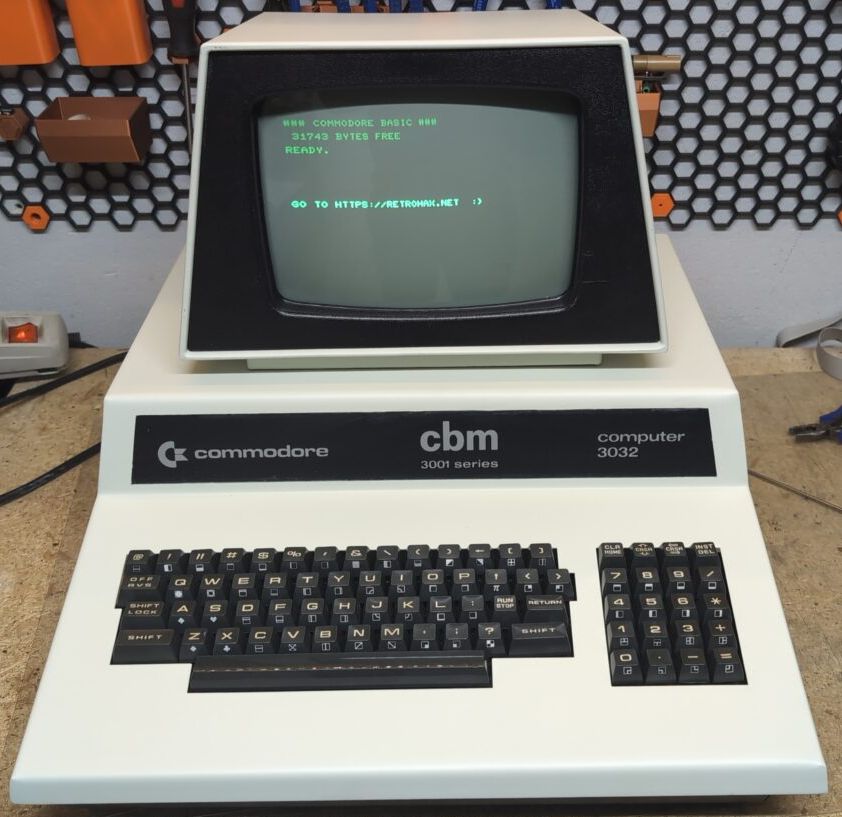
The restored PET/CBM 3032. (Credit: Drygol, retrohax.net)

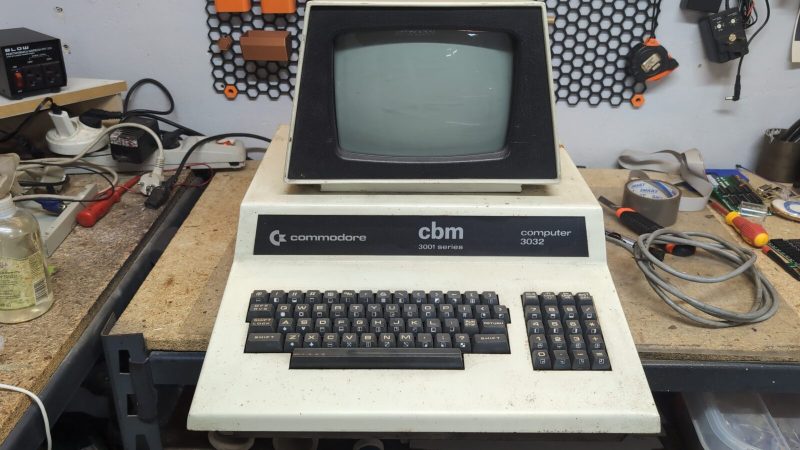
The Commodore CBM 3032 is a successor to the original Commodore PET 2001, yet due a conflicting trademark issue with Philips these first European PETs were called ‘CBM’ instead. Hence the labeling on the CBM 3032 that [Drygol] had in for a restoration, which would have been produced somewhere between 1979 and the cessation of its manufacturing a few years later. This former machine of the University of Szcezecin in Poland had languished in a basement until a local demoscene group came across it and wanted to use it, after a restoration.

Although at first glance from just the front it didn’t look too shabby, problems were apparent from just a walkaround, including rusty and buckled paneling, showing that the time spent in storage had not done it any favors. Internally there was decades worth of dust, along with a dodgy potentiometer, cold joints and some PCB-level bodges that may or may not have been there from the factory.

The main case was disassembled by drilling out the rivets to gain full access to every nook and cranny, allowing for a good cleaning and repainting prior to putting in fresh rivets. On the PCB side of things, a potentiometer and an LM340KC-12 linear regulator in a TO-3 package had to be replaced, after which the system managed to boot reliably once in every three attempts.

Fixing this took basically cleaning all contacts and IC sockets, as well as refurbishing the keyboard, with corrosion and the occasional broken trace causing a lot of grief. Ultimately the system was restored and ready to be put into demoscene service.


A VIC-20 Emulator In Your Browser

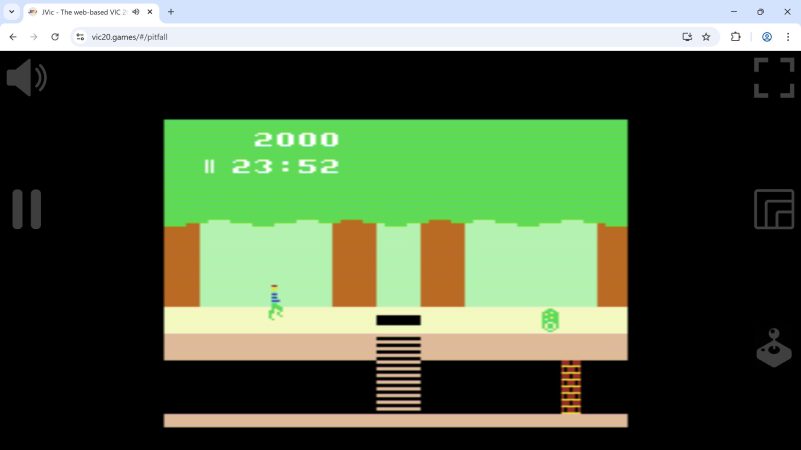
The Commodore VIC-20 was a solid microcomputer that paved the way for the legendary Commodore 64 to come. If you’re a fan of the machine and want to revisit its glory days, you could hunt one down on an auction site and hope that it’s in working order. Or you could just emulate the VIC-20 in your browser thanks to the work of [Lance Ewing].

The project is called JVic—because it’s a VIC-20 emulator written in Java. It’s primarily intended for playing old VIC-20 games, and is designed with mobile devices front of mind—so it works well on a phone screen. You can enjoy the built-in library of games, or you can even direct JVic to boot up a ROM from a ZIP file hosted on a given URL or attached to a forum post. You can also install it on your own device rather than running it online, if so desired. [Lance] provides a range of setup options for running it locally or putting it on your own web server if that’s how you like to do things. Files are on Github for those eager to dive in.

We get lots of VIC-20 hacks around these parts. Even if it’s not the most popular machine that Commodore ever built, it’s certainly up there in the rankings. If you want to learn Forth, or even build a VIC-20 from scratch, we’ve explored that before. If you’ve got your own retrocomputer hacks kicking around, don’t hesitate to let us know!

[Thanks to Stephen Walters for the tip!]

Ken Shirriff working on the Commodore PET

This 8-Bit Commodore PET Was Hard To Fix

Over on [Ken Shirriff]’s blog is a tricky Commodore PET repair: tracking down 6 1/2 bad chips. WARNING: contains 8-bit assembly code.

The Trinity of 1977 which started the personal computer revolution were the Apple II, the Commodore PET, and the TRS-80. In this project it’s a failing Commodore PET which is being restored.

Continue reading “This 8-Bit Commodore PET Was Hard To Fix”

Commodore Disk Drive Becomes General Purpose Computer

The Commodore 1541 was built to do one job—to save and load data from 5.25″ diskettes. [Commodore History] decided to see whether the drive could be put to other purposes, though. Namely, operating as a standalone computer in its own right!

It might sound silly, but there’s a very obvious inspiration behind this hack. It’s all because the Commodore 1541 disk drive contains a MOS 6502 CPU, along with some RAM, ROM, and other necessary supporting hardware. As you might remember, that’s the very same CPU that powers the Commodore 64 itself, along with a wide range of other 1980s machines. With a bit of work, that CPU can indeed be made to act like a general purpose computer instead of a single-purpose disk controller.

[Commodore History] compares the 1541 to the Commodore VIC-20, noting that the disk drive has a very similar configuration, but less than half the RAM. The video then explains how the drive can be reconfigured to run like the even-simpler MOS Technology KIM-1 — a very primitive but well-known 8-bit machine. What’s wild is that this can be achieved with no hardware modifications. It’s not just a thought exercise, either. We get a full “Hello World!” example running in both BASIC and machine code to demonstrate that it really works.

Code is on GitHub for the curious. We’ve featured hacks with the chunky Commodore 1541 before, too.

Continue reading “Commodore Disk Drive Becomes General Purpose Computer”