75 Controllers, One Gaming System

Multi Video Games System

This gaming cabinet lets two players select games from a wide array of consoles and play them using the original controllers. [Patrice] built it around his Multi Video Games System 2, which converts each of the 75 controllers to a common format. Players pick controllers from the display case, plug in an  HD-15 connector, and choose the game they want to play. The cabinet contains a PC that runs a variety of emulators, and uses HyperSpin as a menu system.

Using adapters, the converted controllers can also be used on other game systems, tablets, or smartphones. [Patrice] claims that they’ll work across 110 different game systems. A full list of the controllers and systems is shown here.

This cabinet is definitely one of the most comprehensive video game installations we’ve seen, and the display case of controllers looks fantastic. Check out a video of the system and some controller porn after the break.

Continue reading “75 Controllers, One Gaming System”

Rotary Phone Museum Exhibit

dial-telephone-museum-exhibit[David Burroughs] wrote in to share this dial telephone museum exhibit he built and we’re glad he did because we love interactive museum hacks. He mentions that it’s not really tied to the theme of the Roads and Rails Museum in which it’s installed. But when we think of railroad history we also think of telegraph. And that’s just a hop, skip, and a jump from telephones.

The display allows museum goers to play with the rotary dial on the phone. The box next two it contains a 10-position relay increment switch. So each pulse from the dial increments the switch. There’s a satisfying click, a moving arm, and different colored LEDs which highlight the inner workings. An Arduino board monitors the phone, displaying the dialed number on a seven segment display then incrementing the relay.

We figure the interesting part is to see that telephony used to use mechanical switching like this. But the video below includes a story about the kid who asked how you carried this phone around. This brings to mind the phrase “hang up the phone”, which doesn’t have the same literal meaning it used to.

Continue reading “Rotary Phone Museum Exhibit”

Hacking Coin Collection

Coin Acceptor

Devices that collect coins for payment typically use standardized coin acceptors like the one shown here. These devices use a protocol called ccTalk to let the system know what coins were inserted. [Balda] has built tools for implementing the ccTalk protocol to let you play around with the devices. He also gave a talk at DEF CON (PDF) about the protocol.

[Balda] got started with ccTalk because he wanted to add a coin acceptor to a MAME cabinet, and had a coin acceptor. His latest project converts ccTalk to standard keyboard keystrokes using a Teensy. The MAME cabinet can then interpret these and add to the player’s credits.

There’s two interesting sides to this project. By providing tools to work with ccTalk, it’s much easier to take a used coin acceptor off eBay and integrate it into your own projects. On the other hand, these acceptors are used everywhere, and the tools could allow you to spoof coins, or even change settings on the acceptor.

Tearing Down An Ultrasound Machine From 1963

hehsiemens

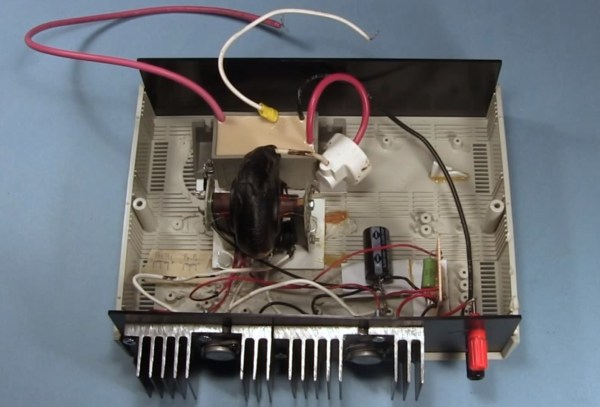
Vintage electronics are awesome, and old medical devices doubly so. When [Murtaugh] got his hands on an old ultrasound machine, he knew he had to tear it apart. Even if he wasn’t able to bring it back to a functional state, the components inside make for great history lesson fifty years after being manufactured.

This very primitive ultrasound machine was sold by Siemens beginning in 1963 as a, “diagnostic ultrasound unit for the quick evaluation of cerebral hemorrhage after accidents.” This is barely into the era of transistors and judging from [Murtaugh]’s teardown, nearly the entire device is made of vacuum tubes, capacitors, and resistors. The only solid state component in this piece of equipment is a bridge rectifier found in the power supply. Impressive stuff, even today.

In the end, [Murtaugh] decided this device wasn’t worth repairing. There were cracks all the way through a PCB, and he didn’t have any of the strange proprietary accessories anyway. Still, this junkyard score netted [Murtaugh] a bunch of old tubes and other components, as well as a nifty CRT that came with a wonderful ‘Made in West Germany’ label,.

Reverse Engineering The Die Of A ULN2003 Transistor Array

uln2003-die-reverse-engineering

We’re no strangers to looking at uncapped silicon. This time around it’s not just a show and tell, as one transistor form a ULN2003 chip is reverse engineered.

The photo above is just one slice from a picture of the chip after having its plastic housing remove (decapped). It might be a stretch to call this reverse engineering. It’s more of a tutorial on how to take a functional schematic and figure out how each component is placed on a photograph of a chip die. Datasheets usually include these schematics so that engineers know what to expect from the hardware. But knowing what a resistor or transistor looks like on the die is another story altogether.

The problem is that you can’t just look at a two dimensional image like the one above. These semiconducting elements are manufactured in three dimensions. The article illustrates where the N and P type materials are located on the transistor using a high-res photo and a reference diagram.

If you want to photograph your own chip dies there are a few ways to decap them at home.

USB Adapter For An Old VT100 Keyboard

VT100

Ah, the VT100, the first dumb terminal that was controlled with a microprocessor. This ancient beast from the late 70s is quite unlike the terminals you’d find from even five years after its vintage – the keyboard connects via a TRS quarter-inch jack – the electronic and code design of this terminal is a bit weird. [Seth] was up to the challenge of making this mechanical keyboard work as a standard USB device, so he created his own USB adapter.

On the little quarter-inch to USB adapter, [Seth] included an HD 6402 UART to talk to the keyboard, along with a Teensy dev board and a few bits of circuits stolen from DEC engineers. The protocol between the keyboard and terminal is a little weird – first the terminal sets a bit in a status word, then the keyboard scans all the key rows and columns in sequence before telling the terminal it’s done. Yes, this gives the VT100 full n-key rollover, but it’s just weird compared to even an IBM Model M keyboard that’s just a few years younger.

[Seth] finally completed his circuit and wired it up on a perfboard. Everything works just as it should, although a little key remapping was done to keep this keyboard adapter useful for Mac and Windows computers. It’s a wonderful bit of kit, and any insight we can get into the old DEC engineers is a wonderful read in any event.

Vidias below.

Continue reading “USB Adapter For An Old VT100 Keyboard”

Converting A Flip-dot Display To Work Like Core Memory

flip-dot-display-as-core-memory

It’s always interesting to see what will come out of a hacker meet-up. At the Observe, Hack, Make festival earlier this month [Bertho] was talking to a guy named [Erik] about how flip-dot displays work. [Erik] mentioned that the control theory is the same as core memory. So when [Bertho] got back to his home workshop he started playing around with it to see if a flip dot display can be made to behave exactly like core memory.

We’re really glad a successor to core memory was found since it’s pretty slow. But the concept still makes for some fun exploration (here’s the obligatory Arduino implementation of core memory). It uses magnetic rings with two conductors running through them that pass at right angles to each other. Sound familiar? This is exactly how flip-dot displays work.

There are, of course, some differences. The biggest one being that the displays don’t have the sense wire present in core memory. That was an easy enough thing for [Bertho] to get around. He added the grey sense wire by threading it through the inside of the hardware. The other hurdle he had to overcome was to alter the controller firmware to match the destructive tendency of core memory (reading the state also resets it).

So far he’s just set this up as a proof of concept, reading the sense wire while repetitively reading and writing to the “memory”. But it’s engaging to see what was captured on the scope. We asked him about his future plans, specifically what he would use to automatically read from the sense wire. His response is found after the jump.

Continue reading “Converting A Flip-dot Display To Work Like Core Memory”