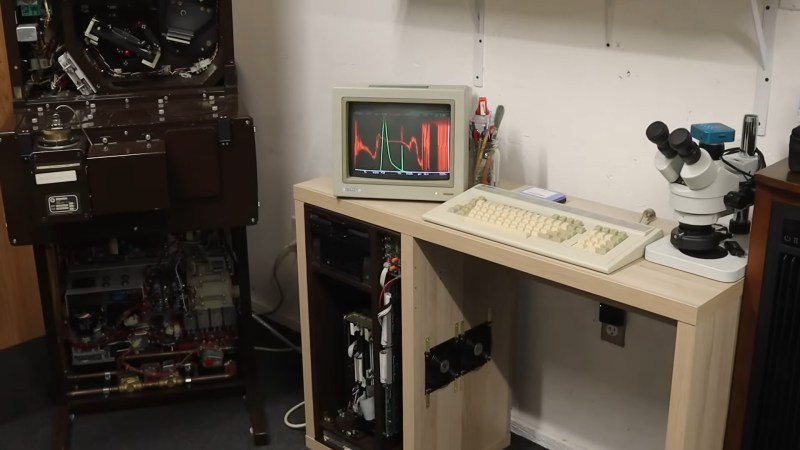
The ikea desk, with the spectrometer on the far left.

PDP-11 Lives In Literal Computer Desk Once More

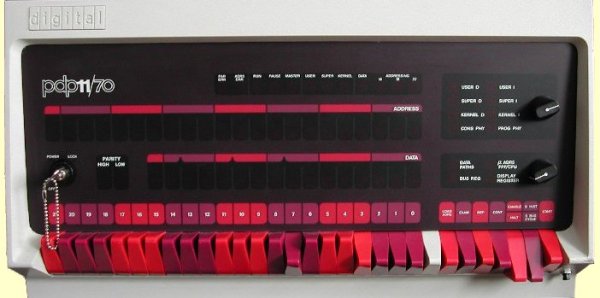
When you think of iconic parings, your brain probably goes more to “cookies and milk” than “DEC and Ikea” but after watching [Dave]’s latest on Usagi Electric where he puts a PDP-11 into an Ikea desk, you may rethink that.

The PDP-11 is vintage hardware that actually lived inside of a different desk, once upon a time, serving as the control unit for an FTIR spectrometer. While the lab equipment has thankfully survived the decades, the desk did not and when [Dave] got the unit it was as a pile of parts. He revived it, of course– it’s kind of what he does– but it didn’t get a new desk for years, until his latest shop re-organization.

The one concession to modernity– and missing parts– is using switching power supplies rather than the bulky linear PSU that would have originally powered the unit. It’s a good thing, too, or we have trouble picturing how everything would fit! This particular PDP-11 comes with the high performance vector processing unit in order to crunch those spectrographs, and apparently those chips idle at about 60C, so the desk-case got some decent-sized 120V fans to keep everything cool and running for years to come.

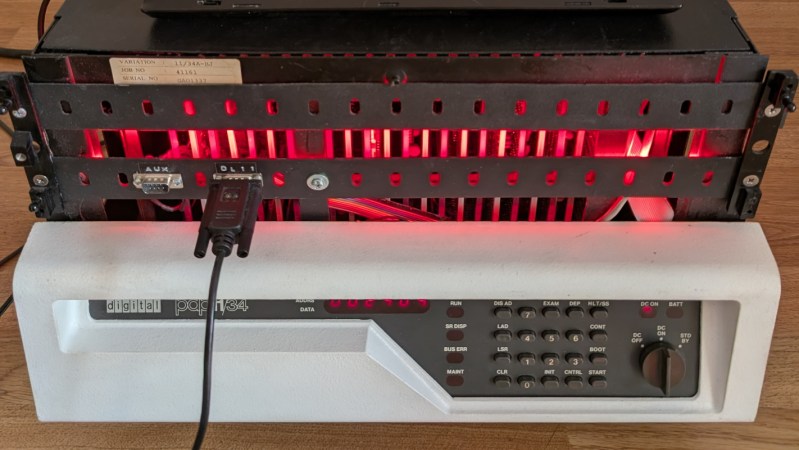
This isn’t the most aesthetic or fanciest case-mod we’ve seen, mostly being made of surplus plywood and scrap metal fittings, but it certainly gets the job done. Given that the PDP-11 has been crammed into every form-factor known to man, from a system-on-a-chip (before anybody really talked about SOCs) to desktop workstations, and of course the hulking cabinets with their iconic blinkenlights-– it’s hard to say that this installation isn’t reasonably authentic, even if it isn’t the original desk.

Continue reading “PDP-11 Lives In Literal Computer Desk Once More”

Training A Transformer With 1970s-era Technology

Although generative language models have found little widespread, profitable adoption outside of putting artists out of work and giving tech companies an easy scapegoat for cutting staff, their their underlying technology remains a fascinating area of study. Stepping back to the more innocent time of the late 2010s, before the cultural backlash, we could examine these models in their early stages. Or, we could see how even older technology processes these types of machine learning algorithms in order to understand more about their fundamentals. [Damien Boureille] has put a 60s-era IBM as well as a PDP-11 to work training a transformer algorithm in order to take a closer look at it.

For such old hardware, the task [Damien Boureille] is training his transformer to do is to reverse a list of digits. This is a trivial problem for something like a Python program but much more difficult for a transformer. The model relies solely on self-attention and a residual connection. To fit within the 32KB memory limit of the PDP-11, it employs fixed-point arithmetic and lookup tables to replace computationally expensive functions. Training is optimized with hand-tuned learning rates and stochastic gradient descent, achieving 100% accuracy in 350 steps. In the real world, this means that he was able to get the training time down from hours or days to around five minutes.

Not only does a project like this help understand these tools, but it also goes a long way towards demonstrating that not every task needs a gigawatt datacenter to be useful. In fact, we’ve seen plenty of large language models and other generative AI running on computers no more powerful than an ESP32 or, if you need slightly more computing power, on consumer-grade PCs with or without GPUs.

FPGA Brings UNIX V1 To The DEC J-11

If you’ve never used a PDP-11 before it’s probably because you simply weren’t around in the 70s and 80s. Although they started as expensive machines only in research labs and industry, they eventually became much more accessible. They’re a bit of a landmark in computing history, too, being largely responsible for the development of things like UNIX and the C programming language. [ryomuk] is using an FPGA in combination with an original DEC J-11 to bring us a new take on this machine. (Google Translate from Japanese)

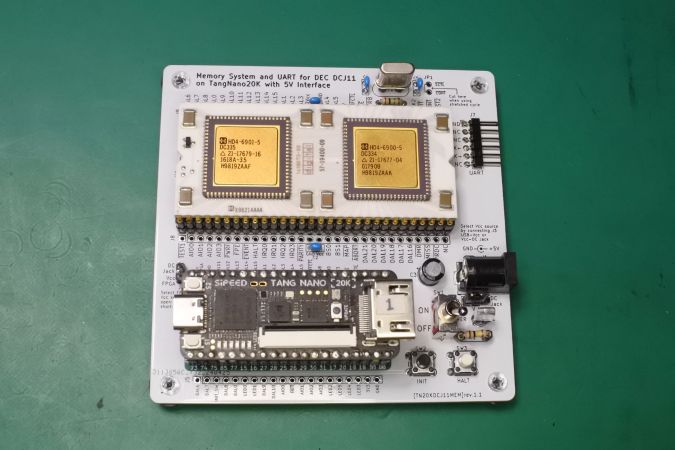
The FPGA used in this build is a Tang Nano 20k, notable for its relatively low cost. The FPGA emulates the memory system and UART of a PDP-11 system down to the instruction set, while the original, unmodified DEC chip is left to its own devices. After some initial testing [ryomuk] built a PC11 paper tape emulator to ensure the system was working which runs a version of BASIC from the era. The next thing up was to emulate some disk drives and co-processors so that the machine can run the first version of UNIX. 

[ryomuk] also developed a PCB for the DEC microprocessor and the FPGA to sit on together, and it includes all of the jumpers and wiring needed to allow the computer to run UNIX, as well as handling other miscellaneous tasks like power. It’s an interesting build that gets to the heart of the early days of computer science. PDP-11 computers did eventually get smaller and more accessible, and if you want to build a modern version this build fits a complete system into an ATX case.

Thanks to [RetepV] for the tip!

Learn Computing? Head For MonTana!

We’ve often thought that it must be harder than ever to learn about computers. Every year, there’s more to learn, so instead of making the gentle slope from college mainframe, to Commodore 64, to IBM PC, to NVidia supercomputer, you have to start at the end. But, really, you don’t. You can always emulate computers from simpler times, and even if you don’t need to, it can be a lot of fun.

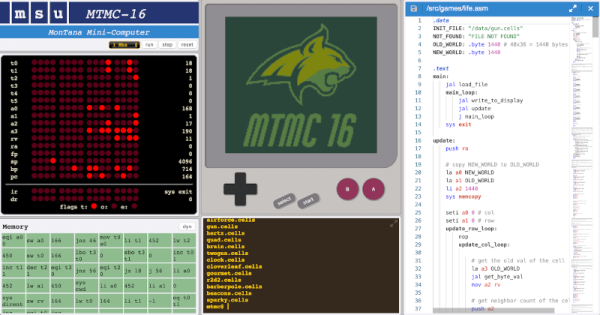
That’s the idea behind the MonTana mini-computer. It combines “…ideas from the PDP-11, MIPS, Scott CPU, Game Boy, and JVM to make a relatively simple 16-bit computer…”

The computer runs on Java, so you can try it nearly anywhere. The console is accessed through a web browser and displays views of memory, registers, and even something that resembles a Game Boy screen. You’ll need to use assembly language until you write your own high-level language (we’d suggest Forth). There is, however, a simple operating system, MTOS.

This is clearly made for use in a classroom, and we’d love to teach a class around a computer like this. The whole thing reminds us of a 16-bit computer like the PDP-11 where everything is a two-byte word. There are only 4K bytes of memory (so 2K words). However, you can accomplish a great deal in that limited space. Thanks to the MTOS API, you don’t have to worry about writing text to the screen and other trivia.

It looks like fun. Let us know what you’ll use it for. If you want to go down a level, try CARDIAC. Or skip ahead a little, and teach kids QBasic.

Booting A Desktop PDP-11

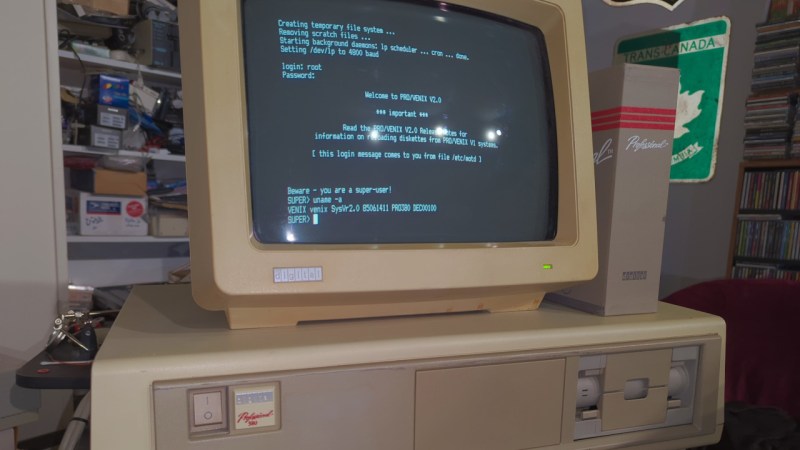
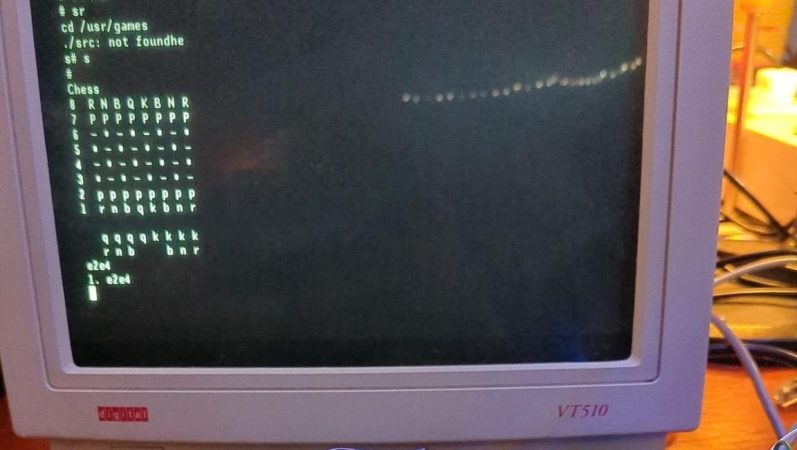
Ever heard of VENIX? There were lots of variants of Unix back in the day, and VENIX was one for the DEC Professional 380, which was — sort of — a PDP 11. The 1982 machine normally ran the unfortunately (but perhaps aptly) named P/OS, but you could get VENIX, too. [OldVCR] wanted to put one of these back online and decided the ST-506 hard drive was too risky. A solid-state drive upgrade and doubling the RAM to a whole megabyte was the plan.

It might seem funny to think of a desktop workstation that was essentially a PDP-11 minicomputer, but in the rush to corner the personal computer market, many vendors did the same thing: shrinking their legacy CPUs. DEC had a spotty history with small computers. [Ken Olsen] didn’t think anyone would ever want a personal computer, and the salespeople feared that cheap computers would eat into traditional sales. The Professional 350 was born out of DEC’s efforts to catch up, as [OldVCR] explains. He grabbed this one from a storage unit about to be emptied for scrap.

The post is very long, but you get a lot of history and a great look inside this vintage machine. Of course, the PDP-11 couldn’t actually handle more than 64K without tricks and you’ll learn more about that towards the end of the post, too.

Just as a preview, the story has a happy ending, including a surprising expression of gratitude from the aging computer. DEC didn’t enjoy much success in the small computer arena, eventually being bought by Compaq, which, in turn, was bought by Dell HP. During their heyday, this would have been unthinkable.

The PDP/11 did have some success because it was put on a chip that ended up in several lower-end machines, like the Heathkit H11. Ever wonder how people programmed the PDP computers with switches and lights?

Fixing A PDP-11/03 Power Supply Is Easy When You Understand It

After we last saw [David Lovett] of [Usagi Electric], he was knee-deep in trying to fix a DEC PDP-11/03 power supply, which fortunately led to a fixed PSU and a very happy PDP-11/23 system installed in the enclosure, as he covers in today’s video. Previously, we had covered his debugging attempt of this very much dead power supply, which had led [David] down many fruitless rabbitholes. By the time he was taking various components off the board to try and induce certain results, he threw in the towel and went back to the drawing board, assisted with many community comments.

The 5V rail on a DEC PDP-11/03 power supply. (Credit: David Lovett)

Much of the confusion came down to not really understanding how this PDP-11/03 PSU design works, which isn’t that crazy in hindsight, considering how quaint it is. Although [David] originally focused on the +5V rail, a small detail that was in the schematics is that the 5V rail is based around a 7805 that has its ground referenced to the -15V rail.

It is this 7805 that provides a linearly regulated 5V rail up till its current limit, at which point the control transistor gets biased sufficiently to start conducting, which eventually triggers the driver transistor that is responsible for driving the pass switch transistor. This then charges L2 from the unregulated supply, which is used effectively as a switching mode power supply until the current across the 7805 drops sufficiently that it becomes the primary 5V rail source again. This repeats at a kHz rate, making it more or less an SMPS as we know it today, but heavily reliant on the -15V rail as can be observed in the schematic. Continue reading “Fixing A PDP-11/03 Power Supply Is Easy When You Understand It”

Check Out This PDP-11 Running Unix With A Teletype Terminal

If you’ve spent a few years around Hackaday, you’ve probably seen or heard of the DEC PDP-11 before. It was one of the great machines of the minicomputer era, back when machines like the Apple ][ and the Commodore 64 weren’t even a gleam in their creator’s eyes. You’ve also probably heard of Unix, given that so many of us use Linux on the regular. Well, now you can see them both in action, as [HappyComputerGuy] fires up real Unix on a real PDP-11/73… with a real Teletype Model 33 to boot!

It’s a fascinating dive into the tech of yesteryear, with a rich dose of history to boot. It’s mindboggling to think that video terminals were once prohibitively expensive and that teletype printers were the norm for interacting with computers. The idea of interacting with a live machine via a printed page is alien, but it’s how things were done! We’re also treated to a lesson on how to boot the PDP-11 with 2.11BSD which is a hilariously manual process. It also takes a very long time. [HappyComputerGuy] then shows off the Teletype Model 33 rocking the banner command to great effect.

It’s awesome to see this hardware as it would really have been used back in its heyday. Computing really was different before the microcomputer format became mainstream. It’s not the only PDP-11 we’ve seen lately, either! Video after the break.

Continue reading “Check Out This PDP-11 Running Unix With A Teletype Terminal”