Complete Siri Home Automation Controls Everything But The Kitchen Sink

complete-siri-home-automation

[Elvis Impersonator] spent three full days but in that time he managed to hand control of everything in his house over to Siri. The technique used is a familiar one. A Raspberry Pi running SiriProxy listens for commands from the iPhone and acts on them based on [Elvis’] predefined configuration. The difference here is that it’s not just a single device (read: lamp) that is being controlled to prove the concept. His video (embedded after the break) shows him operating an entire range of devices in his home.

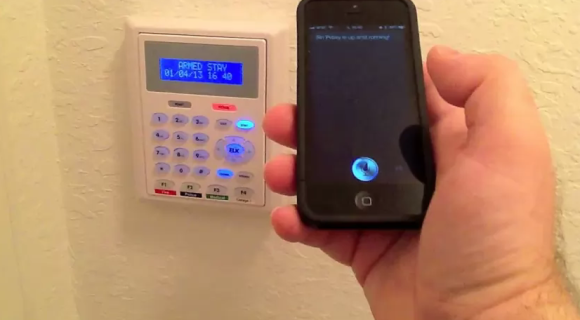
The demonstration starts off with his garage door being opened and closed. From the YouTube video description we know that he’s using Trendnet IP cameras and it looks like one of them lets him see if he remembered to close the garage.  Next he disarms his home security system as shown in the image above. From there he adjusts the Nest thermostat, switches off the living room lights, and changes the TV channels.

We think the need to give voice commands would get old pretty quickly. But that aside we applaud his work to pull everything together into one single interface.

Continue reading “Complete Siri Home Automation Controls Everything But The Kitchen Sink”
Rack Mount Home Automation With A RPi

RPi Home Automation

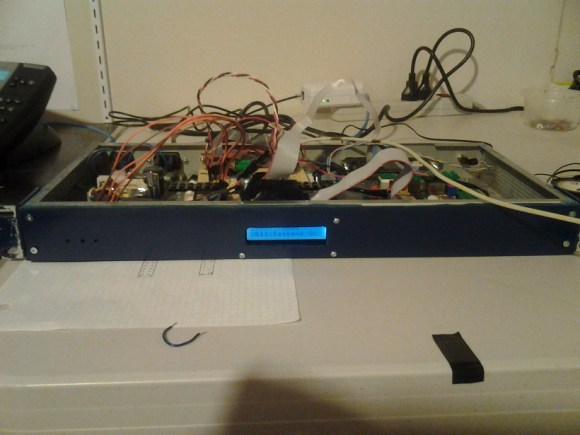
[Patrick] wanted to have centralized sensing and control over various parts of his house. His Raspberry Pi Home Automation System integrates a bunch of functionality in one rack mount package, salvaged from an old network switch.

The automation system is based on a Raspberry Pi running Arch Linux, which talks to an ATmega over SPI. We’ve seen this setup used many times before to add additional ports to the Raspberry Pi, but what makes [Patrick]’s build unique is the amount of control he’s built into the system.

The box controls outdoor lighting at sunset and sunrise, generates wakeup calls, controls IR cameras, and plays sounds based on events. It’s capable of monitoring sump pump water level, the state of a house alarm, and more. A custom REST API is used to interact with the device. This allows for programs on any platform to interface with his home, and acts as an API for his house.

[Patrick] provides a lot of details in his build log, which should be helpful to anyone looking to roll their own home automation system. The source is also provided.

Feedback For Automated Water And Food Pet Dispensers

pet-food-and-water-automation

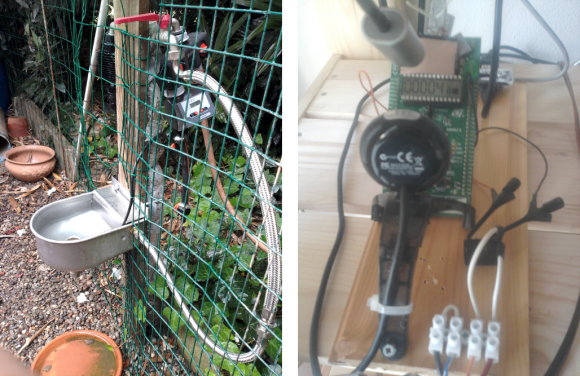
[Enrico] figured out a way to fully automate his pet food and water. The system is in two parts, the water trough as seen on the left, and the food dispenser whose control hardware is shown on the right. The system is even hooked up to the network so that he can make sure it didn’t break down while he was away.

The water dispenser uses parts from a sprinkler system. Since it’s mounted outdoors it doesn’t matter if the water overflows a little bit. So [Enrico] set up the timer to run the water for three minutes every day. This acts as a backup system since the trough already has the ability to refill itself.

The food dispenser started as a commercial unit. To get feedback from the system he added a couple of magnets to the agitation motor and reads them with a hall effect sensor. In addition to an IP camera that monitors the area around the feeder (so [Enrico] can actually see his dog eating) there is a webcam which monitors the STM32 Discovery board which monitors the feeder. It tracks the number of times the dispenser has run.

Mobile Chicken Coop Includes Wireless Sensors

mobile-chicken-coop-build

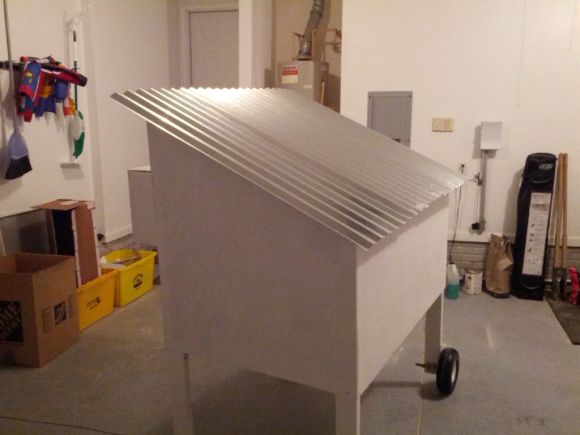
In and of itself this mobile chicken coop is a pretty nice build. There are some additional features lurking inside which you don’t find on most coops. [Neuromancer2701] built-in a set of sensors which can be accessed wirelessly. It makes it a snap to check up on the comfort of the hens without leaving the couch.

At the heart of the sensor system is an Arduino along with an Xbee module. The build isn’t quite finished yet, but so far three sensors have been implemented. A thermistor is used to read the temperature inside the coop. To make sure there’s enough water, two sheets of foil tape were applied to the water reservoir. The CapSense library measures the capacitance between these plates which correlates to the water lever (we’ve seen this type of water level sensor before). And finally, there’s a sensor that can tell if the door to the coop is open or shut.

He’s having trouble automating the door itself. This can be pretty tricky, especially if you go for a super complicated locking mechanism like this one.

Weather Station Graphs History On Webpage

weather-station

Kudos go out to [Jose] for his work getting so many different components to talk to each other in this Arduino weather station that using a Raspberry Pi to display the data online.

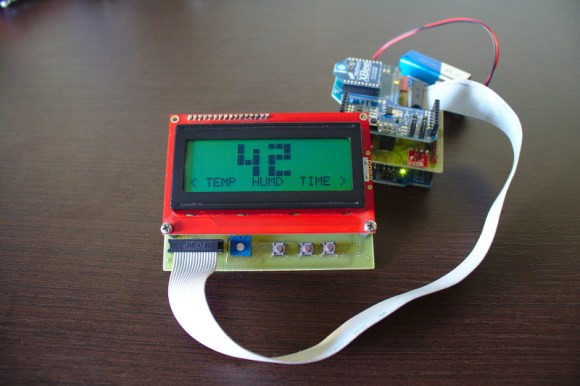
The components shown above make up the sensor package. There’s an Arduino with a custom shield that interfaces the barometric pressure sensor, real-time clock chip, a digital temperature sensor, and a humidity sensor. On top of that shield is an XBee shield that lets this push data back to the base station. [Jose] also rolled in an LCD character display and a few buttons so that the user may view weather data without heading to the web.

A Raspberry Pi board makes up the other half of the XBee pair. It harvests the incoming data from the radio module using a USB to Serial converter cable. You can see the data log on the webpage linked above. Just choose the “LIVE” menu option and click on “Daily” to get a better overview of humidity and pressure changes.

Garage Parking Monitor Guides You In Every Time

THEPARKINGSPOTTER2

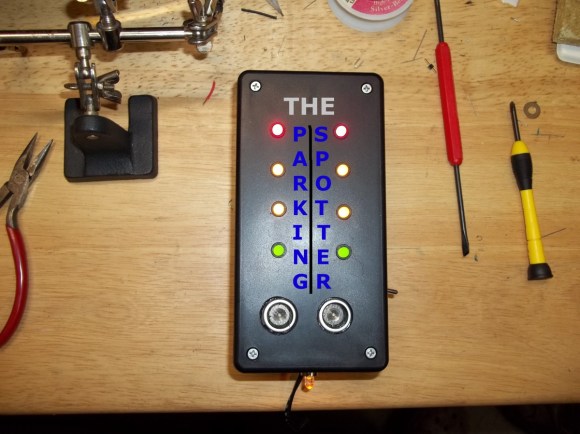
The live Adafruit Show and Tell stream from last weekend featured this project put together by [Silent Jeff]. He’s called “Silent” because when it came time to present his project on the show his microphone wasn’t working. As you can see in the video after the break, [PT] and [Ladyada] worked together to explain the project (of which they had no prior knowledge) using a game of charades. This is one of the follow-up images he sent them which details his parking spotter project.

[Ladyada] compliments [Jeff] on the finished look of the device and we agree. Not only does this do a great job of letting a driver know if they have pulled far enough into the garage, but it’s finished appearance ensures it won’t ever look out-of-place. The two silver discs near the lower end of the box are the sensors of an ultrasonic rangefinder. You mount this box so that the sensor is measuring distance between itself and the bumper of your vehicle. As the distance decreases the LEDs change to let you know when to stop. Inside the case you’ll find a voltage regulator and single-chip running the Arduino bootloader. [Jeff] says this is just his second Arduino project and we hope that at this rate we’ll be looking for big things from him in the not too distant future!

This is basically the same idea as cars that use parking assist sensors in the bumper. It’s just attached to the building instead of to the vehicle itself.

Continue reading “Garage Parking Monitor Guides You In Every Time”

Google Talk Used For Home Automation Communications Via Android

home-automation-using-instant-messaging

To call [Carnivore’s] home automation project impressive would be an understatement. He’s pulled together a system that is fast, well presented, and easy to use. To interface with items in his home he’s using X10 modules, and this example simply switches some table lamps. But the underlying setup seems incredibly polished and should be a snap to extend for just about any purpose.

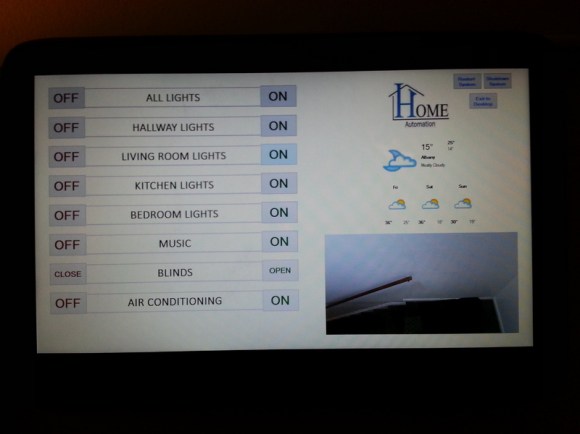
The guide linked above has all the gritty details, but the best overview is provided in the video after the break. [Carnivore] shows off the Windows 8 machine that acts as the server. It has am X10 transceiver connected to communicate with the appliances. He can control the system from the screen seen above, but everything can also be accessed from his Android phone. Communication between the two is handled by Google Talk, an instant messaging application — but the commands are home screen shortcuts and don’t need to be typed into the Google Talk app. He modified the source code of a program called TweetMyPC to use the Google Talk API which looks for keywords in received messages. The lag on an instant message is far lower compared to SMS or Email so commands are received very close to real-time. Feedback is sent from the server to the phone using a text message.

Continue reading “Google Talk Used For Home Automation Communications Via Android”