Why The Smart Home Bubble Popped

Circa 2015 or so, it seemed like you couldn’t move a finger without being bombarded with ads and articles about ‘smart homes’ and the ‘internet of things’ — all of which would make our lives so much easier and more automated. Fast-forward a decade and this dream has mostly evaporated along with many of the players in the space. Why this happened is the topic of a recent video by [Caya].

An interesting bit of context that the video starts off with is that home automation really kicked off back in 1975, when the X10 protocol and related devices using power lines for signaling began being sold. These fully integrated solutions generally worked reasonably well, but what all changed when the IoT and ‘smart home’ craze kicked off and brought with it an explosion of new standards.
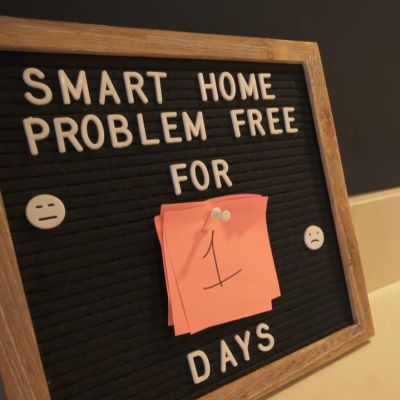
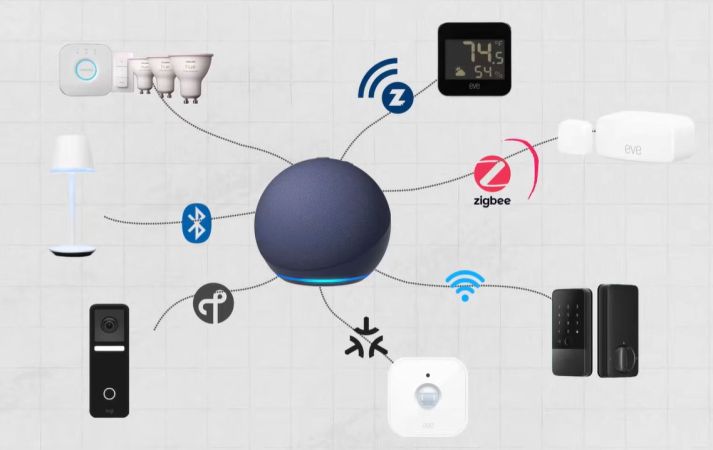
Over the past decade we have seen the concept of a ‘smart home’ collapse into a nightmare of abandoned IoT devices, subscription services, forced ads, privacy violations, and an increasingly more congested 2.4 GHz spectrum that everything from WiFi and Zigbee to Bluetooth and others ended up competing for, with a corresponding collapse in reliability of data transmissions.

As raised in the video, a big issue is that of the financial viability of running the remote services for a smart home solution, even if this is the part that should make it as plug-and-play as a 1990s-era smart home solution. To the average user setting up their own locally hosted smart home solution isn’t really a straightforward option.

Although at the end [Caya] demonstrates using Home Assistant (HA) as a locally hosted alternative, this is still not something that a non-techie will be able to set up or maintain. Even if you shell out a cool two-hundred clams for the Home Assistant Green plug-and-play hardware solution, the average person will be lost the second any of the prescribed steps in provided documentation do not work. Woe to whoever is the person who is ‘good with computers’ in those cases.

Ultimately another problem with ‘smart homes’ is that they’re really not that smart, as you can definitely set up all kinds of rules in HA and similar solutions, but this is more painstaking manual automation with all the excitement of programming PID controllers. Having an actual intelligence behind the system that could react to what’s happening would make it a far easier sell, yet which is where all the ‘smart assistants’ like Alexa keep falling flat.

Currently [Caya] has set up his HA-based lighting configuration to be used by OpenClaw ‘agentic AI’, as a way to add some actual ‘smarts’, but it’s telling that he hasn’t integrated the smart lock of his apartment into the system yet. Nobody wants to have the OpenClaw agent tell you that it ‘cannot open the front door’ for you, after all.

Continue reading “Why The Smart Home Bubble Popped”

Adding Capabilities To Inexpensive Solar Modules

Solar power has gotten cheap enough that putting up panels is among the cheapest ways of providing energy. This isn’t just the case for bulk electricity on a power grid, either; even small devices are easier and cheaper to power with solar than ever before. For example, landscape lighting which once relied on 12V or 24V DC wires all over one’s yard with a transformer and power supply hidden somewhere have partially been converted to simpler individual solar-powered lights now. These small devices can also be given additional capabilities as [Mauro] demonstrates.

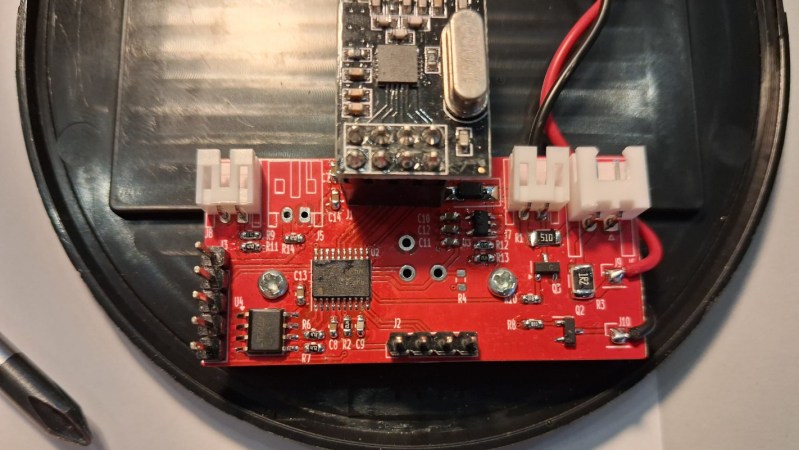
In this case, [Mauro]’s goal was to add on-demand lighting to a solar-powered light which was otherwise motion-activated only. To do this, they added a NRF24L01+ radio inside the light’s housing paired with an STM32 microcontroller. This secondary system is largely separated from the existing control circuitry with the exception of being able to switch the lights and receiving its power from the same solar panel. [Mauro] also created a small library to help with communicating with these new modules, whether that’s using a home automation system like Home Assistant or some other method.

Although adding in a few capabilities to inexpensive solar lighting might seem simple on the surface, a project like this is a gateway to adding in all kinds of interesting features to things with built-in solar panels and lots of free space in their cases. The best example here is the addition of a Meshtastic node to one of these lights, making it convenient and stealthy, but we could also see adding in other remote hardware to a landscape lighting module like a gate sensor or a plant health monitoring system.

RS-485 Sprinkler system

RS-485 Sprinkler Control: Scaling Irrigation Across The Farm

Building your own sprinkler system controller isn’t that difficult on the face of it, but what happens when your system starts to grow, adding more distant areas? To tackle this, [Vinnie] leveraged the tried-and-true RS-485 differential pairs to communicate reliably with ever-more-spread-out valves on his farm’s irrigation system.

The system uses a Raspberry Pi to control when each valve turns on and for how long. It does this via a custom RS-485 valve master board, whose code and design files are on GitHub. The master board communicates with the Pi over I2C and issues RS-485 commands while controlling the 12V line to the valves. Toggling the 12V supply is a smart move it lets [Vinnie] save power by not keeping the valves energized when idle.

At the valves themselves lives a valve node board (also on the GitHub repo). Each node has a unique address so it knows when its name is called to open or close a valve. The valves are latching solenoids, ideal because they don’t require constant current during the watering cycle. The Valve Nodes also support their own protocol to report state, firmware version, and allow in-situ configuration.

Be sure to head over to [Vinnie]’s project page and check out all the work that went into this great DIY irrigation control system, along with the thoughtful boards and tools he made to help others set it up. This is a welcome addition to the sprinkler-related projects we’ve seen.

Automating Window Shades With Home Assistant

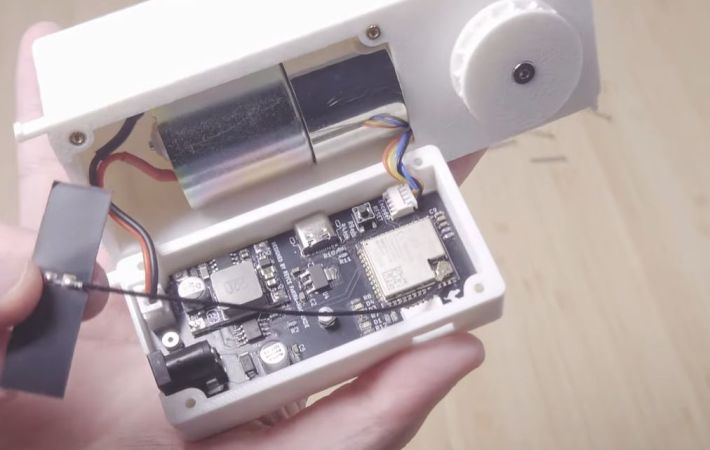
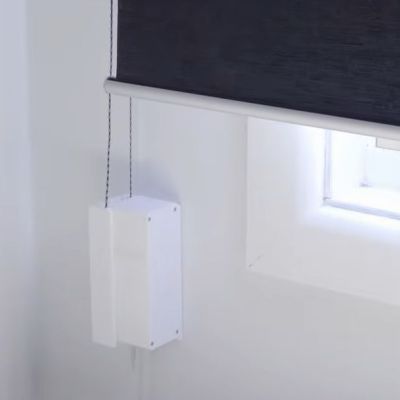
Most people love window shades, but many dislike the tedium of having to open and close them over the course of each day. While there are automation options here, if you’re in a rental place like [Rooster Robotics], then you’d prefer something less intrusive, as well as less cloud-bound. This is basically why he opted to build his own solution from scratch to open and close roller shades via Home Assistant.

The comments to the video helpfully point out that technically his point about there not being commercial options with a forced remote account ‘feature’ is false, as the Aqara Roller Shade Driver E1 for example is just a regular Zigbee device which can be used with a wide range of home automation ecosystems. That said, it’s always nice to have your own device that you fully control.

Of course, these devices are deceptively simple, as you still have to somehow know how far open the curtain is, which is also useful if you just want to open the curtain a certain amount. The other issue is the need to have the motor parallel with the wall unless you enjoy having a big wart sticking out from the wall.

Solving the first issue was attempted with a Hall effect sensor, and the second with angled gearing. With some refinements this led to a functioning design, allowing the development of a custom PCB with an ESP32-S3 module for WiFi control. In the final design the Hall effect sensor and magnets were replaced with an AS5600 magnetic rotatory position sensor that requires just one magnet and offers a much higher resolution.

Currently the design files are not available, but [Rooster Robotics] has indicated that they are looking at open sourcing the files in the future.

Continue reading “Automating Window Shades With Home Assistant”

E-paper Dashboard Reimagines Smart Home’s Connection With Technology

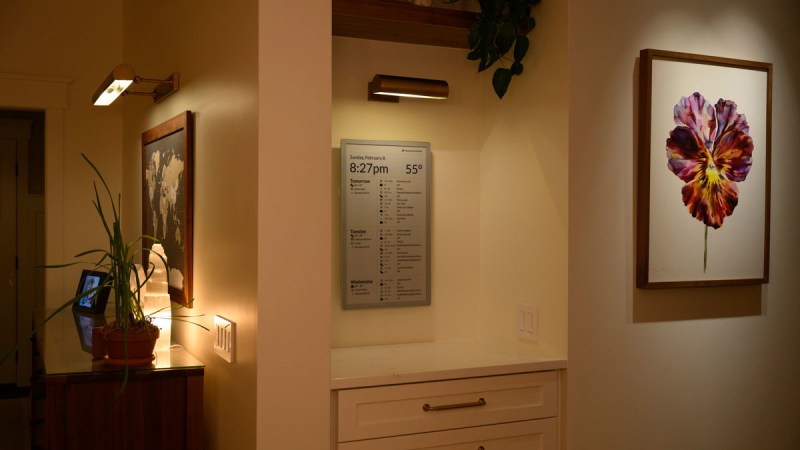
When [Joel Hawksley] and his partner got married, they had a goal to create a home with a healthy relationship to technology, which largely means avoiding smartphone use. Smartphones aren’t without their benefits, though, like being clocks and calendars, so [Joel] started looking for other options to replace these capabilities. At first he went with a “magic mirror” solution, but quickly pivoted to a wall-mounted e-paper solution he calls Timeframe which has evolved into a respectable overview for his home and life.

E-paper has a number of advantages over LCD and LED displays, one of which being that its resemblance to real paper makes it feel more organic. The first e-paper iterations of Timeframe used multiple displays in wooden frames, and [Joel] had a few different ones stationed around the house. They received their data from a custom-built Rails backend which sent pictures to the devices. This made the refresh rate possible fairly low, but a new 23.5″ display from Boox eventually enabled an acceptably high resolution and refresh rate which could support more traditional display uses. But this display required that [Joel] rewrite the entire back-end, an effort that took quite a bit of time but resulted in an impressive final product.

Like any custom-built project like this, [Joel] still has plans for improvements including those around further integration with his Home Assistant and reducing costs for future platforms. E-paper displays are popular pieces of technology for home dashboards like this, in the past we’ve seen similar, smaller builds which coincidentally have the same name.

DIY Smart Button Gets Surprisingly Complicated

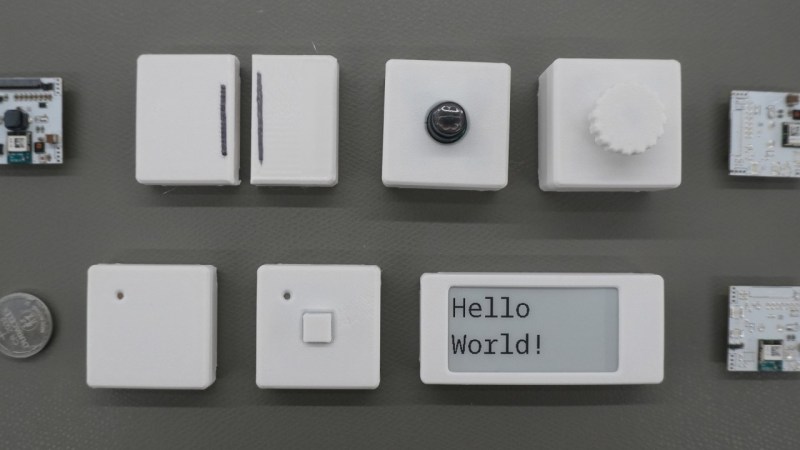
There’s a reason that the standards specifications for various wireless communications protocols are extremely long and detailed. [Made by Dennis] found this out first hand when he decided to build a wireless button from scratch.

The major issues with wireless devices is one of power consumption. If reliable power is available from a wall plug or solar panel, this isn’t as serious of a concern. But [Dennis] is using batteries for his buttons, so minimizing power consumption is a priority. He’s going with the nRF52, a microcontroller designed for low power and which has a built in wireless radio, and configuring it in a way that uses the least amount of energy possible.

From there, [Dennis] turns to the wireless communication. He goes into detail about how the microcontroller is woken up, how it sends its data packets to another wireless-enabled microcontroller, and how they handle handshakes and acknowledgements of data. For something as simple as a button press, it gets quickly more complicated especially when adding some basic encryption and security to the communications protocol.

With all the design decisions out of the way, the system can be built. [Dennis] has created custom PCBs for his devices, and also included some expansion I/O for other sensors and peripherals beyond just a pushbutton. All of the schematics and code are available on the project’s GitHub page and the STL files can be found at Printables.

For those new to offline home automation or who are turning away from cloud-based services lately, there are some easy entry points that don’t require much extra hardware or expenditure.

Continue reading “DIY Smart Button Gets Surprisingly Complicated”

2001: An Air Quality Odyssey

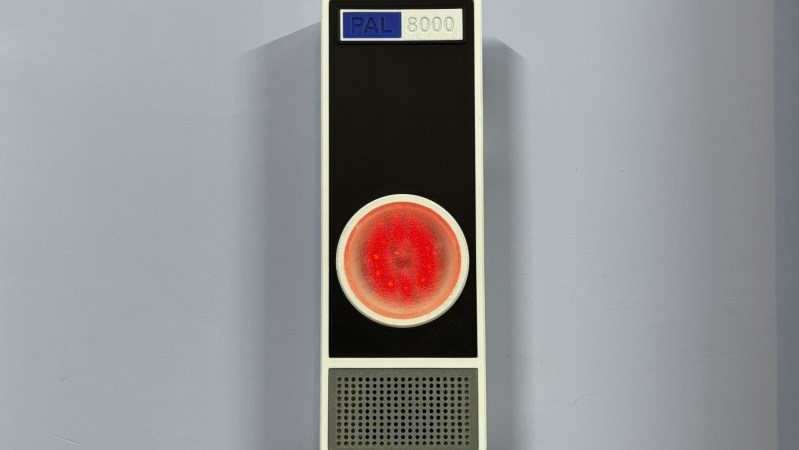
2001: A Space Odyssey not only pushed the boundaries of filmmaking, but introduced us to one of the most enduring villains in all of media. The HAL 9000 artificial intelligence was human-like but inhuman, a singular uncanny red light on a wall, tasked not only with control of a spaceship and its inner workings but also with being a companion for its occupants. It’s gone on to be the inspiration and basis of many projects around here, where it is generally given much less scope than control of a space ship and instead is tasked with something like monitoring air quality in a home.

Called the PAL 8000 by its creator [Arnov], this uses a Raspberry Pi Pico 2 at its core which monitors a volatile organic compound (VOC) sensor to take air quality measurements. The device features a custom 3D printed enclosure with glowing LEDs and plays contextual audio responses based on air quality levels, completing the HAL 9000 theme. The project also includes a local web dashboard which reports on its data, allowing users to see information in real time rather than relying on HAL’s voice reports alone.

For those looking to build other HAL-inspired projects, [Arnov] has made many of the printing files available on the project’s site. It’s a well-polished build faithful to the source material and could be a great addition to any home automation system for many other tasks beyond air quality monitoring. Perhaps something like a more general-purpose voice assistant, minus the megalomania.

Continue reading “2001: An Air Quality Odyssey”