Raspberry Pi Tor Proxy Lets You Take Anonymity With You

pi-tor-proxy

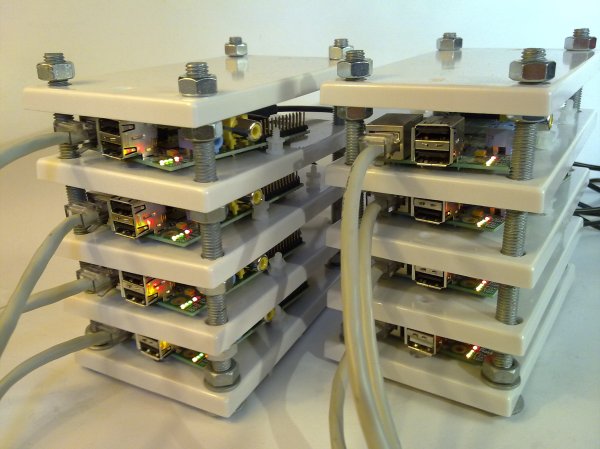
Your web traffic is being logged at many different levels. There are a few different options to re-implement your privacy (living off the grid excluded), and the Tor network has long been one of the best options. But what about when you’re away from you home setup? Adafruit has your back. They’ve posted a guide which will turn a Raspberry Pi into a portable Tor proxy.

The technique requires an Ethernet connection, but these are usually pretty easy to come by in hotels or relatives’ homes. A bit of work configuring the Linux network components will turn the RPi into a WiFi access point. Connect to it with your laptop or smartphone and you can browse like normal. The RPi will anonymize the IP address for all web traffic.

Leveraging the Tor network for privacy isn’t a new subject for us. We’ve looked at tor acks that go all the way back to the beginnings of Hackaday. The subject comes and goes but the hardware for it just keeps getting better!

Alert Tube Monitors All Aspects Of Your Digital Life

alert-tube

This futuristic appliance can keep you apprised of all you social network goings on and much more. [Mike Watson] calls the device the Alert Tube because of its functionality and shape. The hardware depends primarily on a Raspberry Pi board which seems tailor-made for this type of use. The information gathering side of this shows off the power of a fledgling services called If This Then That.

We’ve heard of IFTTT only because [Chris Gammel] and [Dave Jones] covered it on an episode of The Amp Hour. [Dave] dismissed it as have little to no practical use. But this project shows how it can be leveraged to make quick work of pulling your desired data from the Internet. Think of it as a collection of APIs for many sites like Twitter, Facebook, as well as local weather, etc. This project sets up IFTTT to monitor your accounts, alerting you with colors of like, sound, and even text-to-speech.

The project explanation is several pages long but you can get a quick look at it by watching the demo video.
Continue reading “Alert Tube Monitors All Aspects Of Your Digital Life”

Visualize Twitter With An LED Matrix

visualizing-twitter

What’s your favorite color? Don’t tell us, Tweet it to [Sebastian’s] favorite color Twitter display and you’ll be contributing to the artwork hanging on his wall.

This answers a very important question, what do you do with your projects after they’re completed? For us the best part is the planning and building. Once it’s done the thrill is pretty much gone for us. We haven’t even switched on our Ping Pong clock in over a year. But [Sebastian] recently dusted his 10×10 LED matrix for this project.

Tweets are parsed by a Python project he wrote to try out the Twitter API. It looks for a set list of colors . He asserts that people aren’t that creative when you solicit their favorite color but to prove him wrong we’re going to say our favorite is Amaranth. After it finds the color it pushes it to the next pixel in the spiraling pattern shown above. But wait, there’s more! To give the pixels a but if extra meaning he uses the total length of the tweet to set intensity.

If you need a Titter enabled hack that displays a bit more specific data you’ll want something that can actually display what was Tweeted.

Python Script Migrates From Dying Google Reader To Evernote

google-reader-to-evernote

We’re sure you’ve heard by now that Google has decided to close its RSS feed aggregator service called Google Reader. We’ve got to remember to get our list of thousands of great hacking blog feeds off of there before it’s gone. But just preserving the list is rather easy. [Paul Kerchen] has a bit different problem. He’s got hundreds of articles starred and he wants to preserve a way to find those pages again. His solution was to write his own Python script to migrate starred Google Reader articles over to Evernote.

We’re not here to promote the Evernote service. But just so we’re on the same page, it’s an archiving system that lets you save things like webpages and text documents for access on a wide range of different platforms. So all that really needs to happen is for [Paul] to get the list of links from his starred articles folder formatted for import on Evernote. It starts by using Google Takeout to download an archive of his account data. Within this dump is a JSON formatted file called ‘starred.json’. His script parses the data and imports each article into Evernote. There’s even rate limiting to manage the daily import maximum of free accounts.