So. What’s Up With All These Crazy Event Networks Then?

As an itinerant Hackaday writer I am privileged to meet the people who make up our community as I travel the continent in search of the coolest gatherings. This weekend I’ve made the trek to the east of the Netherlands for the ETH0 hacker camp, in a camping hostel set in wooded countryside. Sit down, connect to the network, grab a Club-Mate, and I’m ready to go!

Forget the CTF, Connecting To WiFi Is The Real Challenge!

There no doubt comes a point in every traveling hacker’s life when a small annoyance becomes a major one and a rant boils up from within, and perhaps it’s ETH0’s misfortune that it’s at their event that something has finally boiled over. I’m speaking of course about wireless networks.

While on the road I connect to a lot of them, the normal commercial hotspots, hackerspaces, and of course at hacker camps. Connecting to a wireless network is a simple experience, with a level of security provided by WPA2 and access credentials being a password. Find the SSID, bang in the password, and you’re in. I’m as securely connected as I reasonably can be, and can get on with whatever I need to do. At hacker camps though, for some reason it never seems to be so simple.

Instead of a simple password field you are presented with a complex dialogue with a load of fields that make little sense, and someone breezily saying “Just enter hacker and hacker!” doesn’t cut it when that simply doesn’t work. When you have to publish an app just so that attendees can hook up their phones to a network, perhaps it’s time to take another look . Continue reading “So. What’s Up With All These Crazy Event Networks Then?”

Learn DMX512 Basics

If you’ve done anything with modern lighting effects, you’ve probably heard of DMX, also known as DMX512. Ever wonder what’s really happening under the hood? If so, then you should have a look at [EEForEveryone’s] video on the topic, which you can see below.

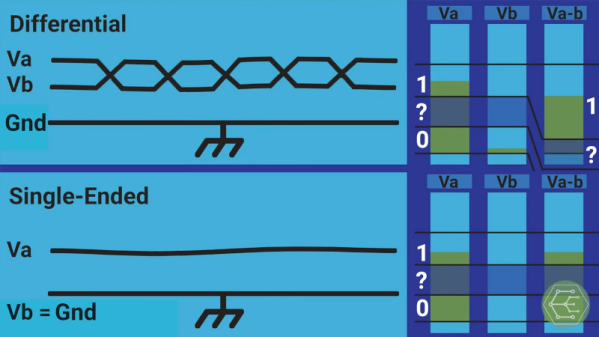
At the core, the DMX512 uses RS485, but adds software layers and features. The video uses the OSI model to show how the system works.

Continue reading “Learn DMX512 Basics”

Broadband Across The Congo

If you live in much of the world today, high-speed Internet is a solved problem. But there are still places where getting connected presents unique challenges. Alphabet, the company that formed from Google, details their experience piping an optical network across the Congo. The project derived from an earlier program — project Loon — that used balloons to replace traditional infrastructure.

Laying cables along the twisting and turning river raises costs significantly, so a wireless approach makes sense. Connecting Brazzaville to Kinshasa using optical techniques isn’t perfect — fog, birds, and other obstructions don’t help. They still managed to pipe 700 terabytes of data in 20 days with over 99.9% reliability.

Continue reading “Broadband Across The Congo”

Raspberry Pi Real-Time HAT

New Part Day: Raspberry Pi HAT For IEEE1588 Precision Time Protocol

The new Real-Time HAT by InnoRoute adds IEEE1588 PTP support in hardware to a Raspberry Pi 4 nestled beneath. Based around a Xilinx Artix-7 FPGA and a handful of gigabit Ethernet PHY devices, the HAT acts as network-passthrough, adding accurate time-stamps to egress (outgoing) packets and stripping time-stamps from the ingress (incoming) side.

This hardware time-stamping involves re-writing Ethernet packets on-the-fly using specialised network hardware which the Raspberry Pi does not have. Yes, there are software-only 1588 stacks, but they can only get down to 10s of microsecond resolutions, unlike a hardware approach which can get down to 10s of nanoseconds.

1588 is used heavily for applications such as telecoms infrastructure, factory equipment control and anything requiring synchronisation of data-consuming or data-producing devices. CERN makes very heavy use of 1588 for its enormous arrays of sensors and control equipment, for all the LHC experiments. This is the WhiteRabbit System, presumably named after the time-obsessed white rabbit of Alice In Wonderland fame. So, if you have a large installation and a need for precisely controlling when stuff happens across it, this may be just the thing you’re looking for.

IEEE1588 PTP Synchronisation

The PTP client and master device ping a few messages back and forth between themselves, with the network time-stamper recording the precise moment a packet crosses the interface. These time-stamps are recorded with the local clock. This is important. From these measurements, the time-of-flight of the packet and offset of the local clock from the remote clock may be calculated and corrected for. In this way each client node (the hat) in the network will have the same idea of current time, and hence all network packets flowing through the whole network can be synchronised.

The beauty of the system is that the network switches, wiring and all that common infrastructure don’t need to speak 1588 nor have any other special features, they just need to pass along the packets, ideally with a consistent delay.

The Real-Time HAT configures its FPGA via SPI, straight from Raspberry Pi OS, with multiple applications possible, just by a change on the command line. It is possible to upload custom bitstreams, allowing the HAT to be used as a general purpose FPGA dev board should you wish to do so. It even stacks with the official PoE HAT, which makes it even more useful for hanging sensors on the end of a single wire.

Of course, if your needs are somewhat simpler and smaller in scale than a Swiss city, you could just hack a GPS clock source into a Raspberry Pi with a little soldering and call it a day.

ESP8266 Network Meters Show Off Unique Software

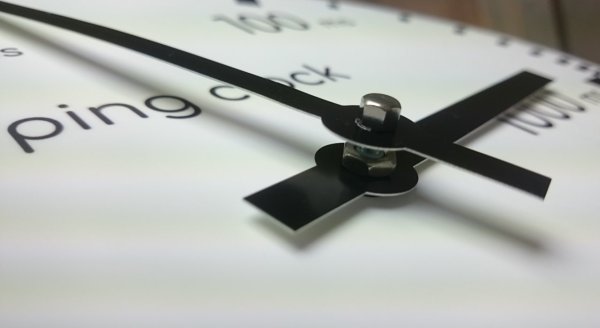
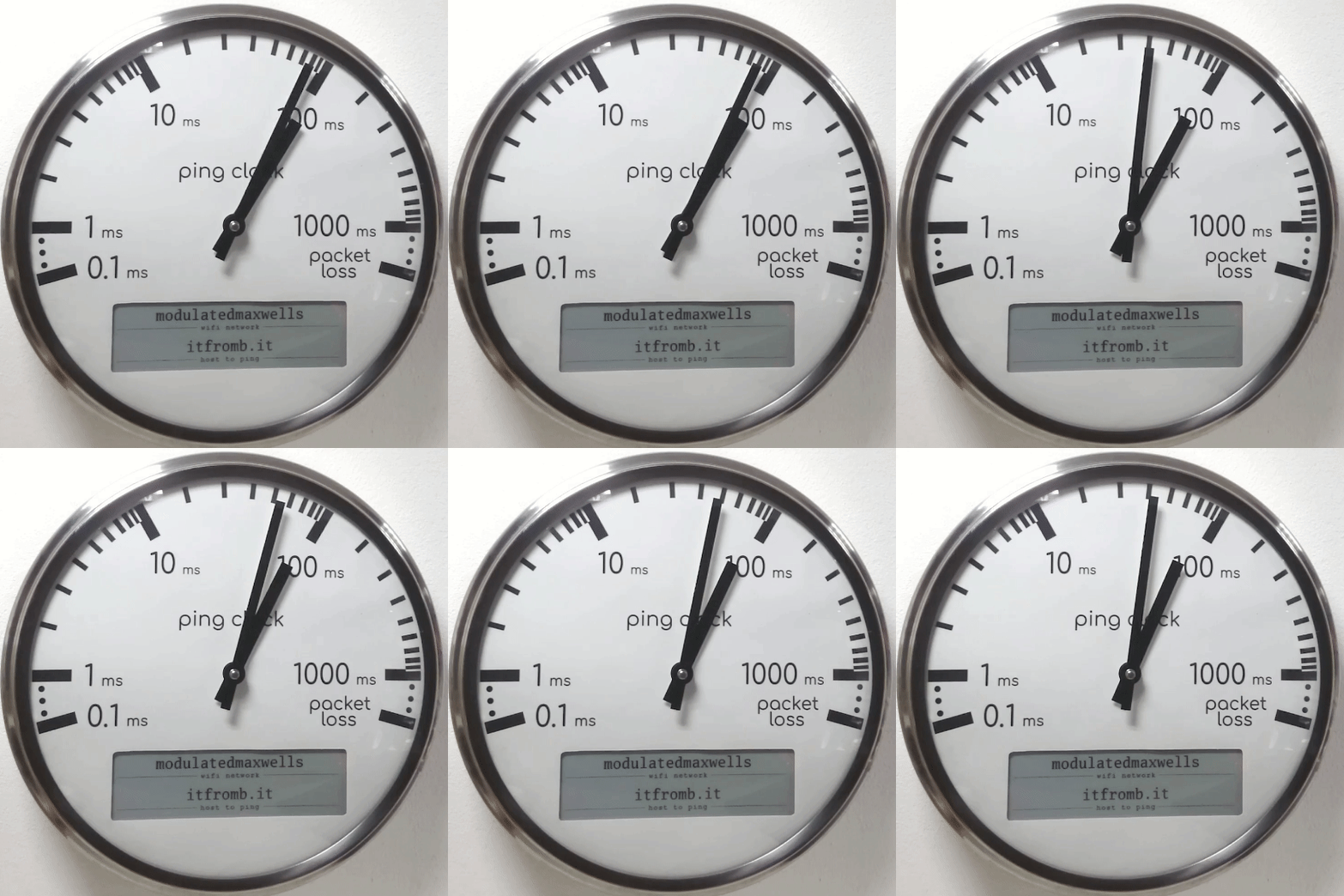
Like the “Three Seashells” in Demolition Man, this trio of bright yellow network monitors created by [David Chatting] might be difficult to wrap your head around at first glance. They don’t have any obvious controls, and their constantly moving indicators are abstract to say the least. But once you understand how to read them, and learn about the unique software libraries he’s developed to make them work, we’re willing to bet you’ll want to add something similar to your own network.

First-time configuration of the monitors is accomplished through the Yo-Yo WiFi Manager library. It’s a captive portal system, not unlike the popular WiFiManager library, but in this case it has the ability to push the network configuration out to multiple devices at once. This MIT-licensed library, which [David] has been developing with [Mike Vanis] and [Andy Sheen], should be very helpful for anyone looking to bring multiple sensors online quickly.

The Device Wheel

We’re also very interested in what [David] calls the Approximate library. This allows an ESP8266 or ESP32 to use WiFi signal strength to determine when its been brought in close proximity to particular device, and from there, determine its IP and MAC address. In this project, it’s used to pair the “Device Wheel” monitor with its intended target.

Once locked on, the monitor’s black and white wheel will spin when it detects traffic from the paired device. We think this library could have some very interesting applications in the home automation space. For example, it would allow a handheld remote to control whatever device the user happens to be closest to at the time.

Whether you follow along with the instructions and duplicate the meters as-is, or simply use the open source libraries that power them in your own project, we think [David] has provided the community with quite a gift in these unique gadgets.

10 Gigabit Ethernet For The Pi

When people like Bell and Marconi invented telephones and radios, you have to wonder who they talked to for testing. After all, they had the first device. [Jeff] had a similar problem. He got a 10 gigabit network card working with the Raspberry Pi Compute Module. But he didn’t have any other fast devices to talk to. Simple, right? Just get a router and another network card. [Jeff] thought so too, but as you can see in the video below, it wasn’t quite that easy.

Granted, some — but not all — of the hold-ups were self-inflicted. For example, doing some metalwork to get some gear put in a 19-inch rack. However, some of the problems were unavoidable, such as the router that has 10 Gbps ports, but not enough throughput to actually move traffic at that speed. Recabling was also a big task.

Continue reading “10 Gigabit Ethernet For The Pi”

Just How Did 1500 Bytes Become The MTU Of The Internet?

[Benjojo] got interested in where the magic number of 1,500 bytes came from, and shared some background on just how and why it seems to have come to be. In a nutshell, the maximum transmission unit (MTU) limits the maximum amount of data that can be transmitted in a single network-layer transaction, but 1,500 is kind of a strange number in binary. For the average Internet user, this under the hood stuff doesn’t really affect one’s ability to send data, but it has an impact from a network management point of view. Just where did this number come from, and why does it matter?

[Benjojo] looks at a year’s worth of data from a major Internet traffic exchange and shows, with the help of several graphs, that being stuck with a 1,500 byte MTU upper limit has real impact on modern network efficiency and bandwidth usage, because bandwidth spent on packet headers adds up rapidly when roughly 20% of all packets are topping out the 1,500 byte limit. Naturally, solutions exist to improve this situation, but elegant and effective solutions to the Internet’s legacy problems tend to require instant buy-in and cooperation from everyone at once, meaning they end up going in the general direction of nowhere.

So where did 1,500 bytes come from? It appears that it is a legacy value originally derived from a combination of hardware limits and a need to choose a value that would play well on shared network segments, without causing too much transmission latency when busy and not bringing too much header overhead. But the picture is not entirely complete, and [Benjojo] asks that if you have any additional knowledge or insight about the 1,500 bytes decision, please share it because manuals, mailing list archives, and other context from that time is either disappearing fast or already entirely gone.

Knowledge fading from record and memory is absolutely a thing that happens, but occasionally things get saved instead of vanishing into the shadows. That’s how we got IGNITION! An Informal History of Liquid Rocket Propellants, which contains knowledge and history that would otherwise have simply disappeared.