Arduino WiFi Shield Available, Costs $85 USD

Over on the Arduino blog, the release of the official Arduino WiFi shield was just announced. On the spec page for this WiFi shield. we can see this new board isn’t a slouch; it’s powered by a 32-bit ATMega 32UC3 microcontroller, has provisions for WEP and WPA2 encryption, and supports both TCP and UDP with the Arduino WiFi library. It also costs €69/$85/£55 from the Arduino store.

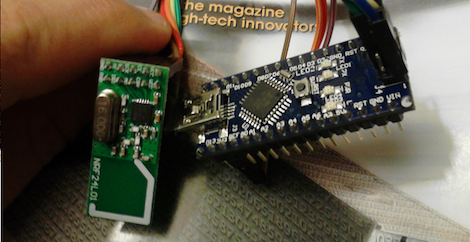
Now that the announcement of the Arduino WiFi shield is over with, we’ll take this opportunity to go through a few other WiFi adapters for the Arduino that don’t cost an arm and a leg.

The WiFly shield – available from Sparkfun – is a WiFi adapter with the same form factor as the ever popular XBee modules. Of course, it’s possible to make your own breakout board; the WiFly only needs a TX, RX, power and ground connection to connect your Arduino project to the Internet.

We’ve seen a few projects use the WiShield from async labs. It’s a WiFi module packaged in the familiar Arduino shield form factor, and costs $55 USD.

For the hardcore hackers out there, you could always get a bare Microchip WiFi module and get it to work with an AVR as [Quinn Dunki] attempted to. In all fairness, [Quinn] was trying to de-Arduinofy the WiFi library; if you’re cool with Arduino code swimming around in your project, this method will probably work.

There’s also the very, very cool Electric Imp. Basically, it’s an SD card with a built-in WiFi module. After configuring the Imp by holding it up to patterns flashing on your smartphone screen, this device serves as a transparent bridge to the magical ‘cloud’ we’ve been hearing about. The Electric Imp was supposed to have been released in late July/early August, and we’ll put a post up when this cool device actually launches.

Of course we’re neglecting the simplest solution to getting WiFi running on an Arduino project: just use a wireless router. Really, all you need is a pair of TX and RX pins and a copy of OpenWRT. Easy, and you probably have the necessary hardware lying around.

We’re missing a few methods of Arduinofying a WiFi connection (or WiFying an Arduino…), but we’ll let our readers finish what we started in the comments.

A Perpetually Powered Wireless Outpost

For [Justin], the topic of remotely powering electronics in the field comes up often. So often in fact he decided to put up a tutorial for powering electronics from solar power and batteries, as well as sending and retrieving data with the help of a cellular connection.

The electronics [Justin] chose for his remote wireless project include an AT&T 3G connection to the Internet provided by a Beaglebone, BeagleTouch display, and BeagleJuice battery pack. Of course an Arduino had to make it into this project, so a few light sensors were wired into a few Arduino Unos and connected to the Beaglebone.

After finding a few deep cycle boat batteries, [Justin] wired up a pair of solar panels that put out about 200 mA in full sun. This equates to about 2700 mAh a day, about 300 mAh more than his Beaglebone/Arduino/3G connection/WiFi setup needs per day.

As for what [Justin] can do with his wireless outpost, it makes setting up remote sensors for agriculture a breeze, and could easily be used to automagically send pictures from a game camera straight to a web page. Pretty neat, and very useful if you need to wire up sensors in the field to the Internet.

Continue reading “A Perpetually Powered Wireless Outpost”

Seeing Through Walls Using WiFi

Turns out you don’t need to be Superman to see through walls. Researchers at University College London have developed a way to passively use WiFi as a radar system. Unlike active radar systems (which themselves send out radio waves and listen for them to echo back), passive radar systems cannot be detected.

The system is small enough to fit in a briefcase, and has been tested through a one-foot-thick brick wall. It can detect position, speed, and direction of a person moving on the other side of that wall, but cannot detect stationary object. [Karl Woodbridge] and [Kevin Chetty], the engineers behind the prototype, think it can be refined to pick up motion as minuscule as a person’s rib cage moving with each breath. For some reason we get the picture in our mind of that body scanner from the original Total Recall.

[via Reddit]

[Image Credit]

Wireless Sensors Without A Microcontroller

While cruising the Internet one day, [Raj] found a really cool pair of RF transmitters and receivers manufactured by Dorji Applied Technology. These modules – the DRF5150S and DRF4432S – work just like any other ISM band transmitter receiver pair with the addition of inputs for analog and digital input pins. [Raj] put together a tutorial for using these radio modules, perfect if you need a very simple wireless connection for your next project.

[Raj]’s tutorial for using the Dorji sensor modules shows the transmitter has two operating modes. The first mode is a simple data transmitter, connected to a microcontroller through a UART connection. The ‘sensor’ mode doesn’t require a separate chip; the on-board STM8L151 microcontroller reads analog values on two pins and sends them over the air to the DRF4432S receiver module.

After programming the transmitter to function as a wireless sensor with an app released by Dorji, [Raj] plugged the transmitter into a breadboard with a battery and digital thermometer. The receiver module is plugged into a USB -> UART module, and data is pulled down from the sensor in a terminal.

[Raj] wrote a small app in Processing to display the data coming from the sensor. He has a wonderful animated thermometer showing the temperature reading of the sensor, the battery voltage and the strength of the wireless signal. Pretty easy, and a very helpful tutorial if you need an easy way to build a wireless sensor.

A Wireless MAME Coffee Table Controller

MAME coffee table plan

Although we’ve featured quite a few MAME controllers here, we thought we’d feature one more. It’s only a well-drawn mechanical plan at this point, but if the results are anything like the model or detail drawing, we will be quite impressed.

One thing that is of particular interest is the planned parts list. Amongst them are the typical joysticks, buttons, and even a trackball. What may be new to some of our readers is the bluetooth arcade controller by [Wayne and Layne] opensource hardware kits. Although they aren’t cheap at just under $80, and requre an Arduino Mega for use, this is nonetheless an interesting control option. The maximum button presses may be another limiting factor at 6, but it should be a cleaner solution than cannibalizing one or more wireless controllers.

Of course, we’d be negligent if we didn’t at least give you a link to a completed MAME controller. Be sure to feast your eyes on these images if you’d like some finished controller eye candy or check out the pic after the break!

Continue reading “A Wireless MAME Coffee Table Controller”

Adding Bluetooth Audio Playback To A Toyota Matrix

In this project [Ryan] shows how he added Bluetooth audio to the stock stereo of his Toyota Matrix. The work he did with his add-on hardware is quite good. And the installation was surprisingly easy. For example, the dashboard bezel which is hanging in the foreground of this picture simply pulls off without the need for any tools. Also, the CD changer input for the stereo is what he uses to patch into the system. It just happened to have a 0.1″ pin header so finding a connector that would work wasn’t a problem.

As for the add-on hardware, he built his own circuit board around an ATmega168 microcontroller and Bluegiga WT32 Bluetooth module. To connect to the car’s data system he went with an RS485 driver chip. It’s not quite the right part but it works well enough for his purposes. So far he can get audio playback working and plans to add support for hands free phone calls and displaying audio track information. Hey, maybe he’ll even add some extra shake-based automation; who knows?

Get a look at the install in the clip after the break.

Continue reading “Adding Bluetooth Audio Playback To A Toyota Matrix”

Use Your TV Remote As An HID Mouse

[Vinod’s] latest project lets him use a TV remote control as a mouse. It may not sound like much, but he did it with a minimum of hardware and packed in the maximum when it comes to features.

He’s using an ATmega8 to read the remote control signals and provide USB connectivity. With the V-USB stack he enumerates the device as an HID mouse. One note of warning, he used the PID/VID pair from the USBasp programmer project. If you use that programmer you’ll need to uninstall the drivers to get this to work (we think this is only necessary on a Windows box).

The cursor can be moved in eight directions using the number pad on the remote. The numeral five falls in the center of the directional buttons so [Vinod] mapped that to the left click, with the zero key serving as right click. He even included the scroll wheel by using the volume buttons. The firmware supports cursor acceleration. If you hold one direction the cursor will move slowly at first,then pick up speed. Fine adjustments can be made by single clicking the button. Check out his demonstration embedded after the break.

Continue reading “Use Your TV Remote As An HID Mouse”