A Solar Clock That Isn’t A Sundial

Hack a Day’s very own [Jack Buffington] is throwing his hat into the ring for the Buildlounge laser cutter giveaway with his solar clock that isn’t a sundial.

The theory behind [Jack]’s clock is pretty simple. The light from the sun will be captured by a camera obscura/pinhole camera. The sun’s rays shine on dozens of optical fibers that lead indoors and up to the clock. These glass fibers go to pinholes in the face of the clock which light up, showing the time.

[Jack] already cut out the face of the clock on his (awesome) home-made CNC router. He hasn’t gotten around to cutting out the mechanics of the clock face so the clock can be adjusted throughout the year. We’re okay with that, because we’re really not ready to see [Jack] fiddle with his gnomon. At least before [Jack] gets his hand on the Buildlounge laser.

The next major hurdle of the build is the solar collector that collects light into different optical fibers. That’s going to involve a lot of math using the equatorial coordinate system. Help is available, though.

Check out [Jack] cutting the clock face on his router after the break.
Continue reading “A Solar Clock That Isn’t A Sundial”

Extreme Finger Painting With A Router

Most of the time, CNC machines are used for very precise and exacting. There is another way that allows for a more “hands on” approach to routers and mills that allows for a lot more creativity and freedom. The touchCNC these guys whipped up allows anyone to finger paint with a friggin router.

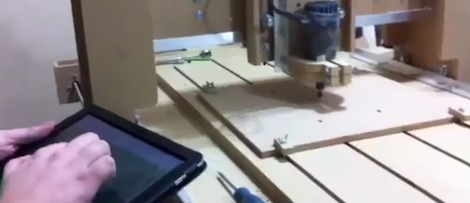
From the forum post the guys sent in, they wrote a simple Android app for a tablet that allows for router control via a touch interface. There are three parts to the software. An Android app sends finger positions to a java server running on the CNC computer. This server dumps gcode into a text file. A vbscript inside the router software keeps reading from the specified file. With all this, finger movements are translated directly into machine movements.

The controls are fairly simple, like a real-life representation of Microsoft Paint. Of course there’s a ‘tap GOTO’ command that moves the router to a specified position. The router bit is lowered onto the work piece with a ‘long tap’ and stays lowered until the finger is released.

You can check out the code for touchCNC, but the guys are working on a few additional features like converting the tablets gyro output to gcode. Until then, enjoy the videos the guys posted after the break.

Continue reading “Extreme Finger Painting With A Router”

Rebuilding A Bridgeport Mill

It looks like the Internet’s resident steampunker is moving up a century or two. [Jake Von Slatt] rebuilt the CNC portion of a Bridgeport Series II mill so it can interface with a computer. It’s a feat even more impressive than moving the mill into [Jake]’s garage.

The first step of the build was tearing out the BOSS 5 industrial microcomputer and replacing it with a Win XP laptop running ArtSoft’s Mach 3. This allows G-code to be displayed directly on the screen. The old power supply for the mill did give [Jake] a few problems. The Gecko stepper drivers that replace the old electronics couldn’t handle the voltage of the old power supply. That can be dealt with by opening the transformer and removing a few turns of wire.

[Jake] has been sending in a few of his hacks as of late, so it’s good to see Hack a Day has another fan, especially one of [Mr. Von Slatt]’s caliber. There is a problem with the mill modifications though – [Jake] hasn’t figured out how to program it. If any HaD readers would like to chime in on the best way to program G-code for the mill, feel free to leave a message in the comments.

$150 CNC Mill Is A Tad Slow But Very Solid

diy-150-cnc-mill

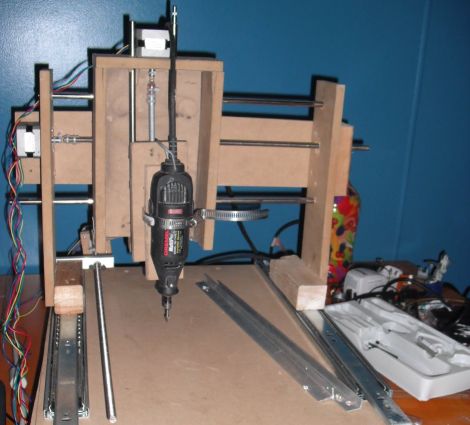
Like just about everyone else out there, [Adam] thinks that CNC machines are pretty cool – so cool that he decided to build one of his own from scratch.

The CNC machine was constructed mostly out of MDF and scrap wood, with drawer slides used for smooth gantry movement. An off-brand rotary tool was used to do the actual cutting, and [Adam] picked up a few Sparkfun stepper motors to drive the machine.

The assembly was completed without too much trouble, but [Adam] says that programming the mill was a long and frustrating process. Cutting was rough and not very accurate at first, but little by little he got things working pretty well. As you can see in the video below, while the cuts look great, improvement came at the expense of speed. He says that the machine could use a redesign to speed it up, which he’ll get around to if some free time comes his way.

It’s not the absolute cheapest CNC build we’ve seen, it’s pretty darn close. With a few tweaks, it could definitely be a solid budget-friendly contender.

Continue reading “$150 CNC Mill Is A Tad Slow But Very Solid”

Hackaday Links: October 28th, 2011

An accidental radial engine

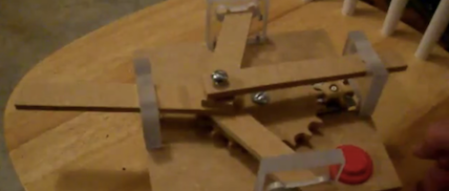
Hack A Day’s very own [Jeremy Cook] was trying to figure out how to push four ‘arms’ out one at a time. What he came up with is a very nice model of a radial engine. Everything was cut on a CNC router and a motor from an air freshener provides the power.

Using a candle to produce light

[Chris] sent in his Candela Amplifier. It’s a Pentium 4 heat sink with a very bright Cree Xlamp LED attached to the base. A bunch of Peltier thermoelectric units are attached to the underside of the heat sink. Put the whole thing on top of a candle, and you can light a room. With a candle. Oh, he’s selling these, by the way.

Objectification and video games?!

We really feel sorry for our lady readers. Guys have so many choices for Halloween costumes, but just about every costume available for women can be reduced to, “Sexy [noun].” Whelp, here’s the Sexy Game Boy, just in time for Halloween. [kazmataz] gets a few bonus points because she went with the DMG-01. It’s better than Sexy Chewbacca, so she’s got that going.

Prototypable 32-bit uCs

[Ng Yong Han] wrote in to tell us about some newish 32-bit PICs that are floating around. The datasheet for the PIC32MX1xx/2xx chips is pretty interesting – USB support and an audio and graphics interface. Oh, they come in PDIPs for ease of prototyping as well. We haven’t seen much from the PIC microcontroller faction recently (Atmel is winning the holy war, it seems). Anybody feel like building something with these?

Makerbot dual extruder


[Lomo] at TU-Berlin is taking a class in rapid prototyping. He built a second print head for his department’s Makerbot Cupcake with a few other students. The result are pretty impressive, although from what we’ve seen, it’s generating the G-code that’s a pain in the butt.

Laser Cut 3D Sculptures Remind Us Of An Old Playstation

[Paul] a.k.a. [VoidFraction] put up the source and documentation for his sculptures made with laser cut polygons.

For computing his triangles, [Paul] developed LcAgl, an algorithm that transforms a 3D model into the AutoCAD file needed to cut a whole bunch of triangles and connectors. This file was shot over to a laser cutter and after a confusing assembly, [Paul] can make just about any low polygon count model he wants.

For his sculptures, [Paul] uses Coroplast, a type of corrugated plastic commonly used in political campaign signs. Coroplast is lightweight and flexible, a bonus when [Paul] is fitting his triangles together. The connecting tabs are made from acrylic – a very rigid material, so the triangles are held tightly in place.

Since the models in most 3D games are just a bunch of polygons anyway, this technique reminds us of the first 3D console games. [Paul]’s rhino looks like it walked off the set of a low polygon game like Virtua Fighter or Jumping Flash!.

Making Better CNC Halftone Pictures

[Jason] was messing around with CNC machines and came up with his own halftone CNC picture that might be an improvement over previous attempts we’ve seen.

[Jason] was inspired by this Hack a Day post that converted a image halftone like the default Photoshop plugin or the rasterbator. The results were very nice, but once a user on the JoesCNC forum asked how he could make these ‘Mirage’ CNC picture panels, [Jason] knew what he had to do.

He immediately recognized the algorithm that generated the Mirage panels as based on the Gray-Scott reaction-diffusion algorithm. With this algorithm, dark areas look a little like fingerprints, meaning the toolhead of the CNC router can cut on the X and Y axes instead of a simple hole pattern with a traditional halftone. After a little bit of coding, [Jason] had an app that converted an image to a reaction-diffusion halftone which can then be converted to vectors and sent to a router.

It’s a very neat build and we imagine that [Jason]’s pictures would cost a bit less than the commercial panels. Check out the video after the break to see the fabrication process.

Continue reading “Making Better CNC Halftone Pictures”