Computing With The Command Line

Here’s something we thought we would never see: computing with just pipes, /dev/zero, and /dev/null.

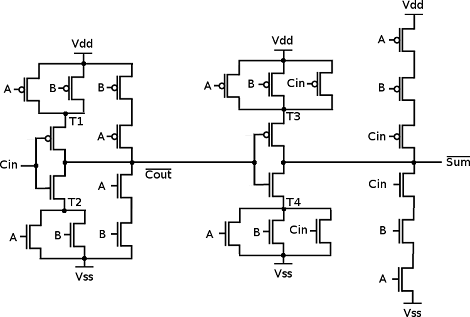
As a thought experiment, [Linus] imagined a null byte represented an electron. /dev/zero would have an infinite supply of electrons and /dev/null would make a wonderful positive power supply. With a very short program (named mosfet.c), [Linus] can use Linux pipes to control the flow of electrons between /zero and /null. [Linus] used mosfet.c with a very short shell script to create a NAND gate. From there all bets were off. He ended up creating a D flip-flop4-bit adder and a counter.

From a bit of cursory research, Linux has a maximum pipe capacity of 1,048,576 bytes and the maximum number of PIDs is 4,194,304 (correct us if we’re wrong). [Linus]  can theoretically build some of the classic CPUs of the 70s and 80s with his pipe logic. An Intel 486 is just out of reach, though. If you give someone a NAND or a NOR they’ll eventually build a computer; we thought we’d never see this, though.

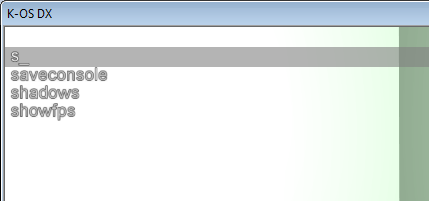
So You Want To Make A Command Line Interface

[Keba] not only asked Answeres.HackaDay.com, but also sent us an email as follows.

“Can you make a basic guide to designing a good Command Line User Interface?”

Wouldn’t you know the luck, I’m currently working on a Command Line type interface for a project of mine. While after the jump I’ll be walking through my explanation, it should be noted that the other replies to Answers.HackaDay.com are also great suggestions.

Continue reading “So You Want To Make A Command Line Interface”

WordPress 2.7 Upgrade In One Line

wordpress

BadPoetry WordPress 2.7 has just been released and features a complete interface overhaul. Hack a Day runs on WordPress MU hosted by WordPress.com, so we got this update last week. We run standard WordPress.org on all of our personal blogs though. We recommend it because it’s free, has a massive userbase, and if you host it yourself, you can do whatever you want with it.

To make the upgrade process as simple as possible (and for the sheer rush of ‘rm -rf’), we use a one line command.

$ curl http://wordpress.org/latest.zip -o "wp.zip" && unzip wp.zip && rm -rf ./wordpress/wp-content/ && cp -r ./wordpress/* ~/www/

curl downloads the latest version from wordpress. unzip unpacks all of the files into a directory called ‘wordpress’. rm -rf removes everything in the ‘wp-content’ directory. Otherwise, you will overwrite your images, themes, and plugins. cp -r copies everything to your http document root, overwriting the previous install.

Naturally, you should back up your current install and database beforehand. We tend to use the one-liner with reckless abandon. If you’re wondering about the terseness, it was designed to fit inside the 140 character limit of Twitter.

[Thanks, Chris Finke]