Cheap And Easy PCB Agitator From An Old CD-ROM

cdrom_pcb_agitator

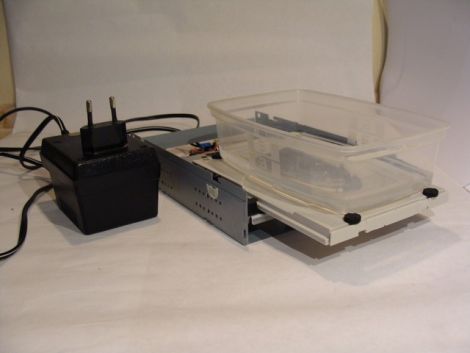
Instructables user [mzsolt] enjoyed making his own PCBs, but he wanted to speed up the etching process just a bit. While some people put together elaborate bubble tanks and agitators, he wanted to keep his simple and more importantly, cheap.

He looked around the house and discovered an ancient CD-ROM drive that was collecting dust, which he figured would make a great agitator for smaller projects. He picked up a decade counter and a handful of other cheap components, then got busy pulling the drive apart. He connected the motor and the drive’s limit switches to the decade counter, which controls the entire setup.

When powered on, the drive ejects, taking his container full of etchant with it. When the drive hits the outer limit switch, the decade counter reverses the motor until it hits the inner switch, reversing the motor once again.

As you can see in the video below, it works reasonably well. He suggests using a variable power supply to regulate the motor’s speed, but a variable pot would probably work just as well. Obviously the agitator is best suited for smaller projects, but since it was so cheap to put together, you won’t hear us complaining.

Continue reading “Cheap And Easy PCB Agitator From An Old CD-ROM”
Importing PCB Layout Into Google Sketchup

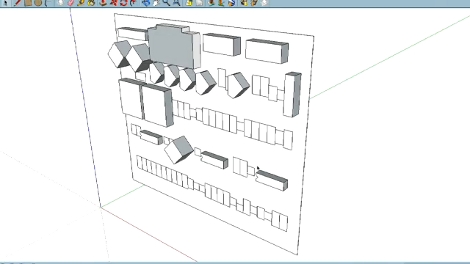
If you’ve been spending hours with the digital calipers while designing enclosures for your circuit boards there may be a better way. [Phil] tipped us off about a new software package that will let you import PCB layout files into Google Sketchup. This way you can start working on the enclosure in CAD before you’ve populated your first board. Of course this adds to the pain of realizing there’s an error in your layout, but what are you going to do?

The free software was developed by RS Components, a European component distributor. It takes IDF files, which can be exported from most PCB design software, and converts them to a format compatible with Sketchup, Google’s 3D design software. For those who enjoy a very dry demonstration video you won’t want to skip seeing what we’ve embedded after the jump.

We’re kind of surprised that this hasn’t already been done. If it has, leave a link in the comments.

Continue reading “Importing PCB Layout Into Google Sketchup”

Tour Of Advanced Circuits – A PCB Manufacturer

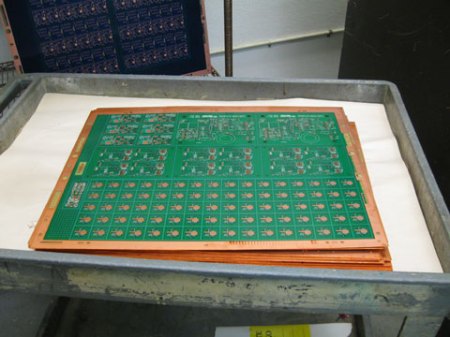
Although not a hack in itself, many of you may be interested in seeing how a printed circuit board is made in the manufacturing world.  This tour of Advanced Circuits does a good job of explaining the process. The article explains how a PCB will go through a CAD/CAM review, drilling, deburring, and the various chemical etch, plating, and curing processes.

Although many hackers make their own PCBs, having it professionally done can be a good option depending on how many copies are needed. One benefit of this is that PCBs can be checked by an optical inspection process, or even by a “flying lead” machine which works by contacting leads automatically in a computer controlled setup.

A video of this incredible machine is included after the break.  Around 0:26 is when it really starts to get going. Continue reading “Tour Of Advanced Circuits – A PCB Manufacturer”

Semi-automatic PCB Drill Press

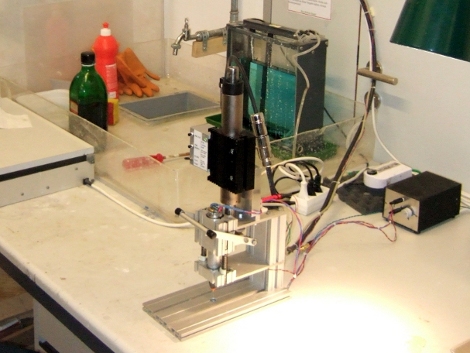
Kiss the days of breaking bits while drilling through-hole PCBs goodbye thanks to this semi-automatic drill press (translated). Now it’s not going to line up the bit with the exact location of the hole (that would make it a fully automatic drill press). This works by lining up the board manually, then stepping on a pedal to activate the plunging motion of the drill.

A linear motor is responsible for the smooth, accurate motion along the Z-axis. Many hobby setups use a Dremel drill press, or even rely on prayer-based systems such as doing it free-hand with a rotary tool or by using a piece of acrylic as a guide hole. The hobby drill press tends to have some play in it and free-handing with tiny bits that are as fragile as glass both result in far too many broken drill bits. In the video after the break you can see that the linear motion is perfectly plumb with the table of the device, preventing the movements that cause breakage. The addition of the pedal makes it easy to position the boards because you can use both hands.

Having a tool like this takes all of the frustration out of using through-hole parts.

Continue reading “Semi-automatic PCB Drill Press”

Snap-together PCB Mill

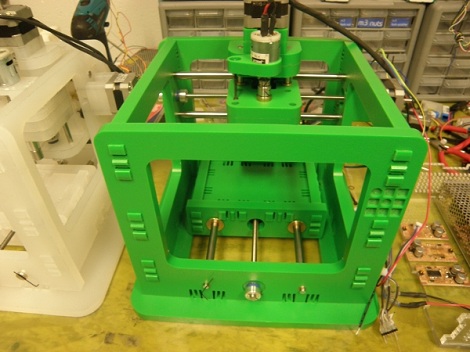
[Jonathan Ward] came up with the MTM Snap, a snap-together pcb mill as part of the Machines That Make group at MIT.

We covered [Jonathan]‘s previous work made out of half-inch plywood, but the new iteration of his PCB includes a clever snap-together mechanism instead of screws and bolts. Although the MTM Snap looks a lot like3d printers such as a reprap, the similarities end with the off-the-shelf stepper motors. Instead of using motor drivers and control electronics from a reprap, the project uses custom stepper drivers, controlled by a bare Arduino.

We’re really impressed with the results of the MTM Snap compared with what is possible on a reprap-derived milling machine like a makerbot or wolfstrap. We’re thinking that’s due to the mass of this project compared to the printed ABS parts of the ‘common’ 3d printers, but any MEs are more than happy to correct that notion.

Check out the video after the break to see the machine in action and a great view of the snap-fit mechanism.

Continue reading “Snap-together PCB Mill”

PCB Milling With A Makerbot

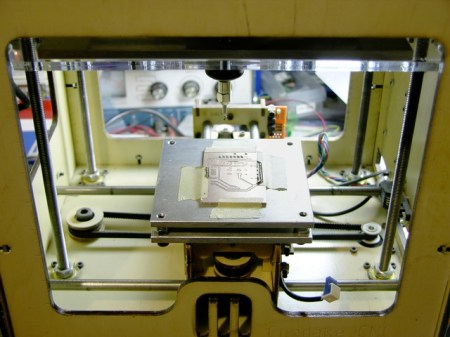
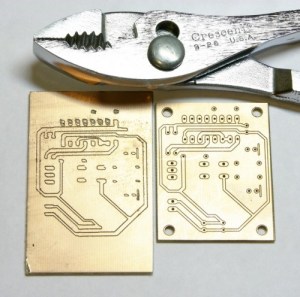
[Keith] wanted to use his makerbot for some PCB milling, but he ran into a pretty big problem. The platform that his PCB would sit on was mounted with a layer of double sided foam tape and was not perfectly aligned to the head. Not only that, but it would tilt when pressure was applied. This made the result of the milling completely unacceptable. To remedy this, he made a new platform that is not only rigid, but he has made it so that there is the ability to adjust it for perfect alignment via adjustment screws in the 4 corners. At the beginning of each session, he can be absolutely sure that everything is aligned perfectly and his PCBs show a huge improvement. You can see a comparison of the two in the following picture.

[via HackedGadgets]

PCB Milling Tutorial

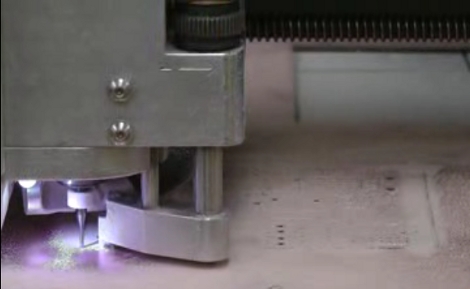
[Juan Jose Chong] put together a set of videos and a PDF guide to milling printed circuit boards. You’ll find the pair of videos, totaling about twenty-two minutes, embedded after the break. In them, [Jaun] details the techniques used by the IEEE chapter at Texas Tech University to mill PCBs instead of using the traditional method of etching them. We’ve long been a fan of milled PCBs and often dream about the day we can retire the old iron we use for the toner transfer method.

In the tutorial, IsoPro is the software used to control the mill. The CAM files from a PCB design program are imported – they can come from many different programs including EagleCAD. A few setup steps let the operator configure the resolution necessary to mill the correct tolerance and from there the paths that outline each trace are calculated in software. In order to facilitate double-sided boards a reference hole is drilled in the copper clad board to accept a post on the mill table. Tape down the substrate with some foil tape, set the depth of the end mill bit, and let the machine do its thing. [Juan’s] video illustrates how quickly this can produce a rather complicated board, finishing in around 20 minutes.

Continue reading “PCB Milling Tutorial”