A T9 Keyboard For Your Smartphone

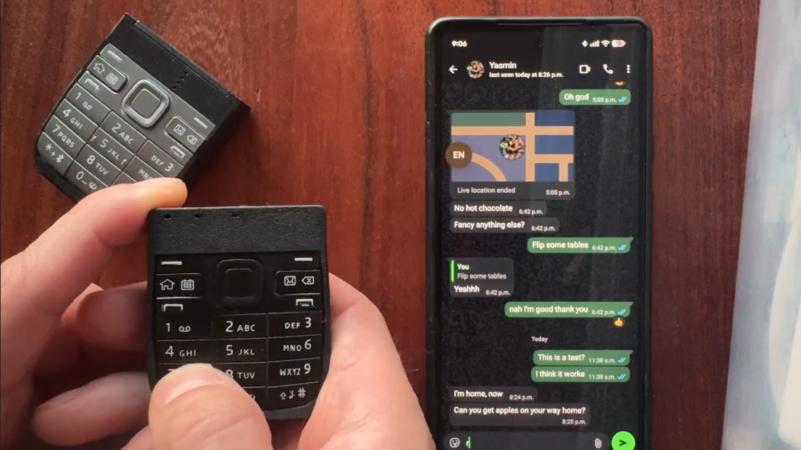
These days, most of us are fortunate enough to use smartphones with decent touchscreen keyboard capabilities. However, once upon a time, if you wanted to type something on a phone, you had to tap it out on the number keys instead. [Jarrett] is bringing that back with a custom T9 keyboard for modern phones. 

The build is designed around the keypad of the Nokia E52, a Symbian smartphone released in 2009—two years after Apple changed the game with the first iPhone. The phone keypad itself is laid over a custom PCB with Alps SKRK tactile switches corresponding to each individual key. Each is wired with a diode and the switches are scanned as a row/column array as is typical for keyboards. Reading the matrix is an ESP32-C6 microcontroller, which counts the keypresses and spits out the right letters over its Bluetooth connection to an attached smartphone or other device. Power is via a small lithium-ion battery, looked after by a TP4200 charger chip.

Overall, the keyboard works as you’d expect, allowing T9-style input to any compatible device that works with Bluetooth keyboards. [Jarrett] does have one regret, with the 0.98 N actuation force switches used leaving he keypad feeling a little mushy. The firmer 1.57 N switches were suspected to give a more satisfying response under thumb, which was a nice upgrade in the second revision build.

We’ve seen other builds in this vein before, too, albeit with bigger keys. If you’re coming up with your own esoteric input methods, don’t hesitate to notify the tipsline.

Illustrated Kristina with an IBM Model M keyboard floating between her hands.

Keebin’ With Kristina: The One With The Cipher-Capable Typewriter

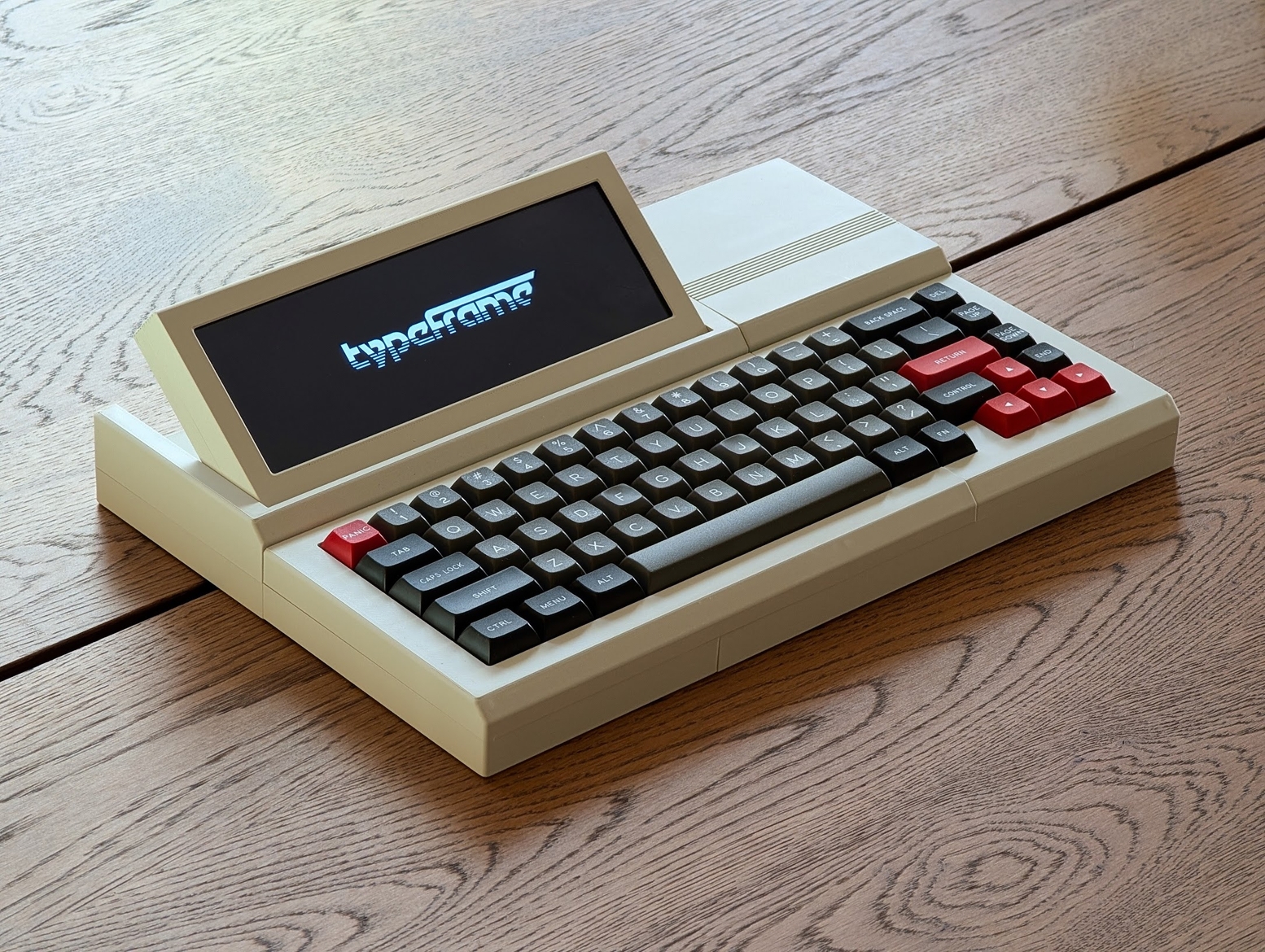
I must confess that my mouth froze in an O when I saw [Jeff]’s Typeframe PX-88 Portable Computing System, and I continue to stare in slack-jawed wonder as I find the words to share it with you. Let me give it a shot.

[Jeff] tells us that he designed Typeframe for his spouse to use as a writer deck. That’s good spousing, if you ask me. Amazingly, this is [Jeff]’s first project of this type and scope, and somehow it’s an elegant, yet easy build that’s quite well documented to boot. Whatever Typeframe’s design may borrow, it seems to give back in spades.

The Typeframe PX-88 Portable Computing System.
Image by [Jeff] via Typeframe.net
Use Typeframe for what you will — cyberdeck, writer deck, travel PC — this baby can handle whatever you throw at it. And of course, it’s open source from front to back.

This Raspberry Pi 4B-based productivity machine has all sorts of neat features. The touch screen flips upward at an angle, so you don’t have to hunch over it or carry a mouse around. Want to sit back a bit while you work? The aesthetically spot-on keyboard is detachable. Yeah.

If that’s not enough to get you interested, Typeframe is designed for simple construction with minimal soldering, and the sliding panels make maintenance a breeze.

A little more about that keyboard — this is Keebin’, after all. It’s an MK Point 65, which boasts hot-swap sockets under those DSA Dolch keycaps. See? Minimal soldering. In fact, the only things you have to solder to make the Typeframe your own are the power switch and the status light. Incredible.

Continue reading “Keebin’ With Kristina: The One With The Cipher-Capable Typewriter”

Add TouchTone Typing To Your Next Project

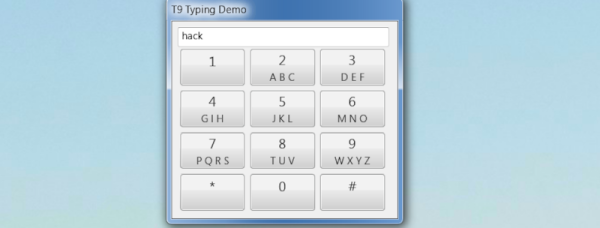
The Blackberry made phones with real keyboards popular, and smartphones with touch keyboards made that input method the default. However, the old flip phone crowd had just a few telephone keys to work with. If you have a key-limited project, maybe check out the libt9 library from [FoxMoss].

There were two methods for using these limited keyboards, both of which relied on the letters above a phone key’s number. For example, the number 2 should have “ABC” above it, or, sometimes, below it.

In one scheme, you’d press the two key multiple times quickly to get the letter you wanted. One press was ‘2’ while two rapid presses made up ‘A.’ If you waited too long, you were entering the next letter (so pressing two, pausing, and pressing it again would give you ’22’ instead of ‘A’).

Continue reading “Add TouchTone Typing To Your Next Project”

EclairM0

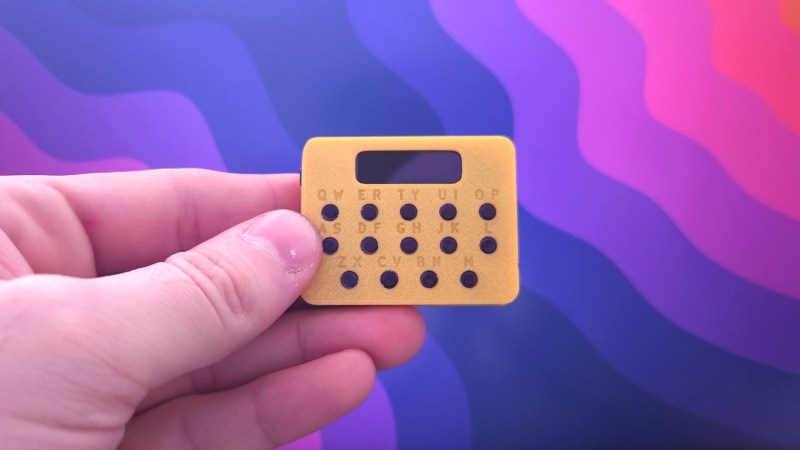
EclairM0, The Pocket Notepad

Roughly the size of a Tic Tac container, this project packs a punch in a compact package. [Matt] sent in this beautifully documented pocket device that brings back great memories of texting on early cellphones.

The EclairM0’s firmware is written in TinyGo, a language he hadn’t used before but found perfect for a microcontroller project where storage space is tight. The 14-button input mimics early phone keypads, using multi-tapping and combo key presses to offer various functions. The small SSD1306 OLED display is another highlight. Building on an earlier CircuitPython project, [Matt] optimized the screen’s performance, speeding up its response time for a snappy user experience. The battery picked was only 3 mm thick, however the protection circuity on the battery added another 2 mm so he moved that protection circuity to the main PCB itself to keep it as thin as initially planned.

Weighing just 15 grams, this lightweight device runs on a SAMD21 microcontroller, which supports USB host functionality. This allows the EclairM0 to act as a keyboard, mouse, or even USB peripherals. Housed in a 3D-printed case, the entire project is open-source, with design and firmware files available on GitHub.

We love small handheld projects around here and this well-documented, fun pocket device is no exception, if you want your own he has a page dedicated to helping you build a EclairM0.

Continue reading “EclairM0, The Pocket Notepad”