Governments like to do things which at least sound open and honest. It makes them look like Thoroughly Good Eggs, when maybe the truth might be a little murkier. They also like to quietly roll back those things when it suits them, and so it is that [Jonty], of Electromagnetic Field fame, has assembled a list of code repositories quietly disappeared by the UK Government. Naturally, being thorough about such things, he’s also kept copies.
Now we’re always happy to reach for a mildly sensational title, but paging through the archive it’s more a collection of flotsam and jetsam than a trove of state secrets, after all these were all public GitHub repositories. There’s a lot of web stuff, some data analytics in R for those interminable government reports, odd bits of server code, and a whole load more. The Met Office Informatics Lab in particular has a fair bit of climate related code and data.
Should Brits with an interest in government openness be concerned here? In terms of the data and code deleted, probably not, but in terms of that which they might delete without notice in the future, it’s a slippery slope. We’re glad people like [Jonty] are there to make these things a little less easy to disappear.
Sandboxing a Linux process usually means spending a lot of effort deciding what it isn’t allowed to see. You might put it in a mount namespace, bind-mount a few directories into place, hide some others, add a chroot, and generally construct a carefully restricted version of the filesystem. But a new Linux kernel feature is about to change all of that. Instead of carefully hiding most of the filesystem, why not just take the filesystem away?
That’s essentially the idea behind FailFS, a tiny pseudo-filesystem expected to land in Linux 7.3. As the name suggests, it doesn’t do very much. In fact, that’s the point: every operation that reaches FailFS returns EOPNOTSUPP, meaning “operation not supported.”
The interesting bit is what happens when a process uses FailFS as its root or current working directory. At that point, normal pathname lookup essentially ceases to work. Absolute paths fail. Absolute symbolic links fail. Relative paths using the normal current-directory mechanism fail. If the application tries to open /etc/passwd, there simply isn’t a useful /etc to find.
If you used a serious computer pre-IBM PC, there was a fair chance its operating system was CP/M. CP/M was a staple among 8080 and Z80 computers and while there were other versions, we’ll always associate CP/M with the Z-80. There was a CP/M made for the PC which used an 8088 (a hybrid 8-bit bus with a 16-bit 8086 core), but it was overwhelmed by MSDOS. However, there was another interesting version made for the 68000, and now [johnsonjh] has ported that over to create an early version of CP/M for 80386 protected mode.
The Z-80 only had a 16-bit address bus, so it could only handle 64K of memory. It was common to “bank switch” some memory, and CP/M Plus could be made to understand that (for example, you might have 32K of common memory and three banks of 32K memory; you could address one bank at a time). However, the 386 had a full-blown memory management unit that could remap physical 4K memory pages to anywhere in a program’s virtual address space.
Ordinary CP/M couldn’t handle that, but the Motorola 68000 had a similar page management model, so it makes sense it might be easier to port CP/M-68K to the 80386 than starting from the original, even though the instruction set for the Z-80 is conceptually more similar to the 80386.
What can you do with it? We don’t know. Presumably, it will allow you to use lots of memory. Historically, CP/M software from one variant would not run on another, so you’ll have to build anything you want to use. Of course, the real killer for lots of CP/M memory was multitasking, but that takes MP/M, and only about half of that is currently working. But we won’t be surprised to see it completed soon.
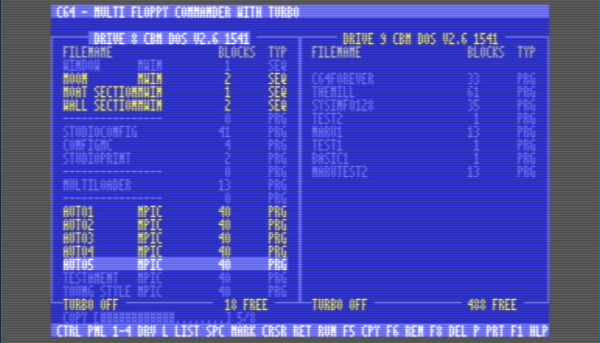
Norton was always a PC company — Norton Commander, the file manager that launched a thousand clones, was only ever available for DOS, like the rest of the company’s offerings in those days. If they’d decided to port it to the C64, though, it would likely look a lot like [retro3872809] aka [Chicken 64]’s Multi Floppy Commander with Turbo, available on GitLab.
As you might be able to see on the screen shot above or in the demo video below, the application provides an 80-column interface with a split view to show a pair of floppies side-by-side. Not that you’re limited to two floppies, however. The software is happy to swap between all the drives on the bus, to the C64’s maximum of four. All four drives will be usable since the file manager lives on a cartridge.
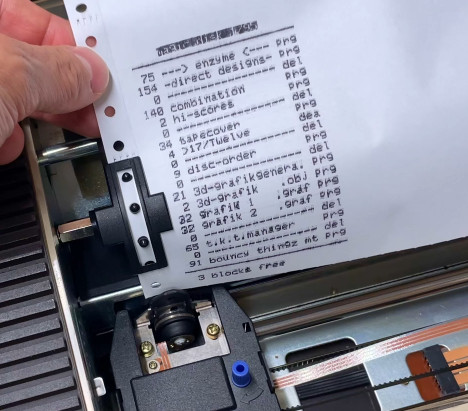
All drive models are supported, though not all have turbo. As a file manager, it looks like it has the normal functionality you’d expect: renaming, copying, moving and deleting files and directories. You can also launch programs or print disk listings, assuming you have a printer attached to your Commodore.
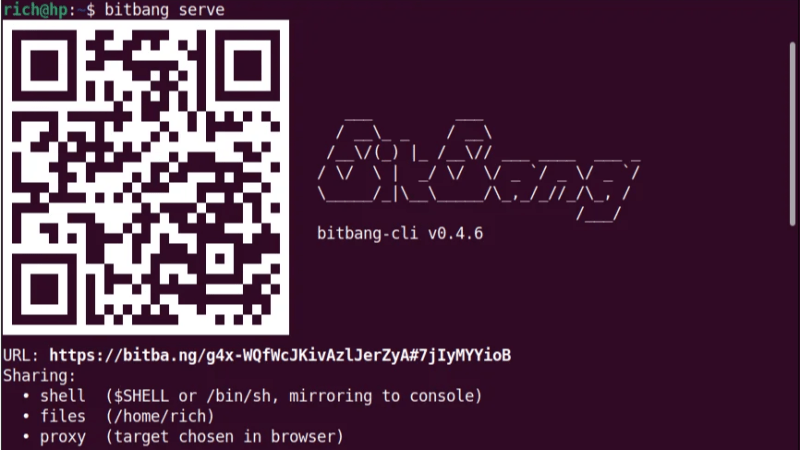
Launch a single static binary executable, send someone a QR code or URL (or failing that, text a numerical code or shout it across a room), and they’ll get an encrypted terminal in their browser. No VPN, no port forwarding, no firewall modifications, and no account setup required. It’s BitBang by [Rich LeGrand], and there is a lot to go through in this one.
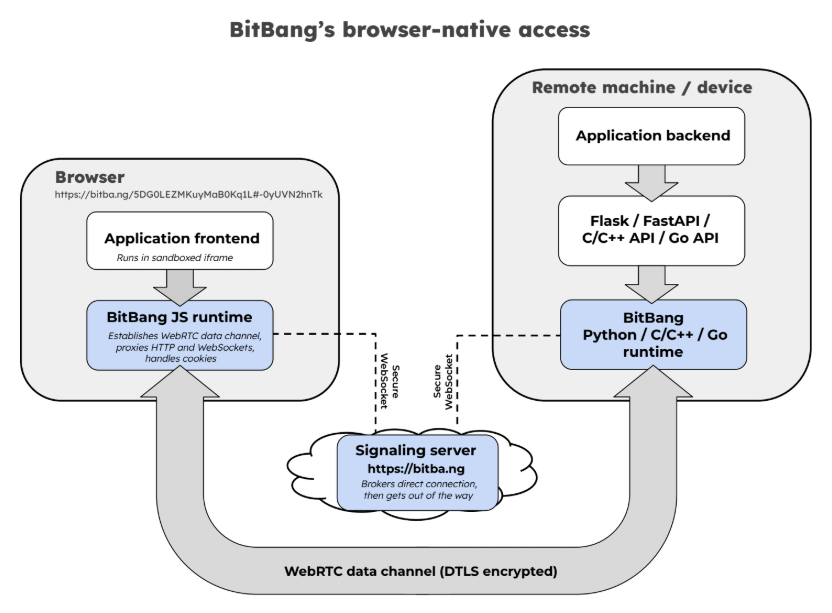
The best part? It’s not actually limited to just firing off a terminal. It’s a whole open framework for establishing an encrypted peer-to-peer connection between two systems over WebRTC without needing either a trusted central authority, or any special network configuration.
The signaling server brokers the handshake, then has no further involvement. By design, it couldn’t see application data even if it wanted to. Click to enlarge.
Opening a remote terminal, transferring files, or accessing web apps on a remote machine’s network is done with bitbang-cli, an implementation of BitBang focused on providing simple, zero-config remote access.
Before we go on, we want to mention that BitBang does require a lightweight, trustless signaling server only to broker the initial connection, but more on that in a moment.
On the machine to be shared, one first downloads the binary. Easiest way to do that is to go to bitba.ng and download manually, or copy and paste the one-line installer to auto-detect one’s system, download the correct release, and verify the checksum.
After the binary is downloaded, simply run it in a terminal and receive a QR code to scan, a URL to copy & paste, or a numerical code if those are inconvenient. On the remote side, one accesses the signaling server and the connection is made — one gets a terminal on the target machine open in the browser tab, with added options for file sharing and accessing web applications on the target network.
The signaling server isn’t involved in authentication or encryption, and couldn’t see private data between the two ends even if it wanted to. Prefer not to use someone else’s regardless? Run your own local instance with bitbang-server.
It includes not just the remote-access tool mentioned above, but also a BitBang Octoprint plugin for cloud-free remote access to 3D printers, and bitbang-python is a library for turning local Python web applications into a URL that can be opened from anywhere.
We’re sure some of you are getting more than a few ideas from this. If it lets you bring a project over the finish line, let us know on our tips line.
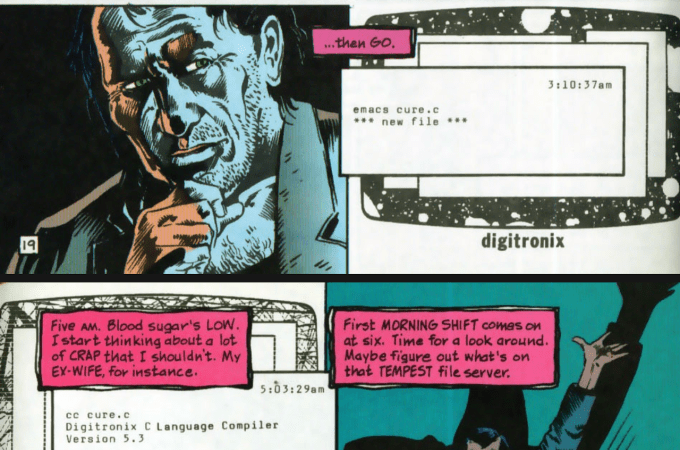
Emacs is one of the big classic text editors, right up there next to vi. It’s famous for its interface and its ubiquity across the *nix world. It’s such a core piece of software in the coding world that it has showed up a fair few times in popular culture—and [Ian Y.E. Pan] has collated some of those appearances.
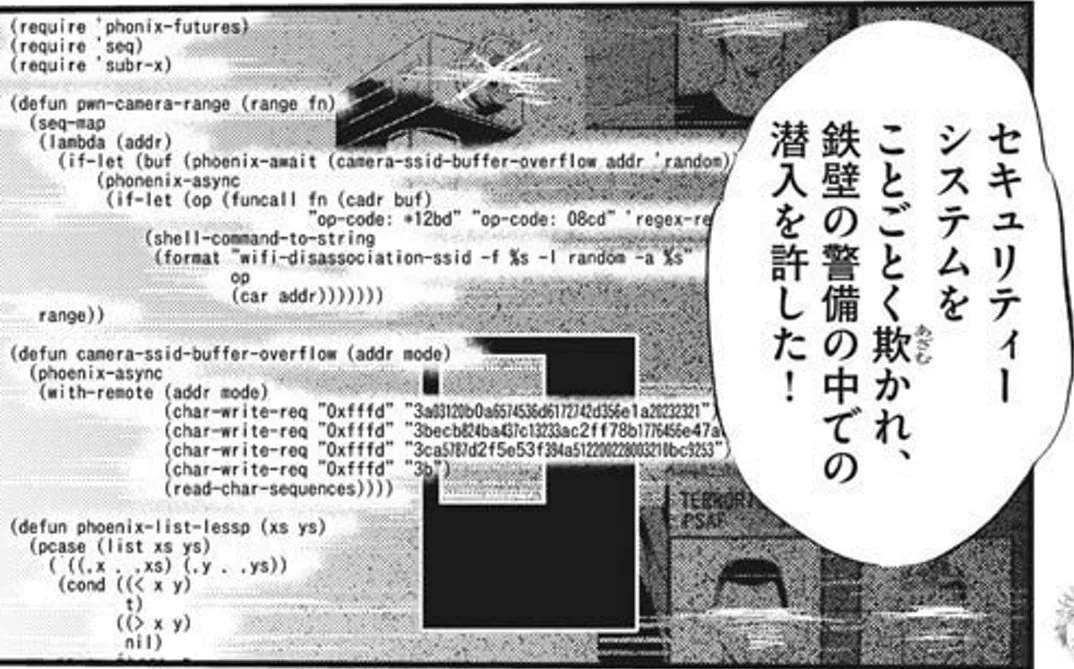
Emacs played a role in The Social Network, the retelling of the origin story of Facebook (the social network everybody used to use). Notably, Mark Zuckerberg used the tool to slap together a script for scraping a website. It also appears in Tron: Legacy, Arctic Blast, and the tech TV comedy Silicon Valley—more than once, in fact.
Other appearances include comics, Japanese anime series Key The Metal Idol, and a few miniseries and documentaries to boot.
[Ian]’s list is unlikely to be exhaustive. Both because he hasn’t seen every movie or TV show ever made, and because you can make new content featuring Emacs references tomorrow if you so desire. Still, it’s fun to see some of the famous properties that have featured good ol’ Emacs.
Don’t hesitate to let us know if you happen to put together a similar list about vi. The tipsline is waiting.
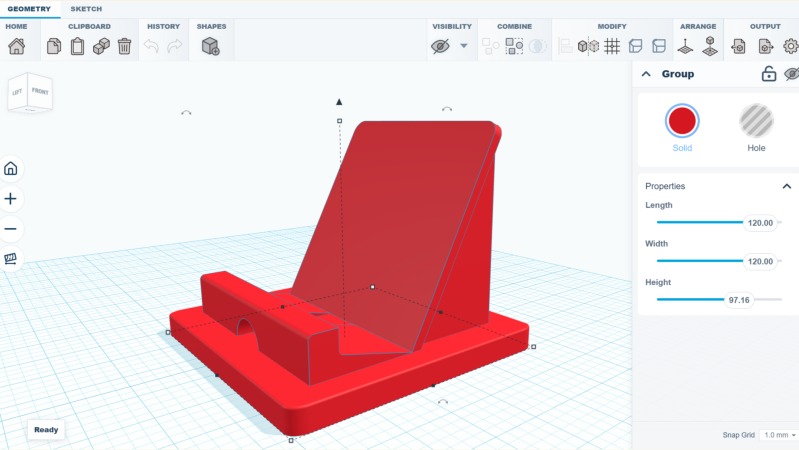
Got an idea and want to make a simple 3D model, but don’t want to install a full-fledged CAD modeling suite and queue up a few hours of tutorial videos? Check out SketchForge, a 3D modeling program that runs locally in one’s browser without any need for an account, or external services.
SketchForge takes a more WYSIWYG approach to 3D modeling by making it easy to put an object together with primitive shapes, and making it extra easy to specify dimensions and align parts with one another. There’s also a sketch feature that makes it easier to create more complex shapes by making a 2D drawing, then extruding or revolving it into a solid. We like that it has STEP format export as an option, making it easy to import your creation into another CAD program of your choice later. Most 3D printer slicers natively support the STEP format nowadays, too.
It’s a bit reminiscent of Tinkercad in concept, but entirely local. It’s still new, but there’s a demo online that gives a good idea of its capabilities if you’d like to give it a spin.
We’re reminded of CaDoodle, another project that takes the “Tinkercad, but local” approach but as a standalone executable, instead of browser-based.