The 16K Display That Ate Las Vegas

You may have a 4K television. Perhaps you have even bought an 8K screen, despite the shortage of things worth watching in 8K. A 16K display is, today, a rarity. But even when those eventually become commonplace, yours probably will not cover 14,900 square meters, rise 73 meters into the air, or wrap over your head and behind your peripheral vision.

That is approximately what happens inside Sphere in Las Vegas. The venue’s interior display is quoted as having a resolution of 16K by 16K and an area of 160,000 square feet, or about 3.7 acres. Unlike most enormous movie screens, it is not illuminated by a projector. The entire surface is a direct-view LED display: an immense, curved video wall assembled from tens of thousands of smaller pieces.

After seeing The Wizard of Oz at Sphere, however, the most interesting part was not simply the screen’s size. It was how thoroughly the screen could disguise itself.

Where Did The Theater Go?
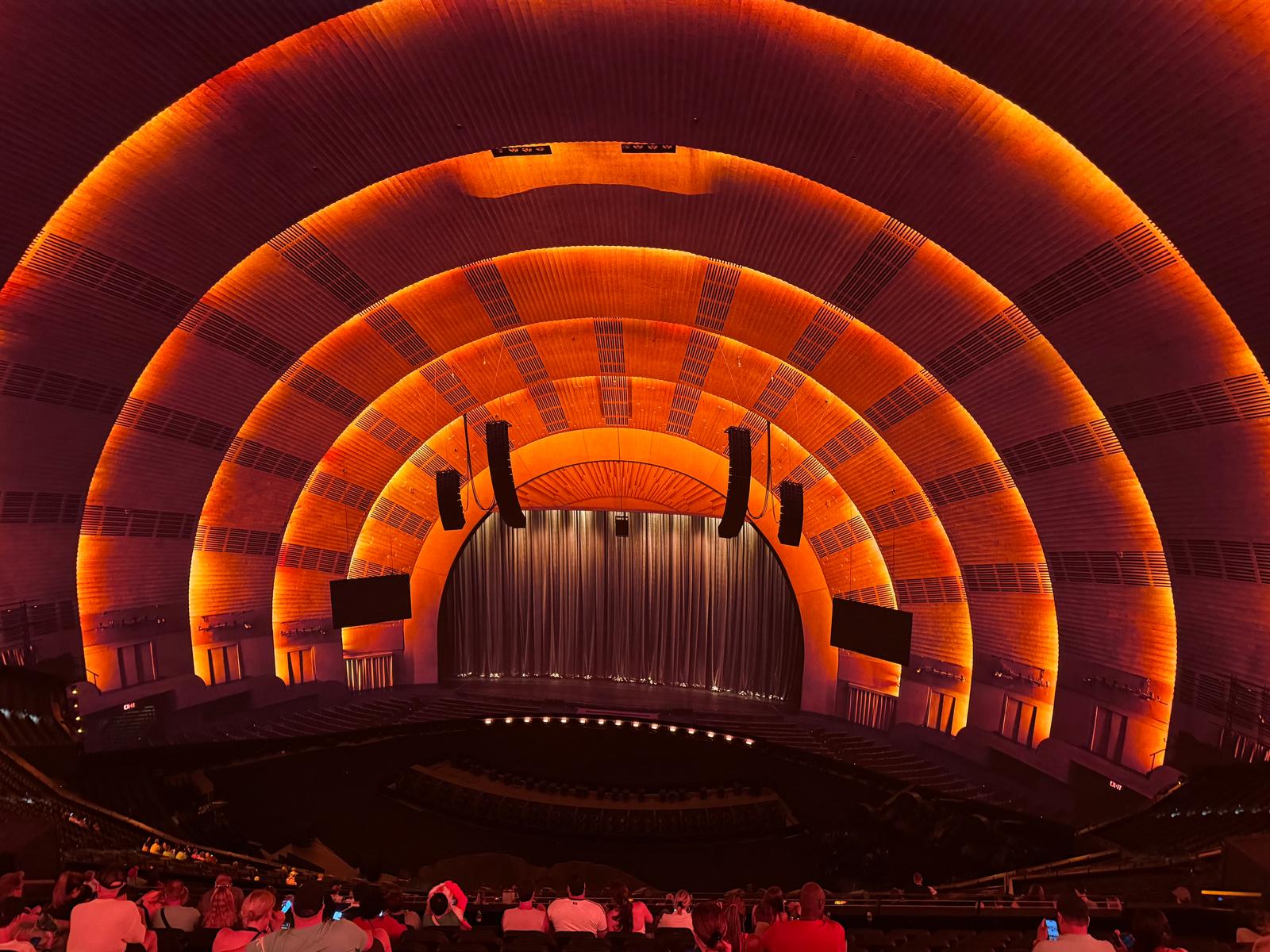
Radio City or the Sphere? (It is the Sphere; photo courtesy [DP])
Before the presentation began, the auditorium appeared to have a conventional architectural ceiling. Great orange ribs curved over the seating, while ventilation grilles, suspended loudspeakers, lighting fixtures, curtains, and video monitors completed the illusion. It looked like the Radio City Music Hall’s proscenium. Then the show started — and the apparent theater completely disappeared. The speakers, the TVs, even the stage.

The obvious first conclusion was that the LED surface must be optically transparent, allowing the audience to see the real roof behind it until the pixels illuminated. That explanation was attractive because Sphere’s audio system really is installed behind the display, and the surface must allow sound through it.

It was also, apparently, wrong. The only explanation that makes sense is that the ceiling, ribs, grilles, speakers, and monitors were already being displayed by the screen. It was like a holodeck impersonating a physical theater interior. When the Oz material began, the system simply replaced one complete visual environment with another.

That’s what happens when a display fills nearly all of your useful visual field. A normal screen announces itself with a bezel, a wall, or at least a clearly visible edge. Sphere’s display extends upward and around the audience, removing many of those references. Give the image credible perspective, texture, shadows, and familiar architectural details, and the brain accepts the pixels as a room.

The same effect makes the Oz landscapes seem less like scenes displayed in front of the audience and more like places into which the auditorium has been inserted. Of course, there are more special effects. For The Wizard of Oz, there is wind and smoke, along with paper leaves, flower petals, and foam-rubber apples that fall from the sky. All of this makes it even more immersive.
Continue reading “The 16K Display That Ate Las Vegas”

Get A Remote Terminal With One Binary, One URL, And Zero Config

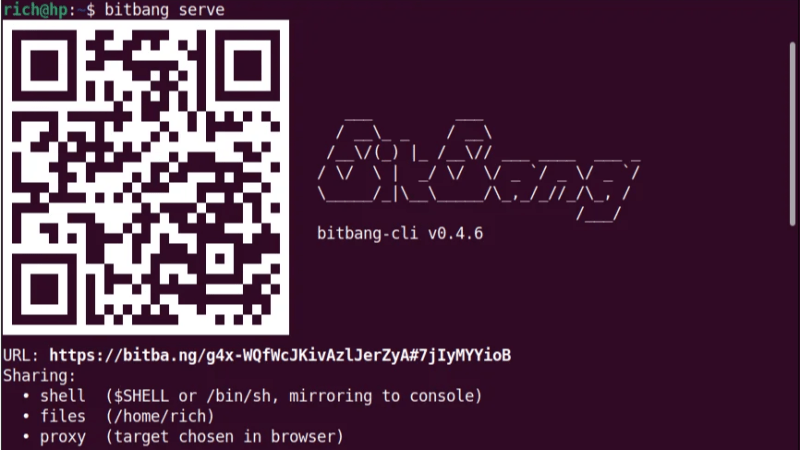
Launch a single static binary executable, send someone a QR code or URL (or failing that, text a numerical code or shout it across a room), and they’ll get an encrypted terminal in their browser. No VPN, no port forwarding, no firewall modifications, and no account setup required. It’s BitBang by [Rich LeGrand], and there is a lot to go through in this one.

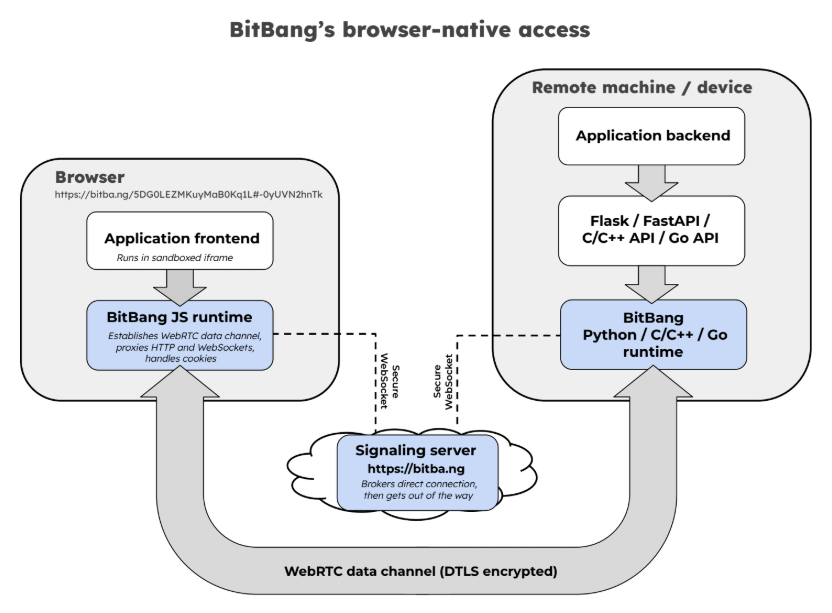
The best part? It’s not actually limited to just firing off a terminal. It’s a whole open framework for establishing an encrypted peer-to-peer connection between two systems over WebRTC without needing either a trusted central authority, or any special network configuration.

The signaling server brokers the handshake, then has no further involvement. By design, it couldn’t see application data even if it wanted to. Click to enlarge.

Opening a remote terminal, transferring files, or accessing web apps on a remote machine’s network is done with bitbang-cli, an implementation of BitBang focused on providing simple, zero-config remote access.

Before we go on, we want to mention that BitBang does require a lightweight, trustless signaling server only to broker the initial connection, but more on that in a moment.

On the machine to be shared, one first downloads the binary. Easiest way to do that is to go to bitba.ng and download manually, or copy and paste the one-line installer to auto-detect one’s system, download the correct release, and verify the checksum.

After the binary is downloaded, simply run it in a terminal and receive a QR code to scan, a URL to copy & paste, or a numerical code if those are inconvenient. On the remote side, one accesses the signaling server and the connection is made — one gets a terminal on the target machine open in the browser tab, with added options for file sharing and accessing web applications on the target network.

The signaling server isn’t involved in authentication or encryption, and couldn’t see private data between the two ends even if it wanted to. Prefer not to use someone else’s regardless? Run your own local instance with bitbang-server.

Originally developed as an easy way to securely make telepresence robots reachable over the Internet with nothing more than a QR code, today it’s a whole framework.

It includes not just the remote-access tool mentioned above, but also a BitBang Octoprint plugin for cloud-free remote access to 3D printers, and bitbang-python is a library for turning local Python web applications into a URL that can be opened from anywhere.

We’re sure some of you are getting more than a few ideas from this. If it lets you bring a project over the finish line, let us know on our tips line.

Spotting Emacs In The Wild

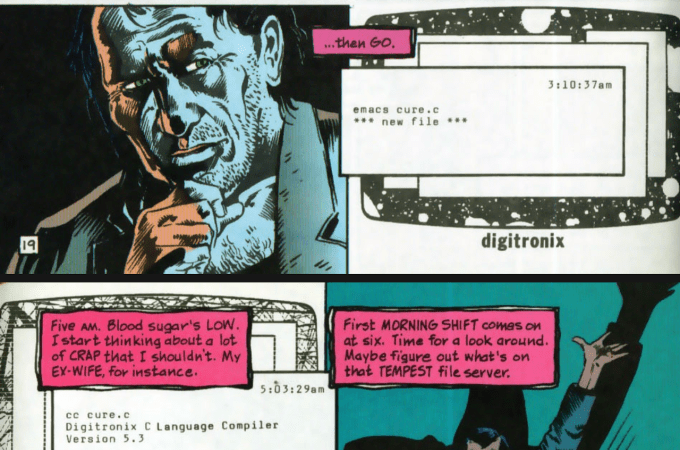
Emacs is one of the big classic text editors, right up there next to vi. It’s famous for its interface and its ubiquity across the *nix world. It’s such a core piece of software in the coding world that it has showed up a fair few times in popular culture—and [Ian Y.E. Pan] has collated some of those appearances. 

Emacs played a role in The Social Network, the retelling of the origin story of Facebook (the social network everybody used to use). Notably, Mark Zuckerberg used the tool to slap together a script for scraping a website. It also appears in Tron: Legacy, Arctic Blast, and the tech TV comedy Silicon Valley—more than once, in fact.

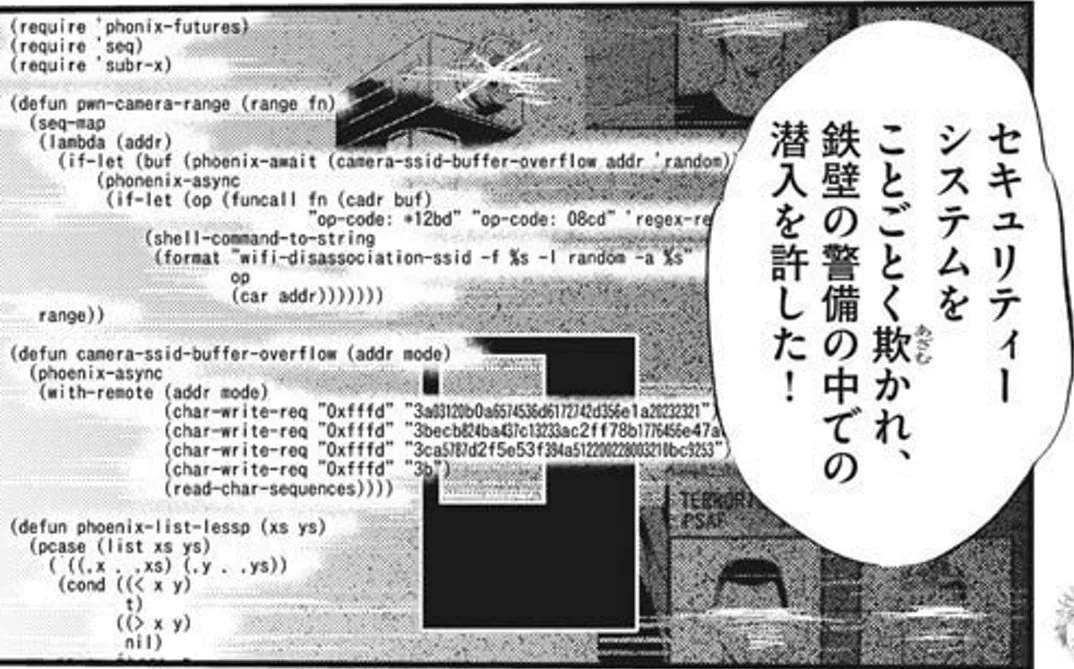
Other appearances include comics, Japanese anime series Key The Metal Idol, and a few miniseries and documentaries to boot.

[Ian]’s list is unlikely to be exhaustive. Both because he hasn’t seen every movie or TV show ever made, and because you can make new content featuring Emacs references tomorrow if you so desire. Still, it’s fun to see some of the famous properties that have featured good ol’ Emacs.

Don’t hesitate to let us know if you happen to put together a similar list about vi. The tipsline is waiting.